
For housing societies, apartments, RWAs & commercial complexes
Maintenance bills, receipts and dues for every flat — in one Excel file.
Set the charges once. XploreSociety works out every flat’s monthly bill with arrears and interest, prints receipts, lists defaulters with WhatsApp reminders, and keeps the society’s income & expenditure — built for the secretary or treasurer who does the work.
- Instant Download
- Lifetime Access
- No per-flat fee
- Members’ data stays with you
Month-end without the maintenance register
Register & receipt book
- Each flat’s bill worked out with a calculator
- Interest on old dues argued over every month
- Receipts written by hand, twice
- Defaulters chased one phone call at a time
- Members ask “where did the money go?”
With XploreSociety
- Monthly bill for every flat, with the sq ft working shown
- Interest added by the same rule for everyone
- Numbered receipts with member and office copy
- Defaulter list by wing, with a WhatsApp button
- Income & expenditure and bank + cash balance every month
What you get
One Excel file for a whole financial year. Each page does one job and passes the numbers on by itself.
01
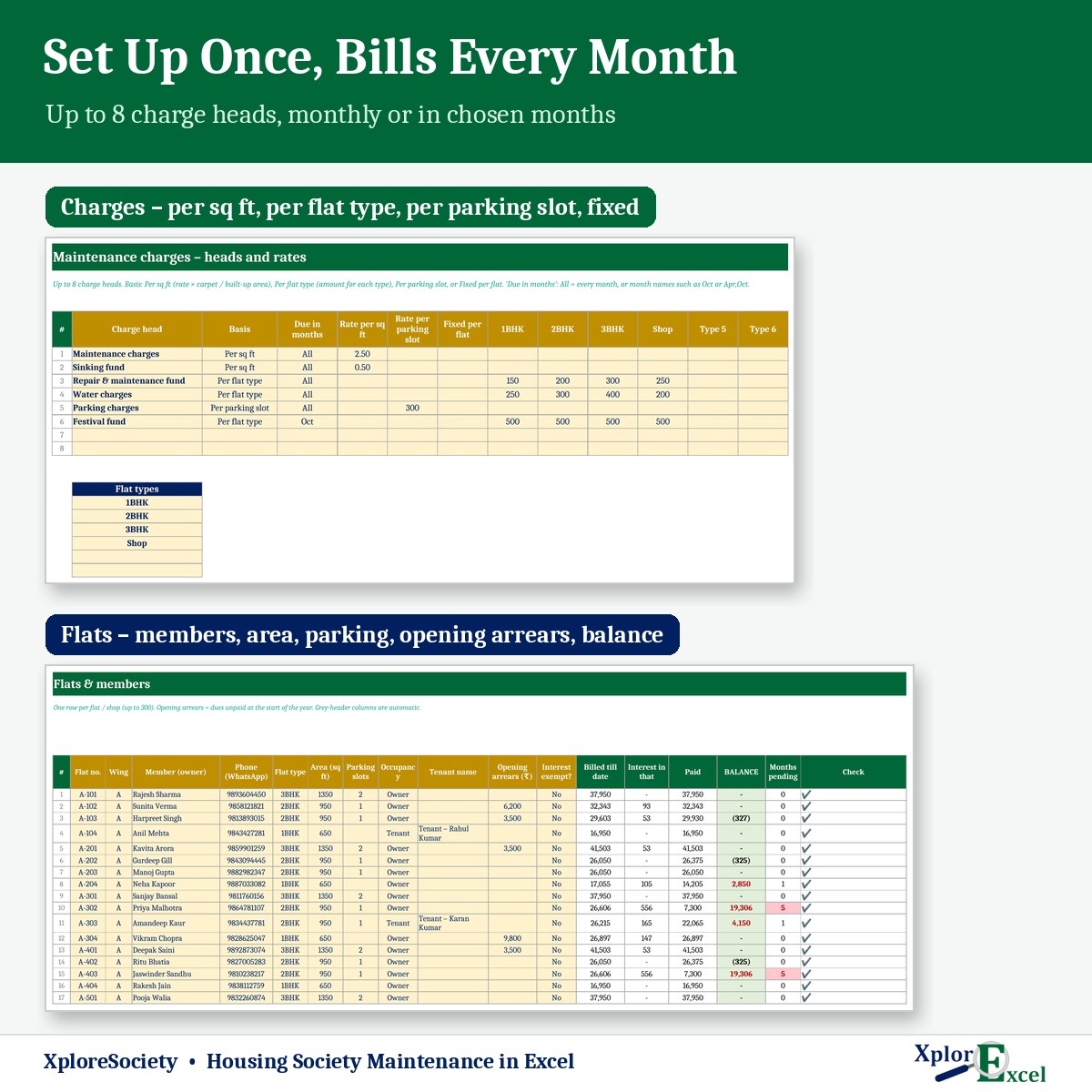
Charge heads
Up to 8 heads: maintenance, sinking fund, repairs, water, parking and more.
02
Flats & members
Up to 300 flats with owner, tenant, WhatsApp number, area, parking and old arrears.
03
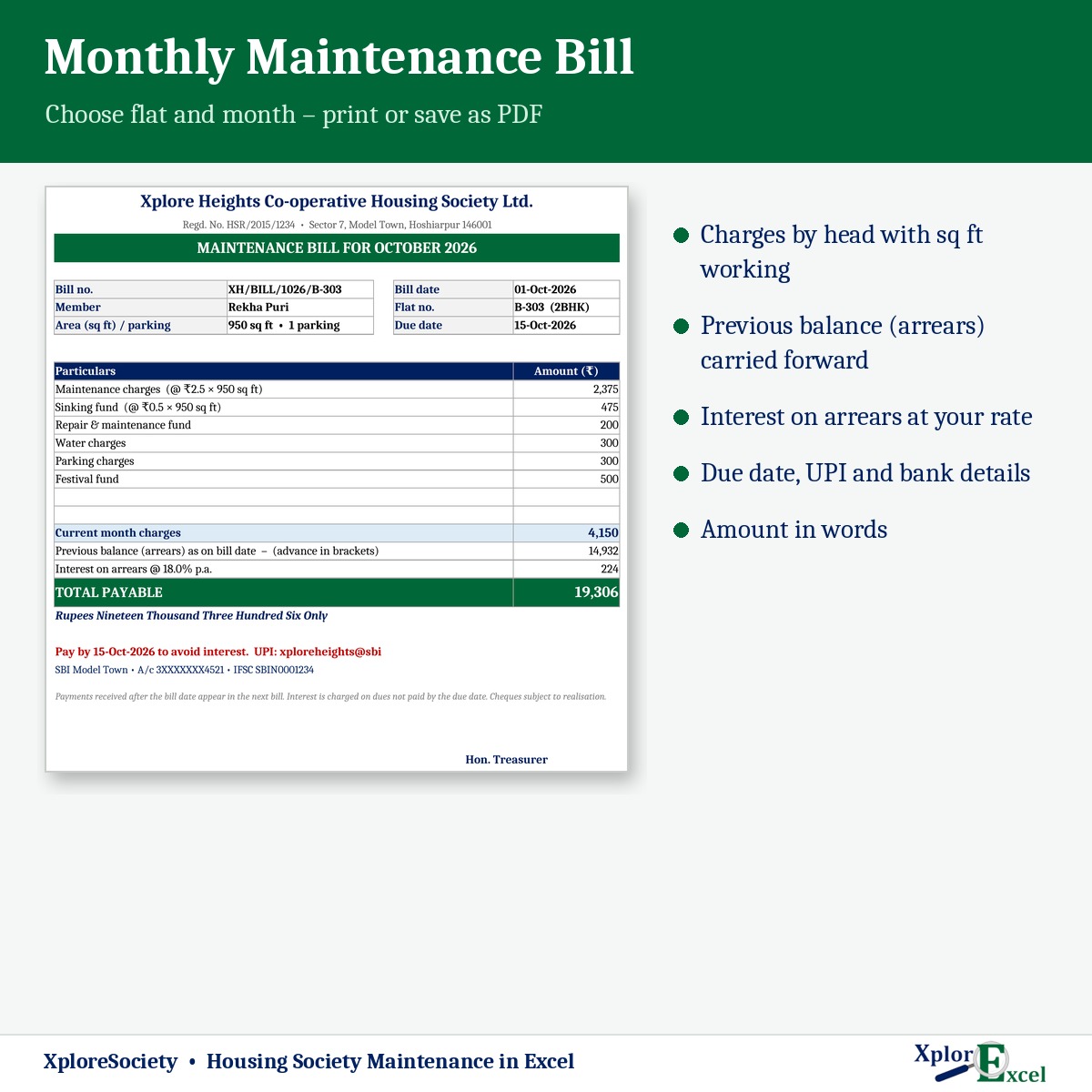
Maintenance bill
Every charge with its working, previous balance, interest, due date and UPI details.
04
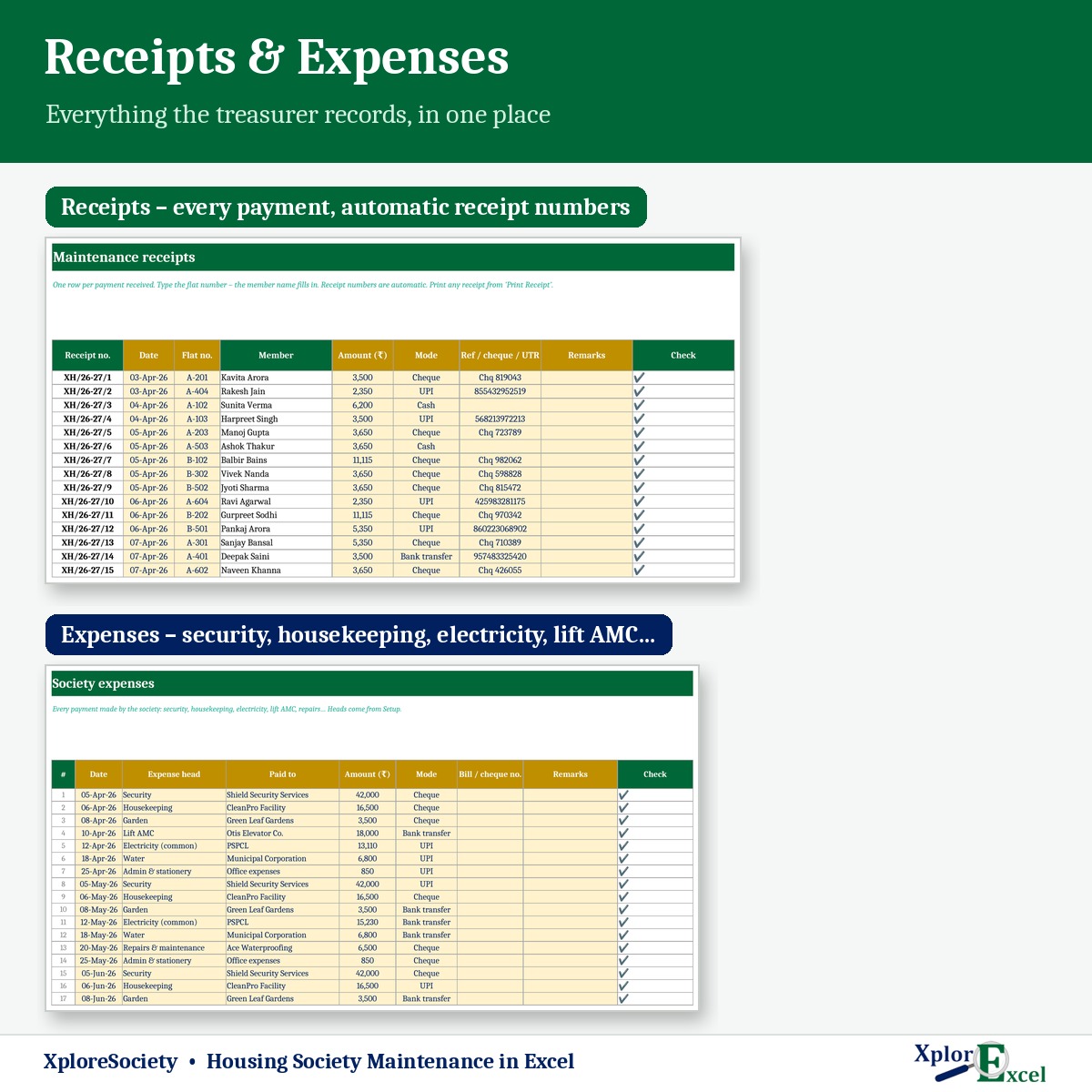
Receipts
Numbered automatically, member and office copy, with the balance still due.
05
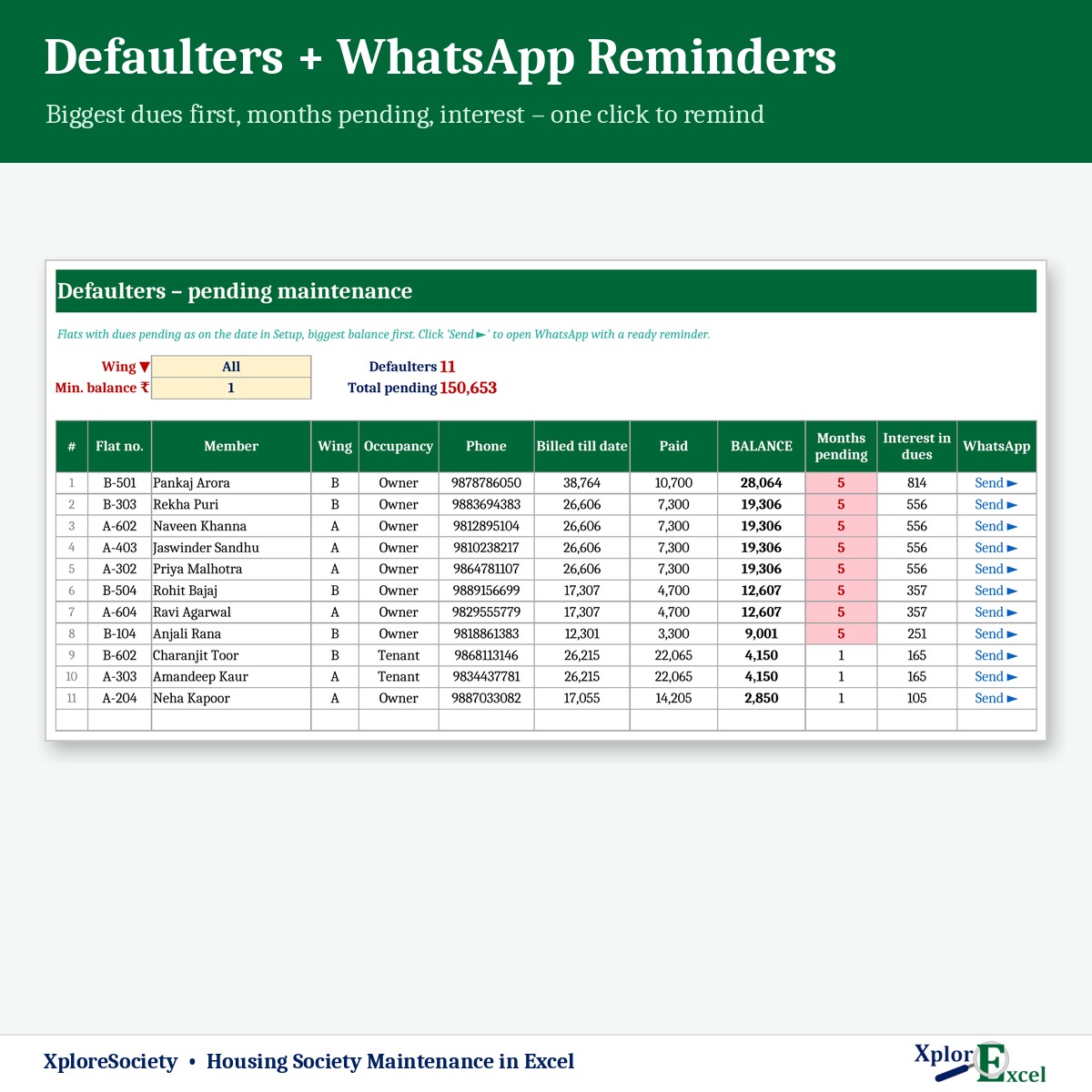
Defaulter list
By wing and minimum balance, with months pending, interest and a WhatsApp reminder.
06
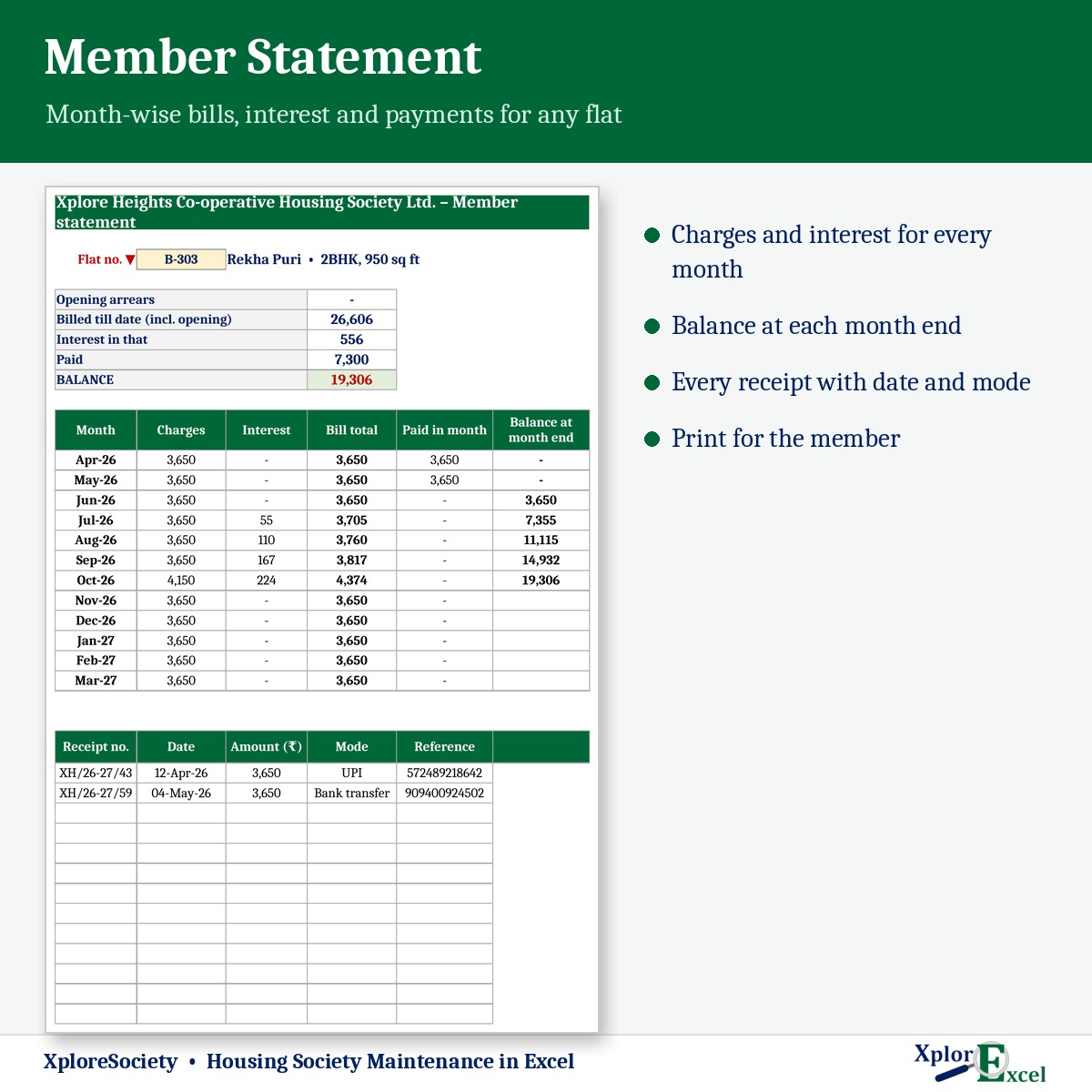
Member statement
Charges, interest, payments and balance month by month for any flat.
07
Society expenses
Up to 2,000 payments a year under your own expense heads.
08
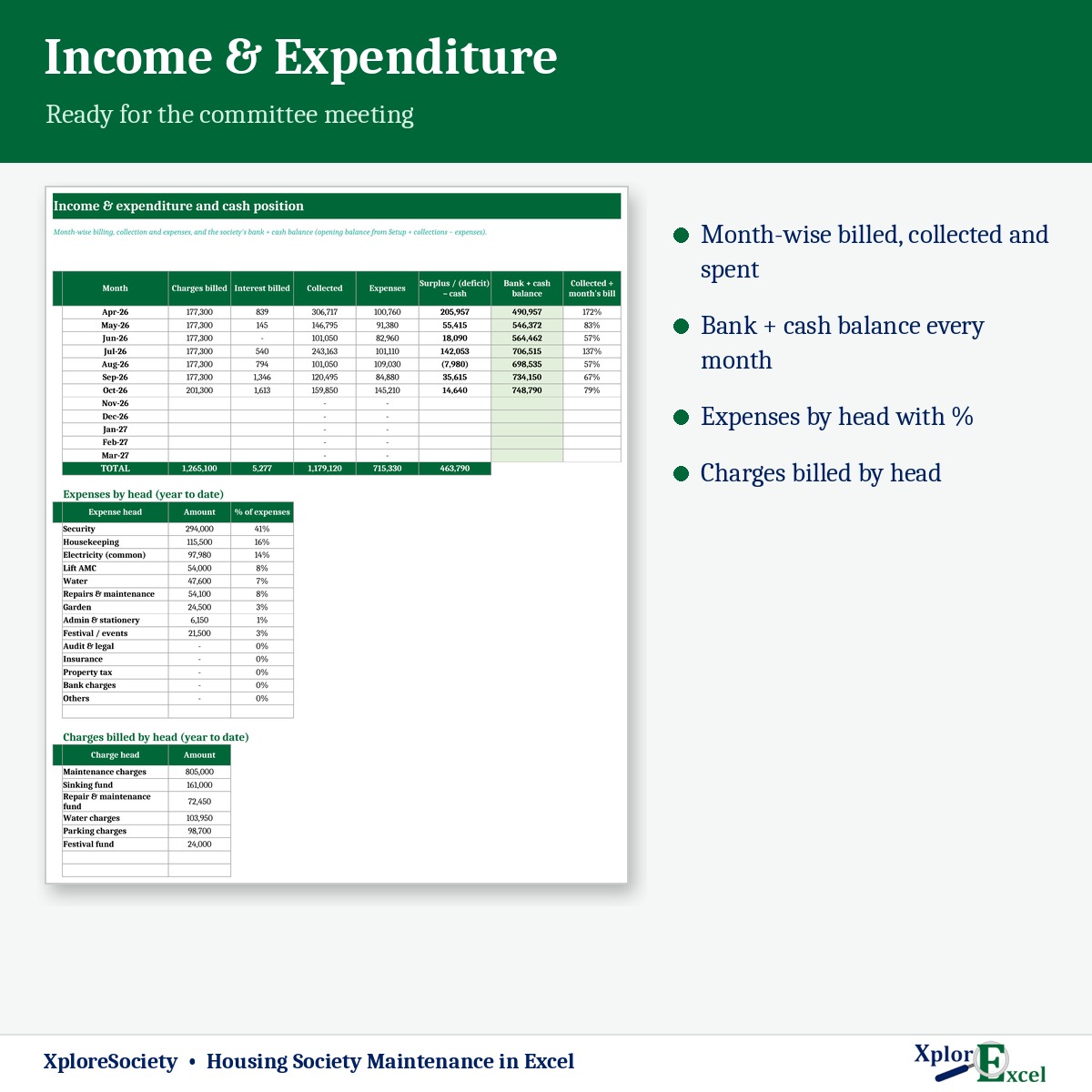
Income & expenditure
Billed, collected and spent each month, with a running bank + cash balance.
09Macro edition
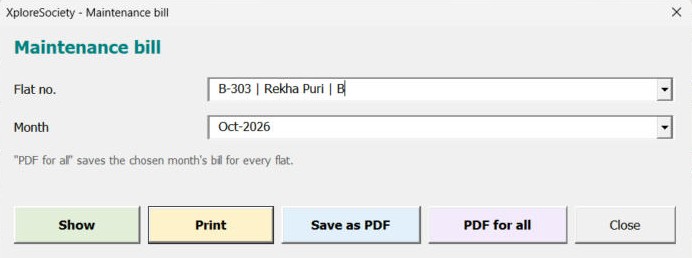
Every flat’s bill as PDF, in one click
Pick the month and press “PDF for all” — a separate bill for every flat, ready to send.
See the real sheets
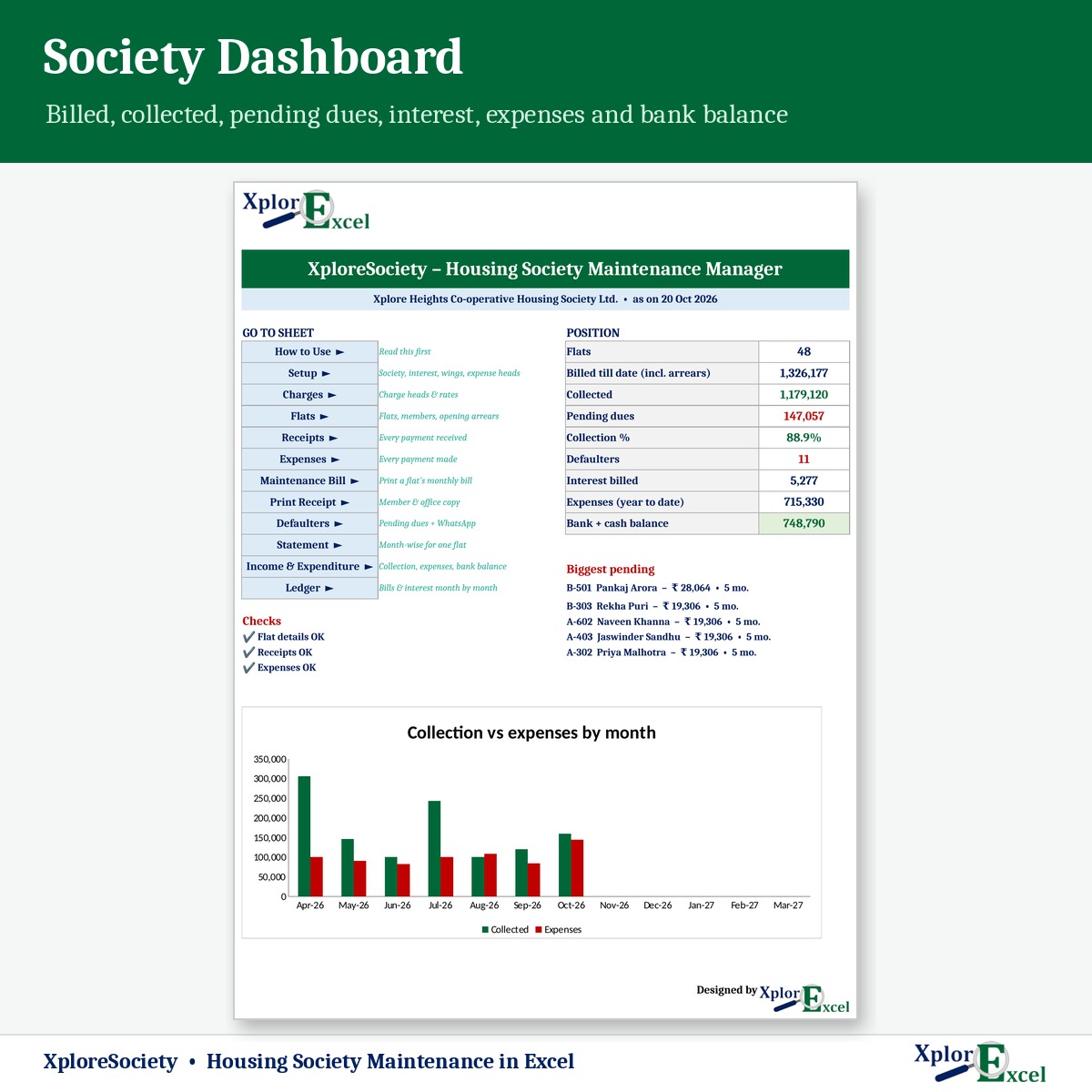
These are pages from the sample file in your download: a 48-flat society, April to October.
Macro edition: fill-in forms on your PC
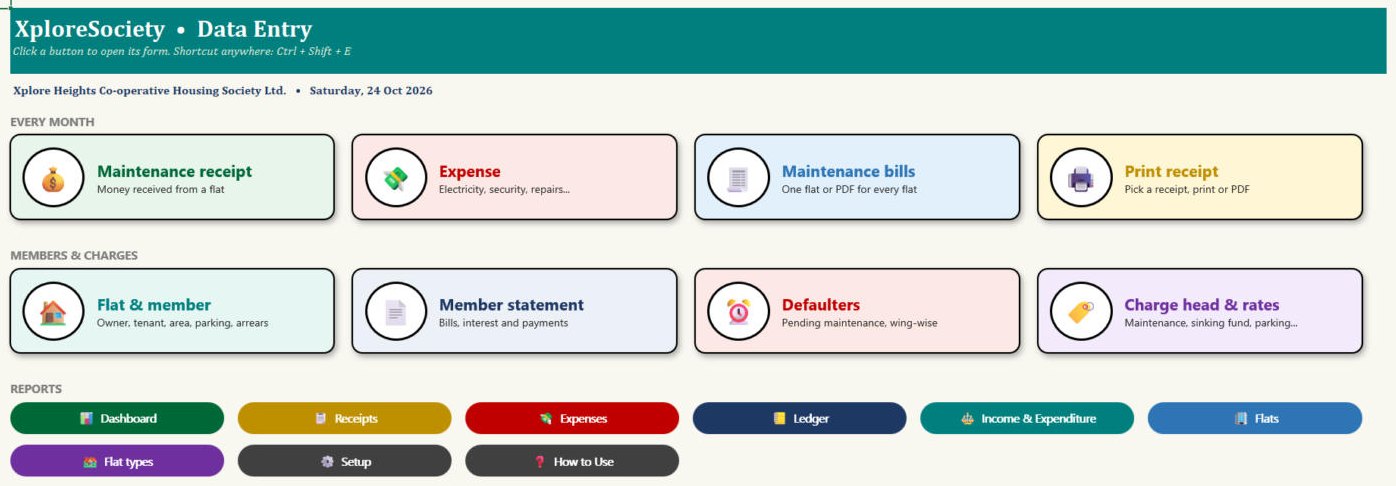
Click a button, fill a short form, press Save. These are real screens from the macro edition.
Made for
- Housing societies and apartments
- Resident welfare associations (RWAs)
- Commercial complexes and markets
- The secretary or treasurer who keeps the accounts
Not the right fit if
- You have more than 300 flats
- You need members to log in and pay through an app
- You need audited accounts — this is billing and collection, not a substitute for your auditor
Pick your plan
Same bills, receipts and reports in both. Choose how you want to enter data.
Formula edition
₹599
- Works on phone and PC
- Type straight into the yellow boxes
- All bills, receipts and reports
Best for the treasurer
Macro edition
₹899
- Everything in the formula edition
- Easy fill-in forms for receipts, expenses and flats on a Windows computer
- “PDF for all”: every flat’s monthly bill as a separate PDF, in one click
- Receipts, statements and defaulters — print or PDF in one click
- Includes a phone copy for the Excel mobile app
Pay with UPI, cards or net banking. Digital file, so no refunds — but if the file doesn’t work for you, we’ll fix it.
Not sure yet? Try a free template first
Same builder, same yellow-box style. If our free templates work for you, XploreSociety will too.
Hi, I’m Amanpreet
I run XplorExcel from Punjab. I build these files for the way Indian societies and small businesses actually work. If something in the file doesn’t make sense, message me.
Questions
Can we charge by sq ft for some heads and fixed for others?
Yes. Each charge head has its own basis: per sq ft, per flat type, per parking slot or fixed per flat — and its own due months.
How is interest on arrears worked out?
Simple interest at your rate (for example 18% a year) on the balance unpaid at the start of each month, added to that month’s bill. You can exempt any flat with one switch. Check the rate your bye-laws allow.
Can tenants’ names appear on the bill?
Yes. Each flat has the member (owner), occupancy and tenant name, plus a WhatsApp number for reminders.
How do WhatsApp reminders work?
In the defaulter list, one click opens WhatsApp with a ready reminder for that flat, including the balance and your UPI ID. It needs WhatsApp Web or the WhatsApp app.
Will it work on my phone?
Yes. The formula edition opens in the Excel app on Android and iPhone, and the macro edition includes a phone copy too. The fill-in forms and one-click PDFs work on a Windows computer.
Which Excel do I need?
Excel 2016 or later on Windows or Mac for the formula edition. The macro edition’s forms need Excel on Windows.
The buttons don’t work — what do I do?
Windows blocks macros in downloaded files. Right-click the .xlsm file → Properties → tick “Unblock” → OK. Then open it and click “Enable Content” on the yellow bar.
How do I get the file?
The download link appears as soon as payment goes through and is also sent to your email. You can download it again anytime — there is no expiry.
Send this month’s maintenance bills tonight.
Pay once · Instant Download · Lifetime Access