
For salaried families & individuals
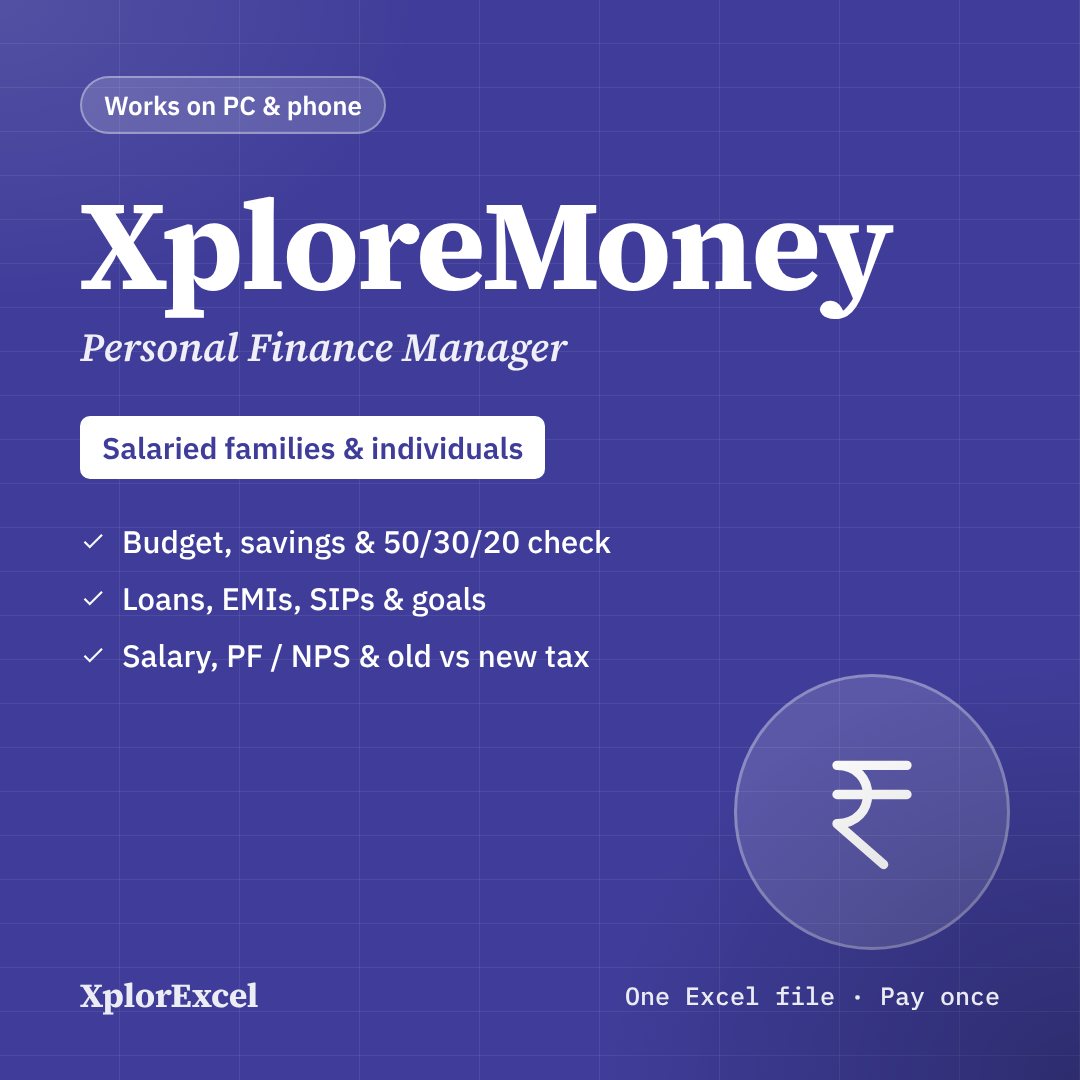
Your salary, budget, EMIs, SIPs and tax in one Excel file.
Type what comes in and what goes out. XploreMoney shows where your money went, how long your loans will run, whether you’re saving enough for each goal — and which tax regime saves you more.
- Instant Download
- Lifetime Access
- Pay once, no monthly fee
- Works on phone and PC
Know where every rupee went
Without a plan
- Salary comes in, and by the 20th you wonder where it went
- Five credit cards, and no idea how much went on each
- EMIs paid every month, but no idea when you’ll be debt-free
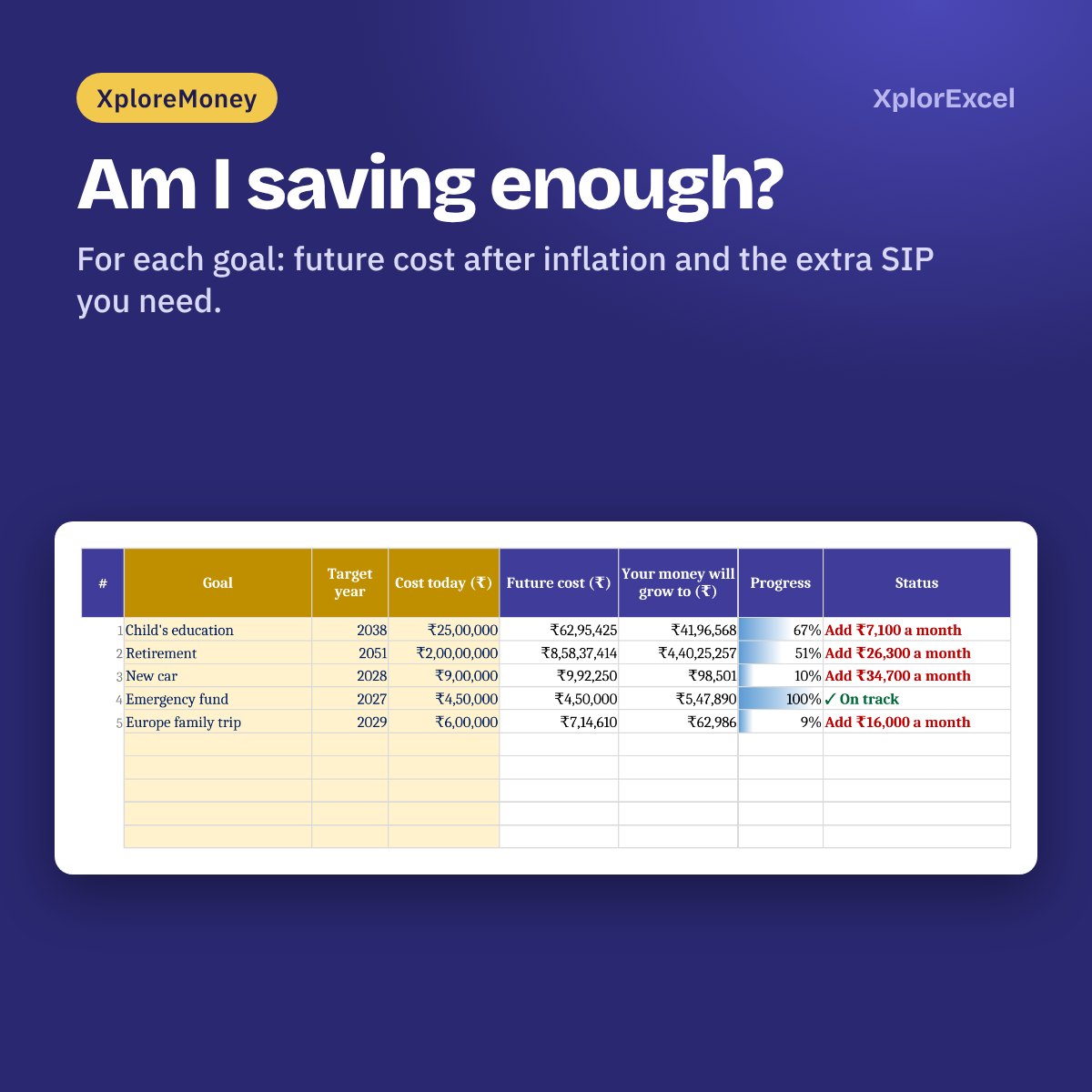
- SIPs running, but are they enough for your child’s education?
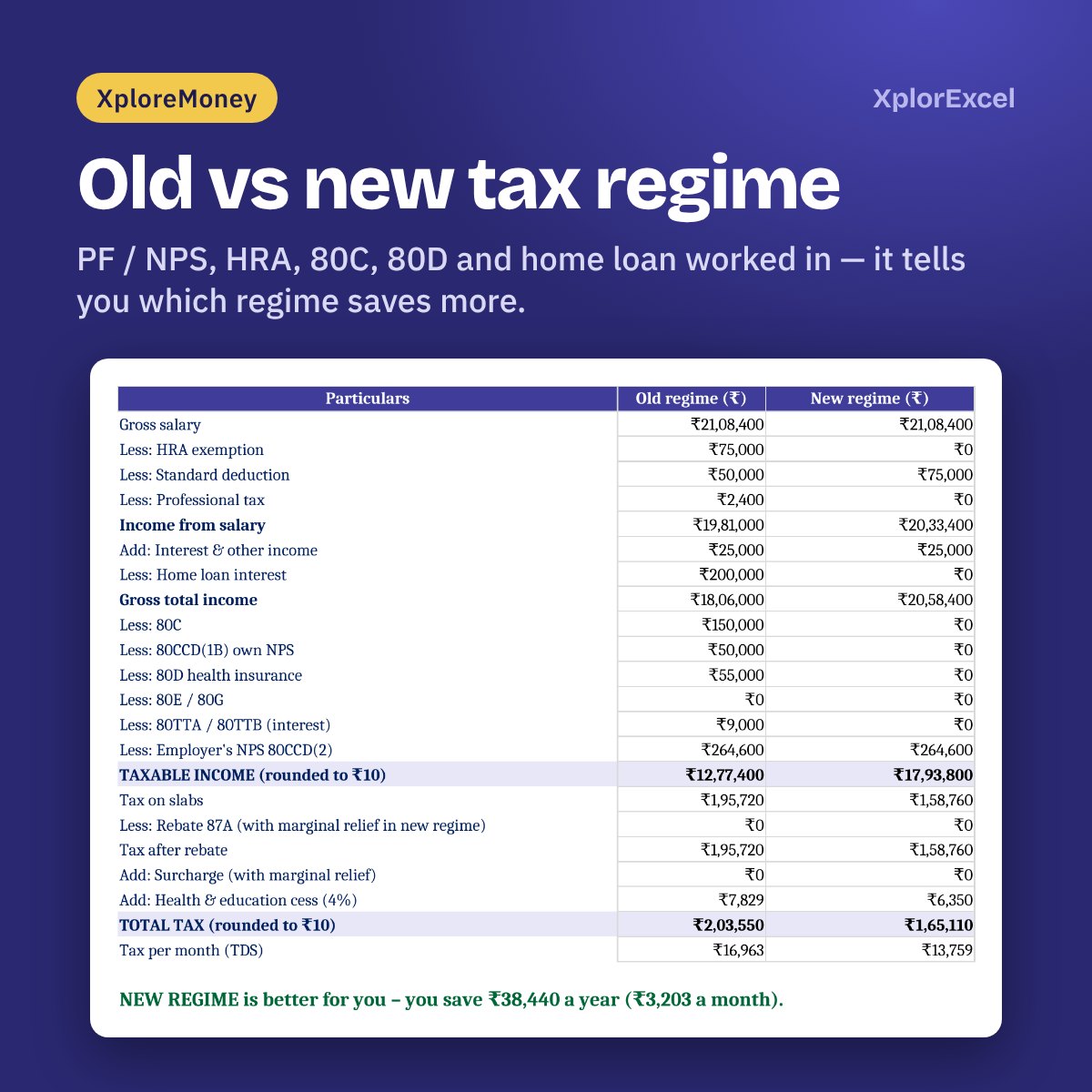
- Every March: old regime or new? Guesswork.
With XploreMoney
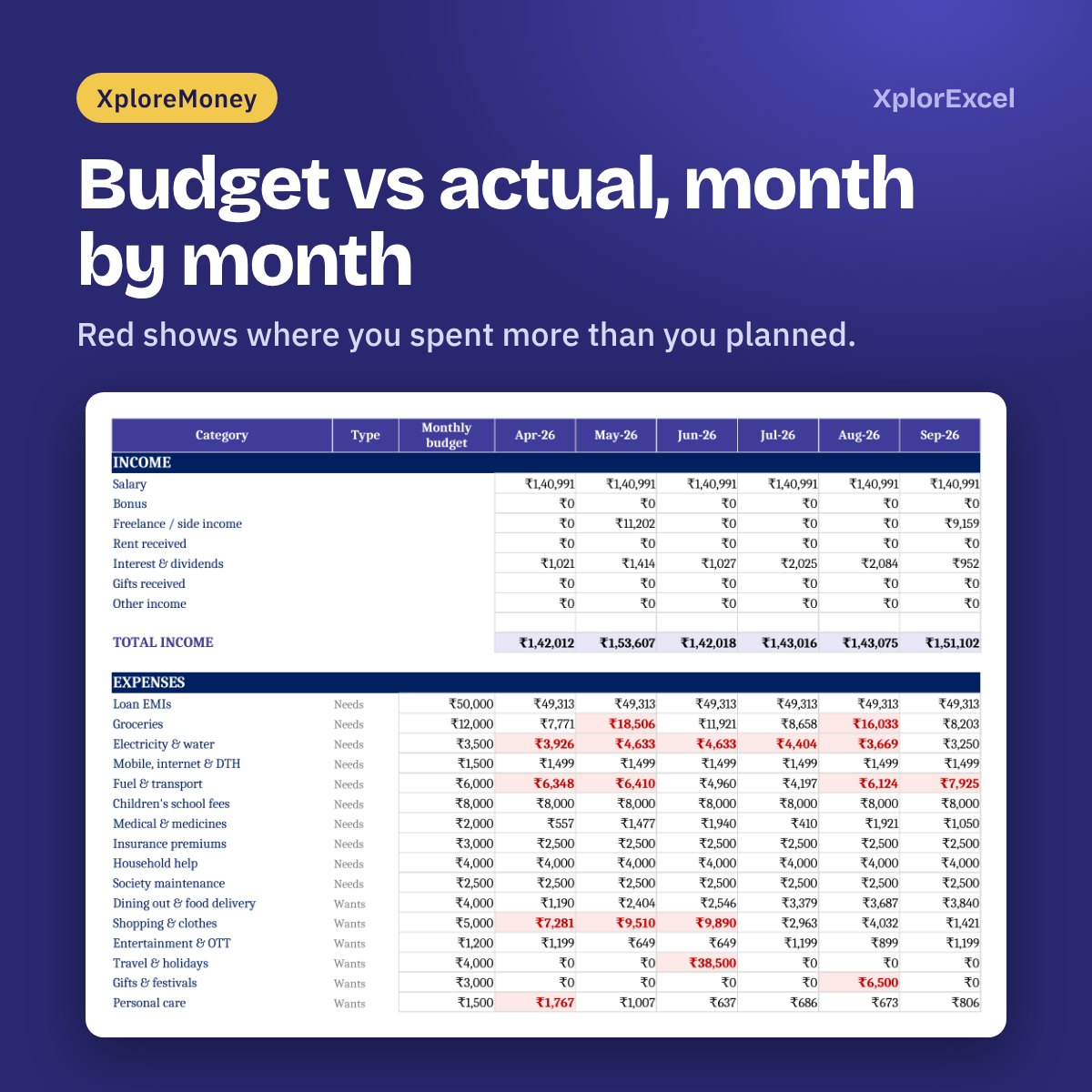
- Budget vs actual for every category, with overspends in red
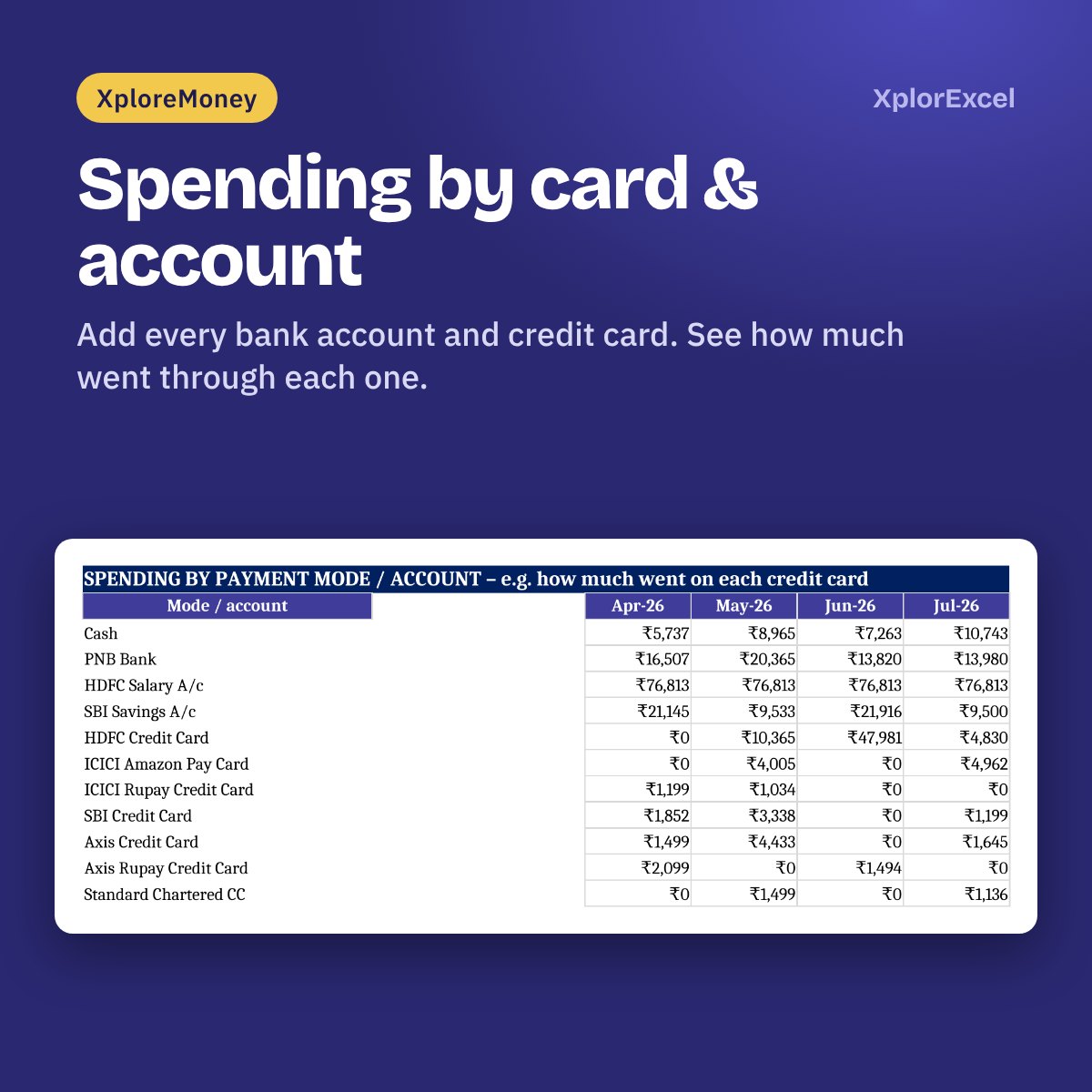
- Spending per bank account and credit card, month by month
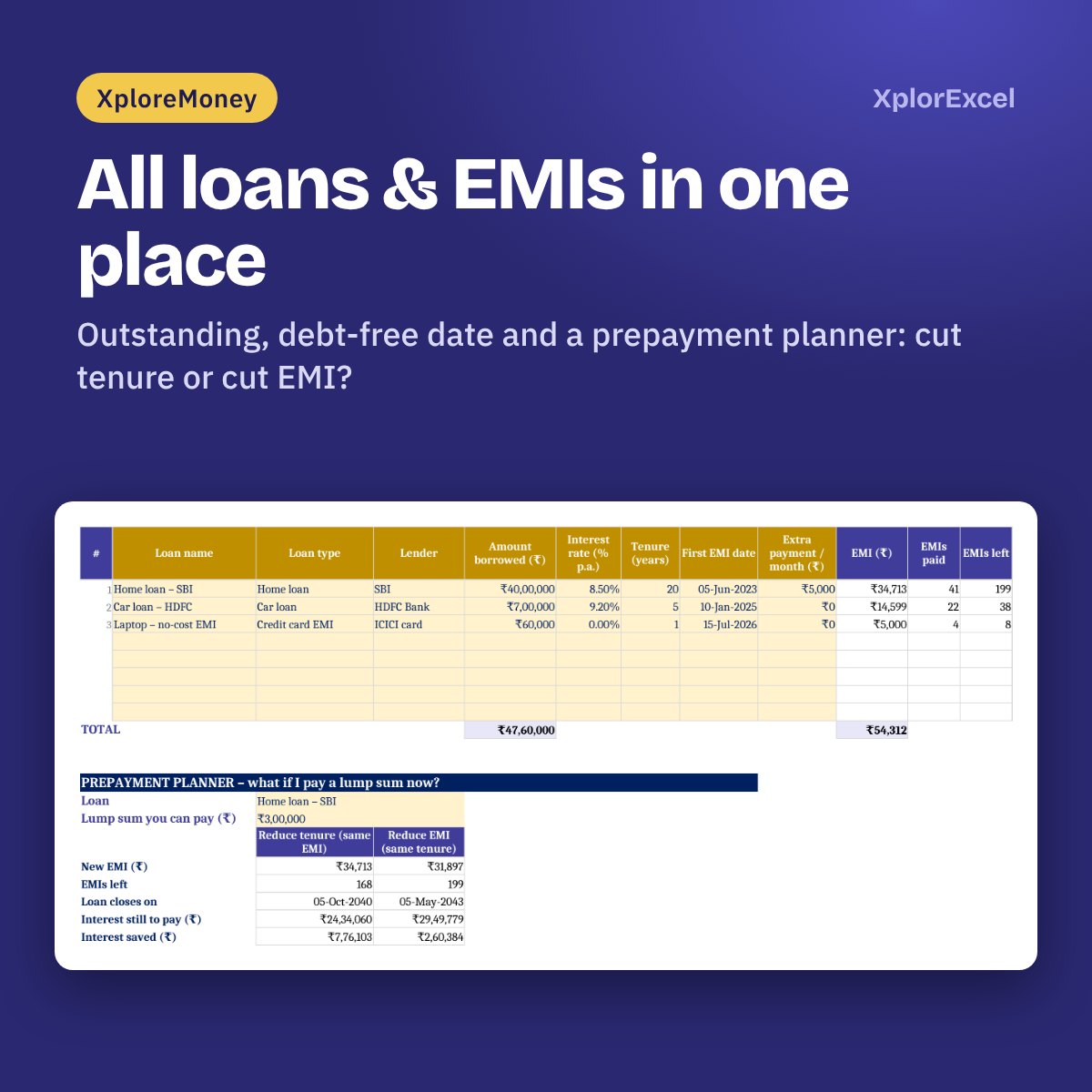
- Outstanding, interest and debt-free date for every loan — and what a prepayment saves
- For each goal: future cost after inflation and the extra SIP you need
- Your tax in both regimes, side by side, with the better one picked for you
What you get
One connected Excel file. Type a transaction once and every page updates.
01
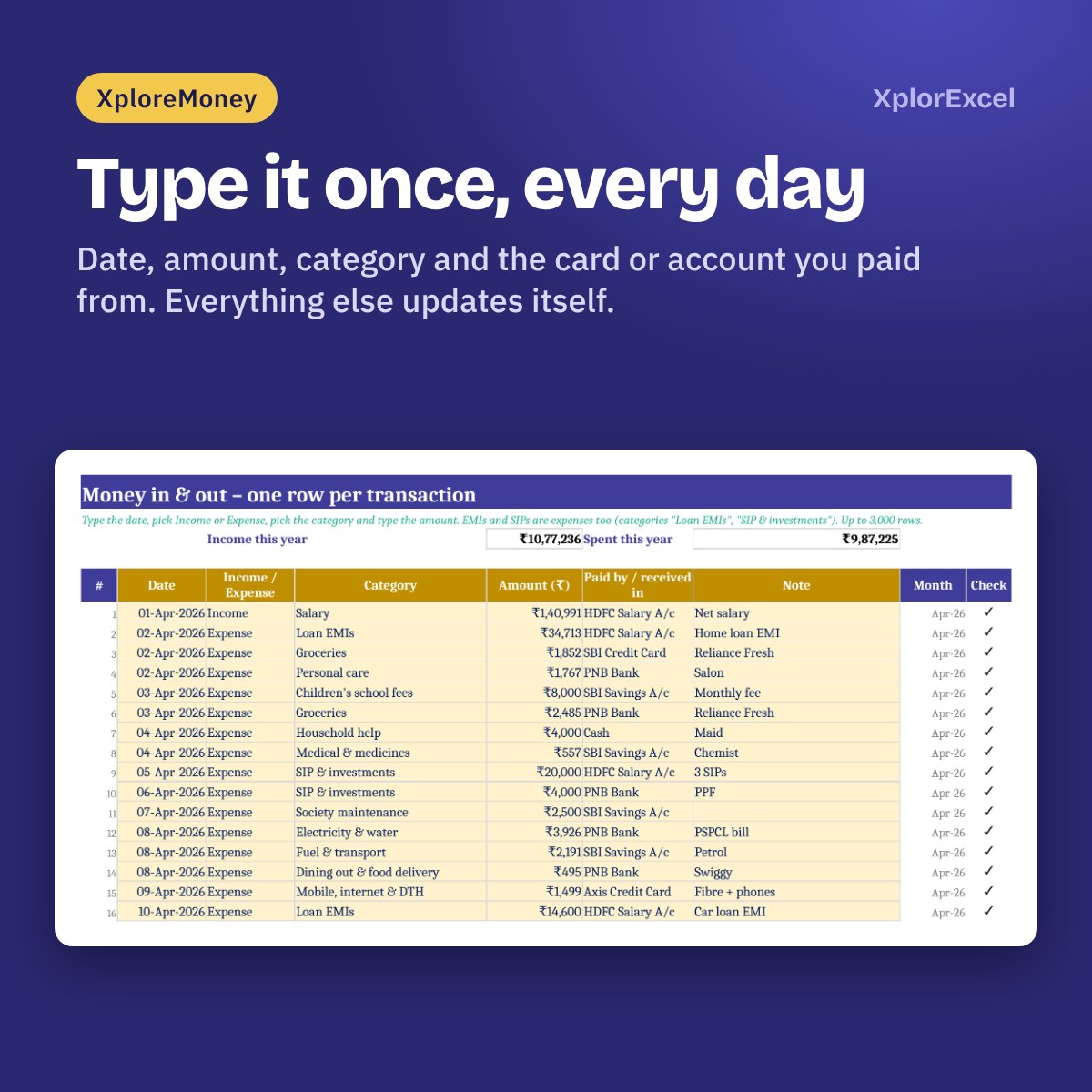
Money in & out
Date, amount, category and the account or card you paid from. Up to 3,000 entries a year.
02
Budget vs actual
Monthly budget per category. See what you spent each month, and where you went over.
03
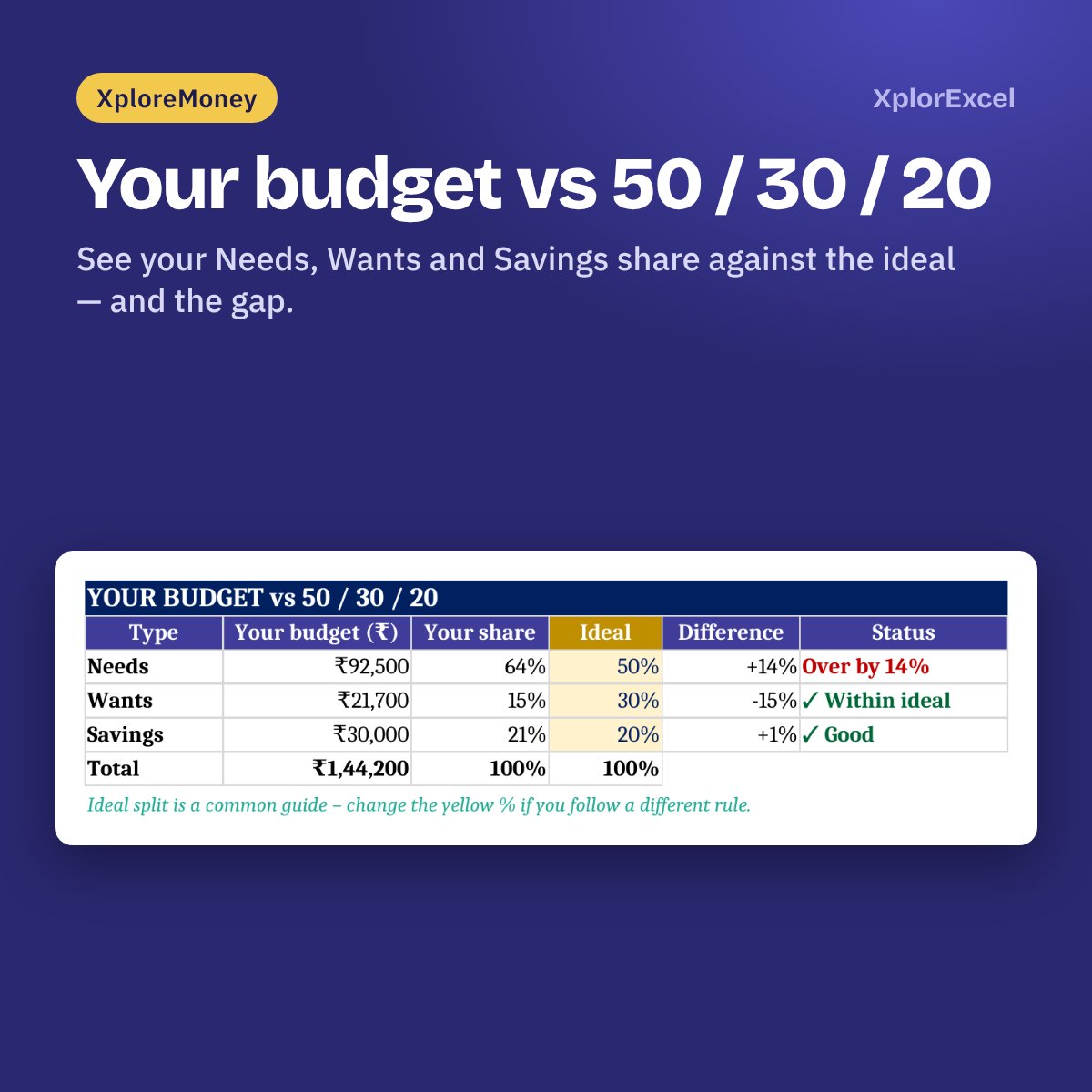
50 / 30 / 20 check
Your Needs, Wants and Savings share against the ideal split, and the difference.
04
Every card & account
Up to 22 bank accounts, credit cards and UPI. See the spend through each one.
05
Loans & EMIs
Home, car, personal and credit-card EMIs: outstanding, interest this year and debt-free date. Prepayment planner: cut tenure or cut EMI?
06
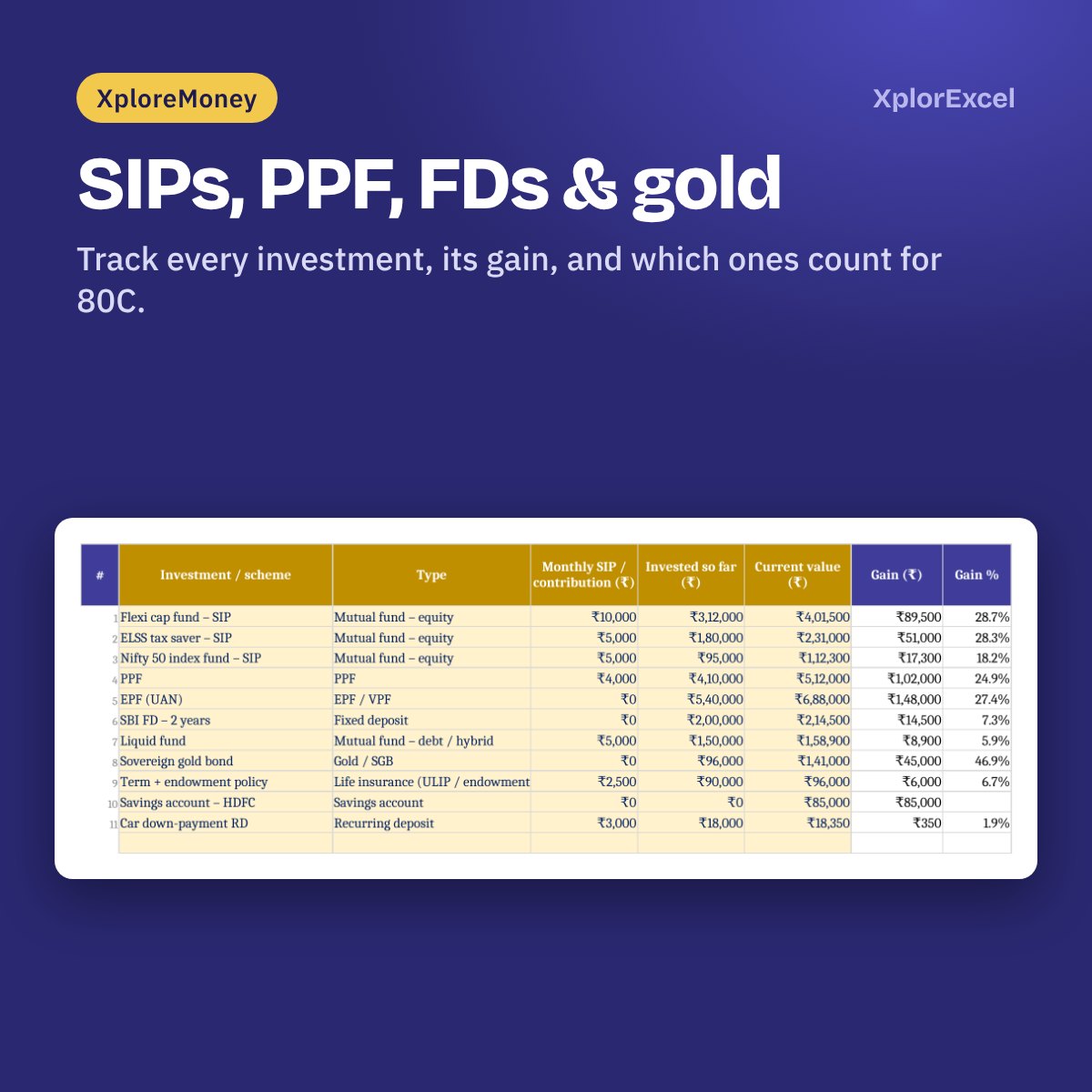
Investments & goals
SIPs, PPF, FDs, gold and more. Link them to goals and see if you’re on track.
07
Net worth
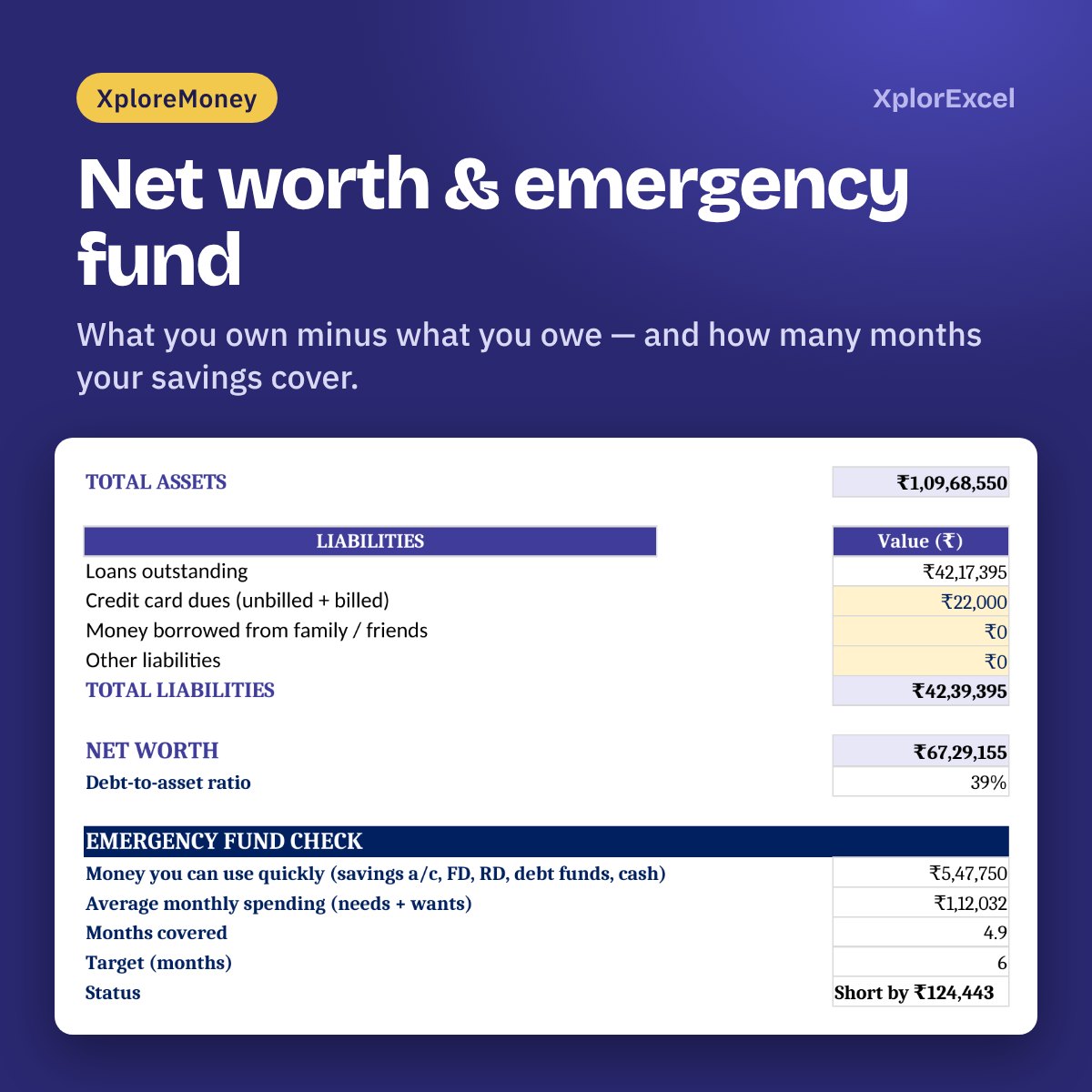
What you own minus what you owe, a monthly history, and how many months your emergency fund covers.
08FY 2026-27
Salary & income tax
Old vs new regime with HRA, 80C, 80D, 80CCD(1B), home-loan interest and rebate. Take-home pay, PF or NPS / GPF for government staff, and gratuity.
09
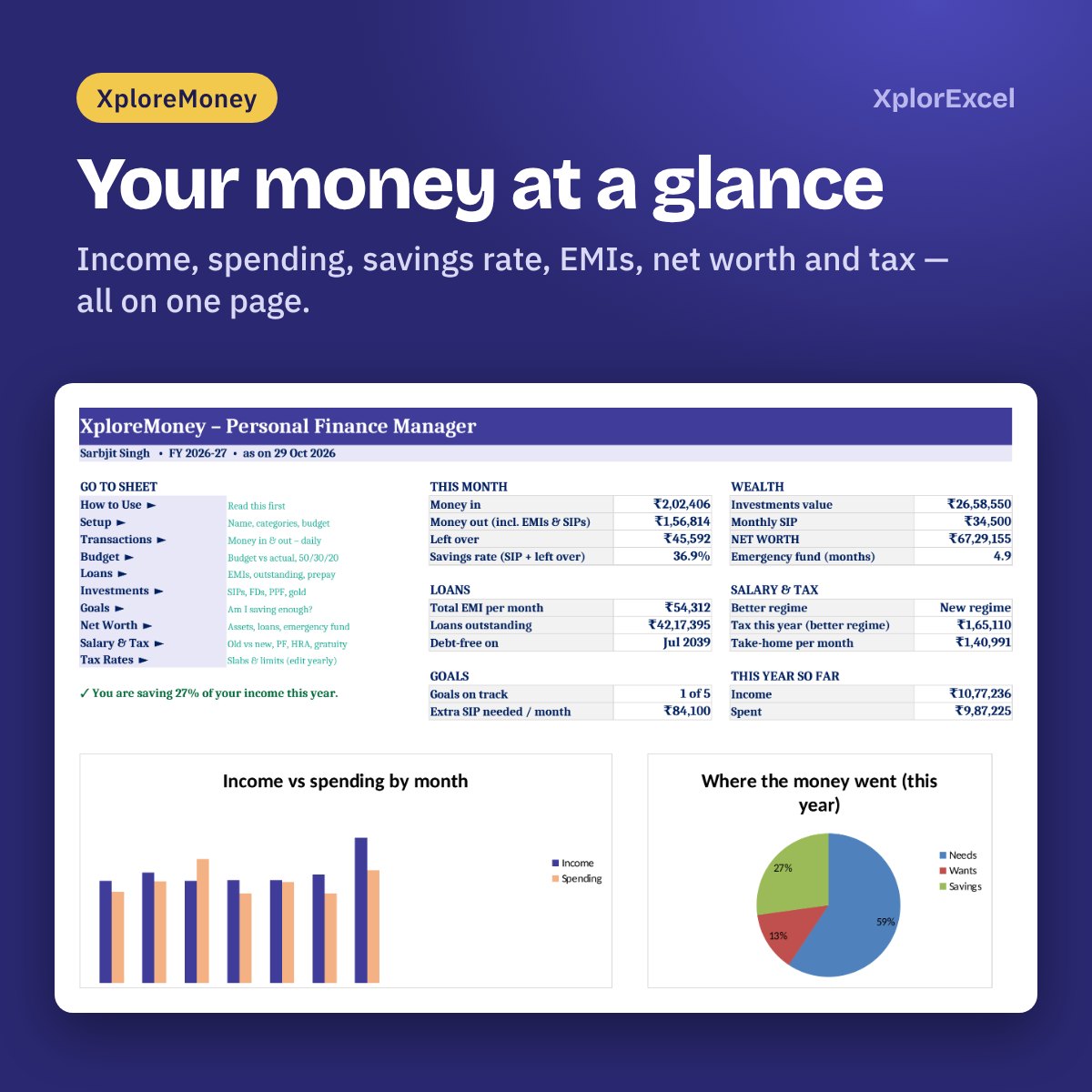
Dashboard
This month, loans, goals, wealth and tax on one page, with two charts.
See the real sheets
These pages come from the sample file included in your download, filled in for a sample family.
Made for
- Salaried people — private, central or state government
- Families who want one place for the whole household’s money
- Anyone with EMIs, credit cards or SIPs to keep track of
- People who choose between the old and new tax regime every year
Not the right fit if
- You want it to pull transactions from your bank automatically — you type them in
- You have business income or capital gains to calculate — it covers salary and normal-rate income
- You want it to file your ITR — it shows the figures; filing is on the income tax portal or by your CA
One price, everything included
No editions to choose between. One file with every sheet.
Full workbook
XploreMoney 1.0
₹199
- Blank file to start your own, plus a filled sample file to explore
- Budget, transactions, cards & accounts, loans, investments, goals, net worth
- Salary, PF / NPS / GPF, HRA and old vs new tax for FY 2026-27
- Works on phone and PC — no macros, nothing to unblock
Pay with UPI, cards or net banking. The download link appears straight after payment and is emailed to you.
Digital file, so no refunds — but if the file doesn’t work for you, we’ll fix it.
Hi, I’m Amanpreet
I run XplorExcel from Punjab and build these files for the way Indian families and small businesses actually work. If something in the file doesn’t make sense, message me.
Questions
Will it work on my phone?
Yes. It’s a normal Excel file with no macros, so it works in the Excel app on Android and iPhone as well as on Windows and Mac.
Which Excel do I need?
Excel 2016, 2019, 2021 or Microsoft 365 on Windows or Mac, or the free Excel app on your phone.
Do I have to link my bank account?
No. Nothing is linked and nothing is uploaded. You type your transactions — it takes a minute a day — and the file stays on your device.
Is the tax figure exact?
It follows FY 2026-27 slabs, standard deduction, rebate, surcharge and cess, and works in HRA, 80C, 80D, 80CCD(1B), NPS and home-loan interest. Treat it as a planning estimate and confirm with your CA before filing.
I’m a government employee. Does it handle NPS or GPF?
Yes. Pick your employer type first: private (EPF), government with NPS, or government with the old pension (GPF). The PF / NPS / GPF deductions, tax and gratuity follow your choice.
Why are my senior-citizen slabs different?
You type your date of birth once. The file works out your age for the year and uses only the slabs that apply to you.
What happens when the tax rules change?
All slabs and limits are on one Tax Rates page. Change them there after the Budget and every calculation updates.
Why can’t I edit some cells?
The formulas are locked so a wrong key can’t break your totals. You type only in the yellow boxes.
How do I start a new financial year?
Save a copy of the file, change the financial-year start date on Setup and clear the transactions. Your loans, investments and goals carry on as they are.
How do I get the file?
The download link appears as soon as payment goes through and is also sent to your email. You can download it again anytime — there is no expiry.
Take charge of this month’s salary.
₹199 · Pay once · Instant Download · Lifetime Access