
For schools, play schools, tuition & coaching centres
Every student’s fees, receipts and dues — in one Excel file.
Set your fee structure once. XploreFees works out every student’s fees month by month, prints receipts, lists defaulters and sends WhatsApp reminders — with transport, concessions and old dues taken care of.
- Instant Download
- Lifetime Access
- No per-student fee
- Only email + mobile needed

Fee collection without the register
Fee register & receipt book
- Each student’s dues added up by hand
- Receipts written twice — parent and office copy
- Defaulters found by turning pages
- Parents call to ask “how much is pending?”
- Month-end collection counted again and again
With XploreFees
- Fees due, paid and balance for every student, always up to date
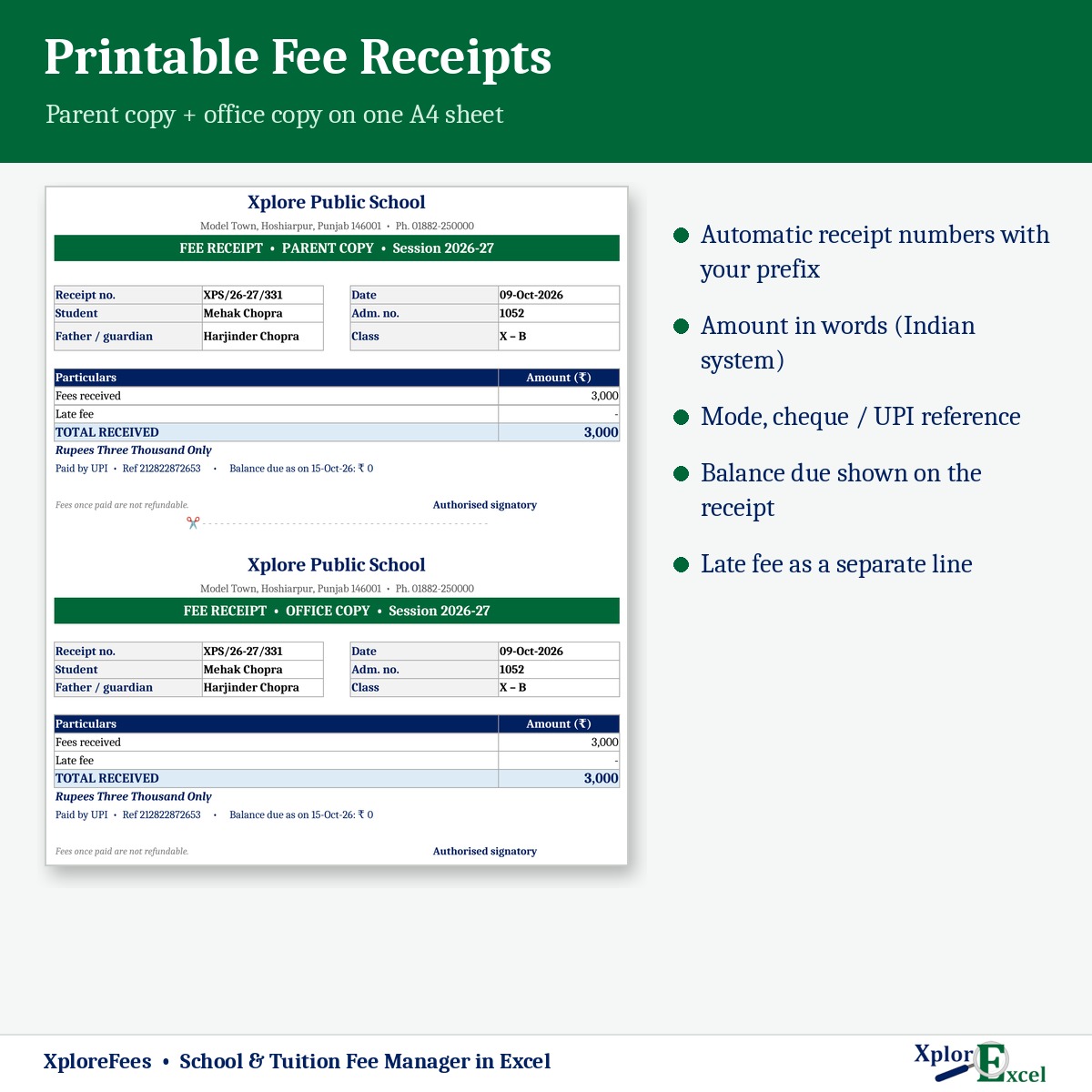
- Printed receipt with both copies on one A4 and amount in words
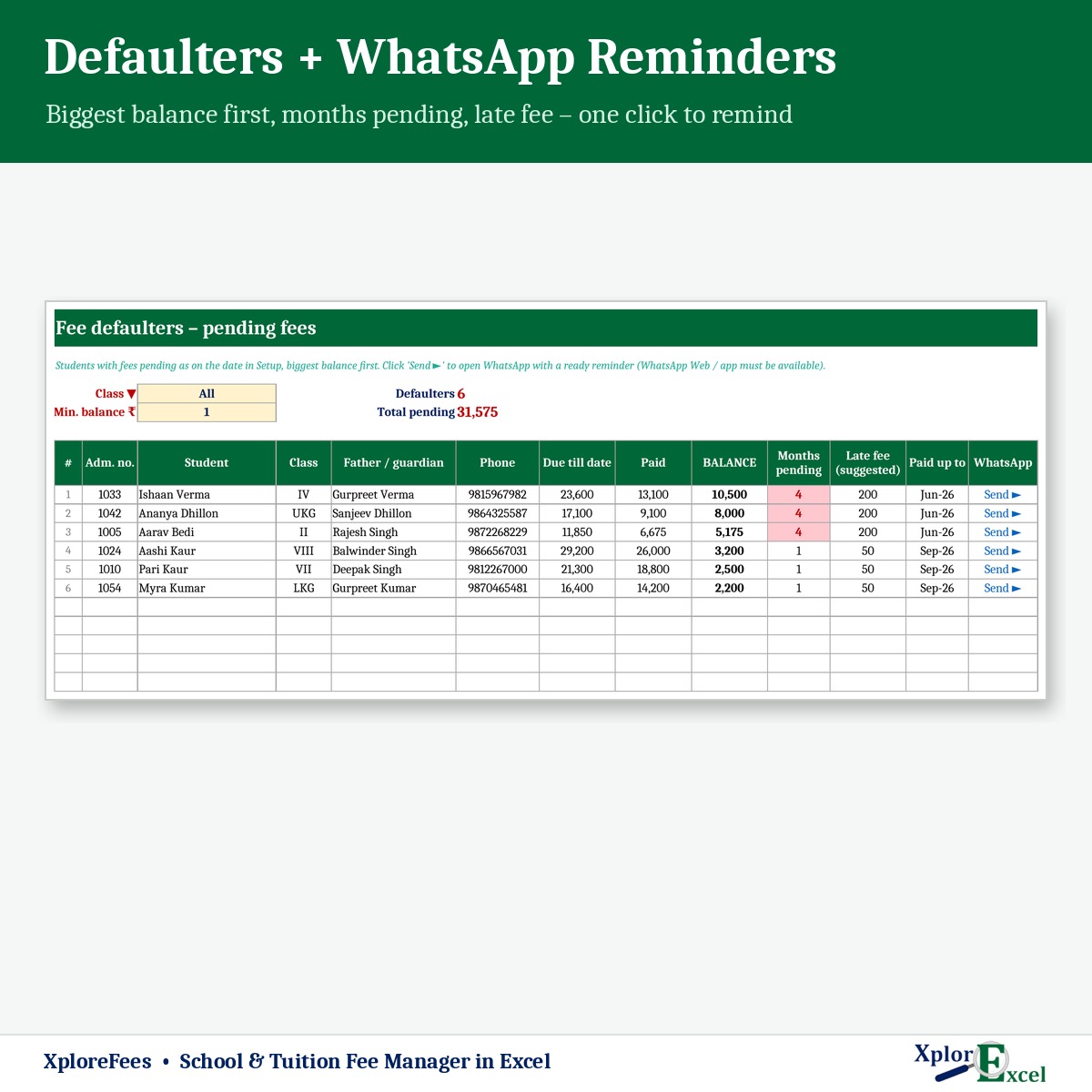
- Defaulter list sorted by balance, with a WhatsApp button
- A one-page statement to show any parent
- Day book and class summary ready for management
What you get
One Excel file for a whole session. Each page does one job and passes the numbers on by itself.
01
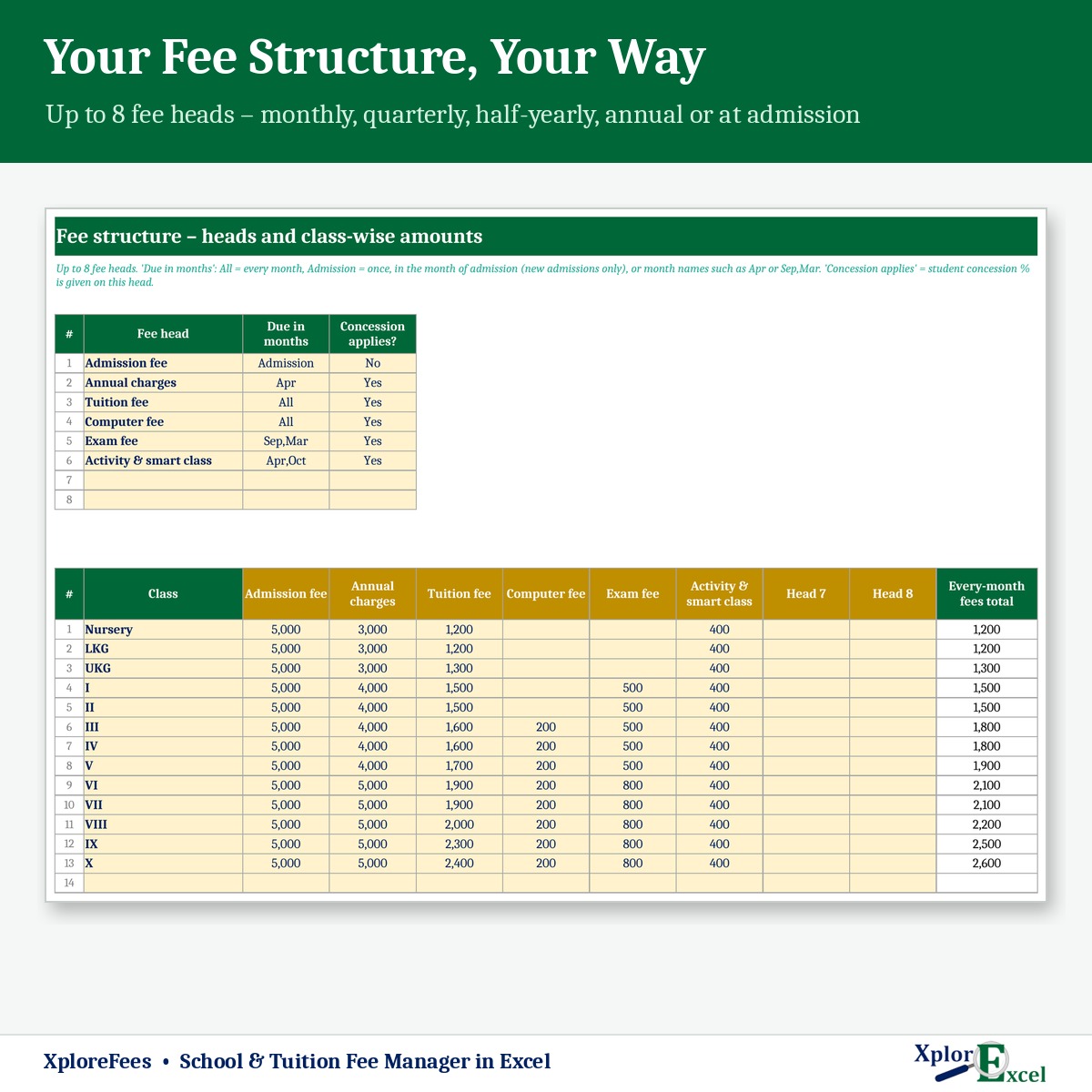
Fee structure
Up to 8 fee heads and 20 classes — monthly, quarterly, yearly or at admission.
02
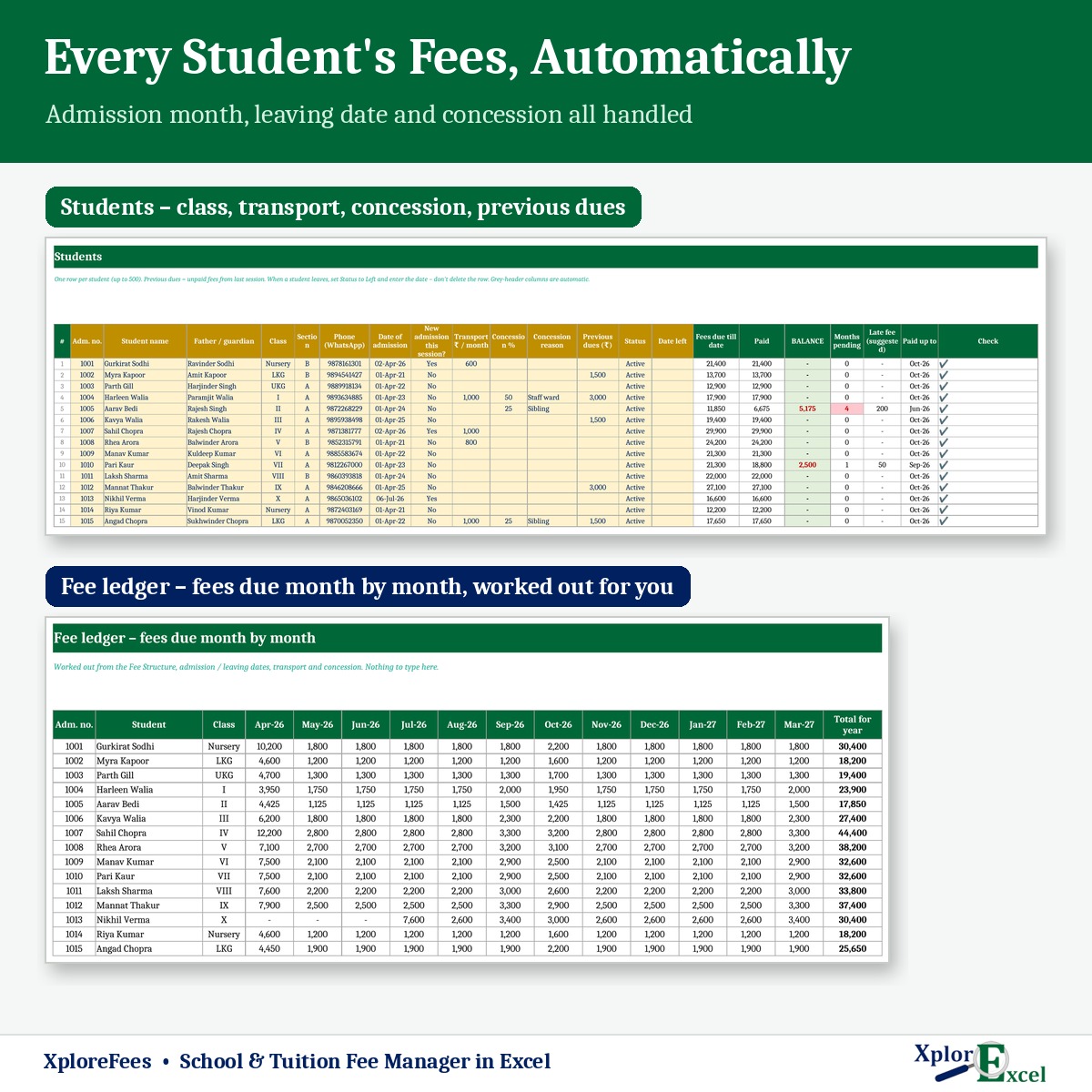
Student list
Up to 500 students with class, WhatsApp number, transport and concession %.
03
Fee receipts
Type the admission number — name and class fill in. Cash, UPI, cheque or card.
04
Printable receipt
Parent and office copy on one A4, numbered, with the balance still due.
05
Defaulter list
By class and minimum balance, with months pending and a suggested late fee.
06
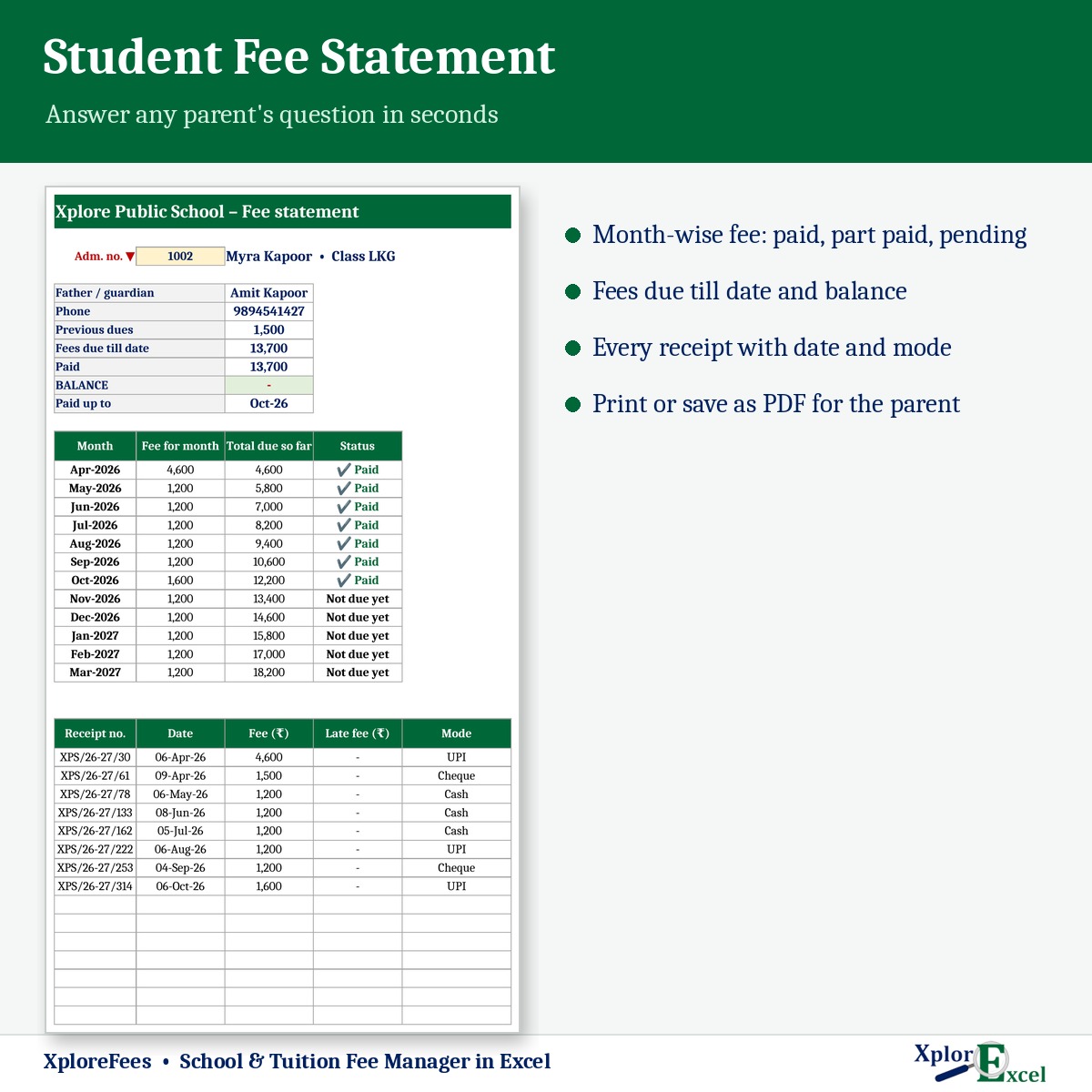
Student statement
Each month shown as paid, part paid or pending, plus every receipt.
07
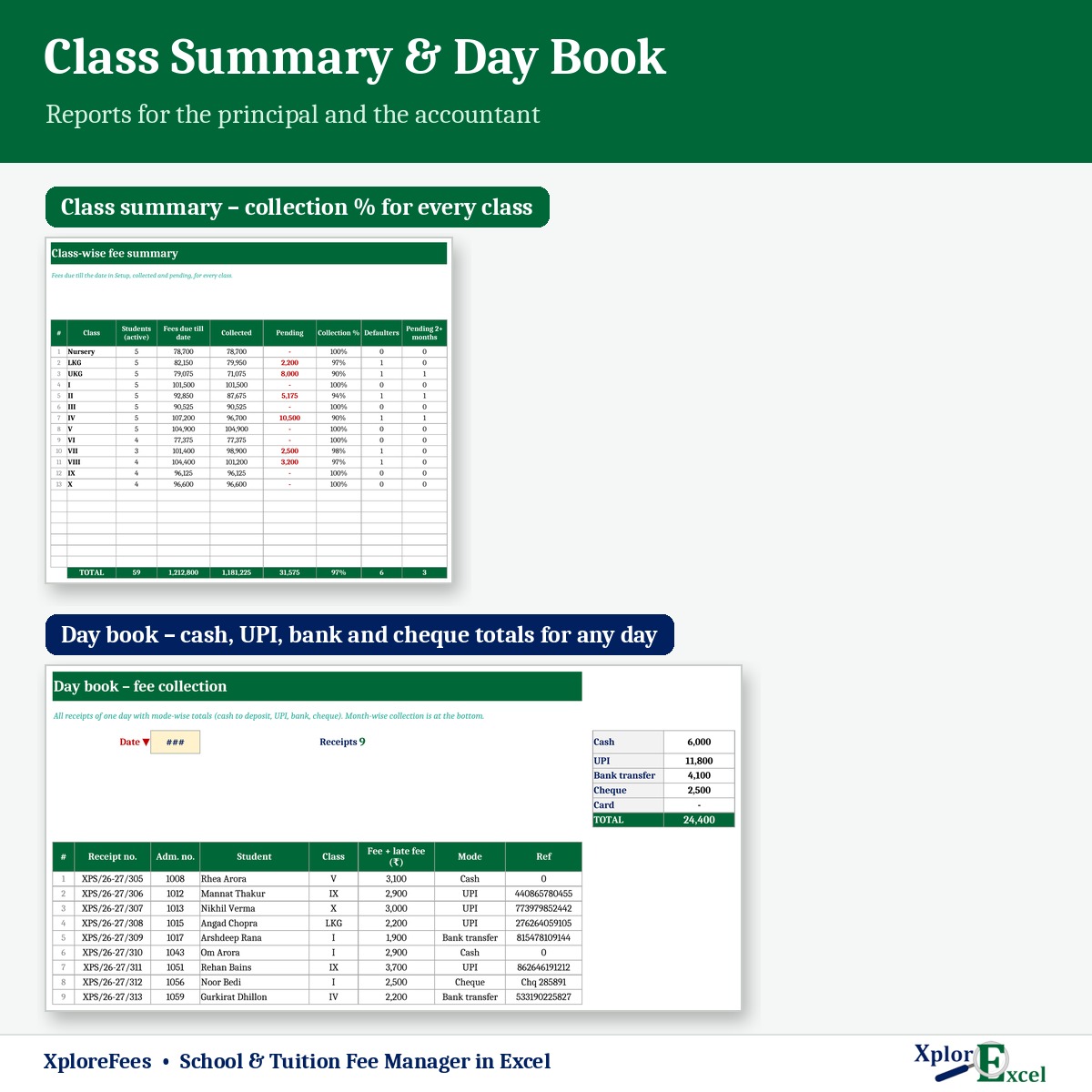
Day book
Collection for any date, mode-wise — so you know how much cash to deposit.
08
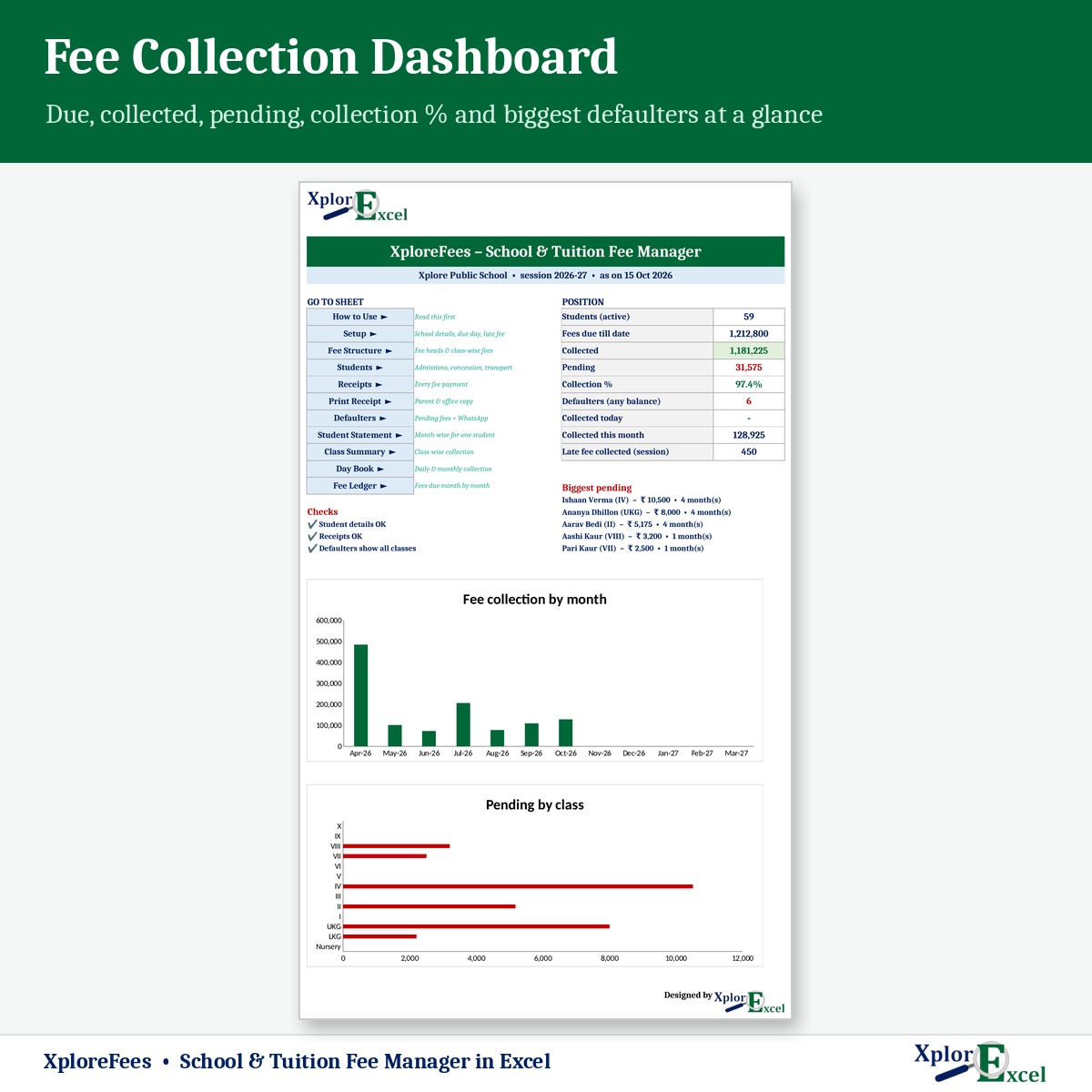
Class summary & dashboard
Due, collected, pending and collection % for every class, with charts.
09Macro edition
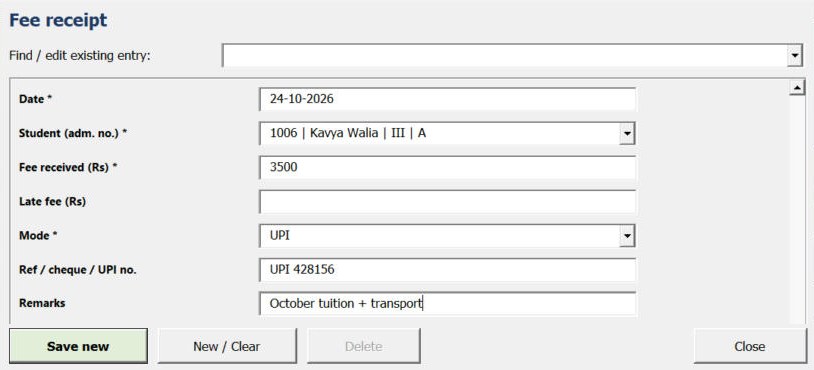
Collect fee in seconds
Open the Collect fee form, pick the student, type the amount and mode — Save. Print the receipt in one click.
See the real sheets
These are pages from the sample file in your download: a school with 60 students, April to October.
Macro edition: fill-in forms on your PC
Click a button, fill a short form, press Save. These are real screens from the macro edition.

Made for
- Private schools and play schools
- Tuition and coaching centres
- Music, dance and sports academies
- Anyone collecting regular fees from up to 500 students
Not the right fit if
- You have more than 500 students
- Several fee counters must enter receipts at the same time
- You need parents to pay online through a portal — this tracks fees, it doesn’t collect them
Pick your plan
Same fees, receipts and reports in both. Choose how you want to enter data.
Formula edition
₹499
- Works on phone and PC
- Type straight into the yellow boxes
- All receipts, defaulters and reports
Best for the fee counter
Macro edition
₹799
- Everything in the formula edition
- Easy fill-in forms with buttons on a Windows computer
- Collect fee form: pick the student, type the amount, Save
- Receipt, student statement, defaulters and day book — print or PDF in one click
- Includes a phone copy for the Excel mobile app
Pay with UPI, cards or net banking. Digital file, so no refunds — but if the file doesn’t work for you, we’ll fix it.
Not sure yet? Try a free template first
Same builder, same yellow-box style. If our free templates work for you, XploreFees will too.
Hi, I’m Amanpreet
I run XplorExcel from Punjab. I build these files for the way Indian schools and small businesses actually work. If something in the file doesn’t make sense, message me.
Questions
Can different classes have different fees?
Yes. Set amounts for up to 20 classes or batches and up to 8 fee heads. Choose which heads the student concession applies to.
How are quarterly or yearly fees handled?
For each fee head you name the months it’s due — every month, at admission, or months like Apr or Sep,Mar. Each student’s dues are worked out from that.
What about students who join mid-session or leave?
Fees start from the month of admission and stop when a student leaves. The admission fee is charged only to new admissions.
How do WhatsApp reminders work?
In the defaulter list, one click opens WhatsApp with a ready reminder to the parent, including the balance and your UPI ID. It needs WhatsApp Web or the WhatsApp app.
Will it work on my phone?
Yes. The formula edition opens in the Excel app on Android and iPhone, and the macro edition includes a phone copy too. The fill-in forms and one-click printing work on a Windows computer.
Which Excel do I need?
Excel 2016 or later on Windows or Mac for the formula edition. The macro edition’s forms need Excel on Windows.
The buttons don’t work — what do I do?
Windows blocks macros in downloaded files. Right-click the .xlsm file → Properties → tick “Unblock” → OK. Then open it and click “Enable Content” on the yellow bar.
How do I get the file?
The download link appears as soon as payment goes through and is also sent to your email. You can download it again anytime — there is no expiry.
Start this month’s fee collection tonight.
Pay once · Instant Download · Lifetime Access