
For landlords of flats, floors, shops, showrooms & PG rooms
Rent bills, receipts, dues and renewals — in one Excel file.
Enter each tenant’s agreement once. XploreRent works out every month’s rent, rent increases, part-month rent, late fees, receipts and pending dues — and the house-property working for your ITR.
- Instant Download
- Lifetime Access
- No monthly fee
- Tenants’ data stays with you
Rent day without the diary
Diary & receipt book
- “Is the increase due this month?” — checked by hand
- Part-month rent worked out on a calculator
- Receipts written one by one, often forgotten
- Late fees not charged because nobody tracks them
- ITR time: rent and expenses collected from scratch
With XploreRent
- Rent increases and renewals flagged before they’re due
- Part months charged by days automatically
- Numbered receipts with amount in words and balance due
- Late fee or interest added by your agreement’s rule
- House-property income worked out for your ITR
What you get
One Excel file for a financial year. Each page does one job and passes the numbers on by itself.
01
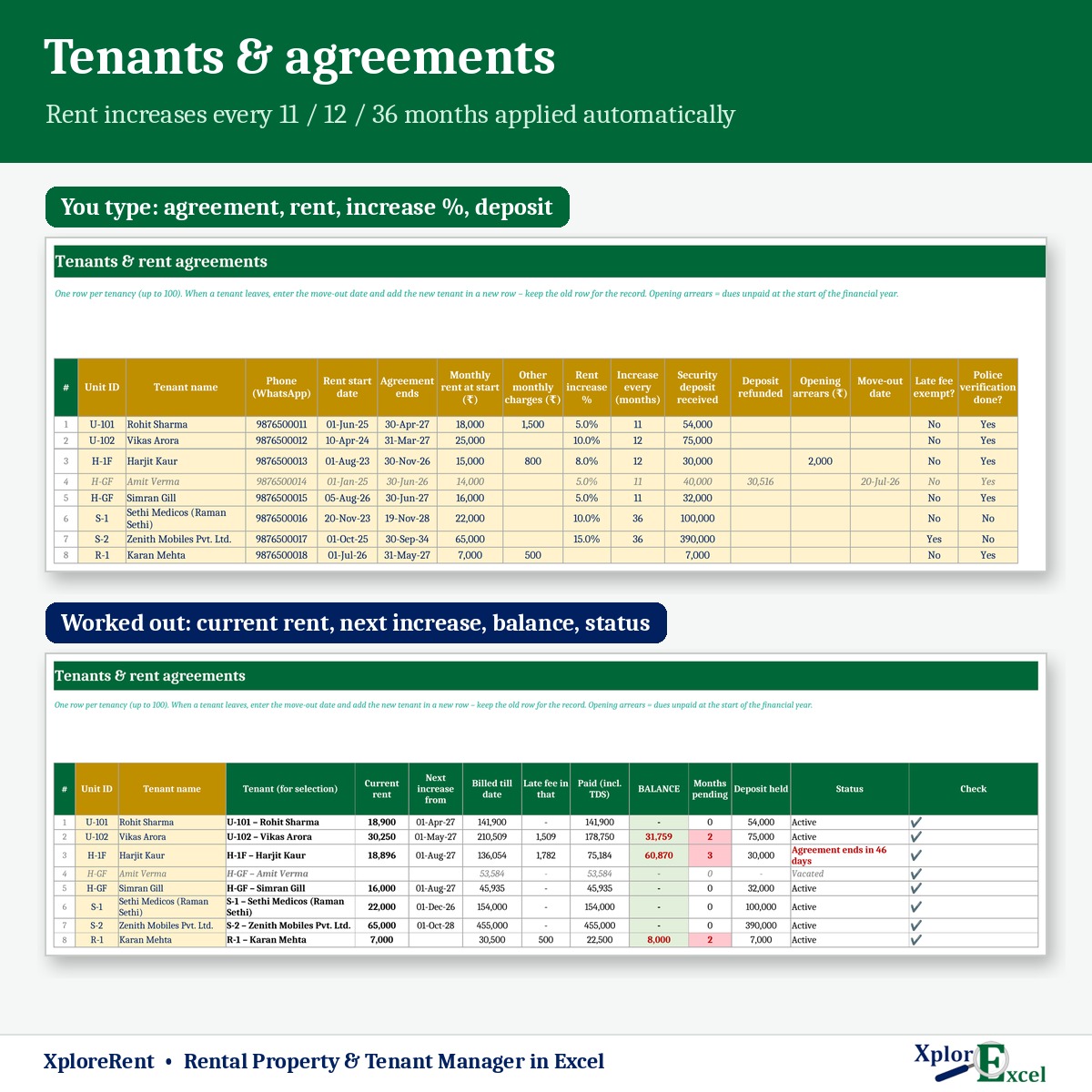
Units & tenants
Up to 50 units and 100 tenancies. Past tenants stay on record.
02
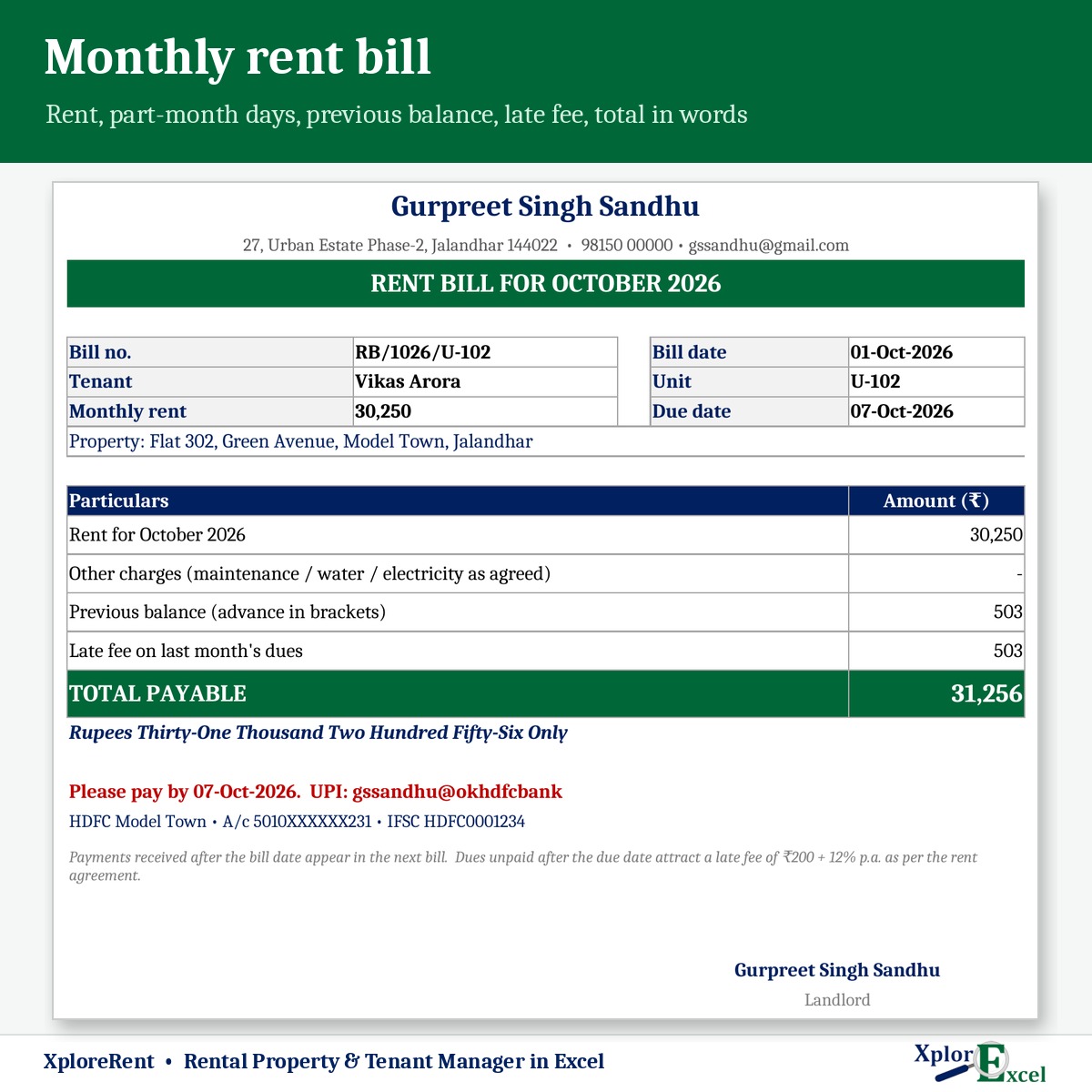
Rent bill
Monthly bill with previous balance, other charges, late fee and total payable.
03
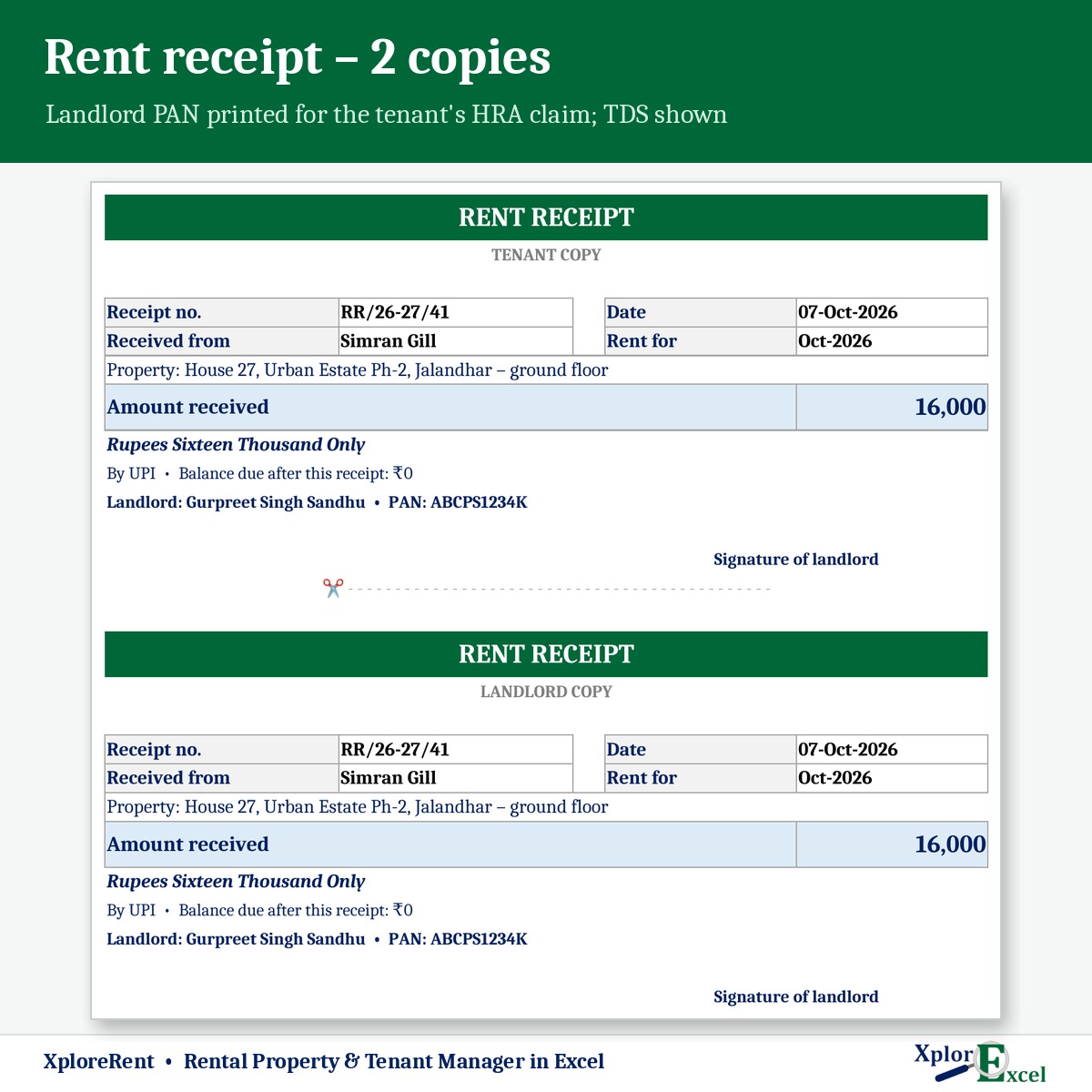
Rent receipt
Two copies with your PAN, amount in words and a revenue-stamp note above ₹5,000 cash.
04
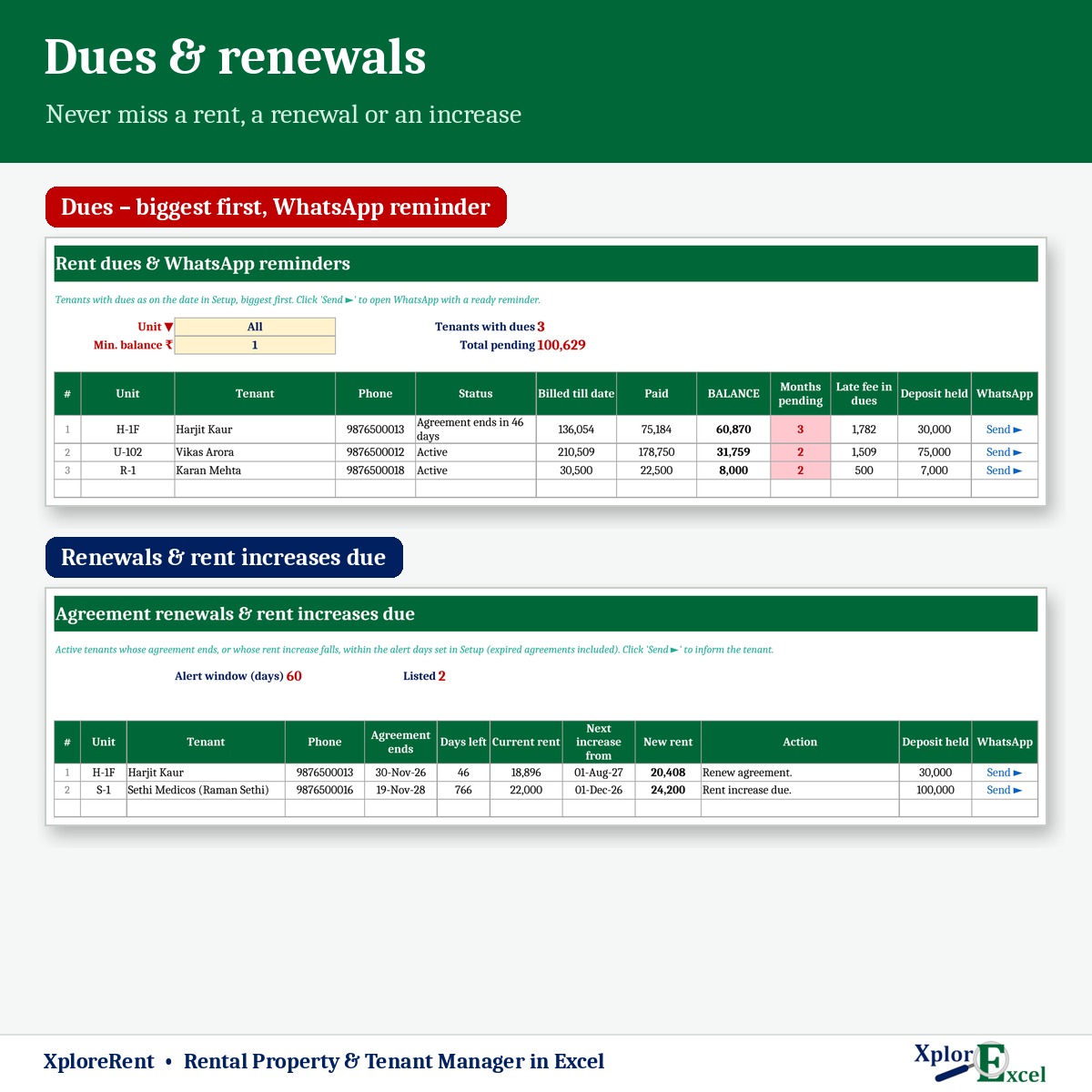
Dues list
Biggest first: months pending, late fee, deposit held and a WhatsApp reminder.
05
Renewals & increases
Agreements ending and rent increases due, with the new rent worked out.
06
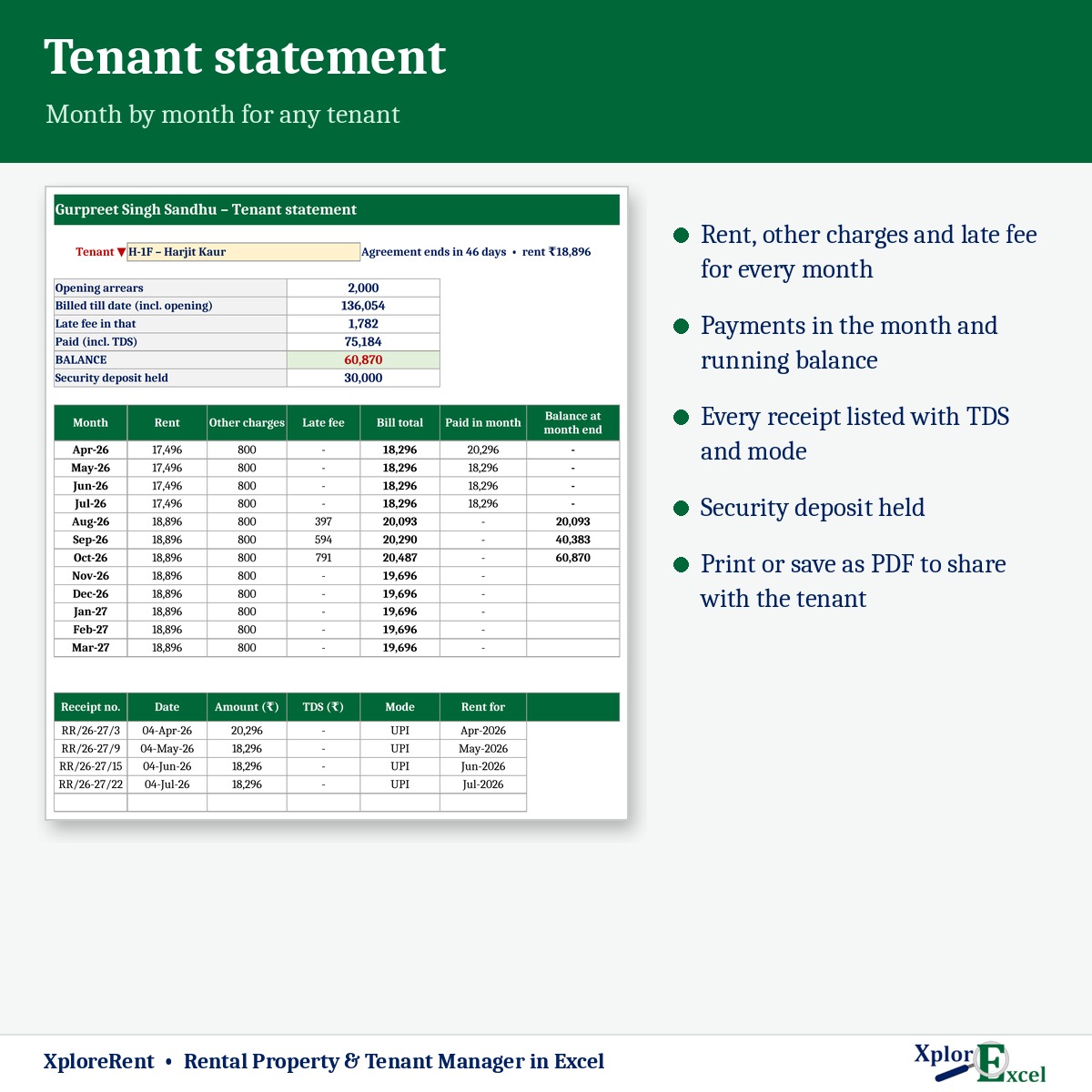
Tenant statement
Rent, charges, late fee, payments and balance month by month.
07
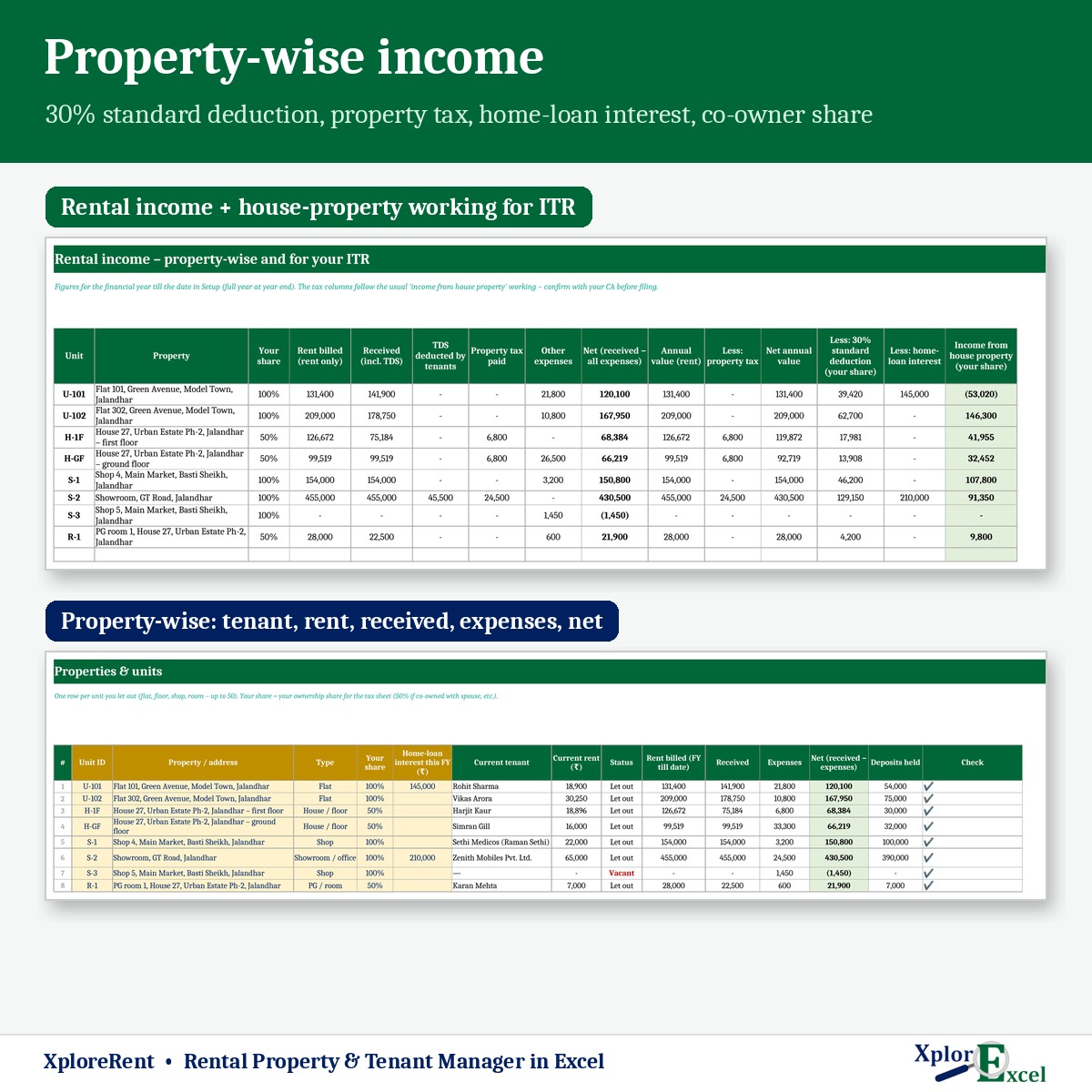
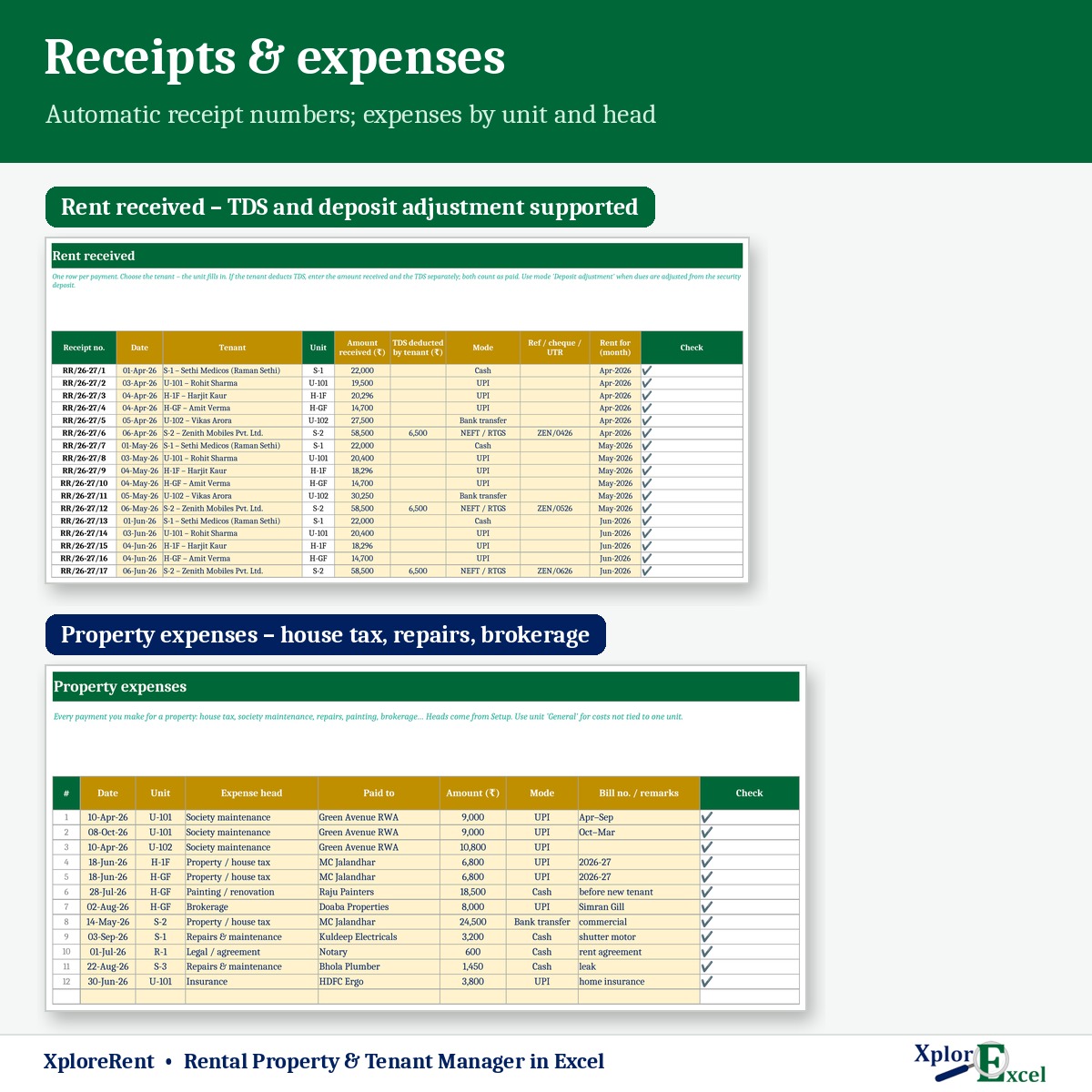
Expenses & income
House tax, repairs, society charges by unit — and net income per property.
08
ITR working
Annual value, property tax, 30% deduction and home-loan interest, with your co-owner share.
09Macro edition
Every tenant’s bill as PDF, in one click
Pick the month and press “PDF for all” — a separate bill for every tenant, ready to send.
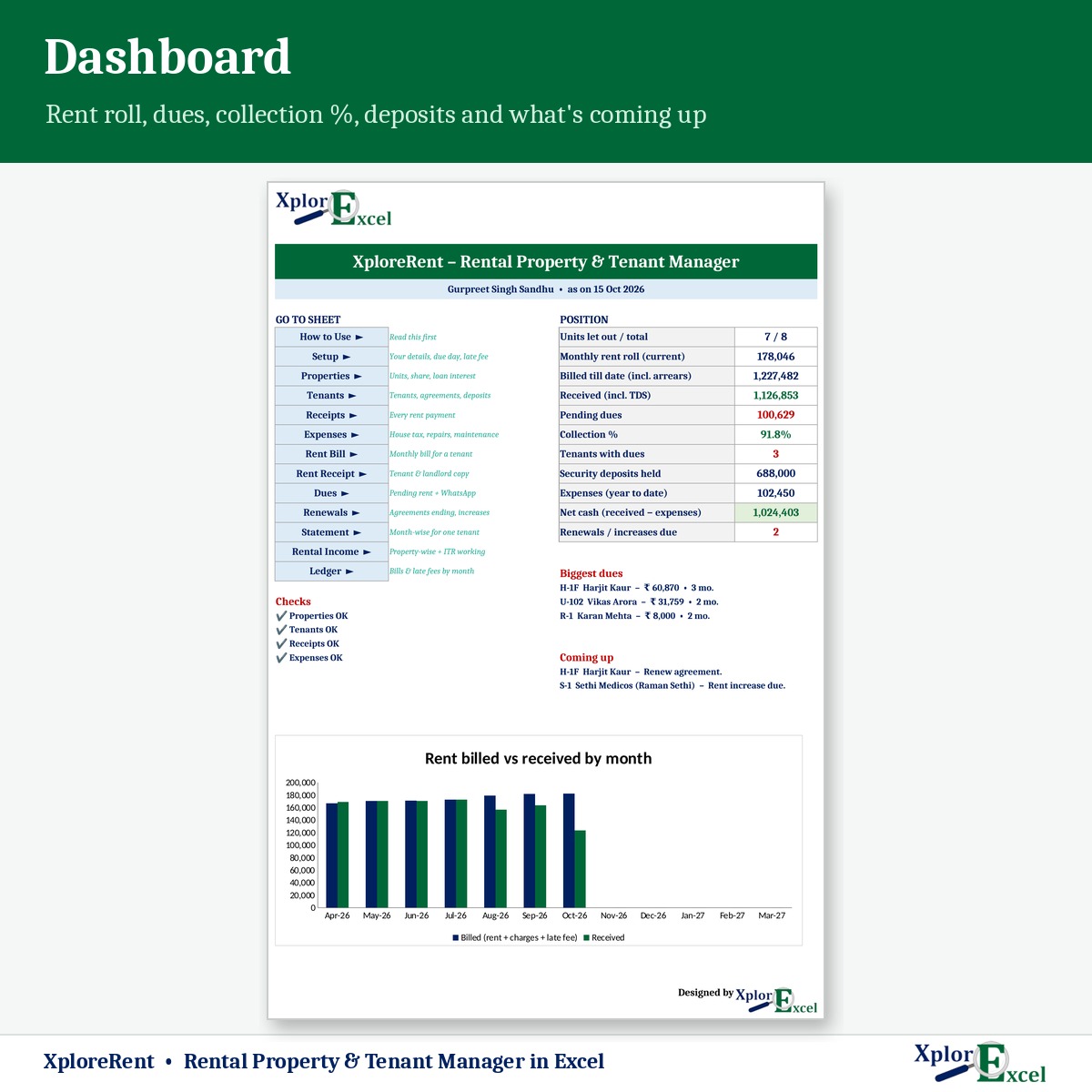
See the real sheets
These are pages from the sample file in your download: 8 units and 8 tenants, April to October.
Macro edition: fill-in forms on your PC
Click a button, fill a short form, press Save. These are real screens from the macro edition.


Made for
- Landlords with flats, floors or houses on rent
- Shop and showroom owners
- PG and hostel owners
- NRIs and families managing property through someone local
Not the right fit if
- You have more than 50 units
- You need tenants to log in and pay through an app
- You want the file to file your ITR — it gives the working; your CA files
Pick your plan
Same bills, receipts and reports in both. Choose how you want to enter data.
Formula edition
₹499
- Works on phone and PC
- Type straight into the yellow boxes
- All bills, receipts and reports
Best for 3+ tenants
Macro edition
₹799
- Everything in the formula edition
- Easy fill-in forms for rent received, expenses, tenants and units on a Windows computer
- “PDF for all”: every tenant’s monthly bill as a separate PDF, in one click
- Receipts, statements and dues list — print or PDF in one click
- Includes a phone copy for the Excel mobile app
Pay with UPI, cards or net banking. Digital file, so no refunds — but if the file doesn’t work for you, we’ll fix it.
Not sure yet? Try a free template first
Same builder, same yellow-box style. If our free templates work for you, XploreRent will too.
Hi, I’m Amanpreet
I run XplorExcel from Punjab. I build these files for the way Indian landlords and small businesses actually work. If something in the file doesn’t make sense, message me.
Questions
How do rent increases work?
Set the increase for each tenant — for example 5% every 11 months or 10% every 12 months. The new rent starts in the right month and the renewals list shows what’s coming up.
What if a tenant moves in or out mid-month?
That month is charged by days automatically. You can switch this off if your agreement charges the full month.
Can I charge a late fee?
Yes — a fixed ₹ amount and/or interest % a year on rent unpaid after your due day. Any tenant can be exempted. Keep it in line with your rent agreement.
My tenant deducts TDS. Is that handled?
Yes. Record the TDS with the payment; it counts as paid and shows in the property-wise income.
Will it work on my phone?
Yes. The formula edition opens in the Excel app on Android and iPhone, and the macro edition includes a phone copy too. The fill-in forms and one-click PDFs work on a Windows computer.
Which Excel do I need?
Excel 2016 or later on Windows or Mac for the formula edition. The macro edition’s forms need Excel on Windows.
Is the ITR sheet tax advice?
No. It shows the usual “income from house property” working so you and your CA start from the right numbers. Confirm with your CA before filing.
How do I get the file?
The download link appears as soon as payment goes through and is also sent to your email. You can download it again anytime — there is no expiry.
Send this month’s rent bills tonight.
Pay once · Instant Download · Lifetime Access