
For truck owners, fleet operators & transport companies (up to 20 trucks)
Trips, bilty, freight bills and profit per truck — in one Excel file.
Enter each trip once and print the bilty from it. XploreFleet makes one freight bill per party each month, and works out party dues, diesel and mileage, profit per truck, the cash each driver is holding, and insurance and permit due dates.
- Instant Download
- Lifetime Access
- No subscription
- Works offline
Month-end without the trip diary
Trip diary & LR book
- Bilty written by hand, trip details copied again for the bill
- Party bills made from scattered LR copies
- Diesel and toll slips in the driver’s pocket
- “Which truck is actually making money?” — no one knows
- Insurance expires and nobody noticed
With XploreFleet
- One trip entry prints the bilty and feeds the bill
- Monthly freight bill per party with all its LRs
- Trip expenses, km and mileage on every trip
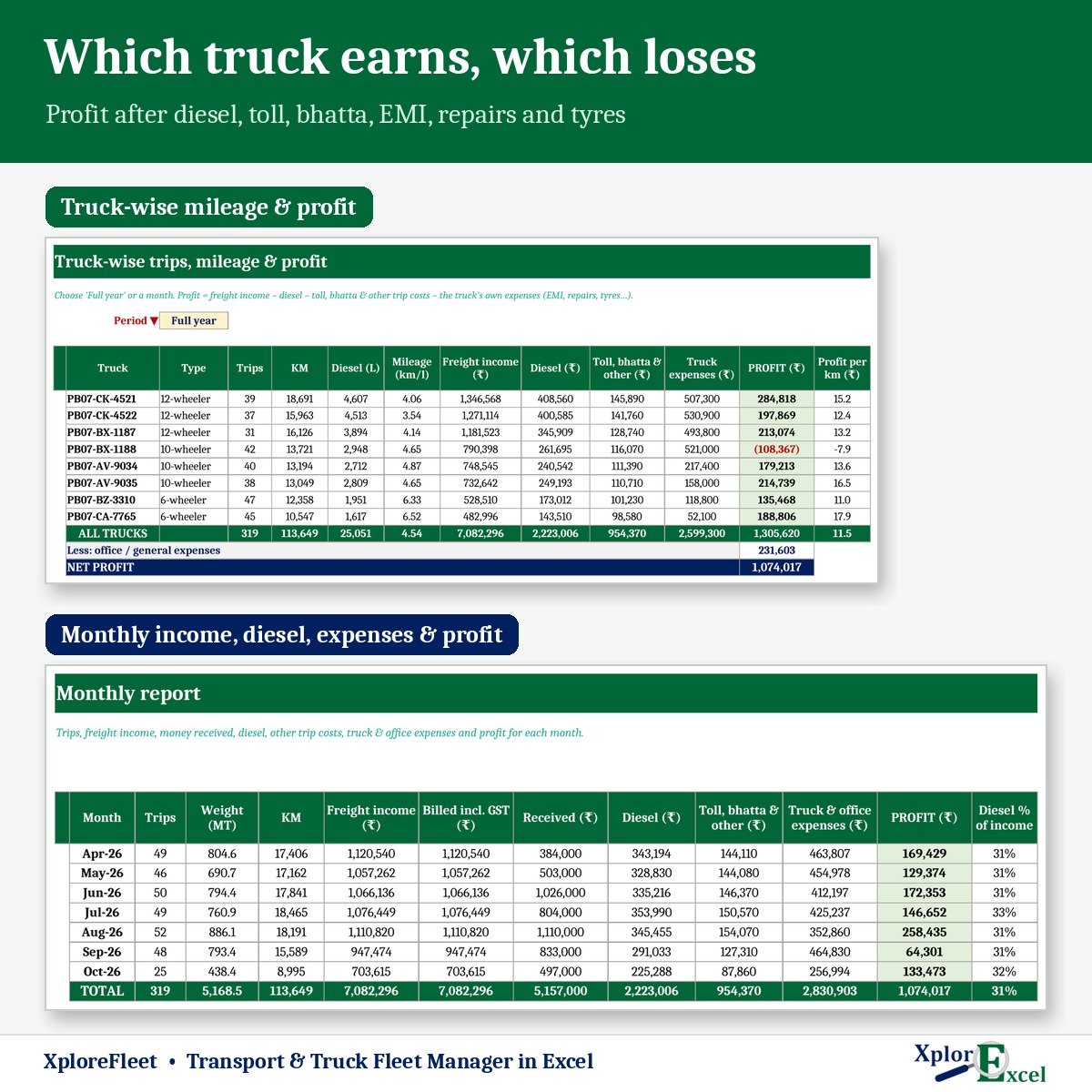
- Profit per truck for the year or any month
- Documents due list before anything expires
What you get
One Excel file for a financial year. Each page does one job and passes the numbers on by itself.
01
Trucks & drivers
Up to 20 trucks with 5 document dates each, and 30 drivers with licence date and salary.
02
Trip register
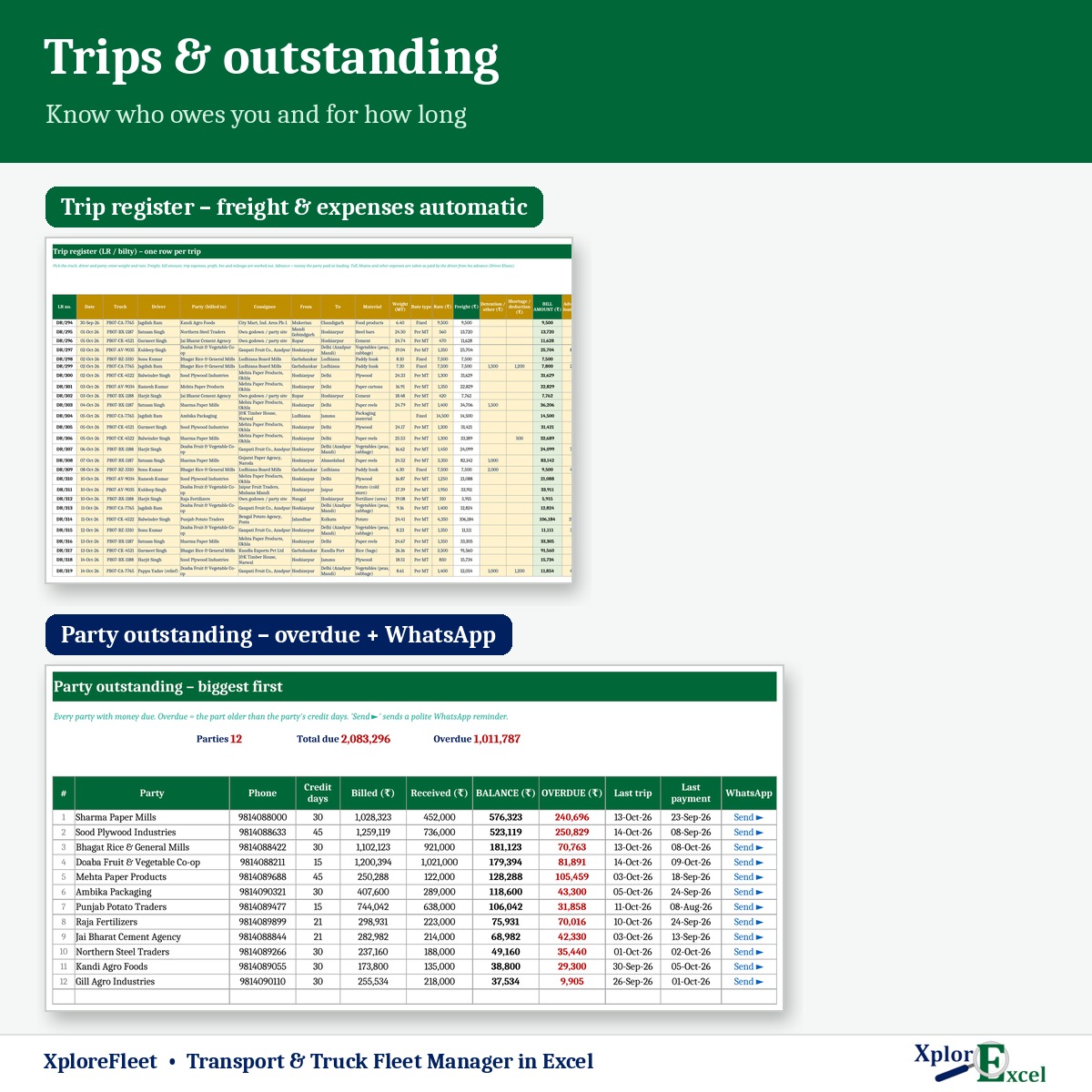
Up to 3,000 trips: freight per MT or fixed, diesel, toll, bhatta, loading — profit filled in.
03
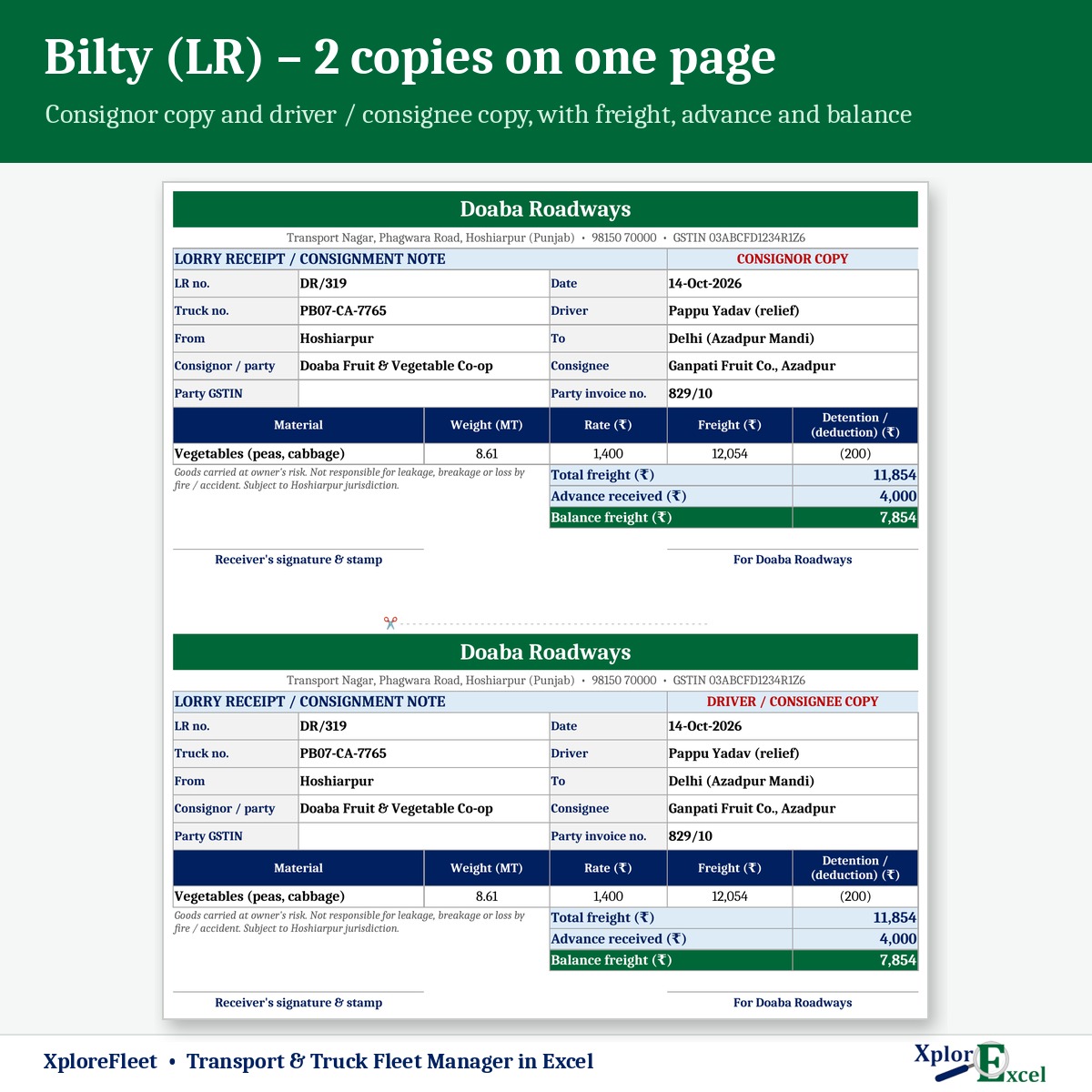
Bilty (LR)
Consignor copy and driver / consignee copy on one A4 page.
04
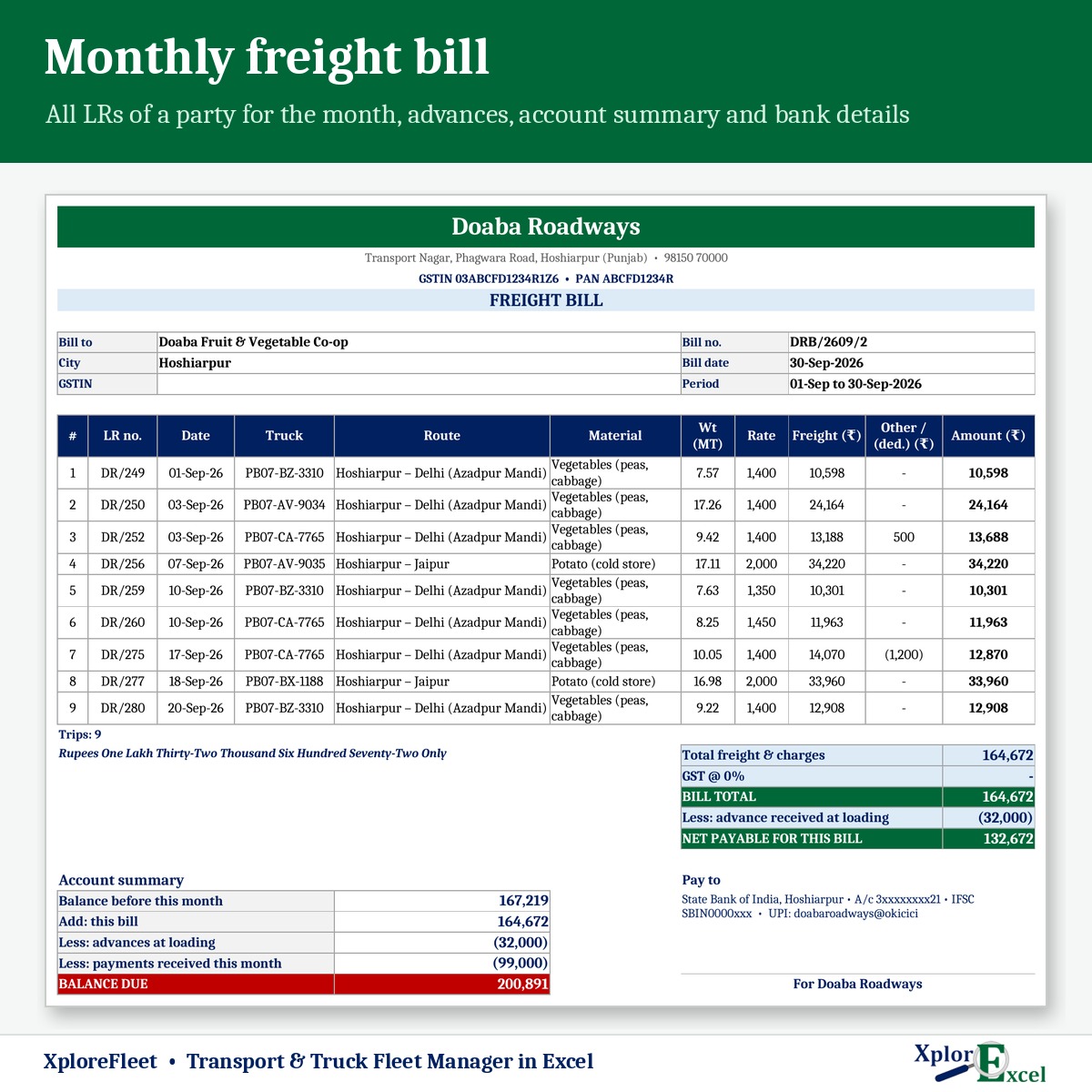
Party freight bill
All the party’s LRs for the month, advances, detention, shortage, and your bank and UPI details.
05
Party outstanding
Balance and overdue part by credit days, with a WhatsApp payment reminder.
06
Driver khata
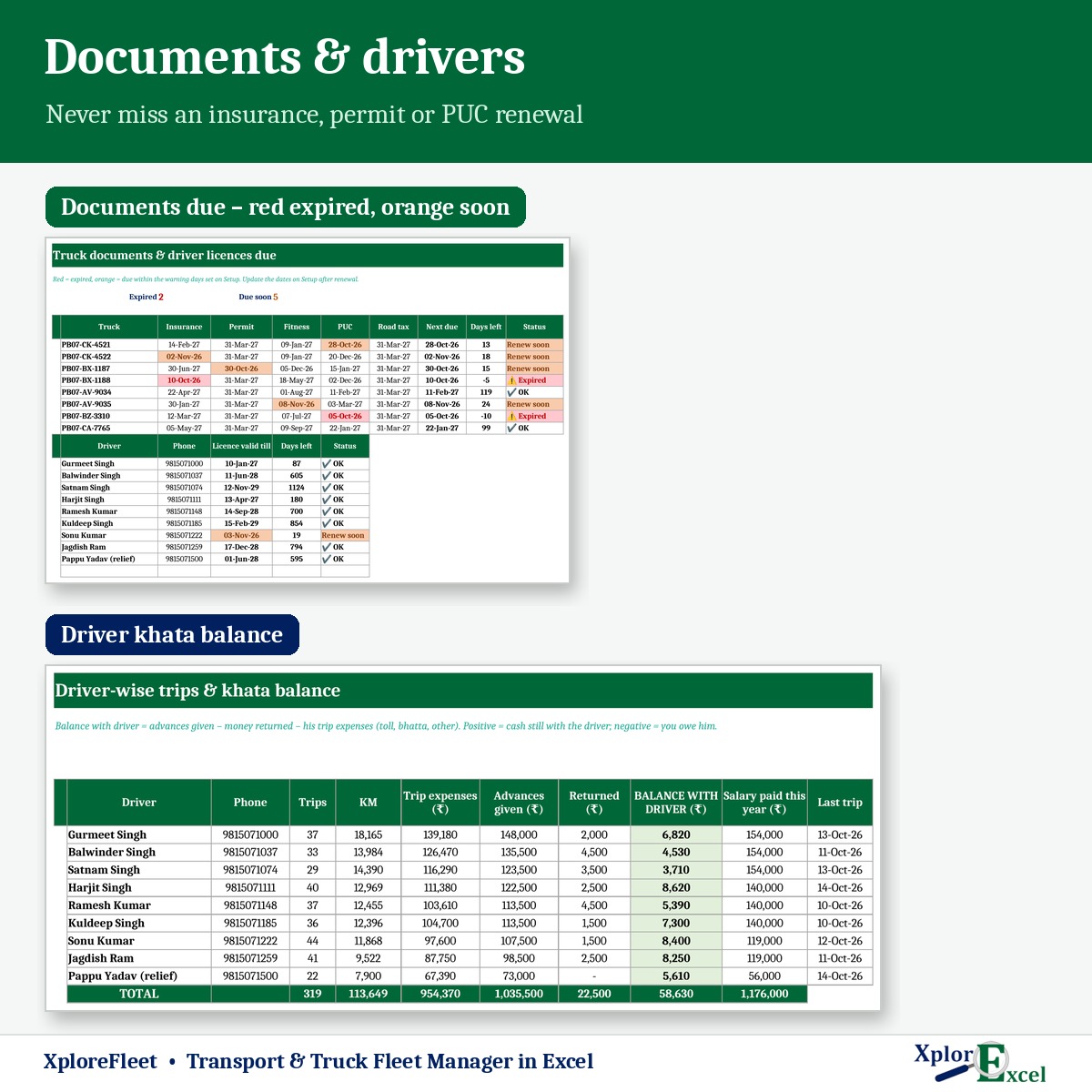
Advances, money returned and trip expenses — the cash still with each driver.
07
Truck report
Trips, km, diesel, mileage, income, costs, EMI, repairs, profit and profit per km.
08
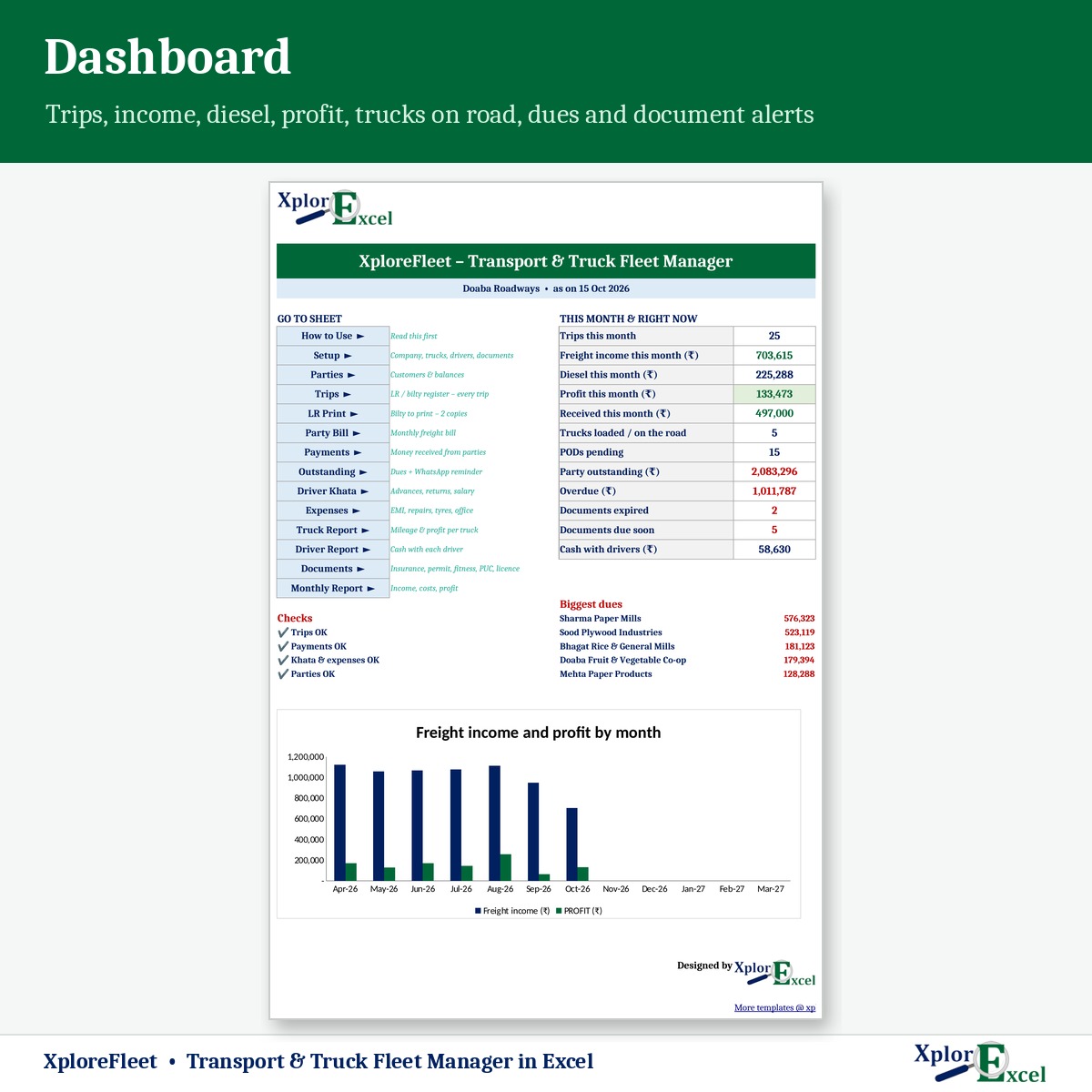
Dashboard
Trucks on the road, PODs pending, dues, documents due and diesel %.
09Macro edition
Every party’s freight bill as PDF, in one click
Pick the month and press “PDF for all” — a separate freight bill for every party.
See the real sheets
These are pages from the sample file in your download: 8 trucks, 12 parties and 319 trips.
Macro edition: fill-in forms on your PC
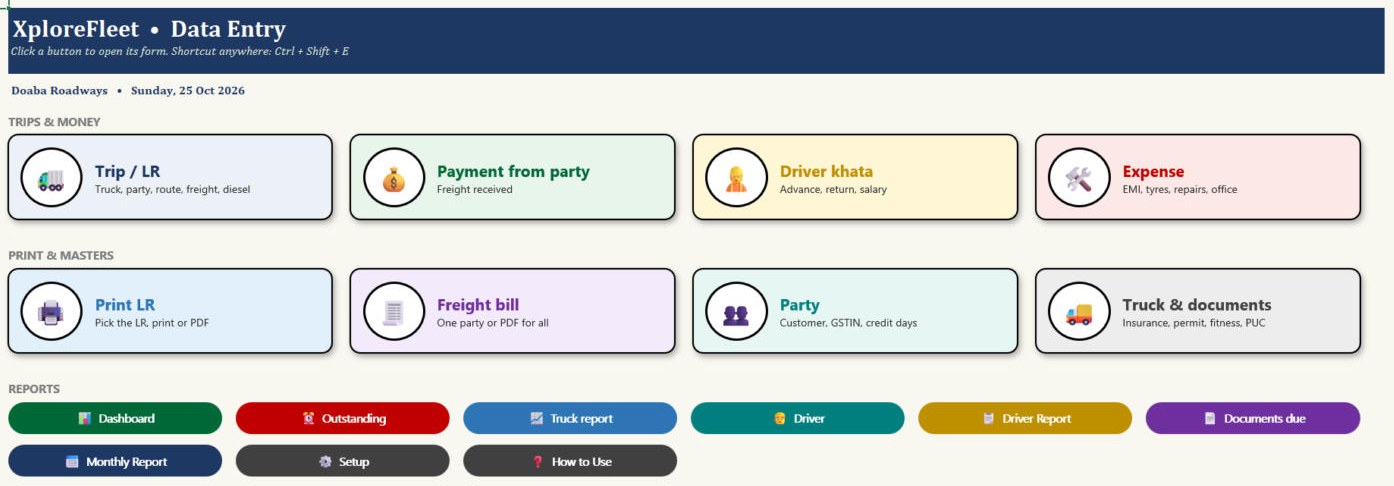
Click a button, fill a short form, press Save. These are real screens from the macro edition.

Made for
- Truck owners with 1–20 trucks
- Transport companies billing parties monthly
- Fleet operators running drivers on advance
- Commission agents who also run their own trucks
Not the right fit if
- You run more than 20 trucks
- You need GPS tracking or live truck location
- You need e-way bills generated from the file
Pick your plan
Same trips, bills and reports in both. Choose how you want to enter data.
Formula edition
₹799
- Works on phone and PC
- Type straight into the yellow boxes
- All bilty, bills and reports
Best for the transport office
Macro edition
₹1,099
- Everything in the formula edition
- Easy fill-in forms for trips, payments, driver khata, expenses and trucks on a Windows computer
- “PDF for all”: every party’s monthly freight bill as a separate PDF, in one click
- Bilty, truck report, outstanding and documents due — print or PDF in one click
- Includes a phone copy for the Excel mobile app
Pay with UPI, cards or net banking. Digital file, so no refunds — but if the file doesn’t work for you, we’ll fix it.
Not sure yet? Try a free template first
Same builder, same yellow-box style. If our free templates work for you, XploreFleet will too.
Hi, I’m Amanpreet
I run XplorExcel from Punjab. I build these files for the way Indian transporters and small businesses actually work. If something in the file doesn’t make sense, message me.
Questions
Can I charge freight per MT and also fixed?
Yes. Each trip has a rate type — per MT or fixed — and the bill amount is worked out from it. Detention charges and shortage deductions go on the party bill.
How does the driver khata work?
Record advances given and money returned. Trip expenses the driver paid are taken from the trips, so you see the cash still with each driver. Salary paid is shown too.
Which documents are tracked?
Insurance, permit, fitness, PUC and road tax for each truck, and the driving licence for each driver. You choose how many days ahead to be warned.
Is GST on freight handled?
There’s an optional GST % on freight. GST on transport (GTA) and TDS depend on your registration and the party, so confirm the rate with your CA.
Will it work on my phone?
Yes. The formula edition opens in the Excel app on Android and iPhone, and the macro edition includes a phone copy too. The fill-in forms and one-click PDFs work on a Windows computer.
Which Excel do I need?
Excel 2016 or later on Windows or Mac for the formula edition. The macro edition’s forms need Excel on Windows.
The buttons don’t work — what do I do?
Windows blocks macros in downloaded files. Right-click the .xlsm file → Properties → tick “Unblock” → OK. Then open it and click “Enable Content” on the yellow bar.
How do I get the file?
The download link appears as soon as payment goes through and is also sent to your email. You can download it again anytime — there is no expiry.
Know which truck is making you money.
Pay once · Instant Download · Lifetime Access