
Quick answer: A housing society prepares two statements from its cash book:
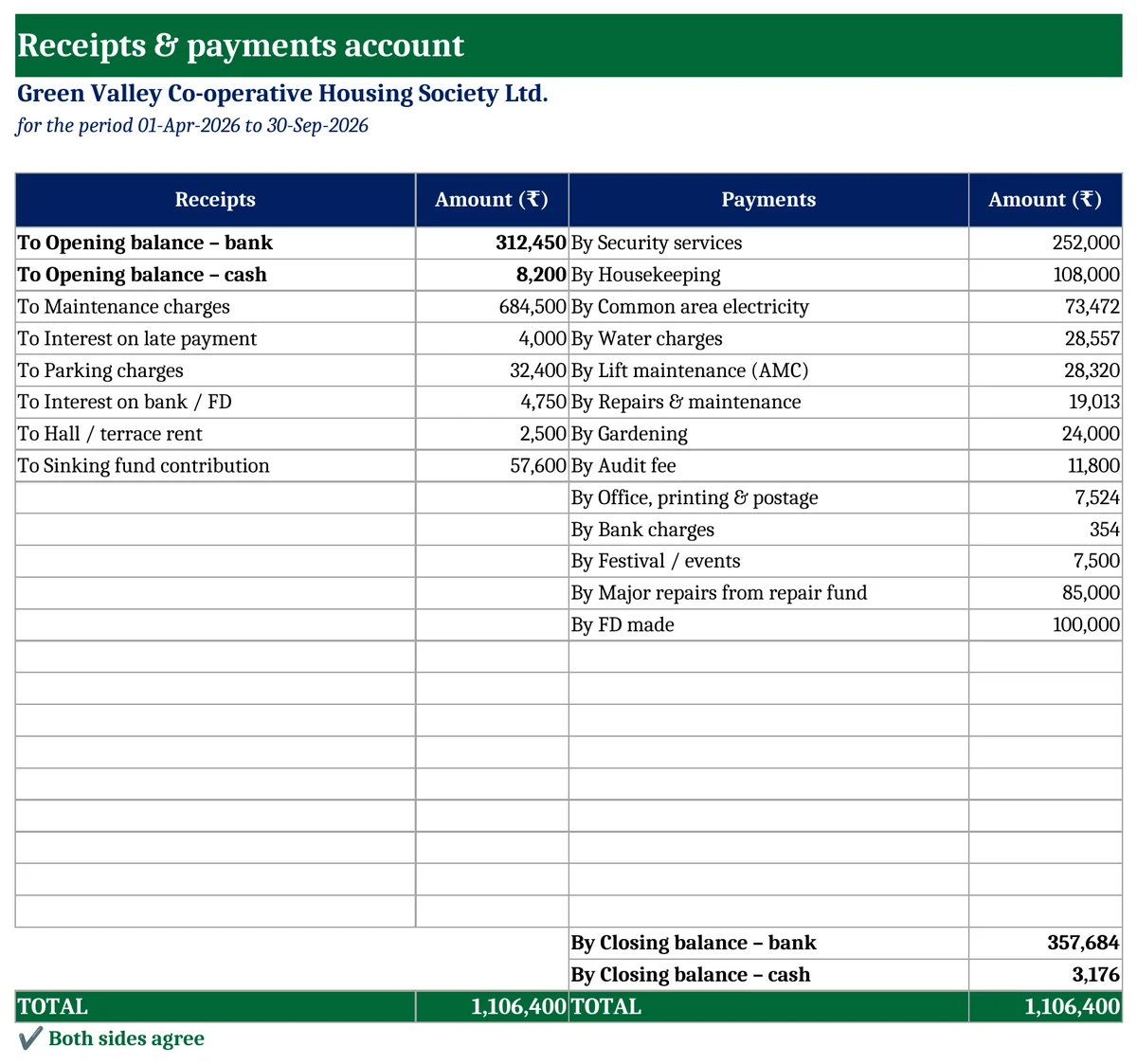
- The Receipts & Payments account shows all money in and out, including funds and FDs. It starts with the opening bank and cash and ends with the closing balances.
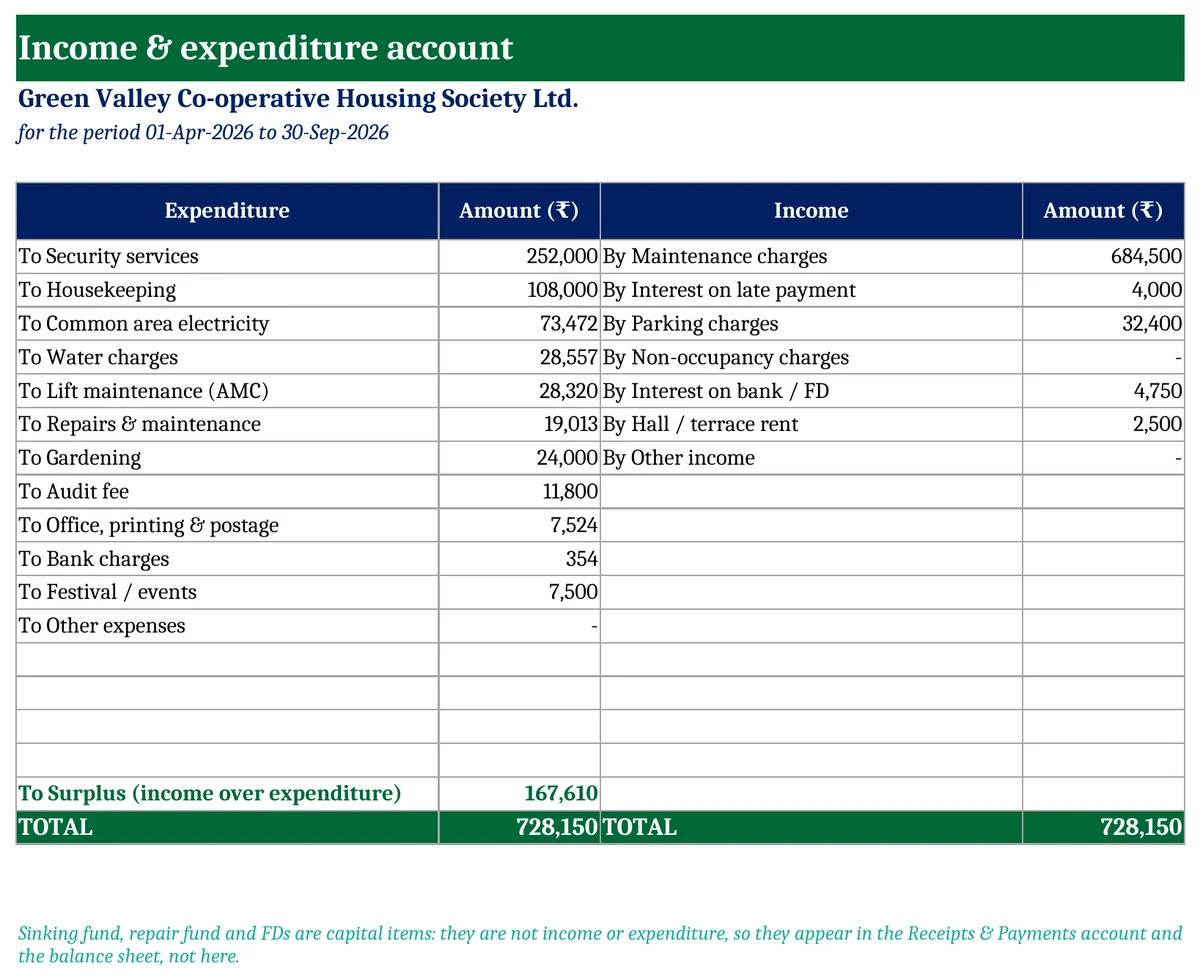
- The Income & Expenditure account shows only revenue items. Maintenance, interest and parking are income. Security, electricity and repairs are expenditure. The difference is the surplus or deficit.
Sinking fund, repair fund and FDs are capital items, so they go in Receipts & Payments only.
Download a free society income and expenditure account in Excel below. You enter each receipt and payment once. Both statements are made from it.
Key takeaways
- Heads with a type: Income, Expense, Fund received, Fund used, Investment, Investment returned.
- Transactions cash book for up to 400 entries, Bank or Cash.
- Income & Expenditure account with surplus or deficit for any period.
- Receipts & Payments account with opening and closing bank and cash, and a check that both sides agree.
- Free, with no macros. Print the statements for the AGM.
Receipts & payments account
How to use the template
- Heads: type the society name, the year start, the “statement up to” date and the opening bank and cash balances. Keep or change the heads and their types.
- Transactions: enter every receipt and payment with its head and mode.
- Income & Expenditure and Receipts & Payments: print them. If the R&P check shows a difference, look for a wrong mode or head.
Tips for the society treasurer
- Enter from the bank statement every month. Then the closing bank balance matches the passbook.
- Keep funds separate. Sinking fund money spent on regular repairs is a common audit remark.
- Show the I&E to members quarterly, not only at the AGM.
Download the free Society Income & Expenditure Account
There are four sheets: Heads, Transactions, Income & Expenditure and Receipts & Payments. Fill in the yellow cells; everything else is worked out.
Get updates and new free templates
Your download below doesn’t need this. Leave your WhatsApp number or email and I’ll send you fixes for this file and new free templates. No spam, unsubscribe anytime.

Was this template useful?
Related free templates Free Excel files people download with this one
FAQs
Is this an accrual-based I&E?
No. It is prepared from cash receipts and payments. Dues not yet received and bills not yet paid are not included. Your auditor may adjust them.
Can an RWA, club or trust use it?
Yes. Rename the heads to suit your organisation.
Does it make a balance sheet?
No. It gives the two statements most societies are asked for at the AGM.
