
For civil, electrical & plumbing contractors and site engineers
BOQ, measurement book and RA bills — in one Excel file.
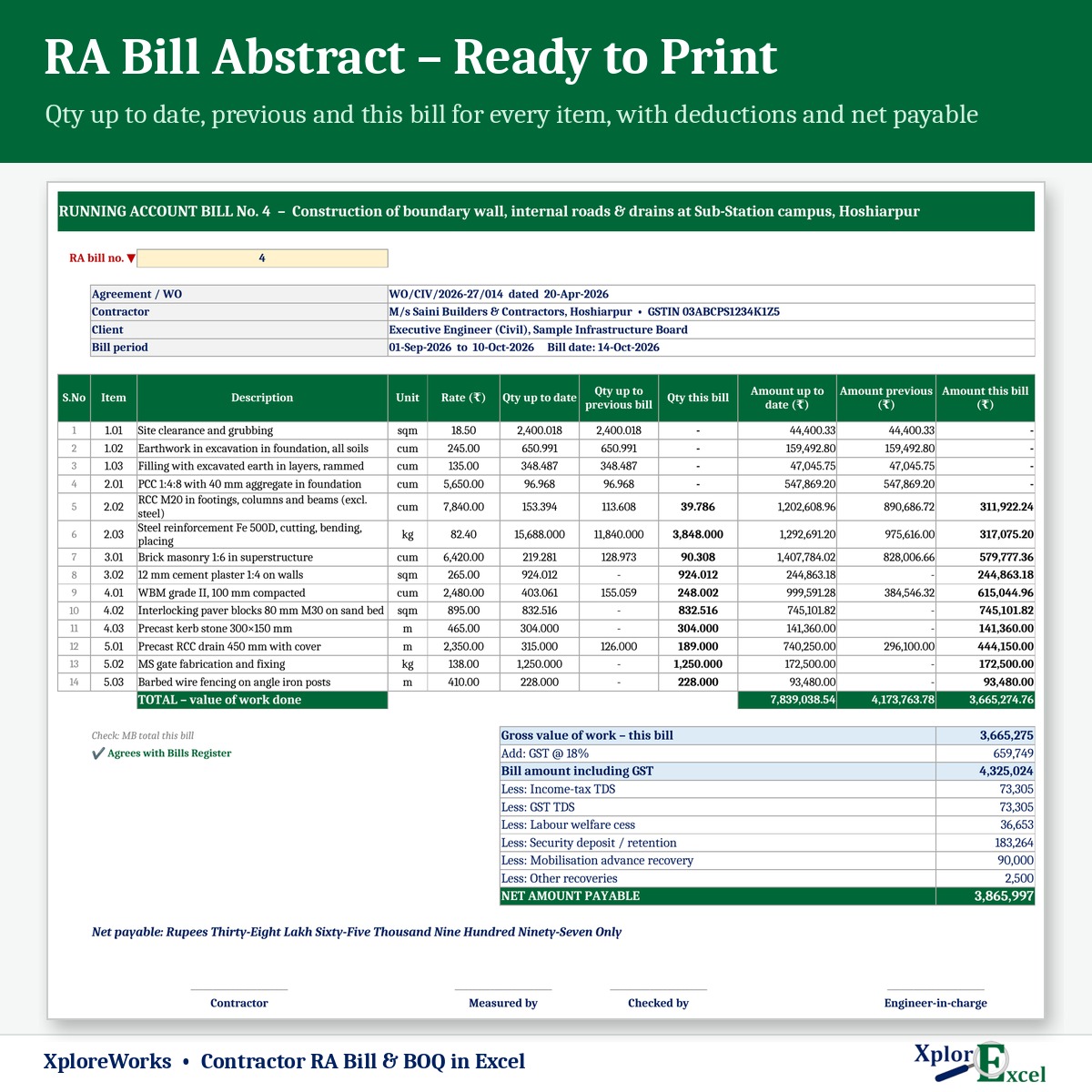
Enter the BOQ once and record measurements as the work happens. XploreWorks prepares every running account bill with quantities up to date, previous and this bill, then works out GST, TDS, labour cess, security deposit and the net payable.
- Instant Download
- Lifetime Access
- No subscription
- Works offline
Billing day without the calculator
Paper MB & loose sheets
- Quantities totalled again for every bill
- Previous-bill figures copied by hand
- Deductions worked out separately each time
- No idea which items have crossed the BOQ quantity
- Payments and retention tracked in a diary
With XploreWorks
- Each measurement entered once, Nos × L × B × D
- Up to date, previous and this bill worked out for you
- Net payable with every deduction, in figures and words
- Deviation statement shows excess and saving items
- Bills register shows received, outstanding and retention held
What you get
One Excel file for one work or agreement. Each page does one job and passes the numbers on by itself.
01
BOQ
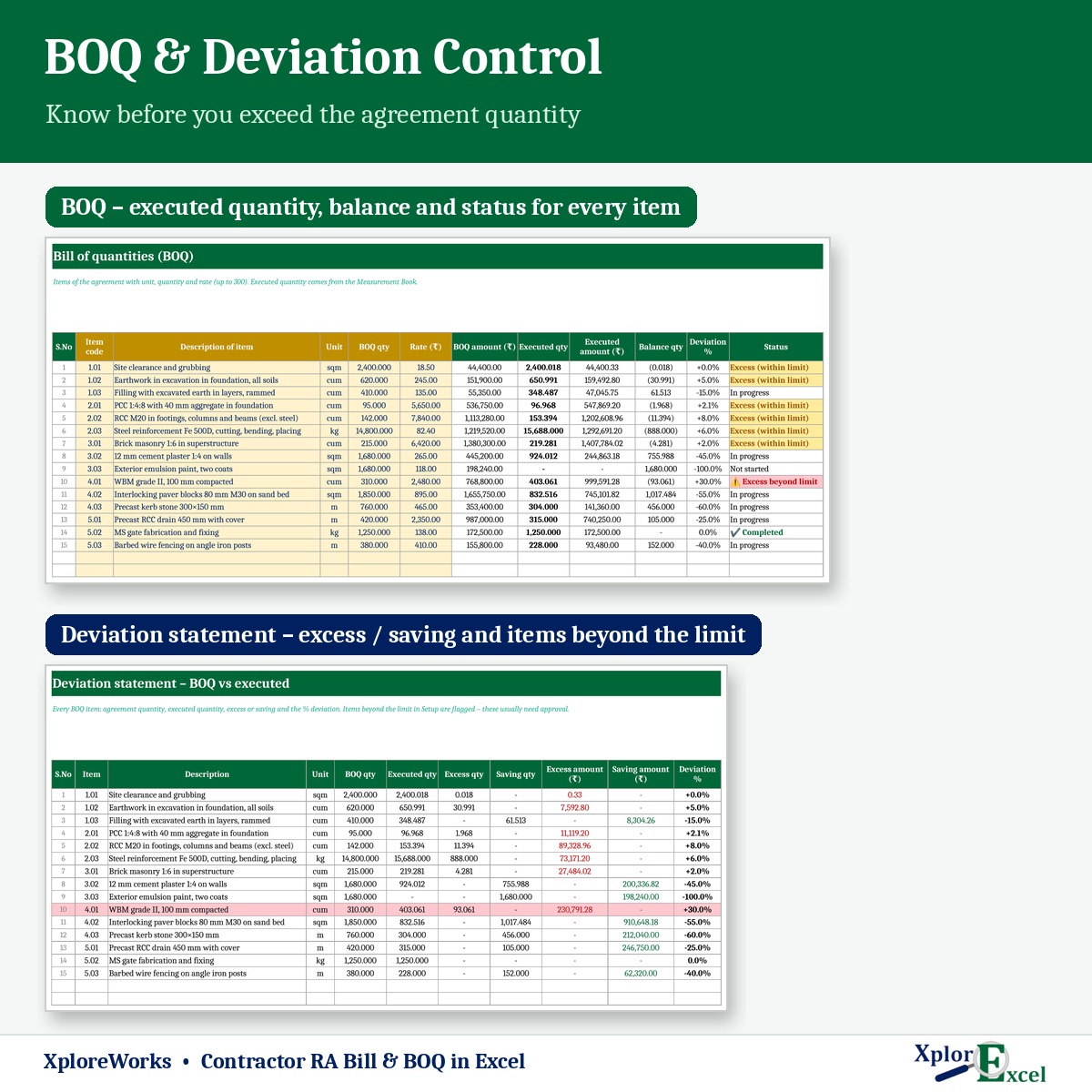
Up to 300 items with code, description, unit, quantity and rate. Contract value worked out.
02
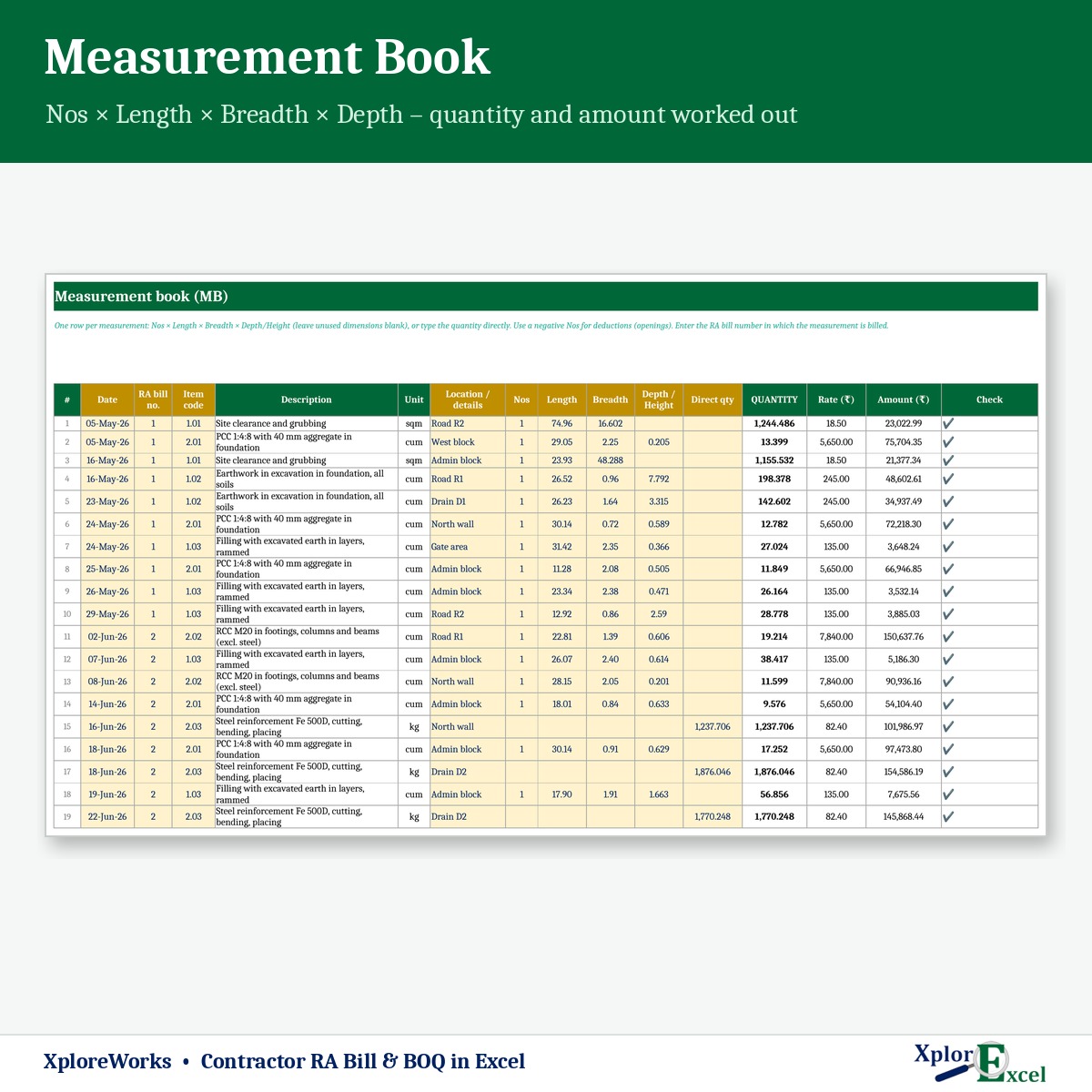
Measurement book
Up to 3,000 entries: date, bill no., location, Nos × L × B × D or a direct quantity.
03
RA bill abstract
Pick the bill no. — every item with work done is listed, with amount in words. Final bill too.
04
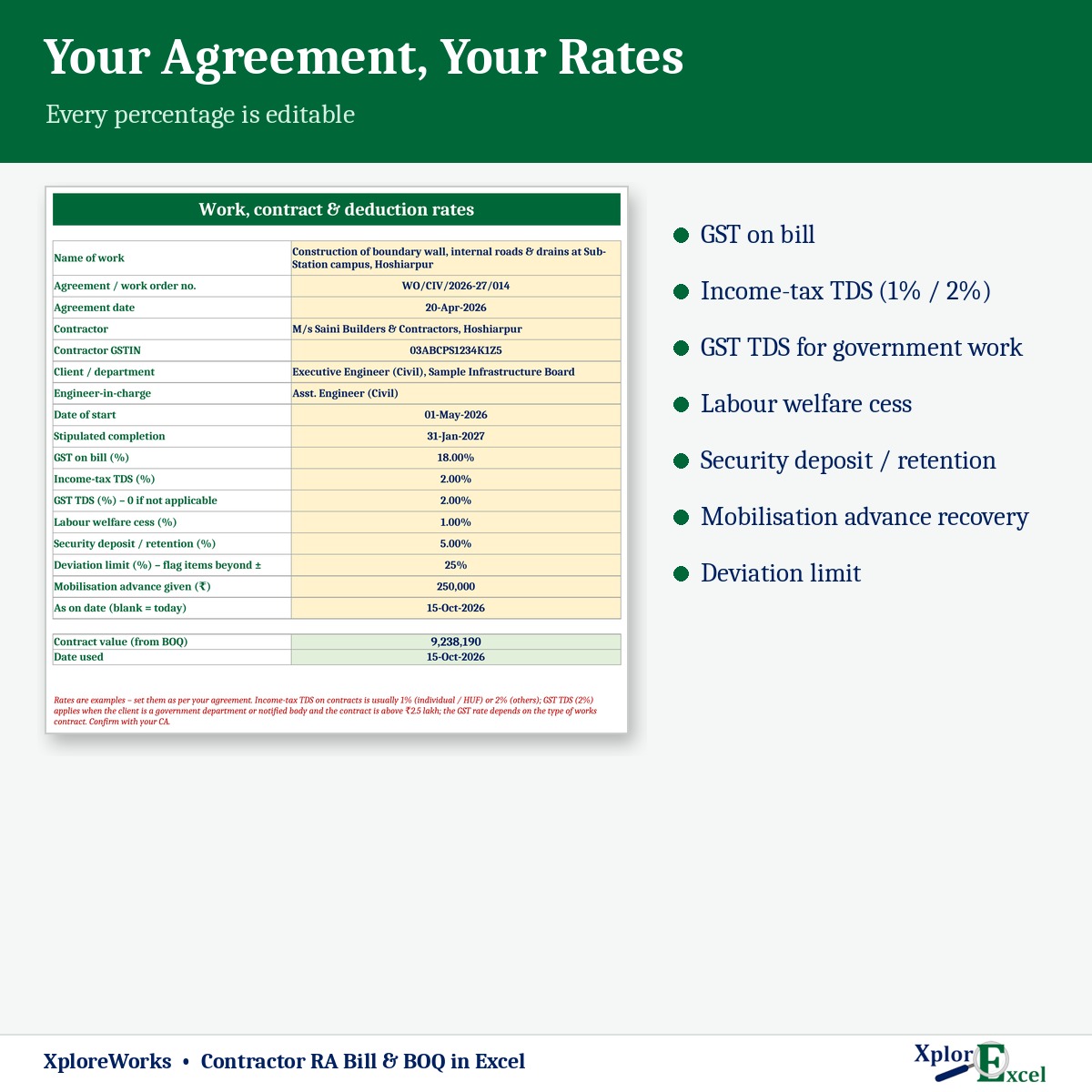
Deductions
GST %, TDS 1% / 2%, GST TDS 2%, labour cess, security, advance and other recoveries.
05
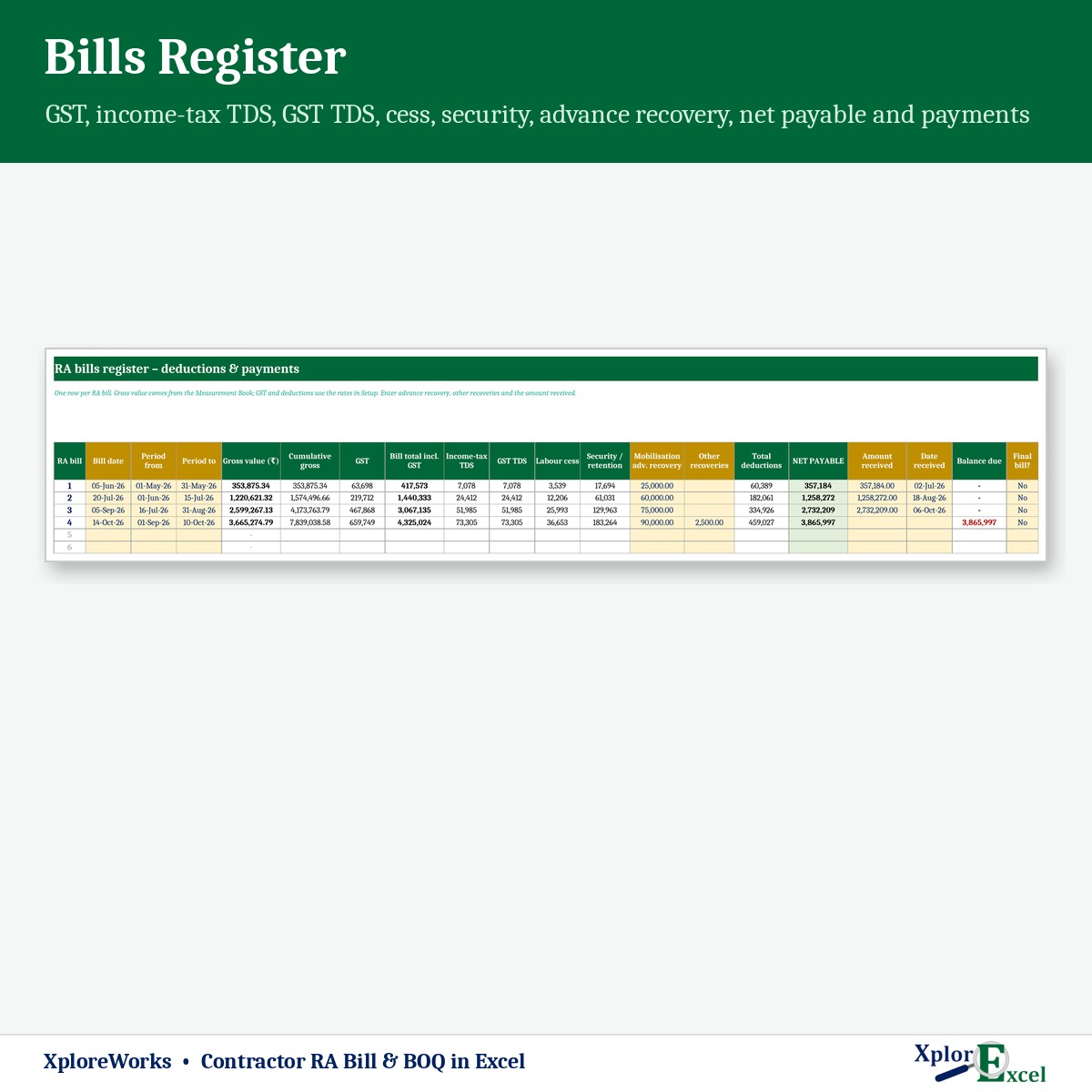
Bills register
Gross, deductions, net payable, amount and date received, and balance for every bill.
06
Deviation statement
Items in excess or saving against the BOQ, and items beyond your deviation limit.
07
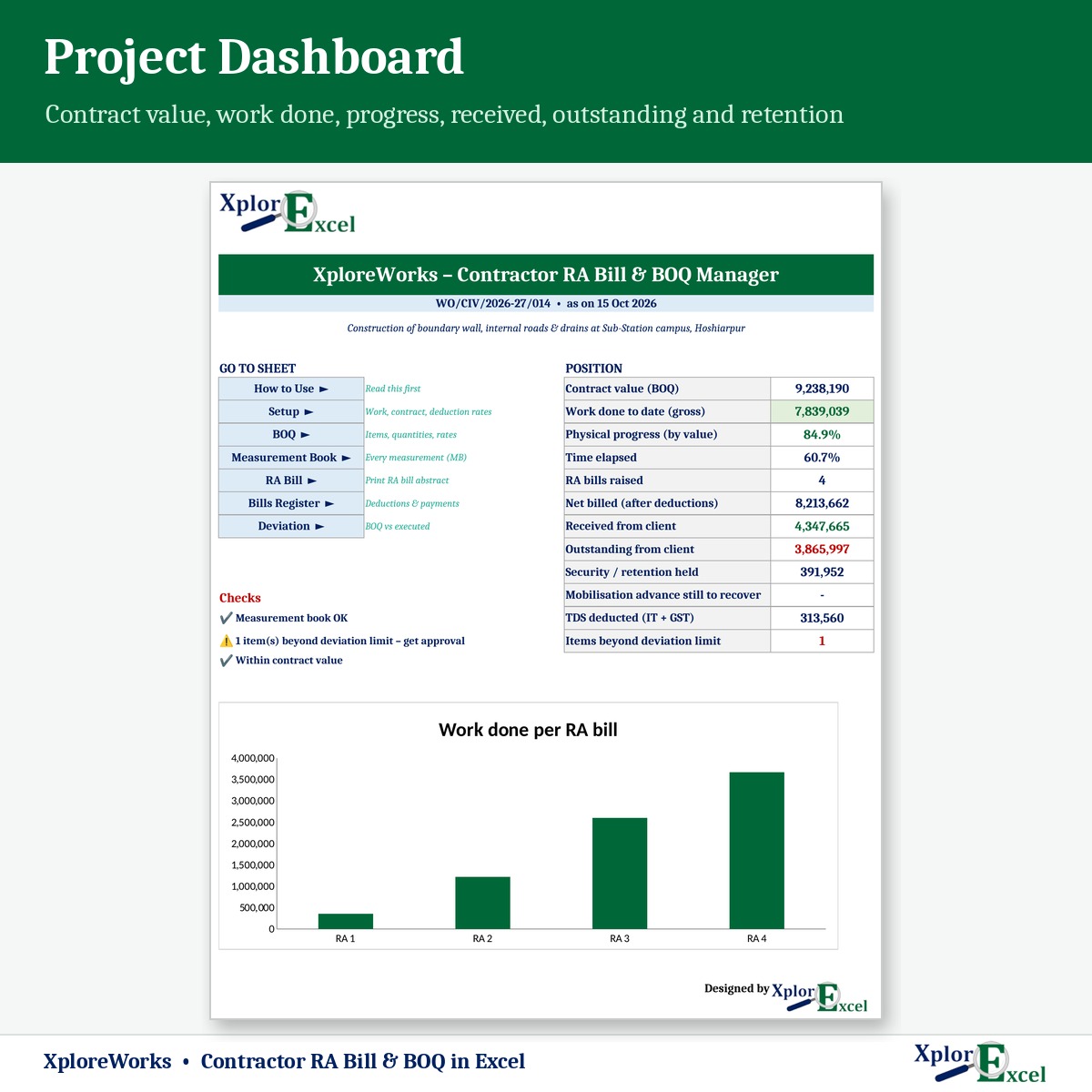
Dashboard
Physical progress against time elapsed, outstanding and a work-done chart.
08
TDS summary
TDS deducted so far on the dashboard — handy for matching 26AS and GSTR-7A.
09Macro edition
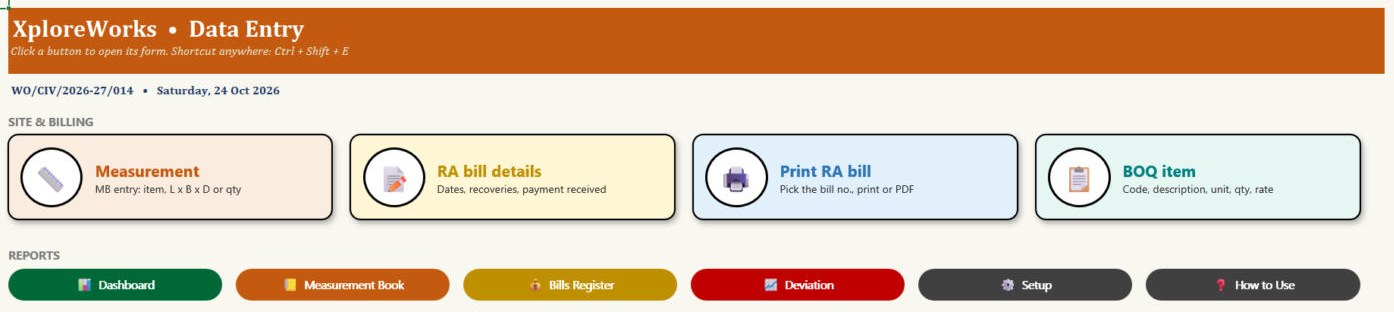
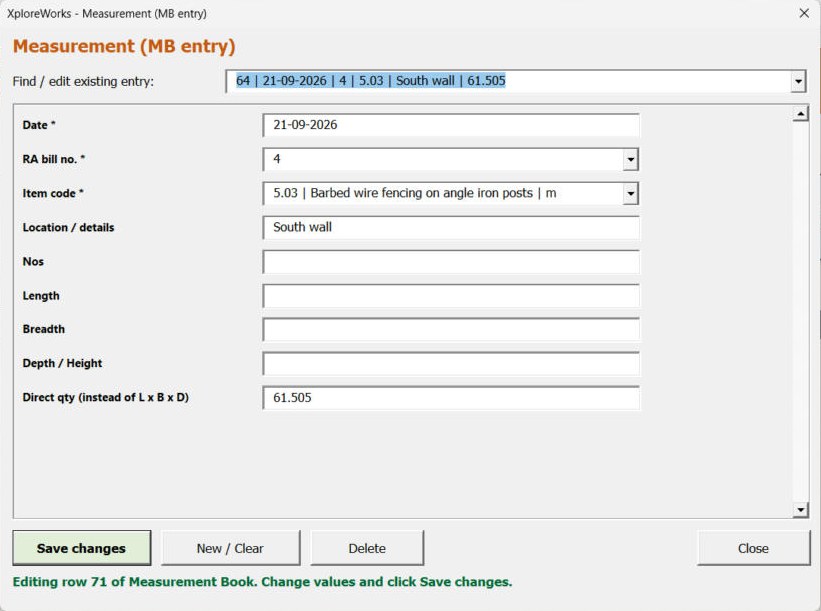
Measurements through a form
Pick the item from a list, type L × B × D, press Save. Print or PDF any RA bill in one click.
See the real sheets
These are pages from the sample file in your download: a work with 15 items, 72 measurements and 4 RA bills.
Macro edition: fill-in forms on your PC
Click a button, fill a short form, press Save. These are real screens from the macro edition.
Made for
- Civil, building and road contractors
- Electrical and plumbing contractors
- Site engineers who keep the MB
- Sub-contractors billing a main contractor
Not the right fit if
- You need more than 300 BOQ items in one work
- You need SOR-based estimates or rate analysis
- You need several people entering data at the same time
Pick your plan
Same BOQ, MB, RA bills and reports in both. Choose how you want to enter data.
Formula edition
₹999
- Works on phone and PC
- Type straight into the yellow boxes
- All bills, deductions and reports
Best for the site office
Macro edition
₹1,299
- Everything in the formula edition
- Easy fill-in forms for measurements, BOQ items and bill details on a Windows computer
- Pick an item from a list — no wrong item codes in the MB
- Print or PDF any RA bill or the deviation statement in one click
- Includes a phone copy for the Excel mobile app
Pay with UPI, cards or net banking. Digital file, so no refunds — but if the file doesn’t work for you, we’ll fix it.
Not sure yet? Try a free template first
Same builder, same yellow-box style. If our free templates work for you, XploreWorks will too.
Hi, I’m Amanpreet
I run XplorExcel from Punjab. I build these files for the way Indian contractors and small businesses actually work. If something in the file doesn’t make sense, message me.
Questions
Can I use it for government works?
Yes. Set GST TDS at 2% and income-tax TDS at 1% or 2%, add labour cess and security deposit, and the RA bill shows each deduction and the net payable. Every rate is editable in Setup.
I have several works running. What do I do?
Use one copy of the file per work or agreement. Copy the Blank file, rename it, and fill in that agreement’s BOQ.
Can I enter a quantity directly instead of L × B × D?
Yes. Each measurement line takes Nos × Length × Breadth × Depth, or a direct quantity.
What happens when an item goes beyond the BOQ quantity?
The BOQ sheet shows the executed and balance quantity, and the deviation statement lists items in excess or saving and items beyond your deviation limit.
Will it work on my phone?
Yes. The formula edition opens in the Excel app on Android and iPhone, and the macro edition includes a phone copy too. The fill-in forms and one-click PDFs work on a Windows computer.
Which Excel do I need?
Excel 2016 or later on Windows or Mac for the formula edition. The macro edition’s forms need Excel on Windows.
Is the GST and TDS treatment correct for my contract?
Deduction rates vary by agreement and client. XploreWorks does the calculation with the rates you set — it is not tax advice, so confirm the treatment with your CA.
How do I get the file?
The download link appears as soon as payment goes through and is also sent to your email. You can download it again anytime — there is no expiry.
Make your next RA bill in minutes.
Pay once · Instant Download · Lifetime Access