
What the macro edition adds
- Easy fill-in forms with buttons on a Windows computer
- A Data Entry page with every form one click away (Ctrl + Shift + E)
- A Find box in every form to edit old entries
- Includes the formula-only copy for the Excel app on Android and iPhone
Needs: Microsoft Excel on Windows (2016, 2019, 2021 or Microsoft 365) for the forms and buttons. The forms do not run on Mac, Excel Online or Google Sheets — use the included .xlsx copy there.
First time: right-click the .xlsm file → Properties → tick “Unblock” → OK, then click “Enable Content” when it opens.
Digital file, so no refunds — but if the file doesn’t work for you, we’ll fix it.
Everything in XploreRent
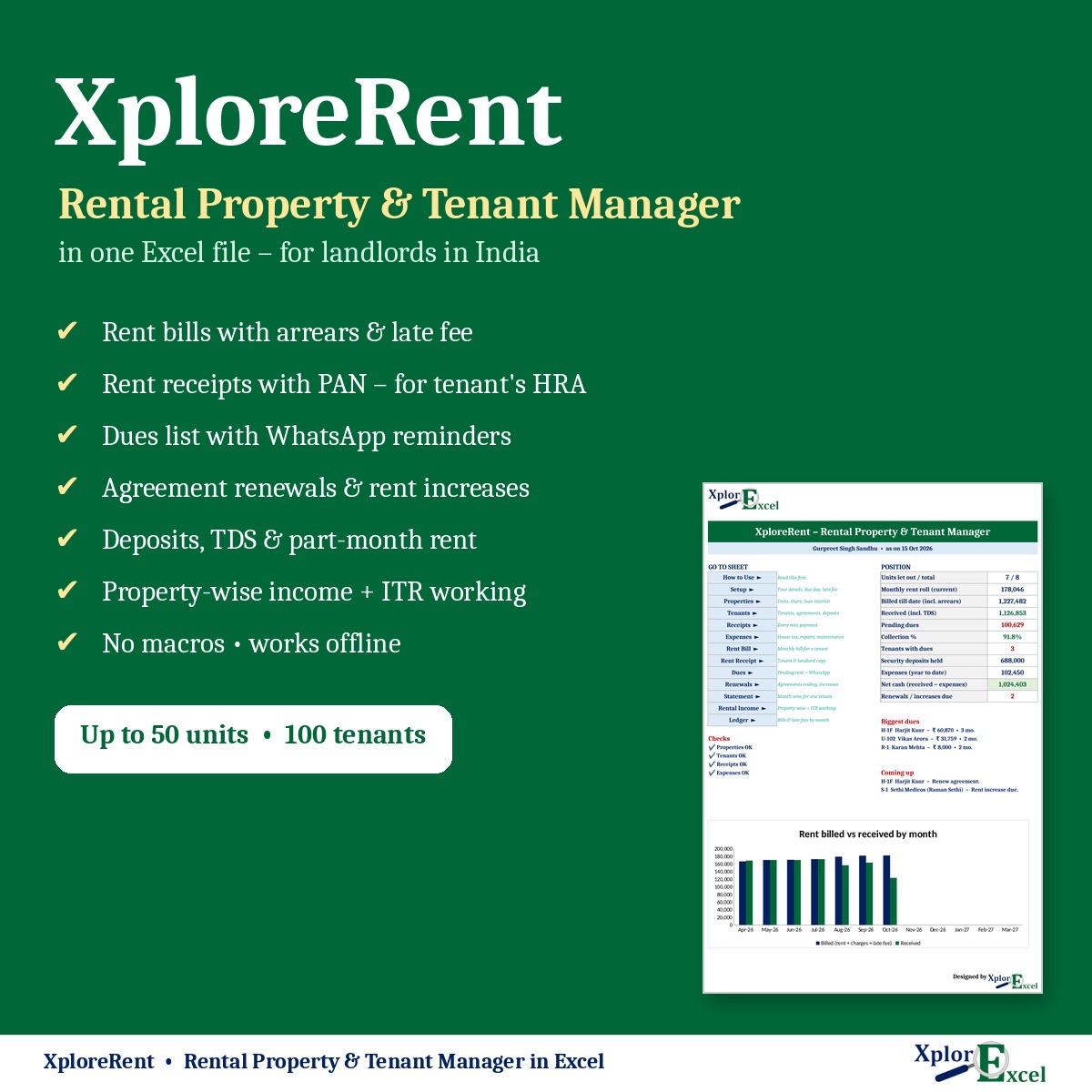
XploreRent is a complete rent management system in one Excel file for landlords in India: flats, floors, shops, showrooms and PG rooms. Enter each tenant’s agreement once. Every month’s rent, rent increases, part-month rent, late fees, receipts and pending dues are then worked out for you. There’s no app to install, no monthly fee, and your tenants’ data stays with you.
What you can do with it
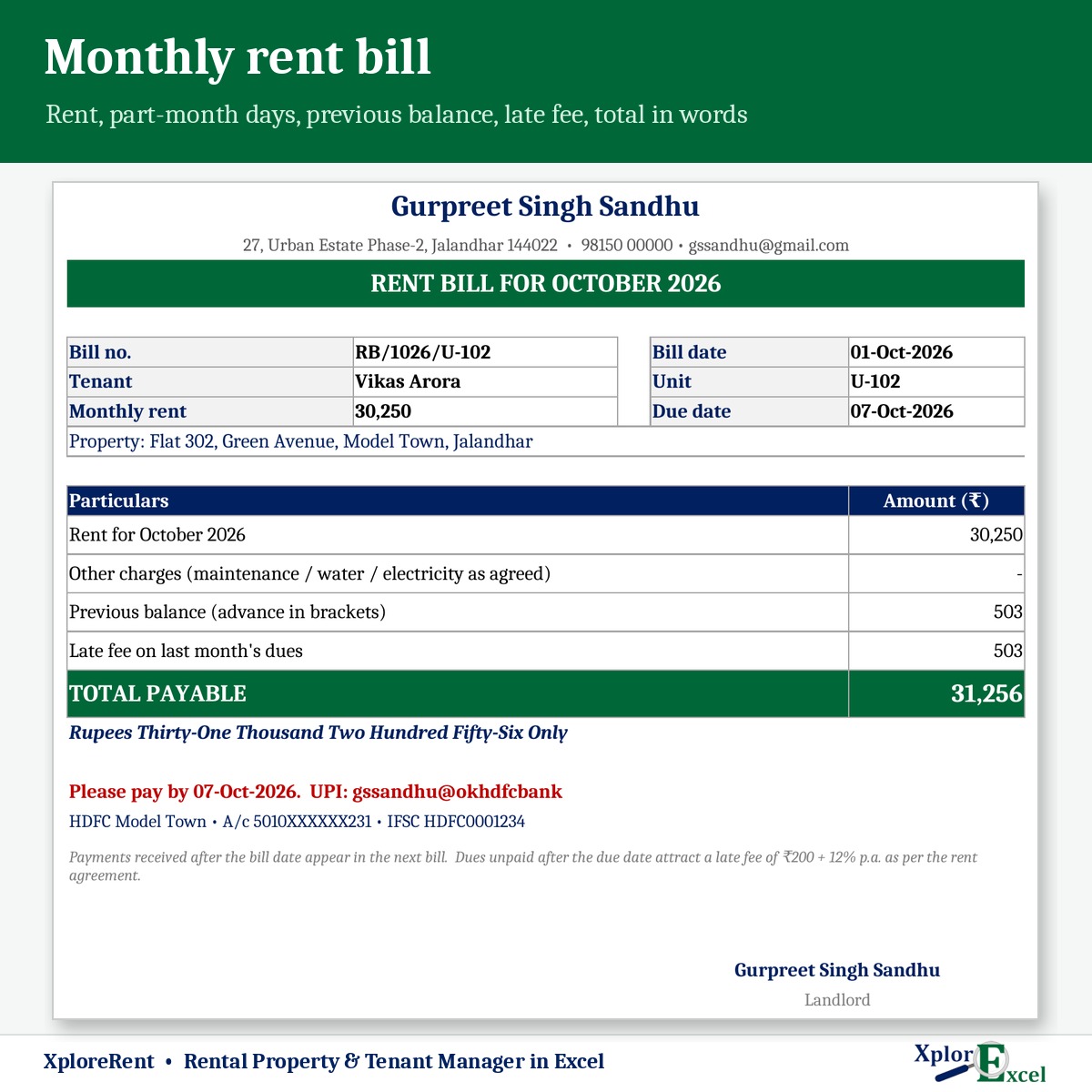
- Print a monthly rent bill for any tenant, with previous balance, late fee and the total payable.
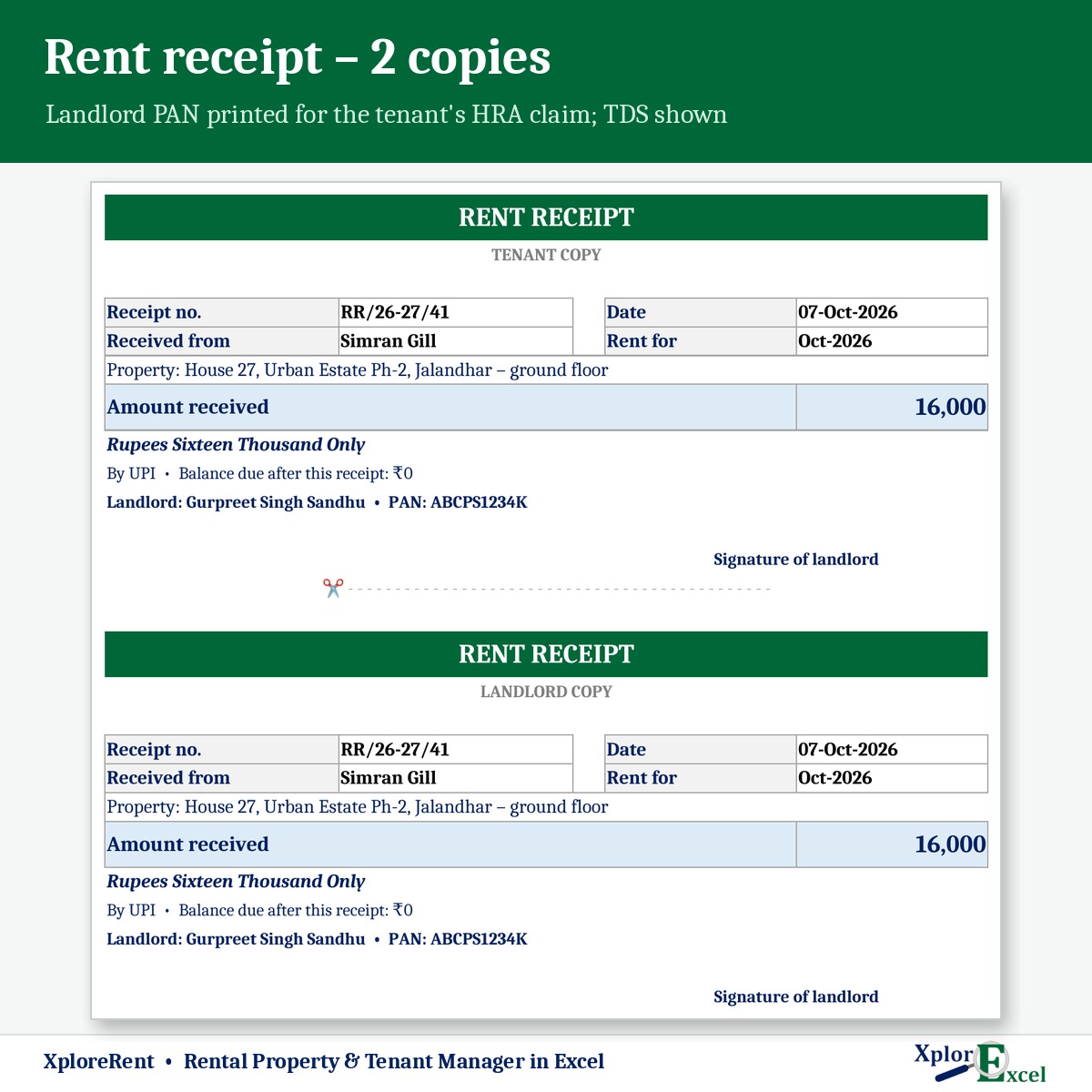
- Print rent receipts with your PAN, which tenants need to claim HRA. Each has a tenant copy and a landlord copy.
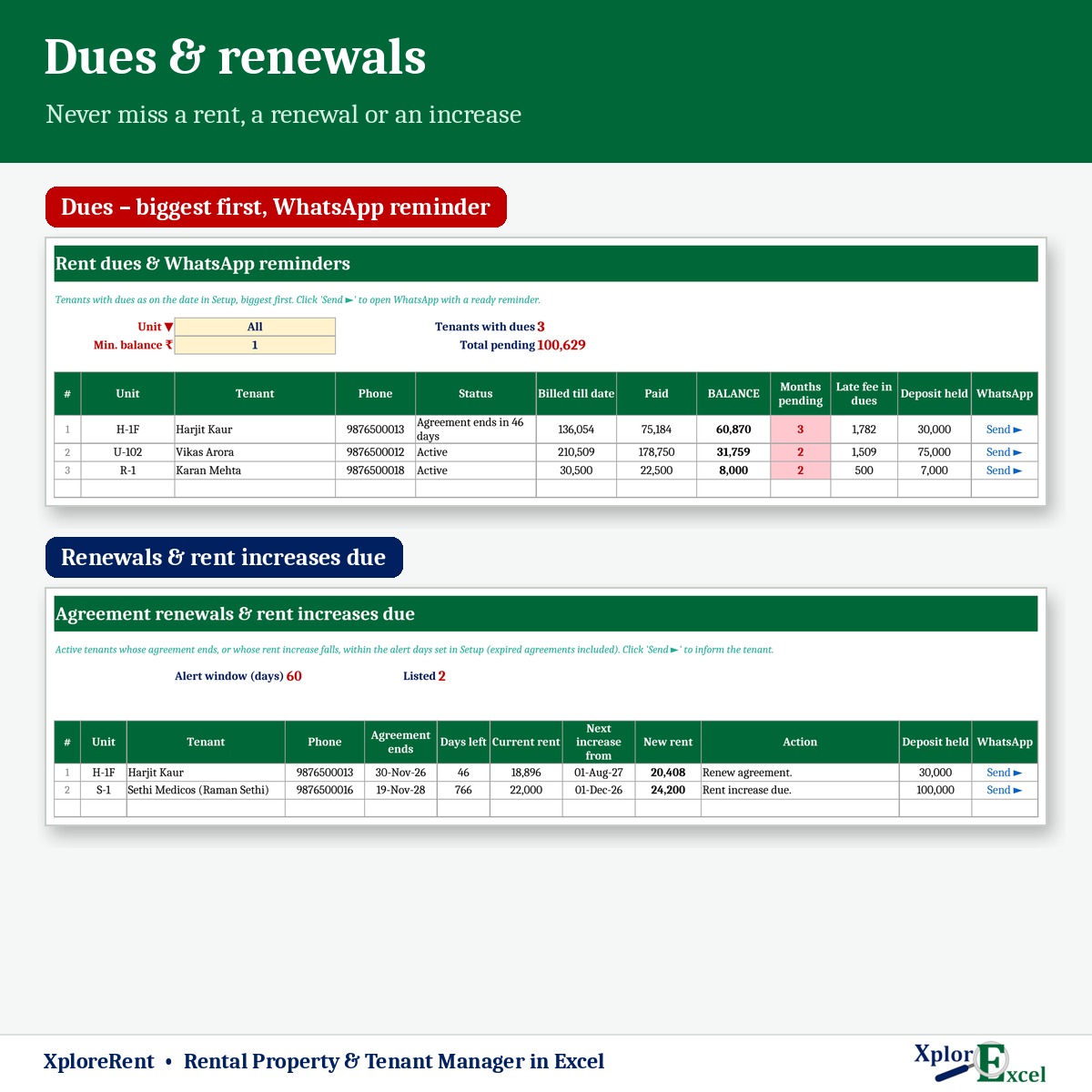
- See who owes what and send a WhatsApp reminder in one click.
- Get alerts for agreements ending and rent increases due, with the new rent already worked out.
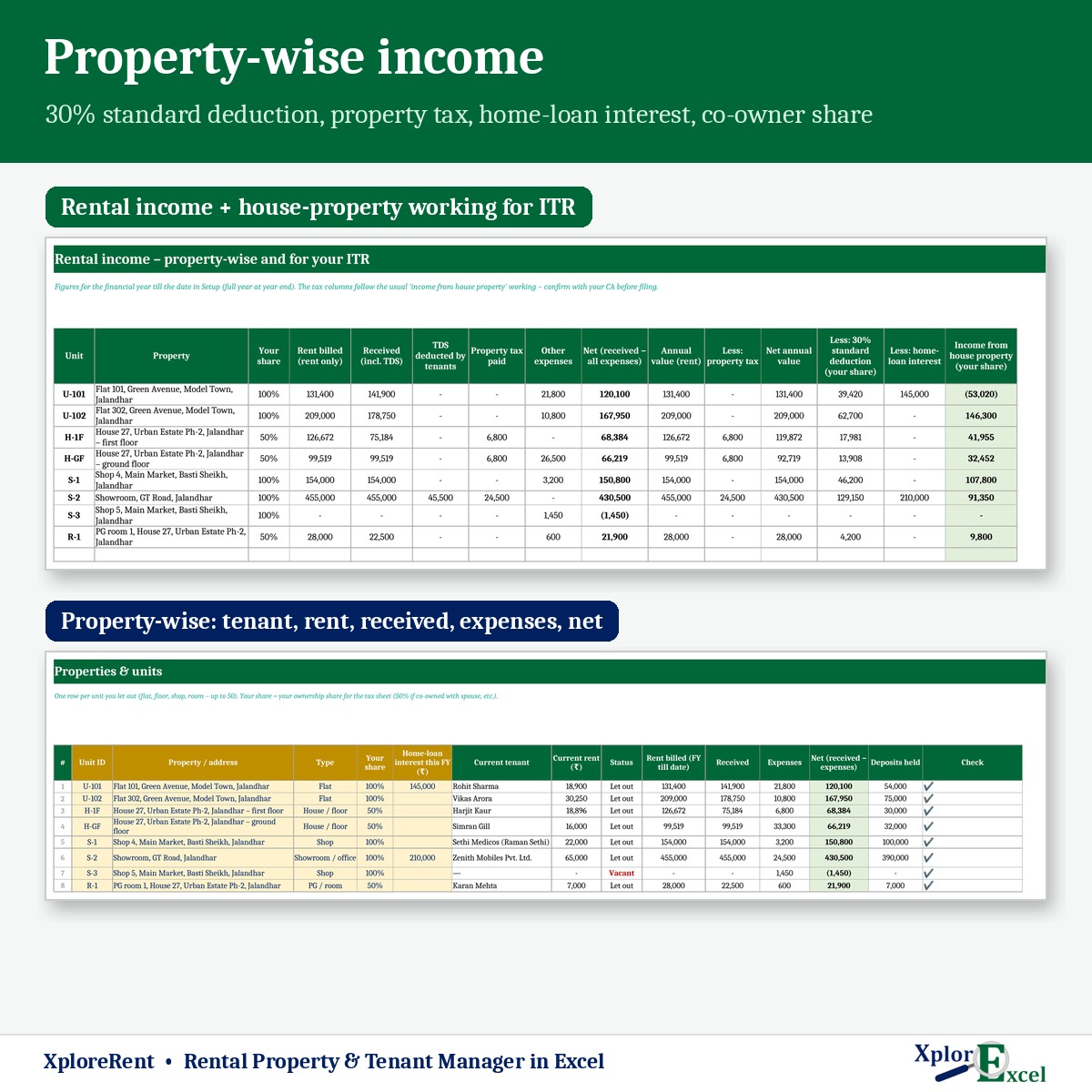
- See property-wise income and the house-property working for your ITR.
Features
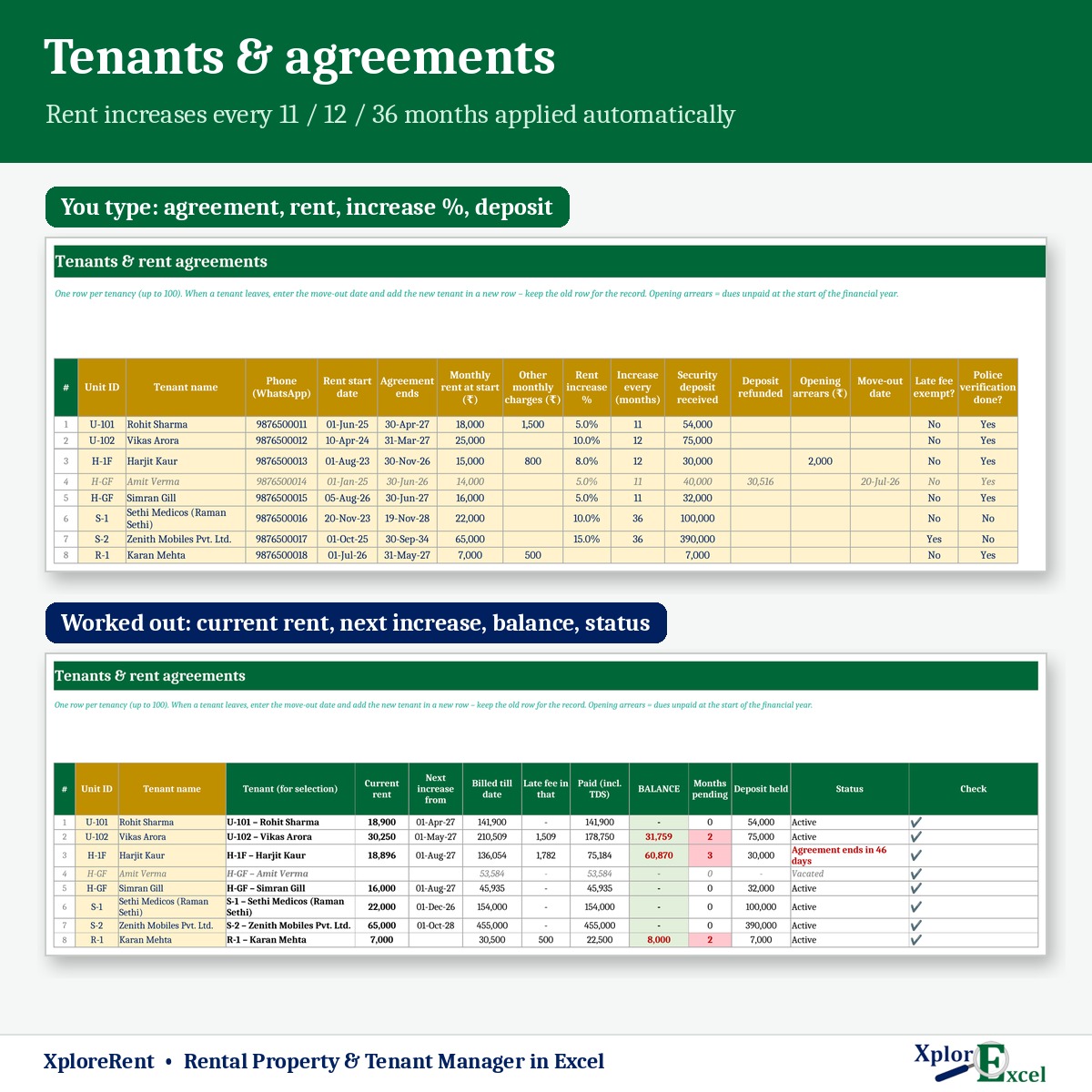
Tenants & agreements
- Up to 50 units and 100 tenancies. Past tenants stay on record.
- Automatic rent increases: for example 5% every 11 months, 10% every 12 months or 15% every 36 months, applied in the right month.
- Part months charged by days when a tenant moves in or out mid-month. This can be switched off.
- Other monthly charges (maintenance, water, electricity), security deposit, refunds and dues adjusted from the deposit.
- Status for every tenant: active, vacated, agreement ending or expired.
Bills, receipts & dues
- Late fee: a fixed ₹ amount and/or interest % a year on unpaid rent after your due day. You can exempt any tenant.
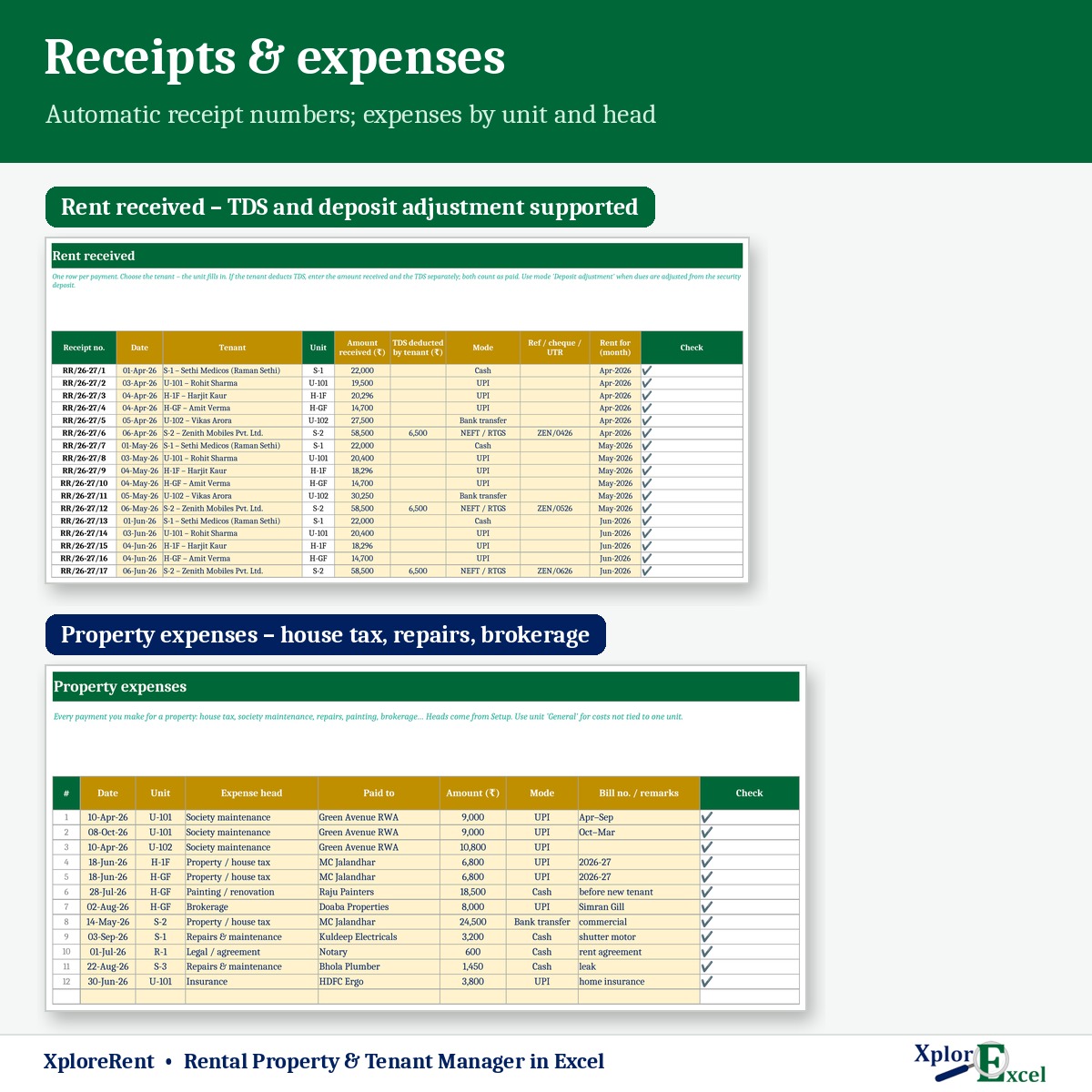
- Up to 3,000 receipts a year with automatic numbers. TDS deducted by the tenant is recorded and counted as paid.
- Rent receipt printed in two copies, with the amount in words, the balance due and a revenue-stamp note for cash above ₹5,000.
- Dues list, biggest first: months pending, late fee and deposit held, with a WhatsApp reminder that includes your UPI ID.
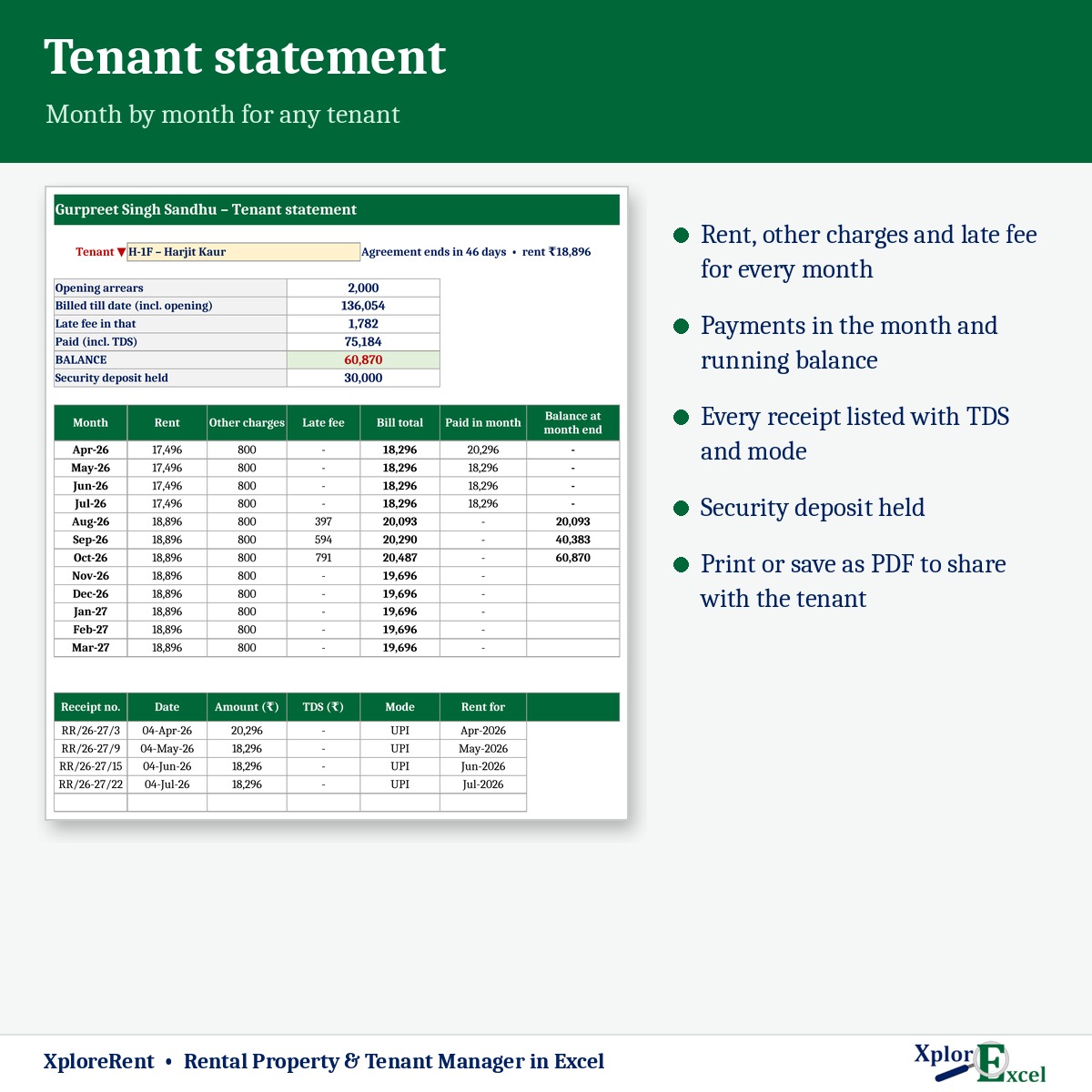
- Tenant statement: rent, charges, late fee, payments and balance month by month.
Income & tax
- Expenses by unit and head: house tax, society maintenance, repairs, painting, brokerage and more.
- Property-wise income: rent billed, received, TDS, expenses and net.
- House-property working for your ITR: annual value, less property tax, 30% standard deduction and home-loan interest, with your share if the property is co-owned.
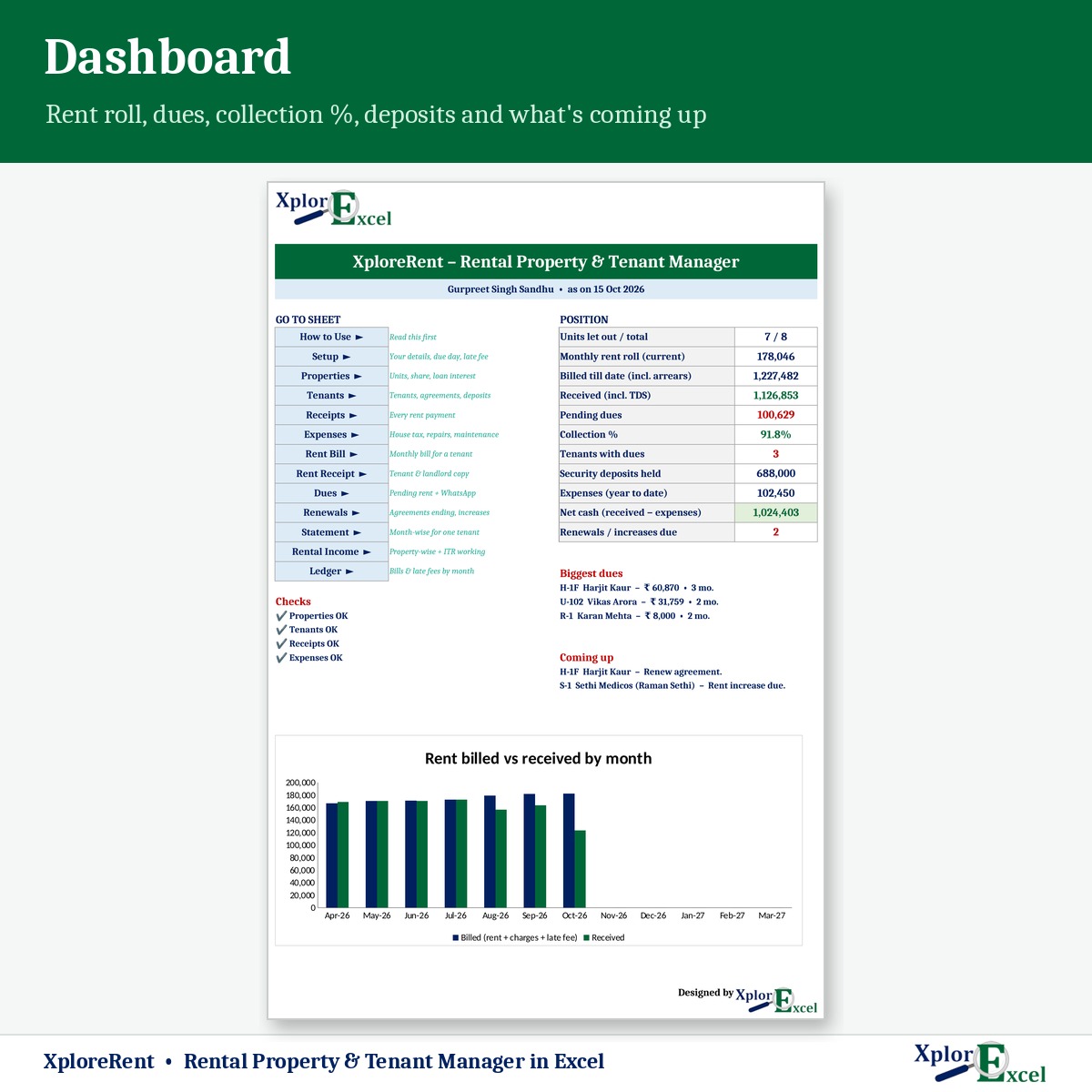
- Dashboard: units let out, monthly rent roll, pending dues, collection %, deposits held, renewals due and a monthly chart.
What you get
- XploreRent 1.0 – Blank (Start Here).xlsx for your properties
- XploreRent 1.0 – Sample Data (Demo).xlsx: 8 units and 8 tenants, April to October 2026
- A built-in How to Use sheet and a README
Requirements
Microsoft Excel 2016 or later on Windows or Mac. It has no macros and works offline. Use one file per financial year.
The tax sheet is a guide to the usual “income from house property” working, not tax advice. Confirm with your CA before filing. Late fees and rent increases should match your rent agreement.

Reviews
There are no reviews yet.