
For clinics, polyclinics, dental & physiotherapy clinics and small nursing homes
OPD register, slips, billing and follow-ups — in one Excel file.
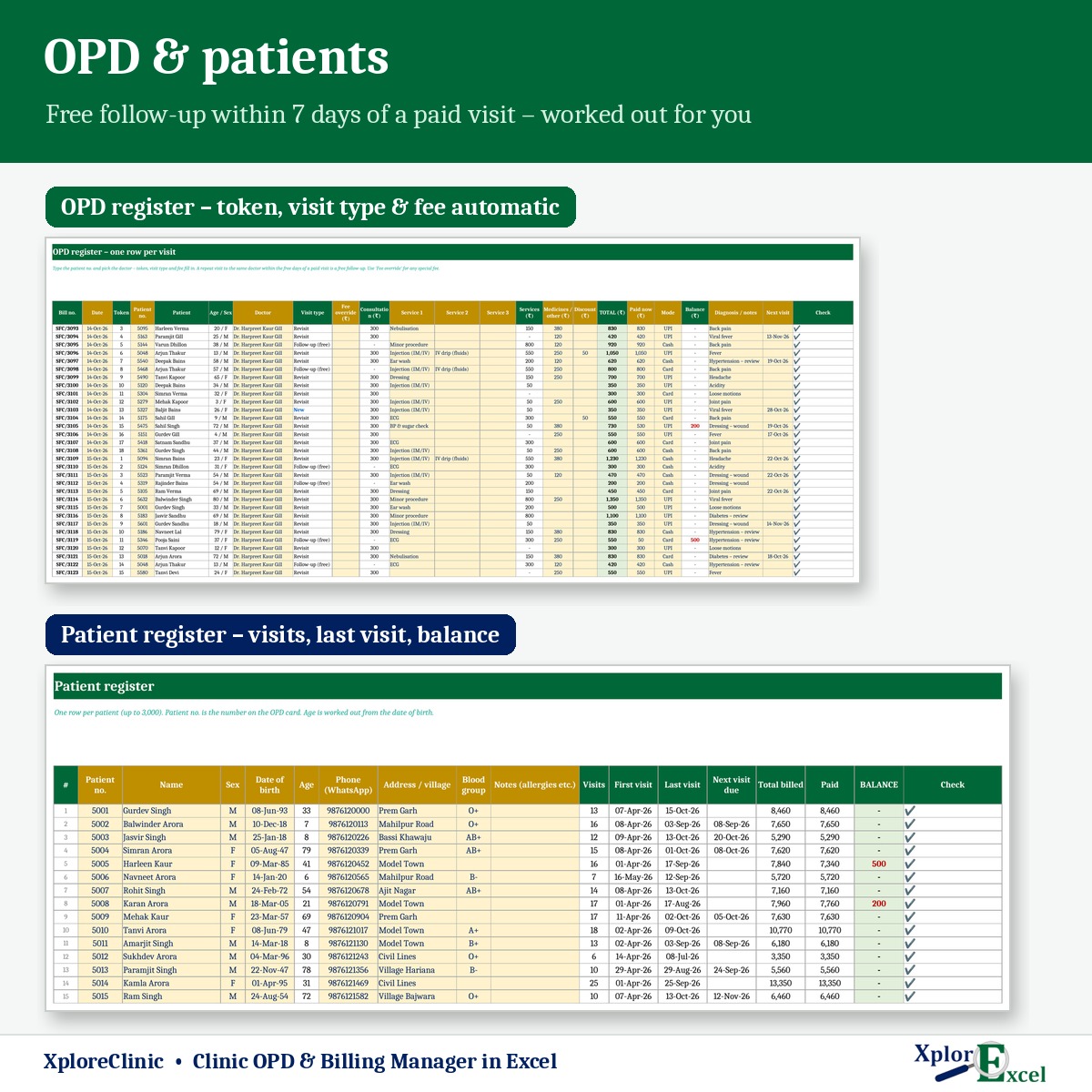
Register each patient once and enter one row per visit. XploreClinic fills in the token, visit type and fee, applies your free follow-up rule, prints the OPD slip with an Rx space and the bill, and totals the day’s collection by doctor and payment mode.
- Instant Download
- Lifetime Access
- No subscription
- Patient data stays with you
OPD hours without the register
OPD register & receipt book
- Token numbers called from a notebook
- “Was the last visit within 7 days?” — flipped back to check
- Cash, UPI and card totalled at night
- Visiting doctor’s share worked out at month end
- Patients who skip follow-ups are forgotten
With XploreClinic
- Token, New / Revisit and fee fill in for each visit
- Free follow-up worked out from the last paid visit
- Daily collection by cash, UPI, card and doctor
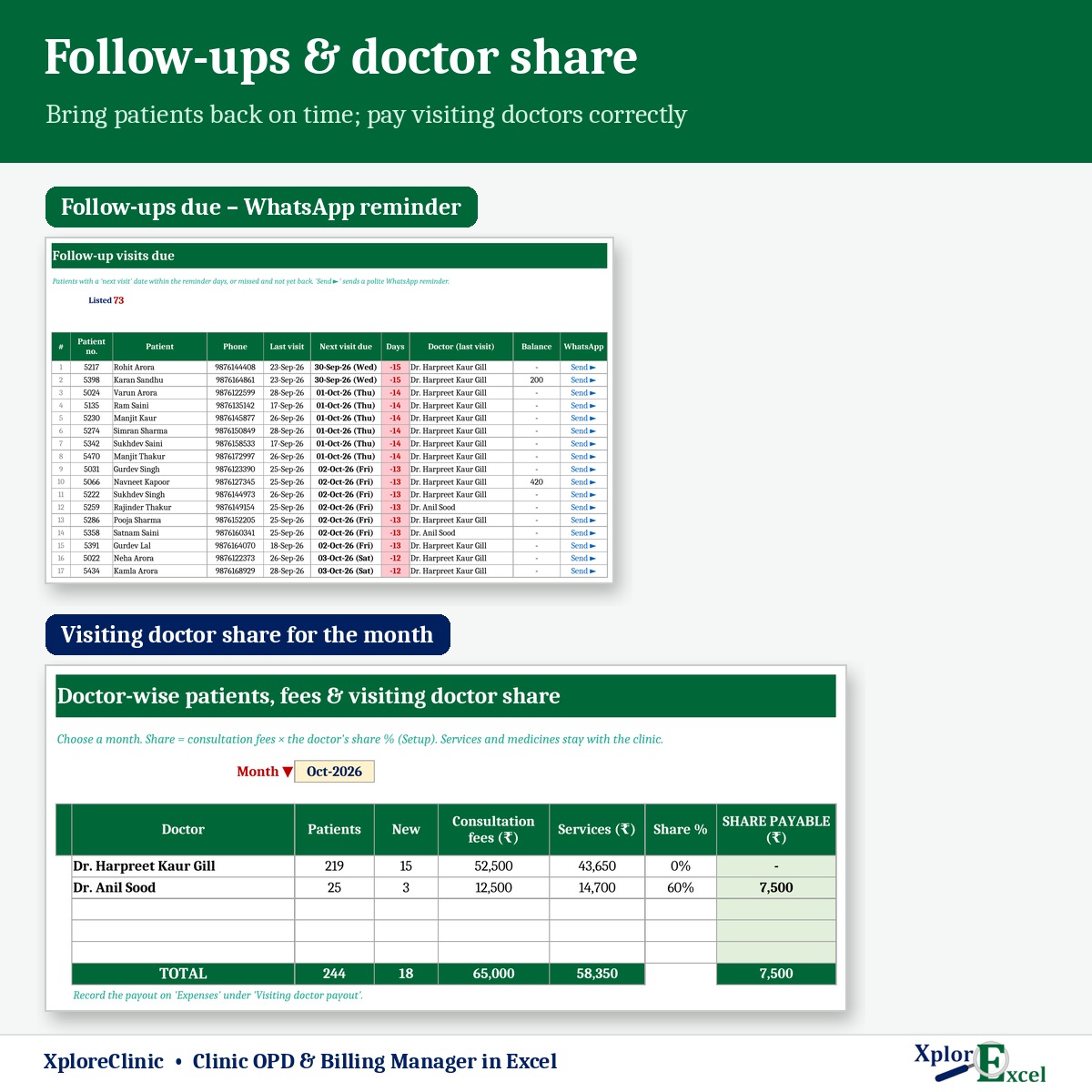
- Doctor share for the month in one sheet
- Follow-ups due with a WhatsApp reminder
What you get
One Excel file for a financial year. Each page does one job and passes the numbers on by itself.
01
Doctors & fees
Up to 5 doctors, each with a consultation fee and a share % for visiting consultants.
02
Services
Up to 30 — dressing, injection, ECG, nebulisation, sugar test — up to 3 per visit.
03
Patients
Up to 3,000 with patient no., age from date of birth, phone, blood group and notes.
04
OPD register
Up to 10,000 visits a year, one row each — token, visit type and fee filled in.
05
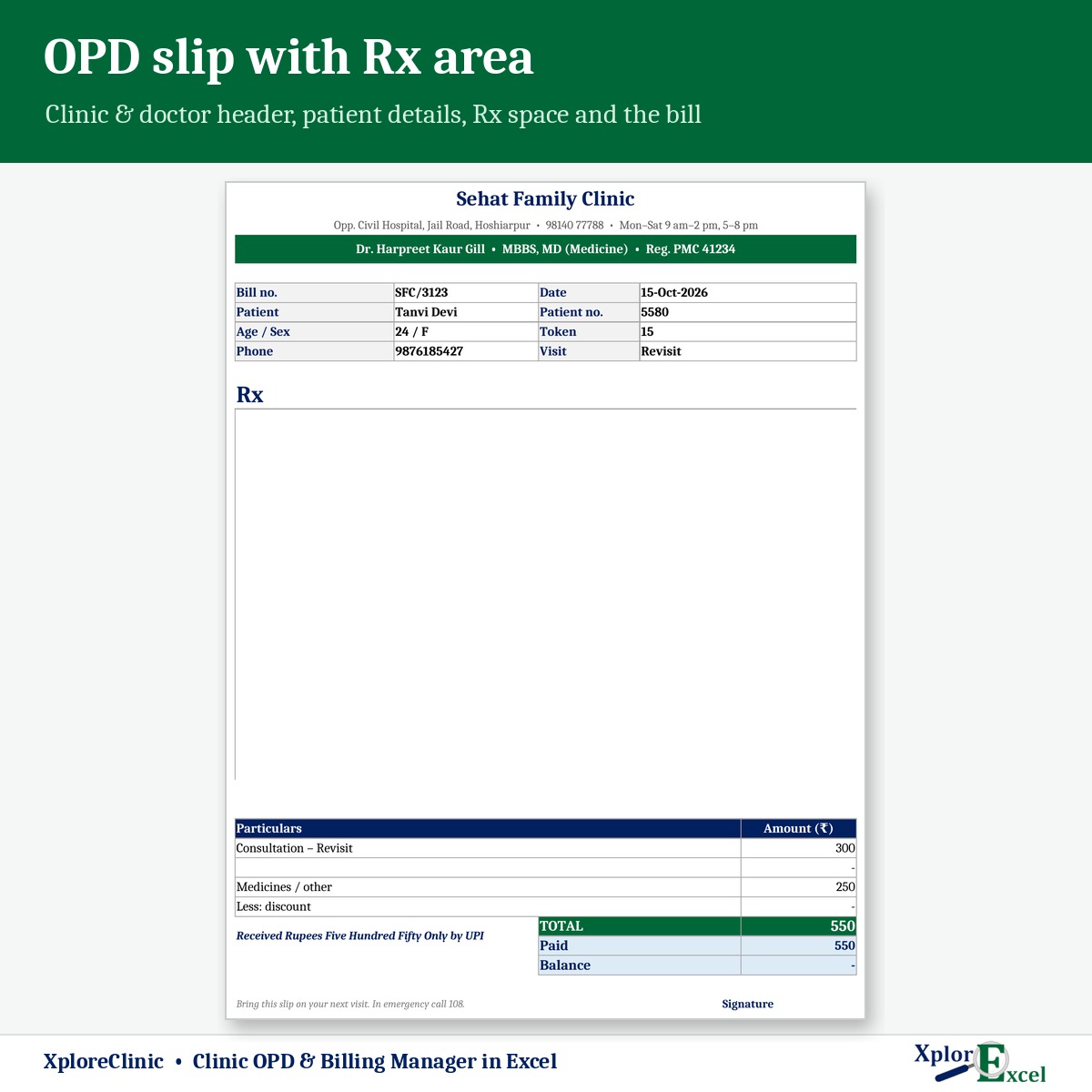
OPD slip & bill
Bill number with your prefix, discount, paid now, payment mode and an Rx area.
06
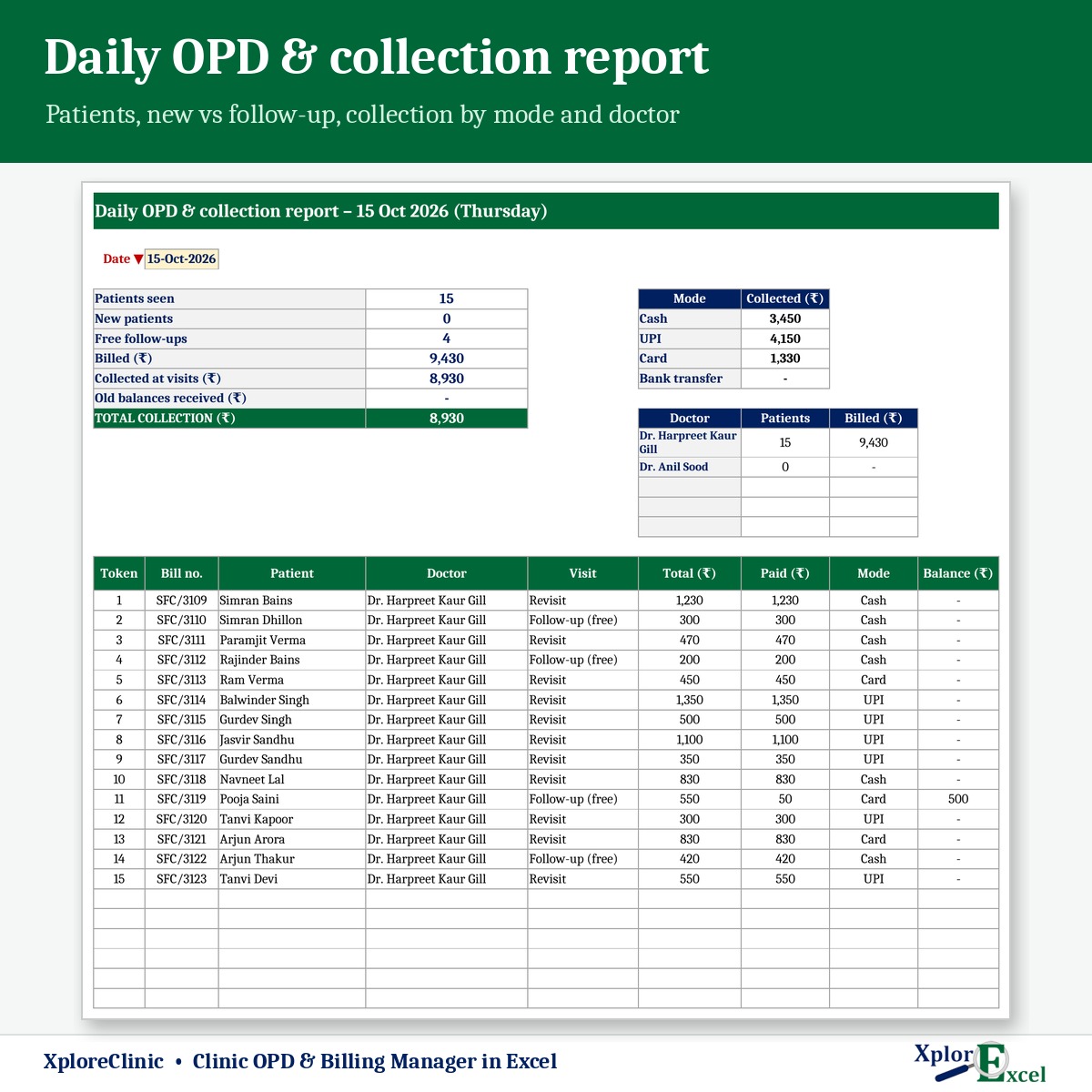
Daily report
Patients, new vs follow-up, and collection by mode and by doctor.
07
Follow-ups & dues
Next visits coming up or missed, and patients with a balance — each with WhatsApp.
08
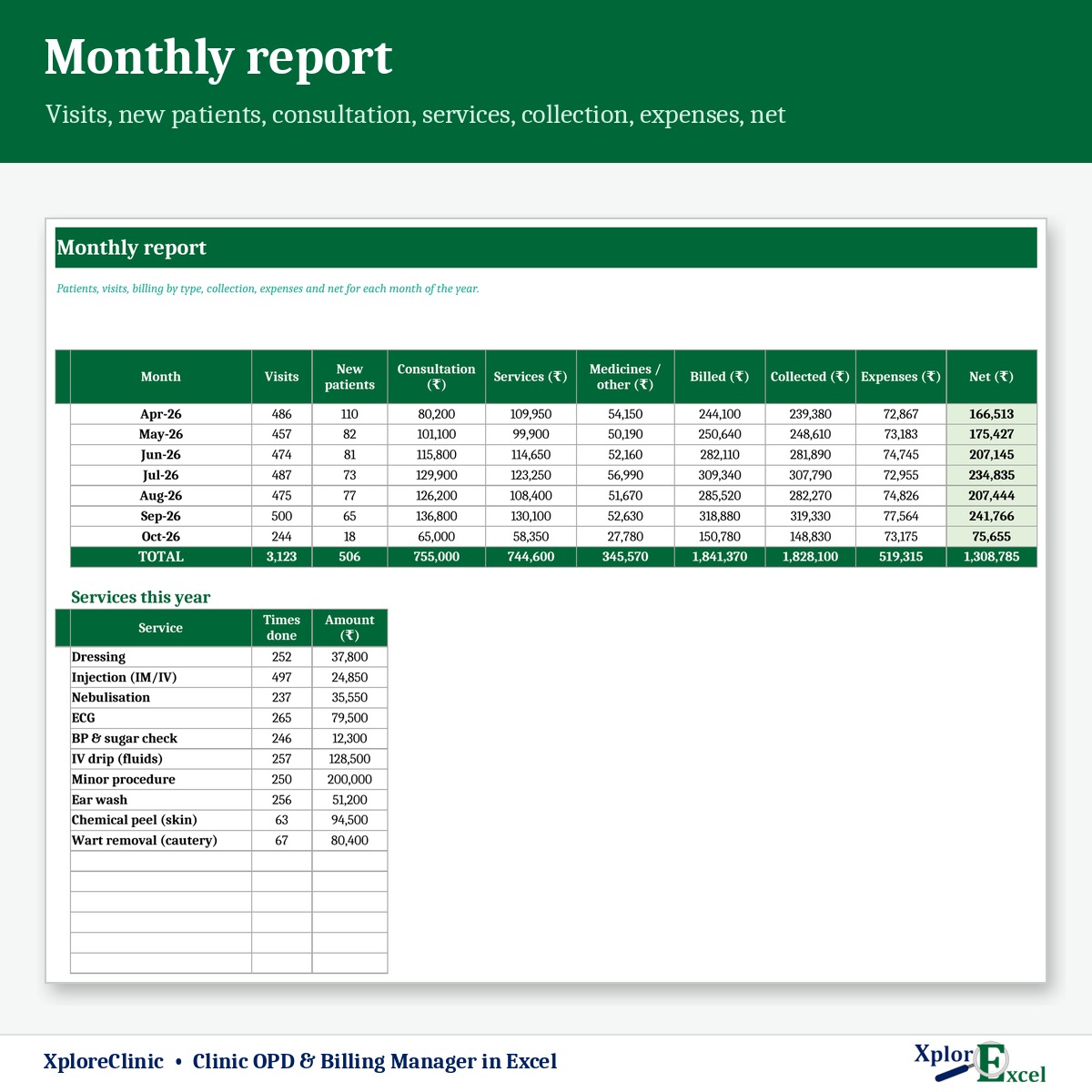
Monthly report
Visits, new patients, consultation, services, collection, expenses and net.
09Macro edition
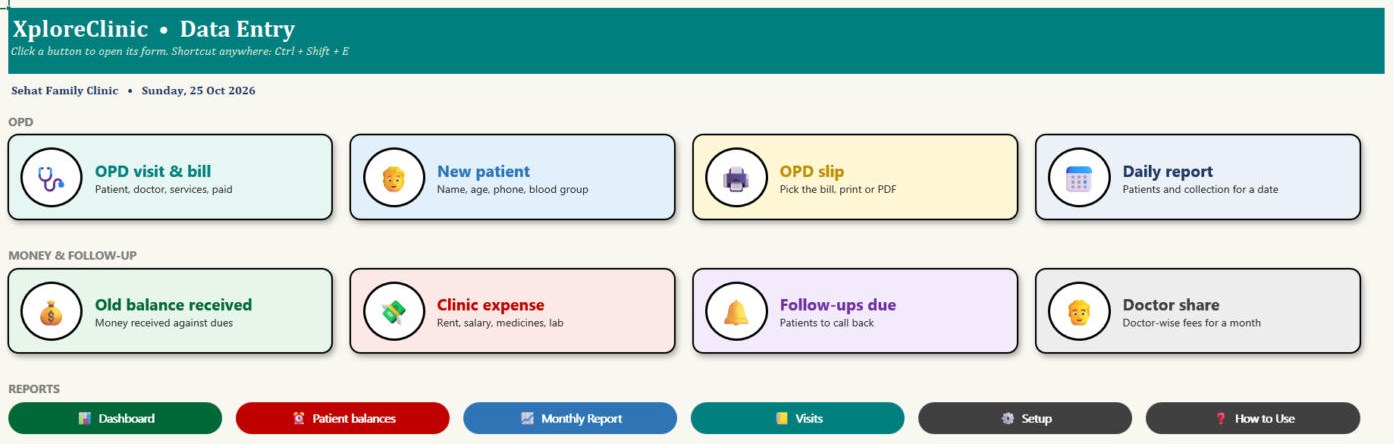
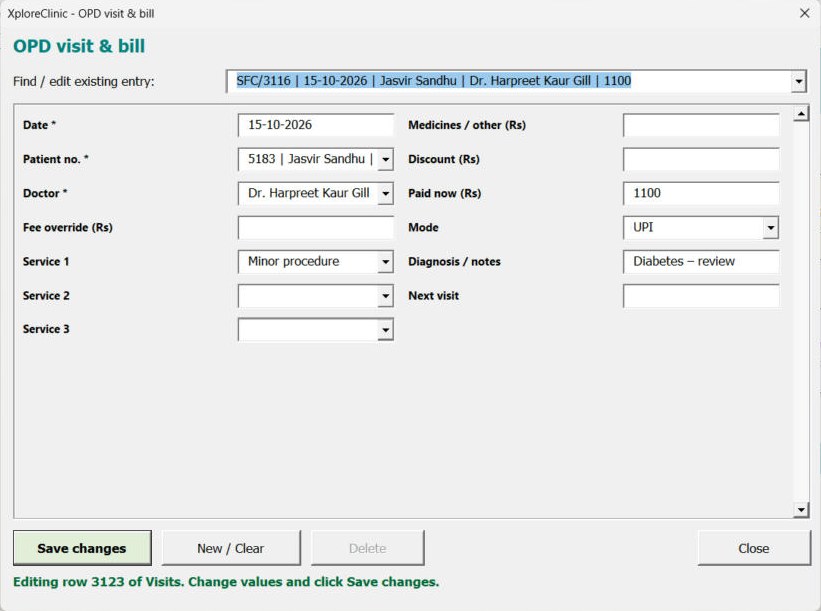
One form per visit
Patient, doctor, services, paid and mode on one screen — then print the OPD slip in one click.
See the real sheets
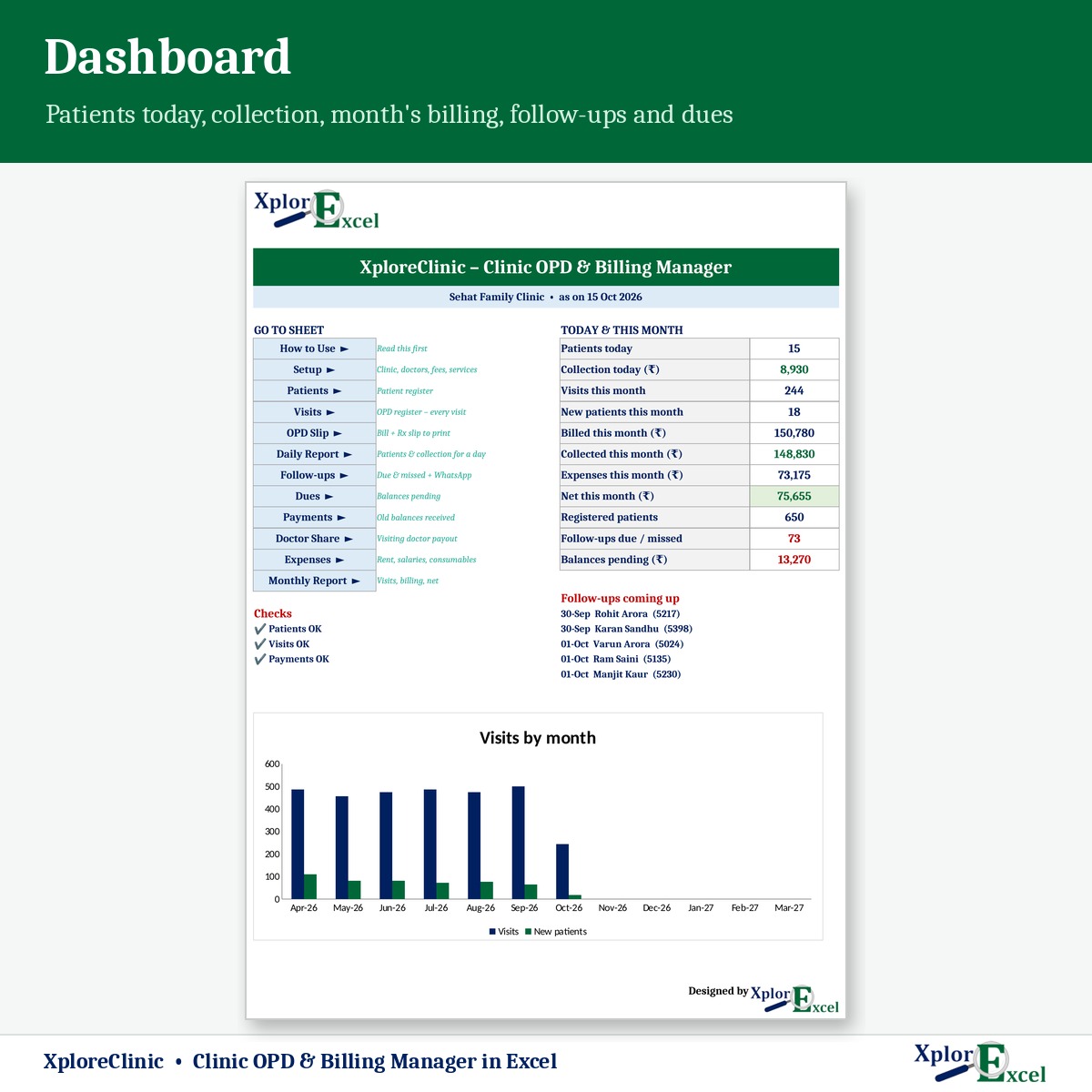
These are pages from the sample file in your download: 650 patients and 3,100+ visits.
Macro edition: fill-in forms on your PC
Click a button, fill a short form, press Save. These are real screens from the macro edition.
Made for
- Single-doctor clinics
- Polyclinics with visiting consultants
- Dental and physiotherapy clinics
- Small nursing homes’ OPD counter
Not the right fit if
- You need electronic medical records or e-prescriptions
- You need pharmacy stock or IPD / bed billing
- You see more than 10,000 visits a year
Pick your plan
Same register, slips and reports in both. Choose how you want to enter data.
Formula edition
₹499
- Works on phone and PC
- Type straight into the yellow boxes
- All slips, bills and reports
Best for the reception desk
Macro edition
₹799
- Everything in the formula edition
- Easy fill-in forms for visits, patients, payments and expenses on a Windows computer
- One form per visit: patient, doctor, services and payment on one screen
- OPD slip, daily report, doctor share and follow-ups — print or PDF in one click
- Includes a phone copy for the Excel mobile app
Pay with UPI, cards or net banking. Digital file, so no refunds — but if the file doesn’t work for you, we’ll fix it.
Not sure yet? Try a free template first
Same builder, same yellow-box style. If our free templates work for you, XploreClinic will too.
Hi, I’m Amanpreet
I run XplorExcel from Punjab. I build these files for the way Indian clinics and small businesses actually work. If something in the file doesn’t make sense, message me.
Macro edition · Windows
Excel says “Microsoft has blocked macros”?
Windows blocks macros in every file downloaded from the internet. It takes one minute to fix:
- Close Excel. Right-click the file → Properties
- Tick Unblock → Apply → OK
- Open the file again → click Enable Content
Downloaded a ZIP? Unblock the ZIP before you extract it.
Questions
How does the free follow-up work?
Set the free days (for example 7). A revisit to the same doctor within that many days after a paid visit is marked Free follow-up and charged ₹0 automatically.
We have a visiting consultant. Is their share worked out?
Yes. Each doctor has a share %. The doctor share report shows fees collected and the share for any month.
Can I add procedures and tests to the bill?
Yes. Add up to 30 services with rates and pick up to 3 per visit.
Is this medical-records software?
No. It’s an OPD register and billing tool. The Rx area on the slip is a blank space for the doctor to write in. It gives no medical advice.
Will it work on my phone?
Yes. The formula edition opens in the Excel app on Android and iPhone, and the macro edition includes a phone copy too. The fill-in forms and one-click PDFs work on a Windows computer.
Which Excel do I need?
Excel 2016 or later on Windows or Mac for the formula edition. The macro edition’s forms need Excel on Windows.
Macros are blocked / the buttons don’t work — what do I do?
Windows blocks macros in any Excel file downloaded from the internet. Right-click the .xlsm file → Properties → tick “Unblock” → Apply → OK, then open it and click “Enable Content” on the yellow bar. If you got a ZIP, unblock the ZIP before you extract it. Watch the 1-minute fix ↑
How do I get the file?
The download link appears as soon as payment goes through and is also sent to your email. You can download it again anytime — there is no expiry.
Close the OPD with today’s collection already totalled.
Pay once · Instant Download · Lifetime Access