
For beauty parlours, unisex salons, spas & bridal studios
Bills, prepaid cards, staff commission and client follow-ups — in one Excel file.
Bill each client and XploreSalon updates her visit history, total spend, prepaid balance and dues, each staff member’s commission and your product stock. It also remembers birthdays and anniversaries and lists clients you haven’t seen for a while — with WhatsApp wishes and invites in one click.
- Instant Download
- Lifetime Access
- No subscription
- Clients’ data stays with you
Busy Saturday without the bill book
Bill book & memory
- Prepaid balances tracked on cards clients lose
- Commission worked out from slips at month end
- Birthdays remembered only by the regulars
- Clients drift away and nobody notices
- Product stock counted when it runs out
With XploreSalon
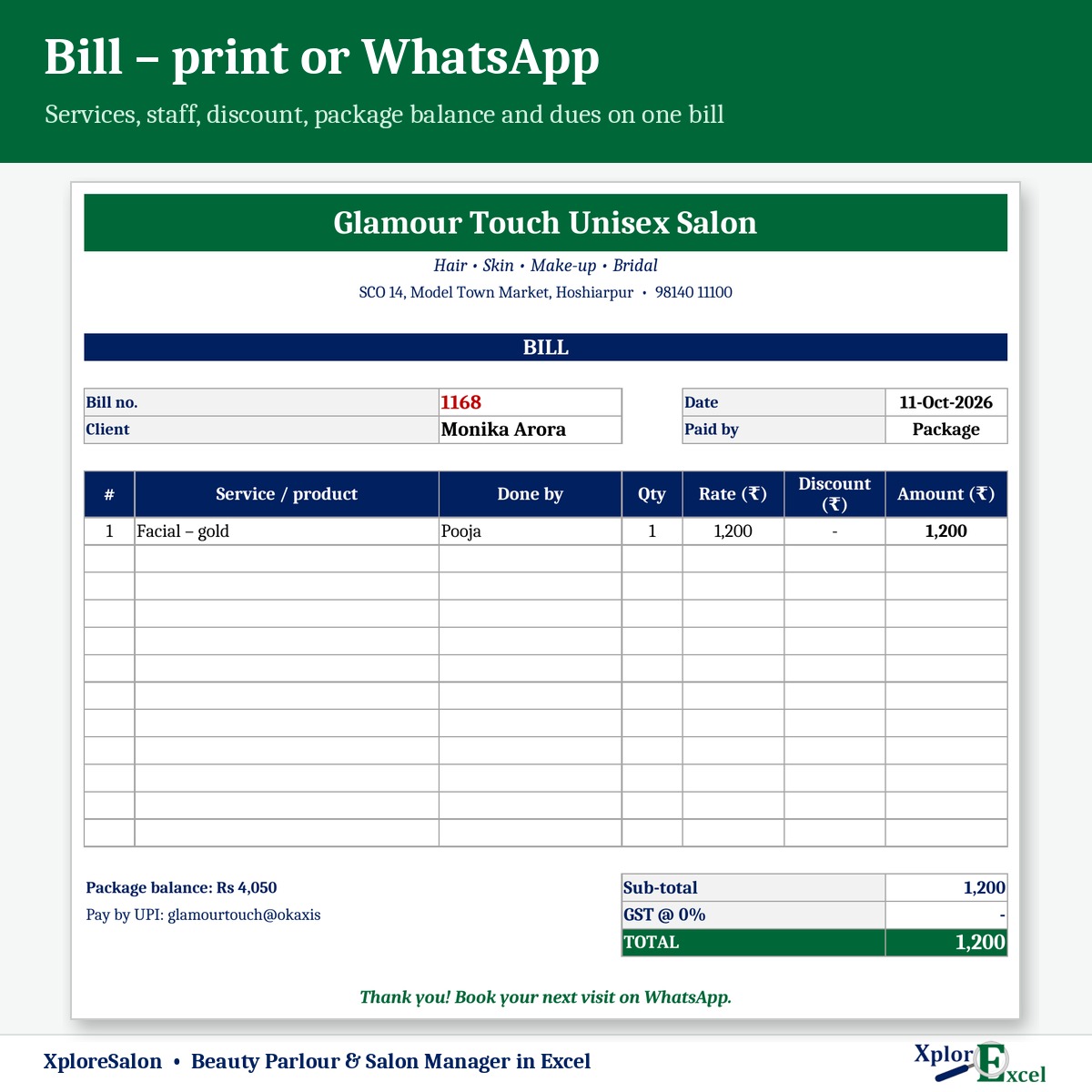
- Package balance shown on every bill
- Staff report with services, sales and commission
- Birthdays and anniversaries in the next 15 days, with a wish
- Win-back list with a WhatsApp invite
- Retail stock in hand, value and re-order alerts
What you get
One Excel file for a financial year. Each page does one job and passes the numbers on by itself.
01
Rate list
Up to 100 services with category, price, time and an optional commission %.
02
Clients
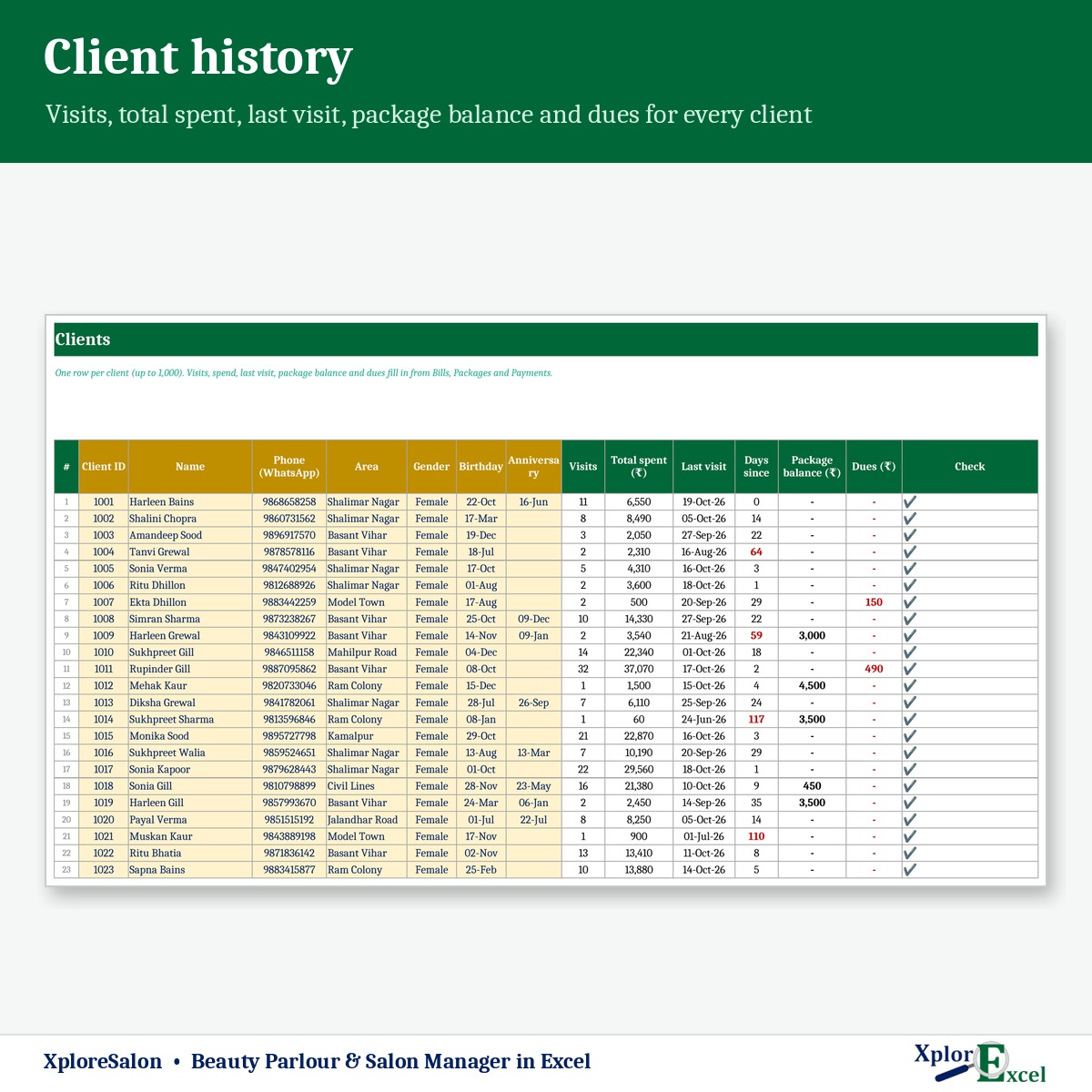
Up to 1,000 with birthday, anniversary and notes — visits, spend, balance and dues filled in.
03
Bills
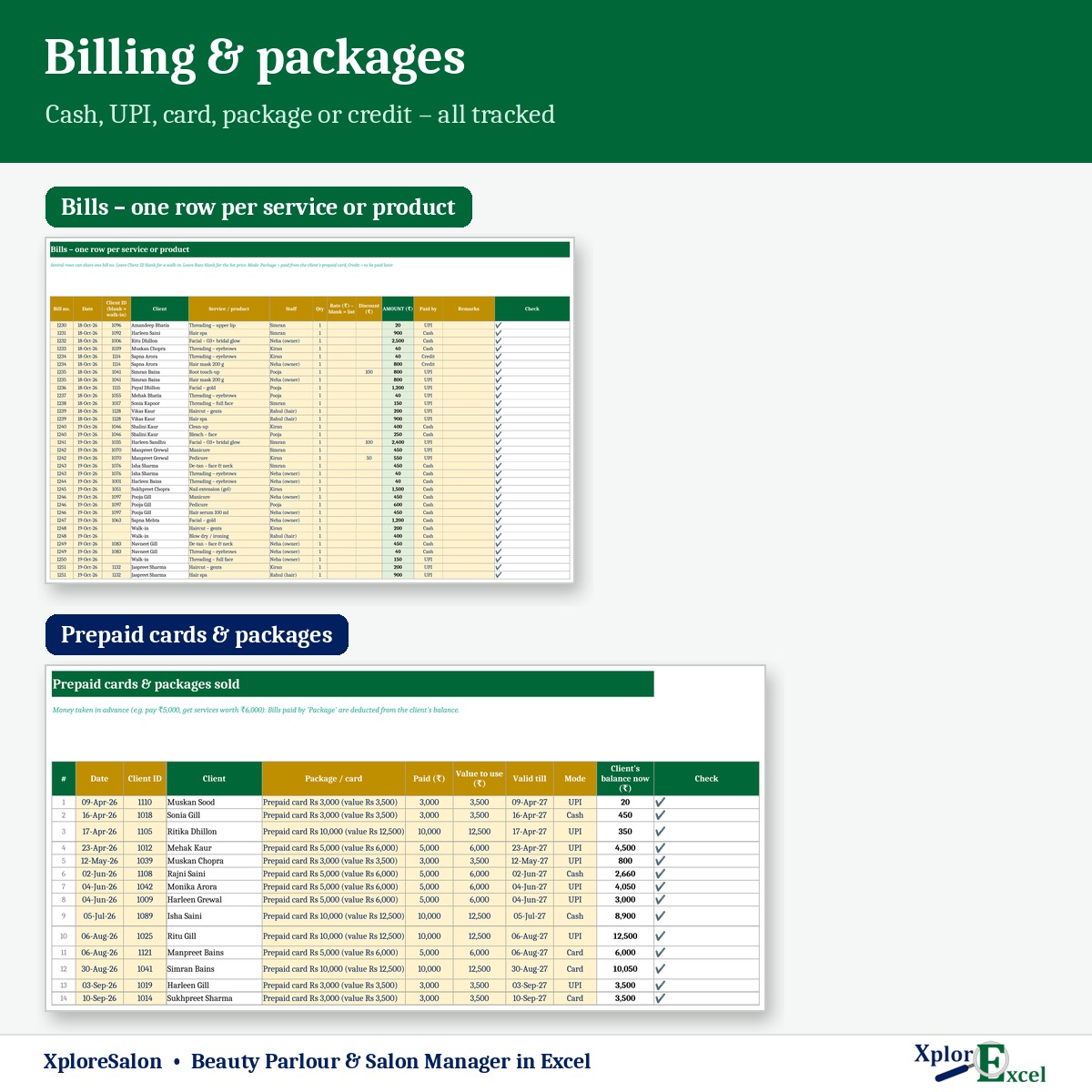
Services and products, one row per item, with special rate, discount and 5 payment modes.
04
Prepaid cards
Packages sold and used, with the client’s balance on every bill.
05
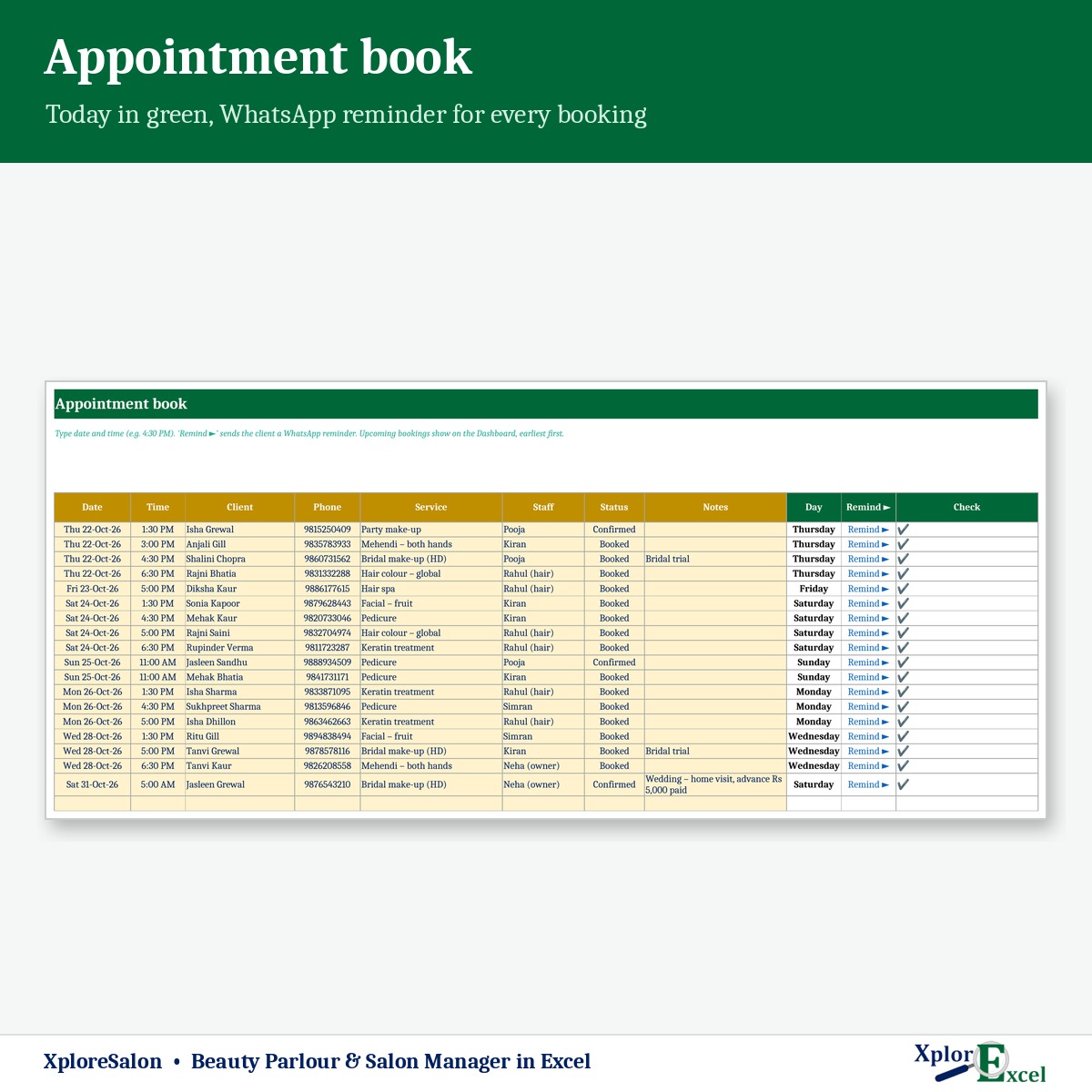
Appointments
Booking book with WhatsApp reminders; upcoming bookings on the dashboard.
06
Follow-up
Birthdays, anniversaries and win-back clients, each with a WhatsApp message.
07
Staff & products
Up to 15 staff with commission, and retail stock with re-order alerts.
08
Monthly report
Bills, new clients, average bill, collection, packages, expenses and profit.
09Macro edition
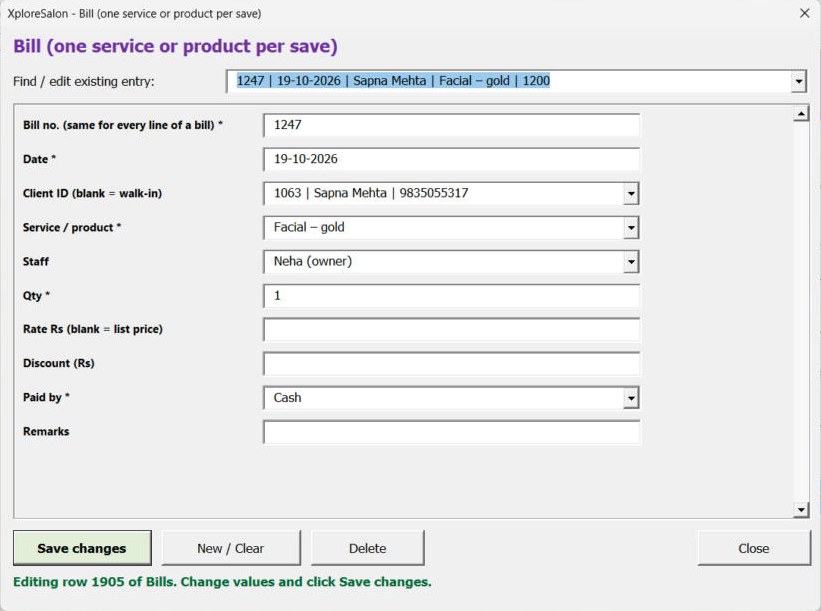
Bill at the counter in seconds
Pick the client, service and staff from lists — the rate comes from your rate list. Press Save.
See the real sheets
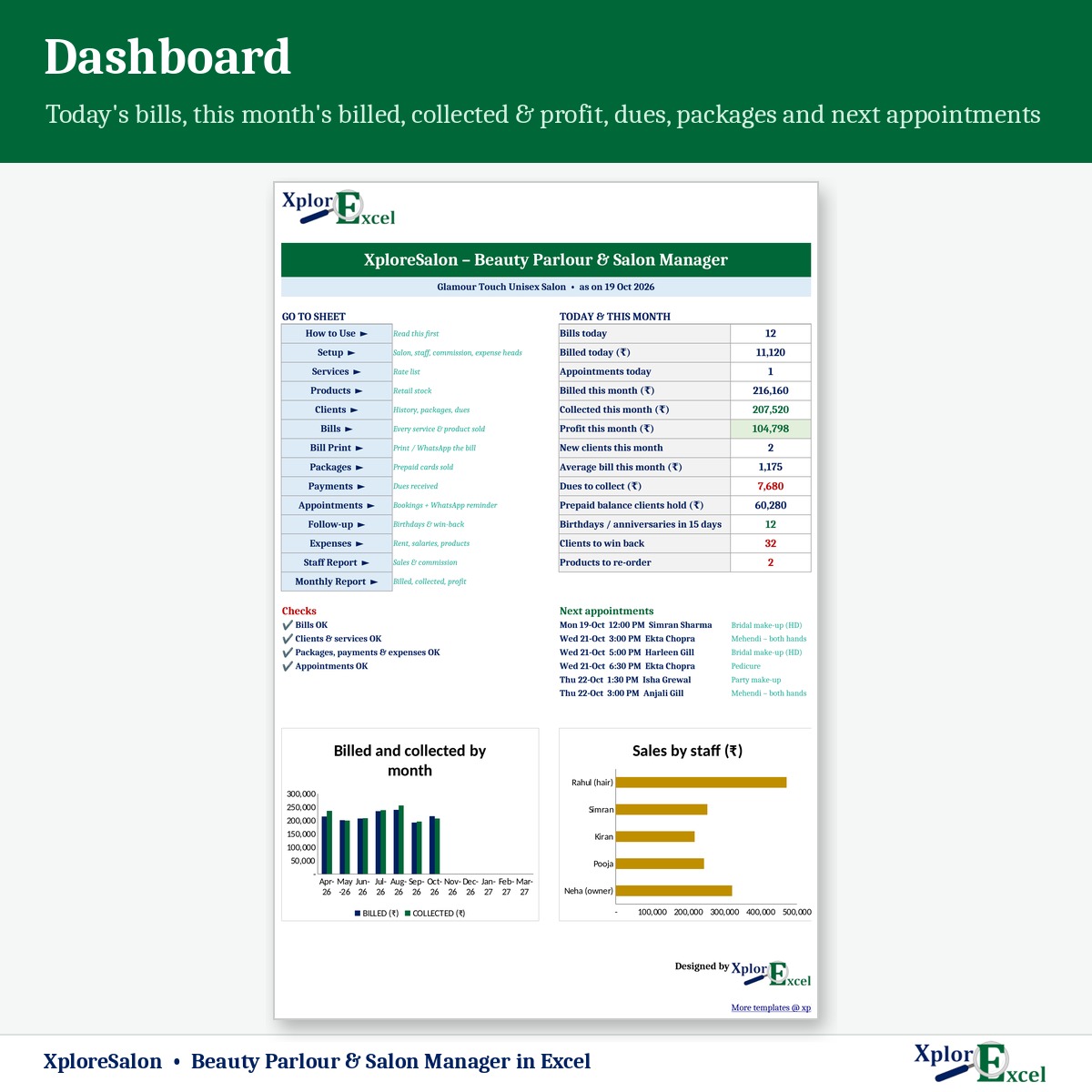
These are pages from the sample file in your download: a unisex salon with 5 staff, 140 clients and 1,251 bills.


Macro edition: fill-in forms on your PC
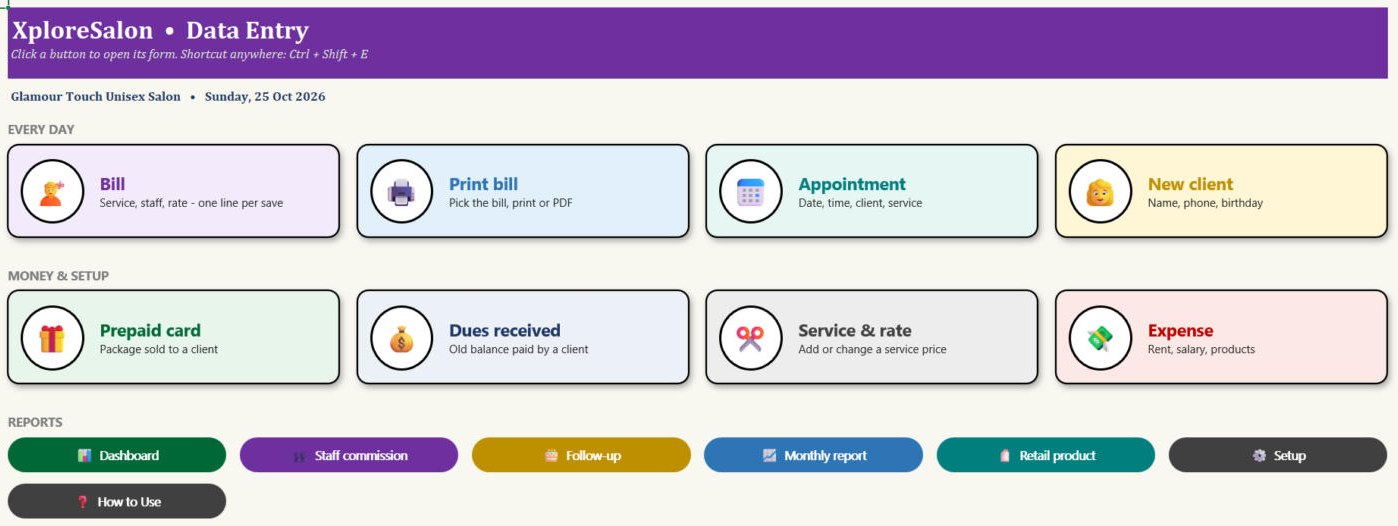
Click a button, fill a short form, press Save. These are real screens from the macro edition.
Made for
- Beauty parlours
- Unisex salons and barbershops
- Spas and nail studios
- Bridal make-up studios
Not the right fit if
- You have more than 15 staff or 1,000 clients
- You need clients to book online
- You run several branches from one file
Pick your plan
Same bills, packages and reports in both. Choose how you want to enter data.
Formula edition
₹599
- Works on phone and PC
- Type straight into the yellow boxes
- All bills, follow-ups and reports
Best for the front desk
Macro edition
₹899
- Everything in the formula edition
- Easy fill-in forms for bills, appointments, clients, prepaid cards and expenses on a Windows computer
- Bill at the counter: client, service and staff from lists, rate from your rate list
- Bill, staff commission, follow-up and monthly report — print or PDF in one click
- Includes a phone copy for the Excel mobile app
Pay with UPI, cards or net banking. Digital file, so no refunds — but if the file doesn’t work for you, we’ll fix it.
Not sure yet? Try a free template first
Same builder, same yellow-box style. If our free templates work for you, XploreSalon will too.
Hi, I’m Amanpreet
I run XplorExcel from Punjab. I build these files for the way Indian salons and small businesses actually work. If something in the file doesn’t make sense, message me.
Questions
How do prepaid cards work?
Sell a package — for example, pay ₹5,000 and get ₹6,000 of services. Each bill paid by package is deducted from the client’s balance, and the balance shows on her bill.
Can I pay commission on some services only?
Yes. Set a commission % on any service — such as bridal make-up. The staff report shows services done, sales and commission for the year or any month.
How does the win-back list work?
It lists clients not seen for 45 days (you can change this), biggest spenders first, with a one-click WhatsApp invite.
Do I need GST?
No. GST is optional. Salon services are taxable once you cross the registration limit, so confirm the % with your CA.
Will it work on my phone or Mac?
The formula edition opens in the Excel app on Android and iPhone, and on a Mac everything works except the WhatsApp buttons. The macro edition’s forms need Excel on Windows, and it includes a phone copy too.
Which Excel do I need?
Excel 2016 or later. The WhatsApp buttons and the macro edition’s forms need Excel on Windows.
The buttons don’t work — what do I do?
Windows blocks macros in downloaded files. Right-click the .xlsm file → Properties → tick “Unblock” → OK. Then open it and click “Enable Content” on the yellow bar.
How do I get the file?
The download link appears as soon as payment goes through and is also sent to your email. You can download it again anytime — there is no expiry.
Bring back the clients you’re losing.
Pay once · Instant Download · Lifetime Access