
What the macro edition adds
- Easy fill-in forms with buttons on a Windows computer
- A Data Entry page with every form one click away (Ctrl + Shift + E)
- A Find box in every form to edit old entries
- Includes the formula-only copy for the Excel app on Android and iPhone
Needs: Microsoft Excel on Windows (2016, 2019, 2021 or Microsoft 365) for the forms and buttons. The forms do not run on Mac, Excel Online or Google Sheets — use the included .xlsx copy there.
First time: right-click the .xlsm file → Properties → tick “Unblock” → OK, then click “Enable Content” when it opens.
Digital file, so no refunds — but if the file doesn’t work for you, we’ll fix it.
Everything in XploreDairy
XploreDairy is a complete milk collection system in one Excel file for village milk collection centres, dodhis and small dairies. Set your rates once, then enter each farmer’s morning and evening milk. Every rate, amount, 10-day bill, deduction and balance is worked out for you. There’s no machine software or monthly fee, and it works offline.
What you can do with it
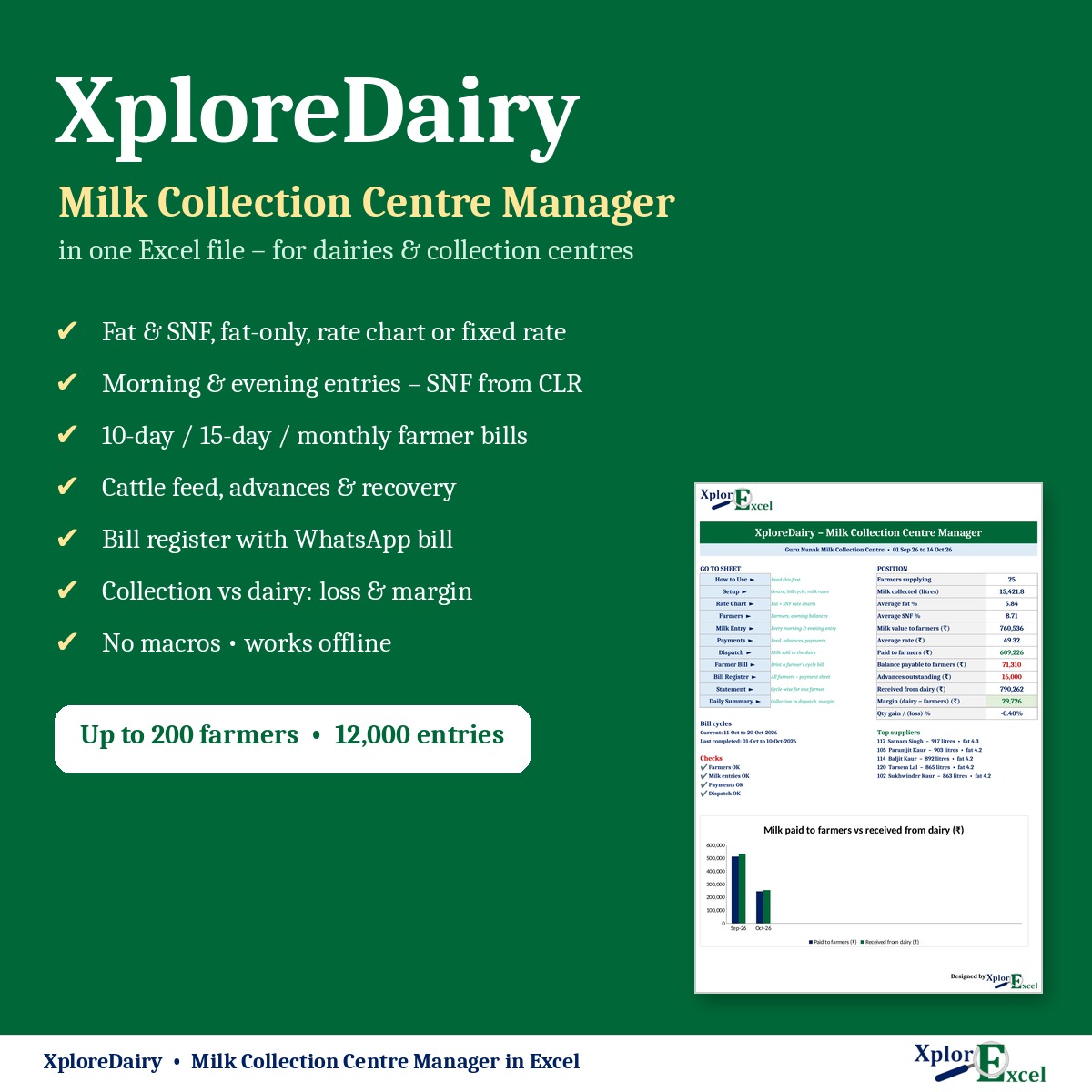
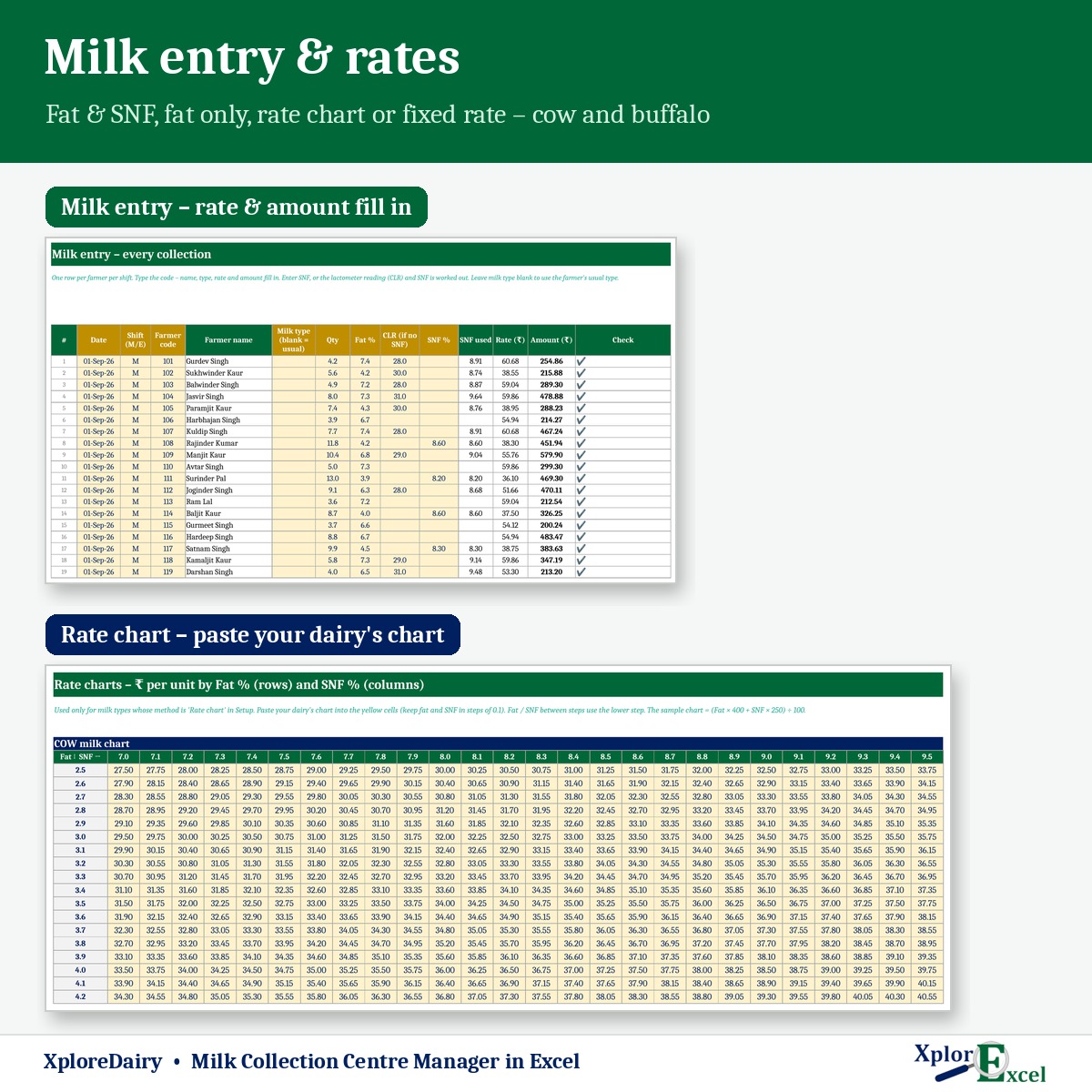
- Pay cow and buffalo milk your way: fat & SNF (₹ per kg), fat only (₹ per fat point), your dairy’s rate chart or a fixed rate.
- Enter SNF or just the CLR. SNF is worked out for you.
- Make 10-day, 15-day, monthly or weekly bills, with cattle feed, advance recovery and previous balance.
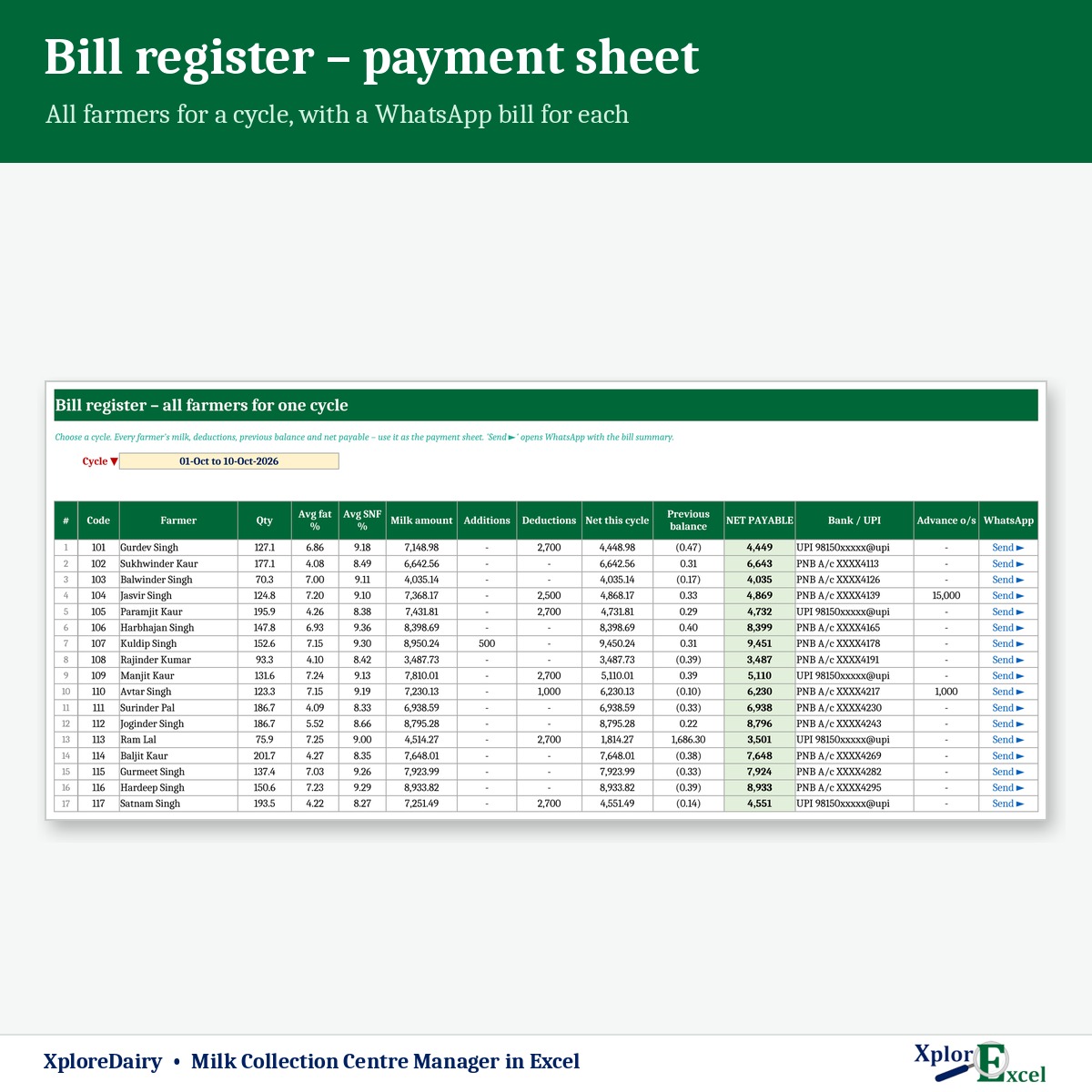
- Send every farmer’s bill on WhatsApp in one click from the bill register.
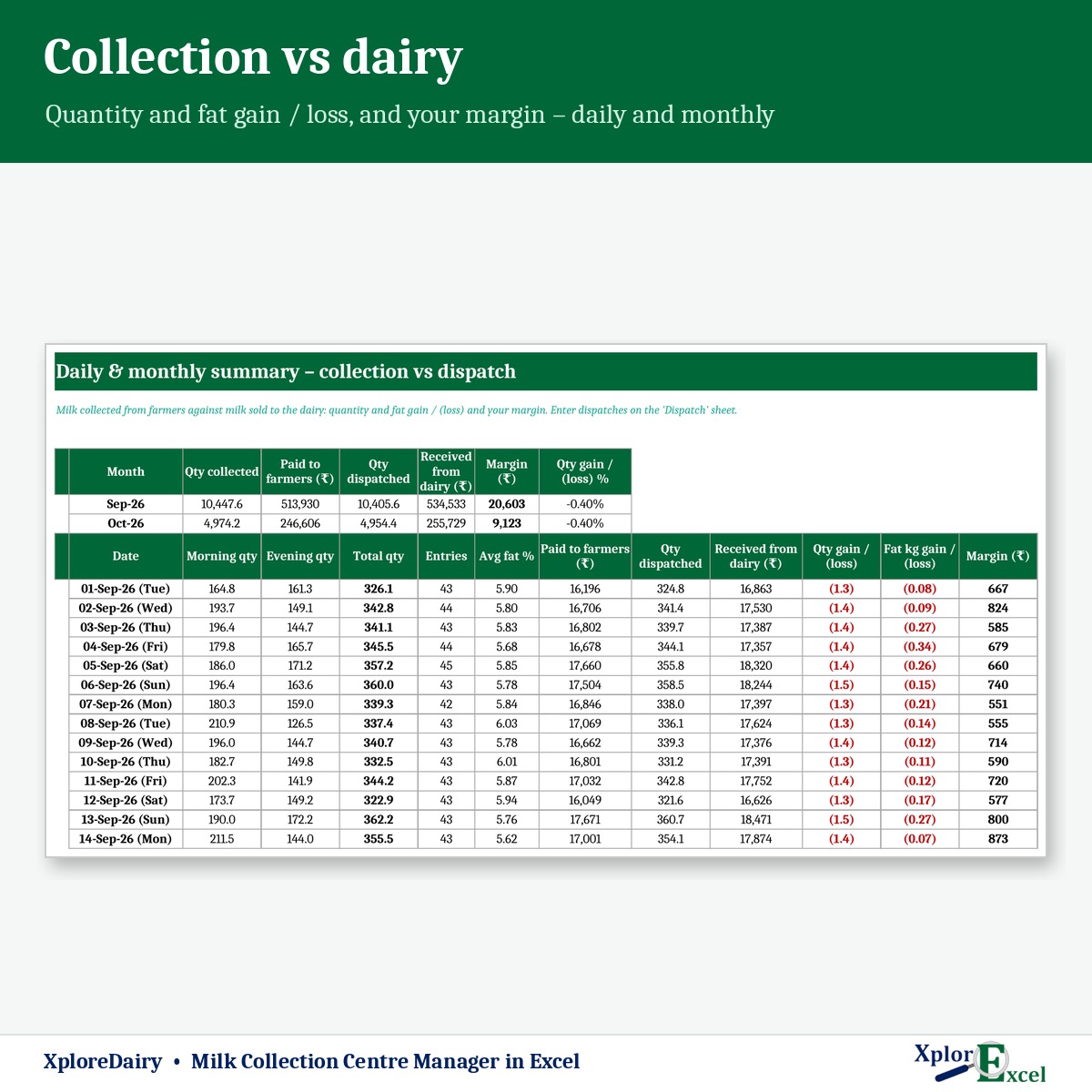
- Compare milk collected with milk sold to the dairy: quantity loss, fat loss and your margin.
Features
Rates
- A separate method and rate for cow and buffalo, plus an optional incentive per litre.
- Rate charts for cow (fat 2.5–7.0) and buffalo (fat 4.0–10.0) × SNF 7.0–9.5. Paste your dairy’s chart.
- Choose litres or kg. The SNF-from-CLR constants can be changed.
Daily collection
- Up to 200 farmers and 12,000 entries per file. Type the code, and the name, rate and amount fill in.
- Each entry is checked: unknown farmer, wrong shift, missing fat or SNF, or a value outside the chart.
Bills & payments
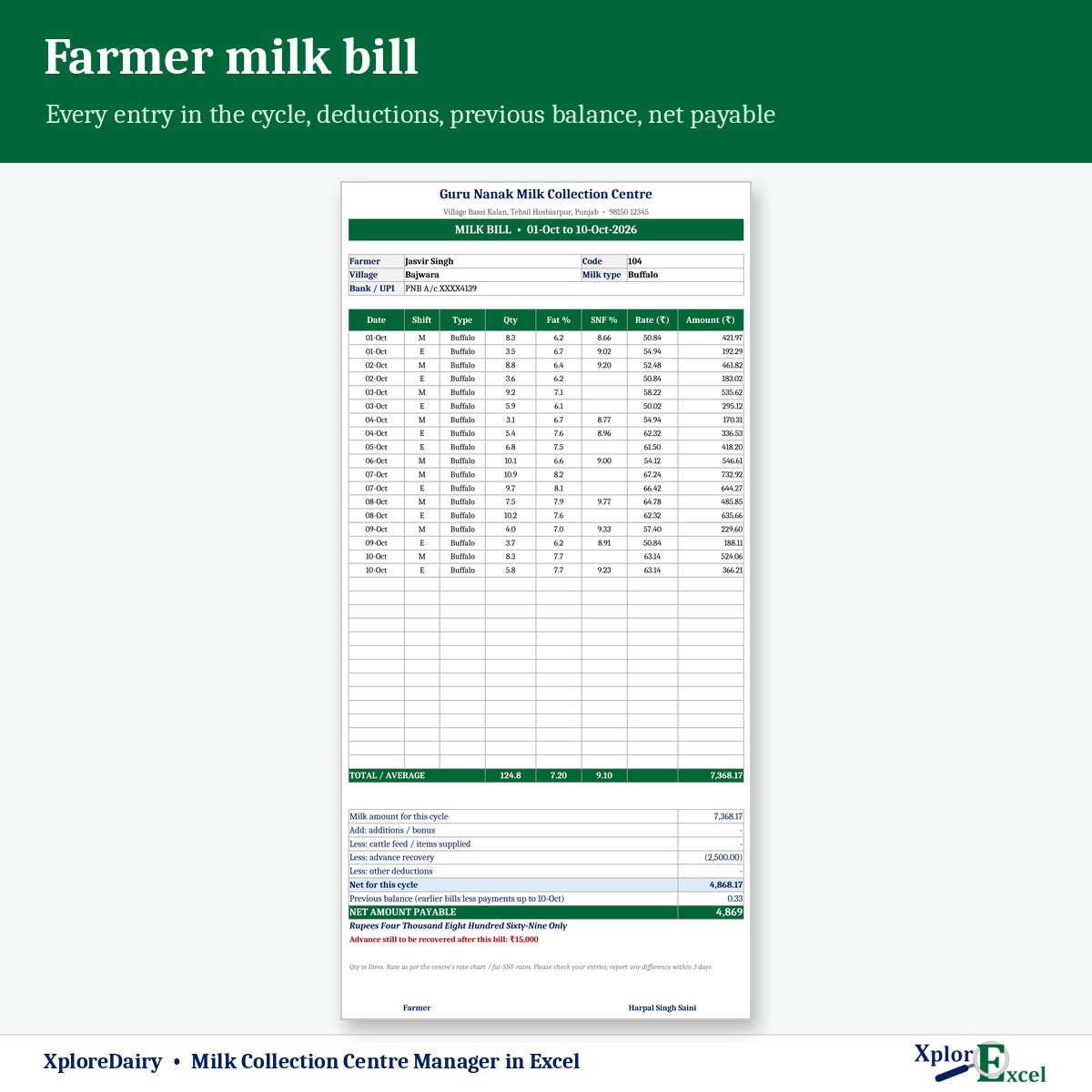
- Farmer bill printed with every shift’s qty, fat, SNF, rate and amount, average fat and SNF, deductions, previous balance and net payable in words.
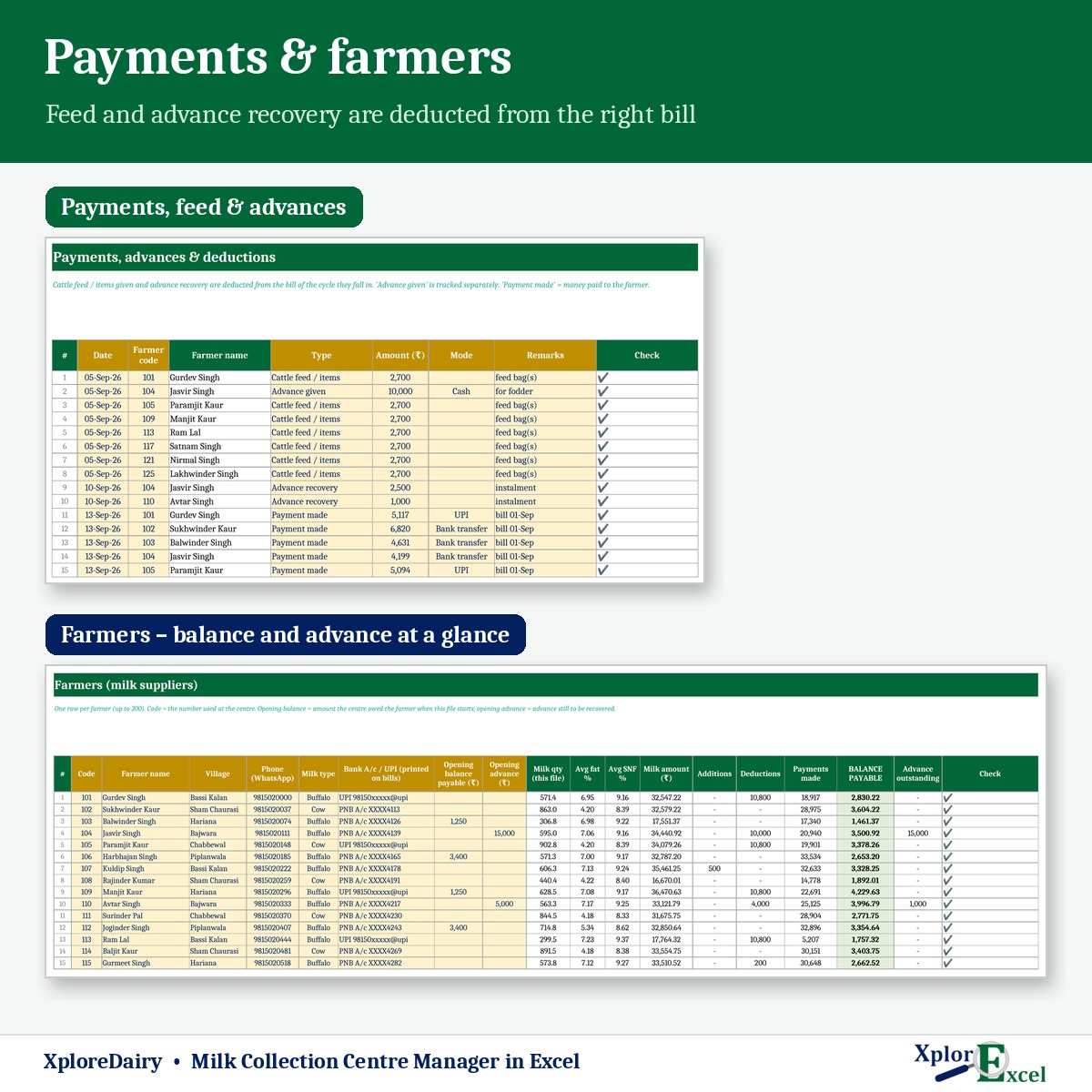
- Bill register for all farmers in a cycle, used as your payment sheet, with WhatsApp bills.
- Cattle feed / items, advance given, advance recovery, other deductions, bonus and payments, with the advance outstanding tracked for each farmer.
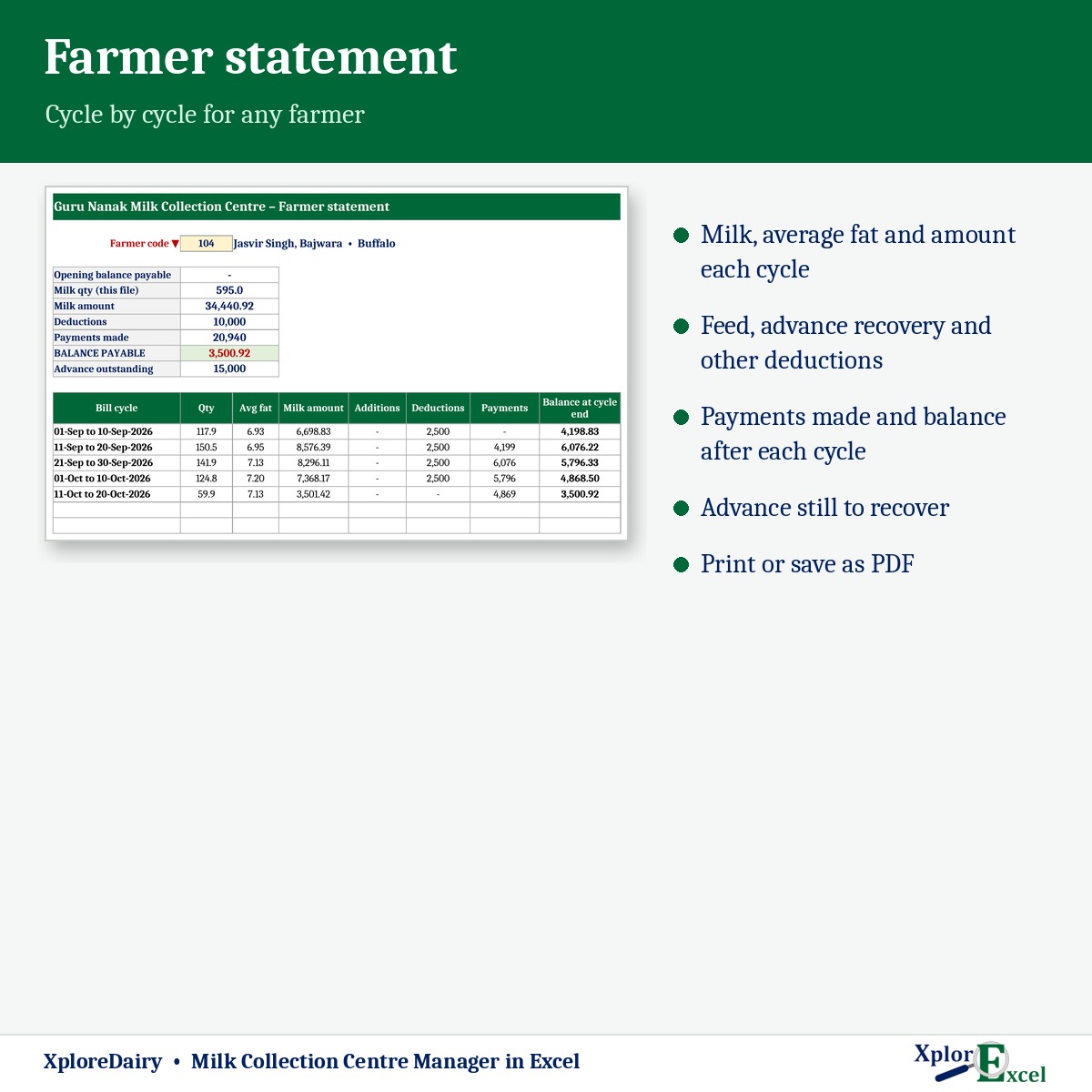
- Farmer statement showing milk, deductions, payments and balance cycle by cycle.
Your business
- Dispatch register for milk sold to Verka, Amul or any plant, with the qty, fat, SNF and amount received.
- Daily & monthly summary: morning and evening qty, average fat, paid to farmers vs received from the dairy, quantity and fat-kg gain / loss and margin.
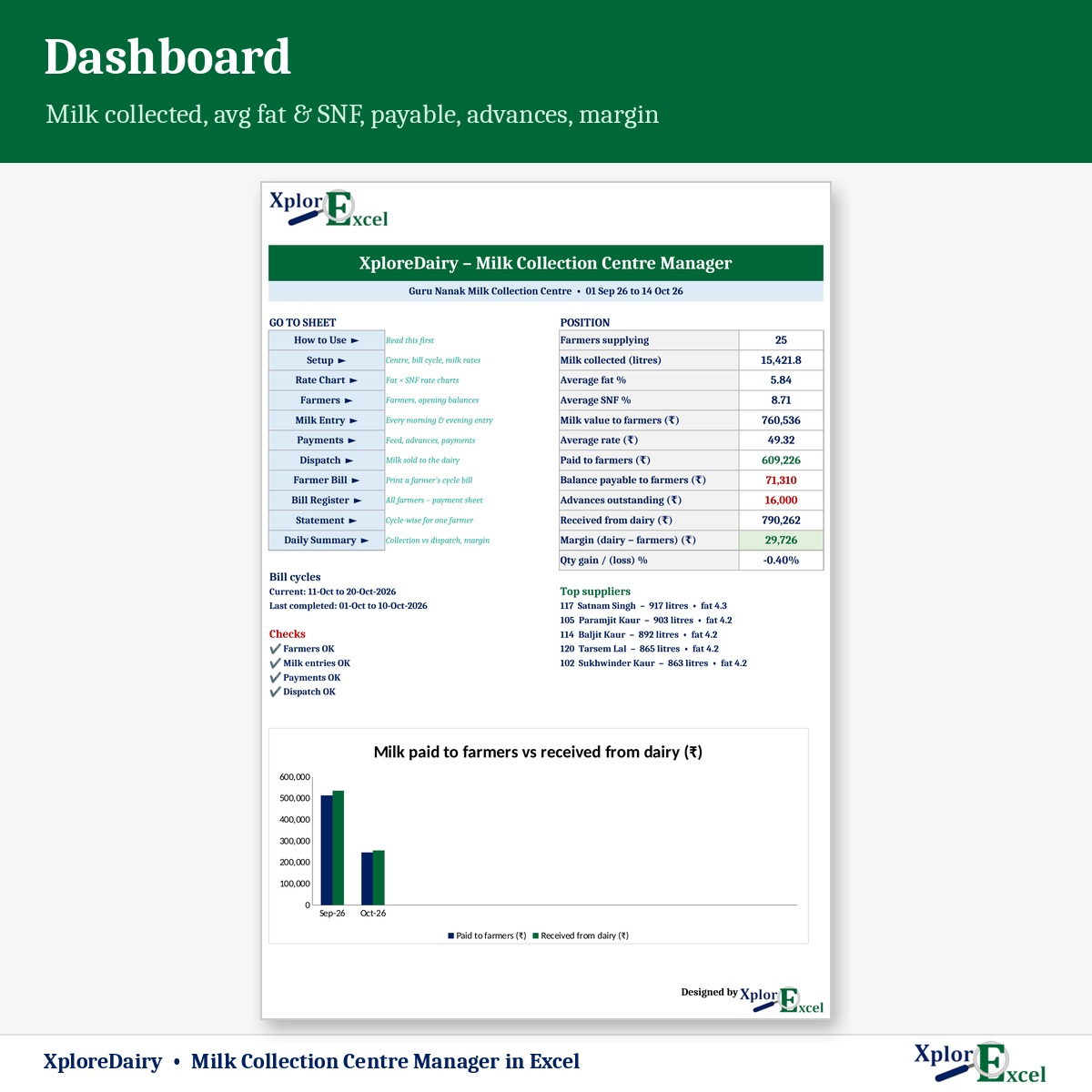
- Dashboard: milk collected, average fat and SNF, average rate, balance payable, advances, margin, top suppliers and a monthly chart.
What you get
- XploreDairy 1.0 – Blank (Start Here).xlsx for your centre
- XploreDairy 1.0 – Sample Data (Demo).xlsx: 25 farmers, about 1,900 entries, September to mid-October 2026
- A built-in How to Use sheet and a README
Requirements
Microsoft Excel 2016 or later on Windows or Mac. It has no macros and works offline. Use one file per period: a year for small centres, or a quarter if you have 100+ farmers.
The sample rates are examples, not any dairy’s official rates. Enter the rates you actually pay.

Reviews
There are no reviews yet.