
For village milk collection centres, dodhis & small dairies
Milk entry, 10-day bills and farmer payments — in one Excel file.
Set your rates once, then enter each farmer’s morning and evening milk. XploreDairy works out every rate, amount, 10-day bill, feed and advance deduction and balance — and shows your margin against what the plant pays you.
- Instant Download
- Lifetime Access
- No monthly fee
- Works offline
Bill day without the register
Register & calculator
- Rate looked up in the chart for every entry
- 10-day totals added by hand for each farmer
- Feed and advance deductions noted on loose slips
- Farmers argue over fat and rate with no record to show
- No idea whether the centre made or lost money
With XploreDairy
- Type the code, qty and fat — rate and amount fill in
- 10-day, 15-day, weekly or monthly bills ready
- Feed, advance recovery and previous balance on the bill
- Every shift’s fat, SNF and rate printed for the farmer
- Milk collected vs sold: quantity loss, fat loss and margin
What you get
One Excel file for your centre. Each page does one job and passes the numbers on by itself.
01
Rates & rate chart
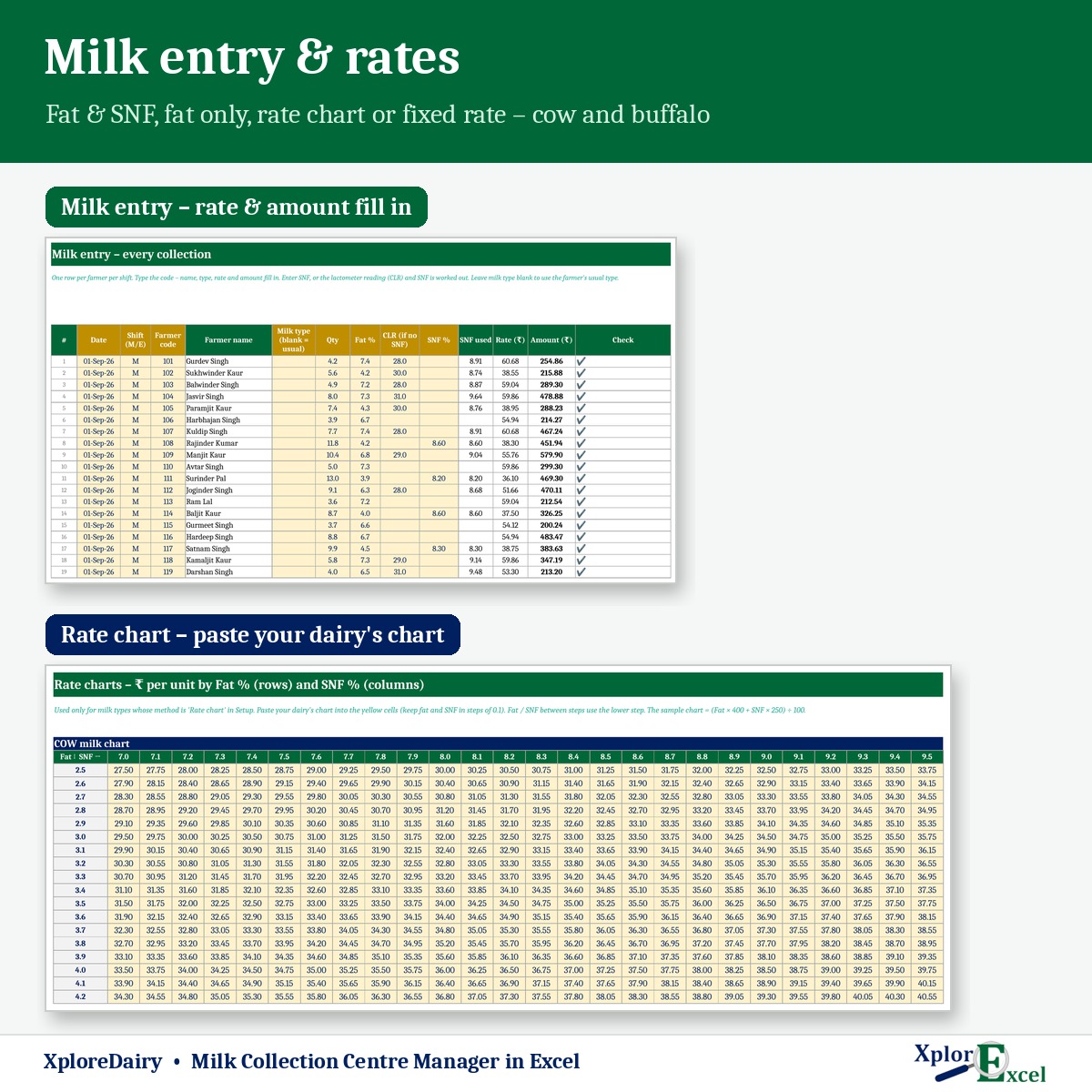
Separate method for cow and buffalo, incentive per litre, and charts you can paste from your dairy.
02
Milk entry
Up to 200 farmers and 12,000 entries. Wrong code, shift or a value outside the chart is flagged.
03
Farmer bill
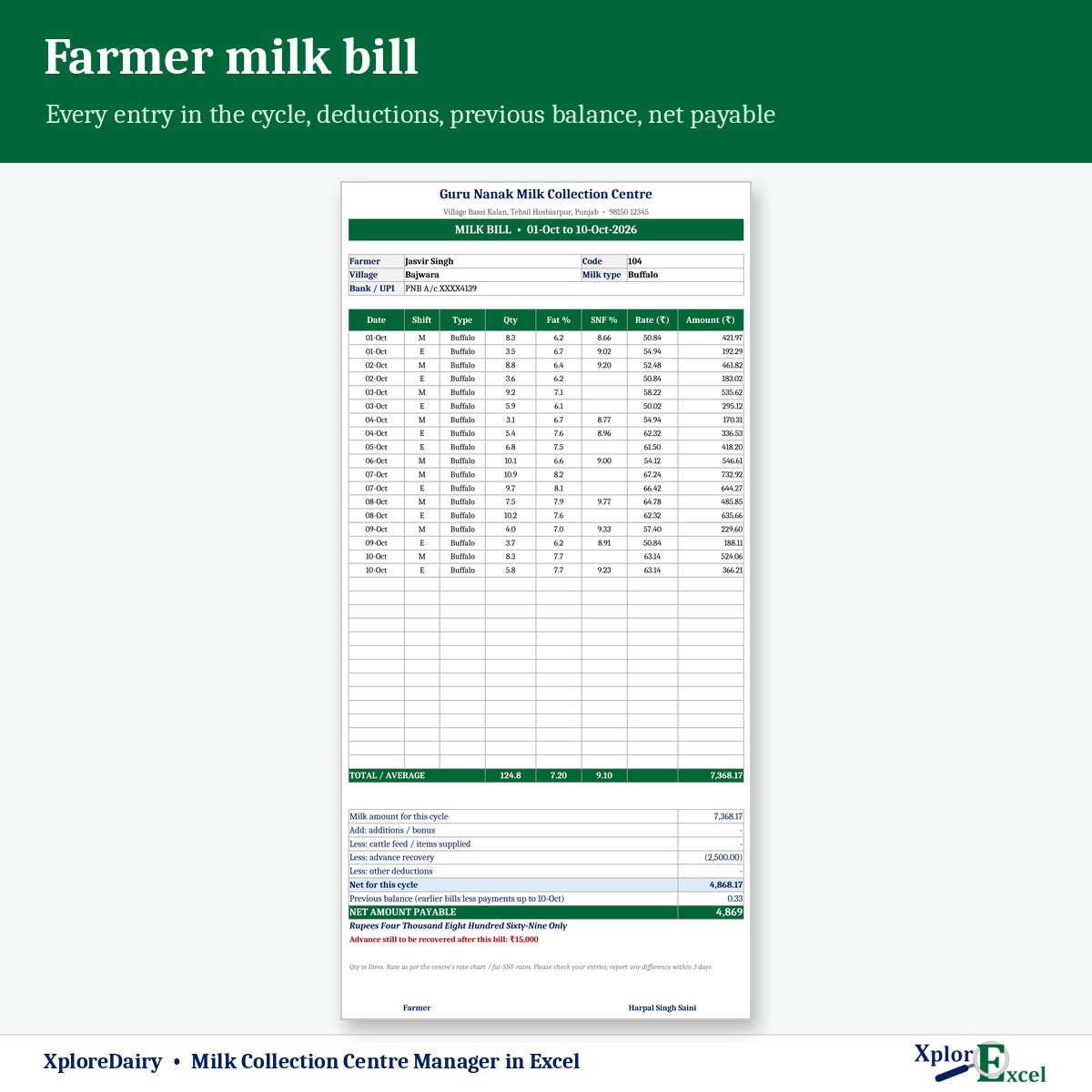
Every shift’s qty, fat, SNF, rate and amount, deductions, previous balance and net in words.
04
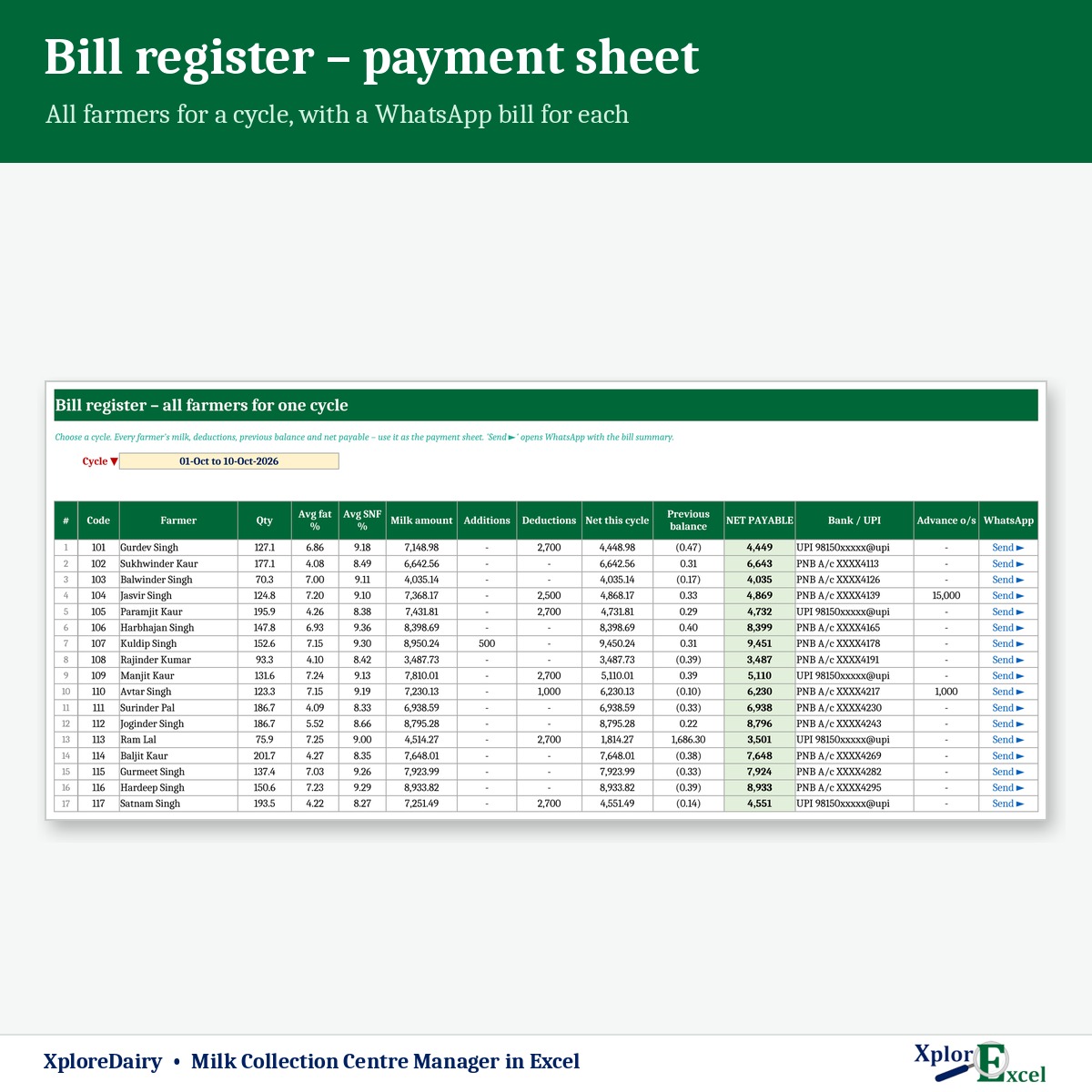
Bill register
All farmers for one cycle — your payment sheet, with WhatsApp bills.
05
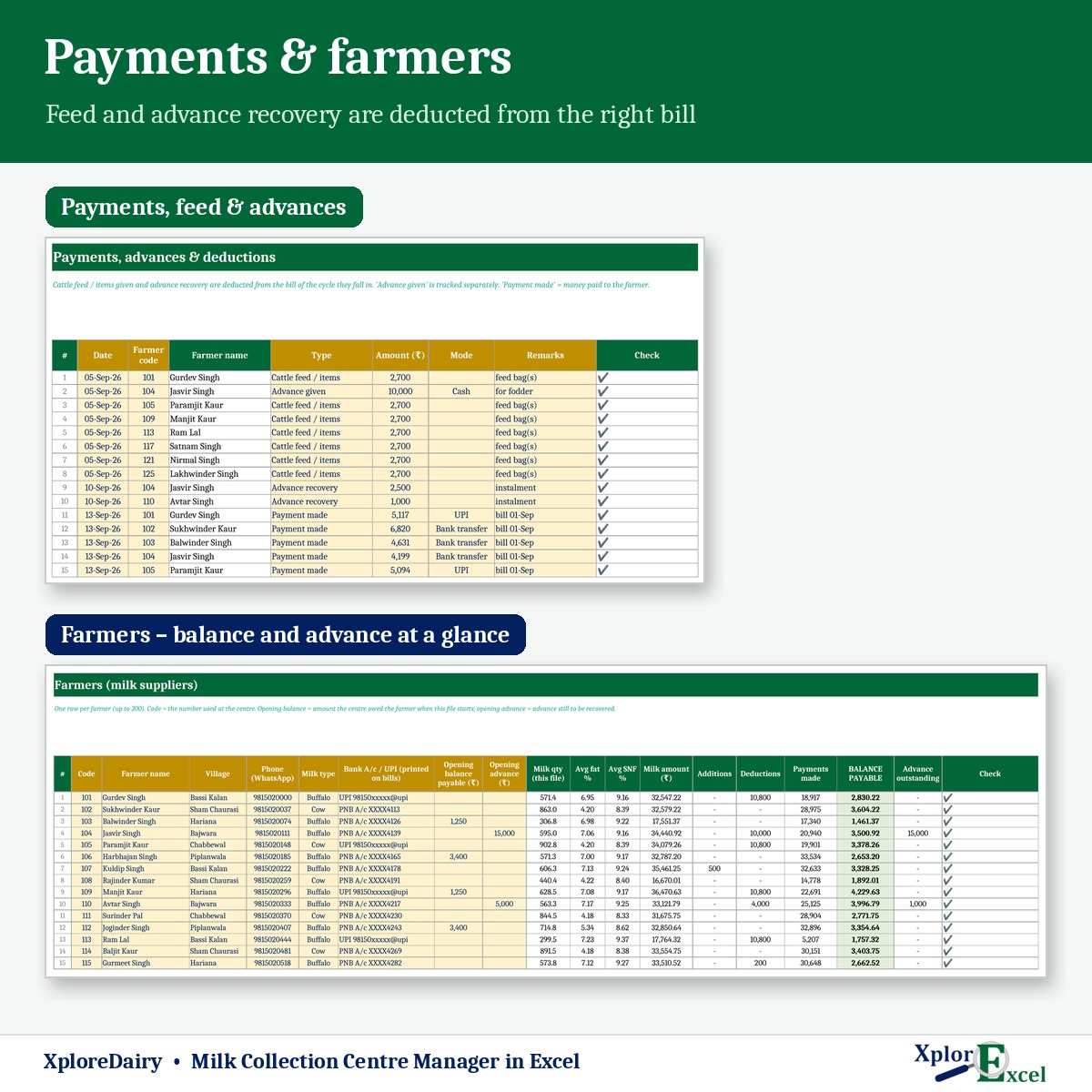
Feed & advances
Cattle feed, advance given and recovered, bonus and payments, with advance outstanding.
06
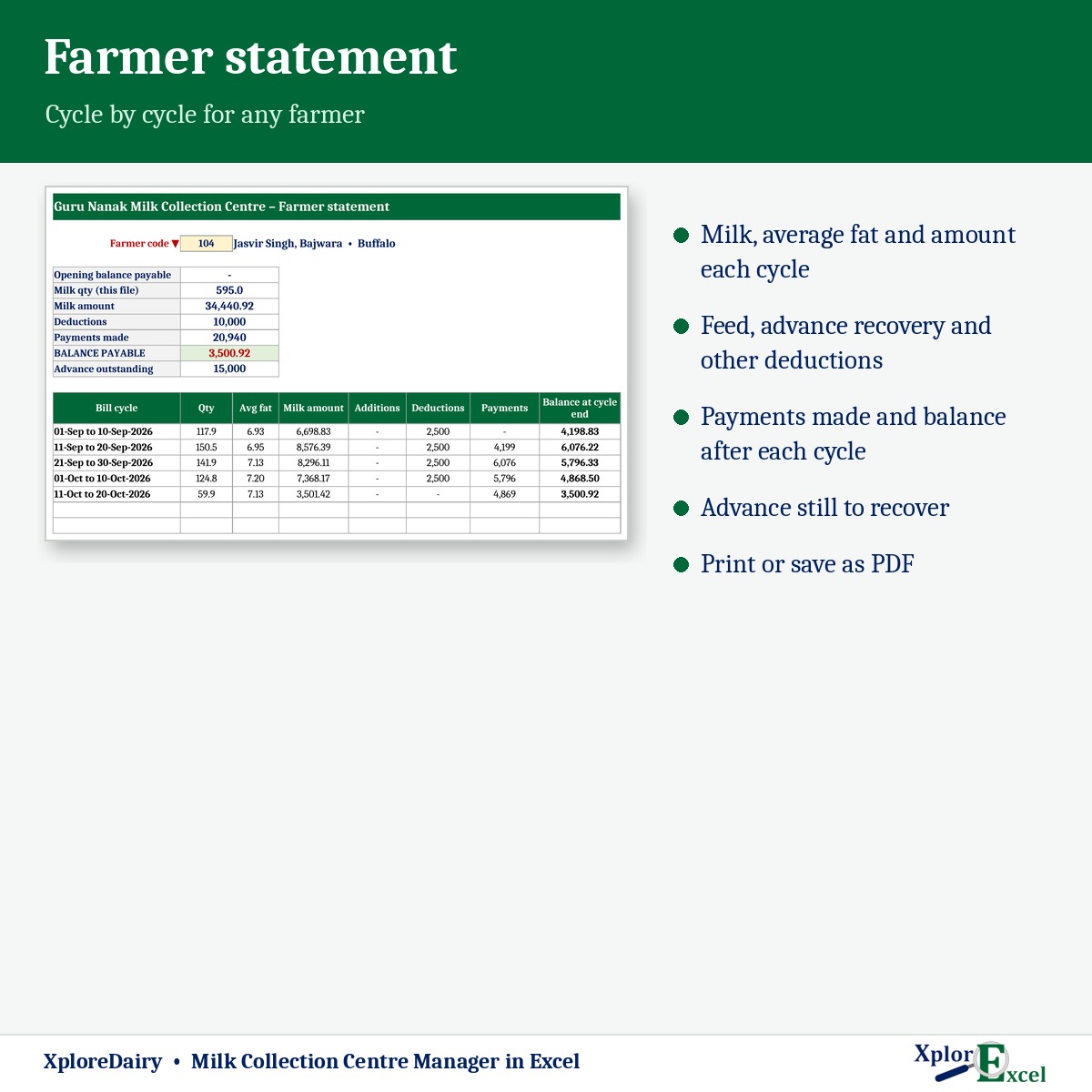
Farmer statement
Milk, deductions, payments and balance cycle by cycle.
07
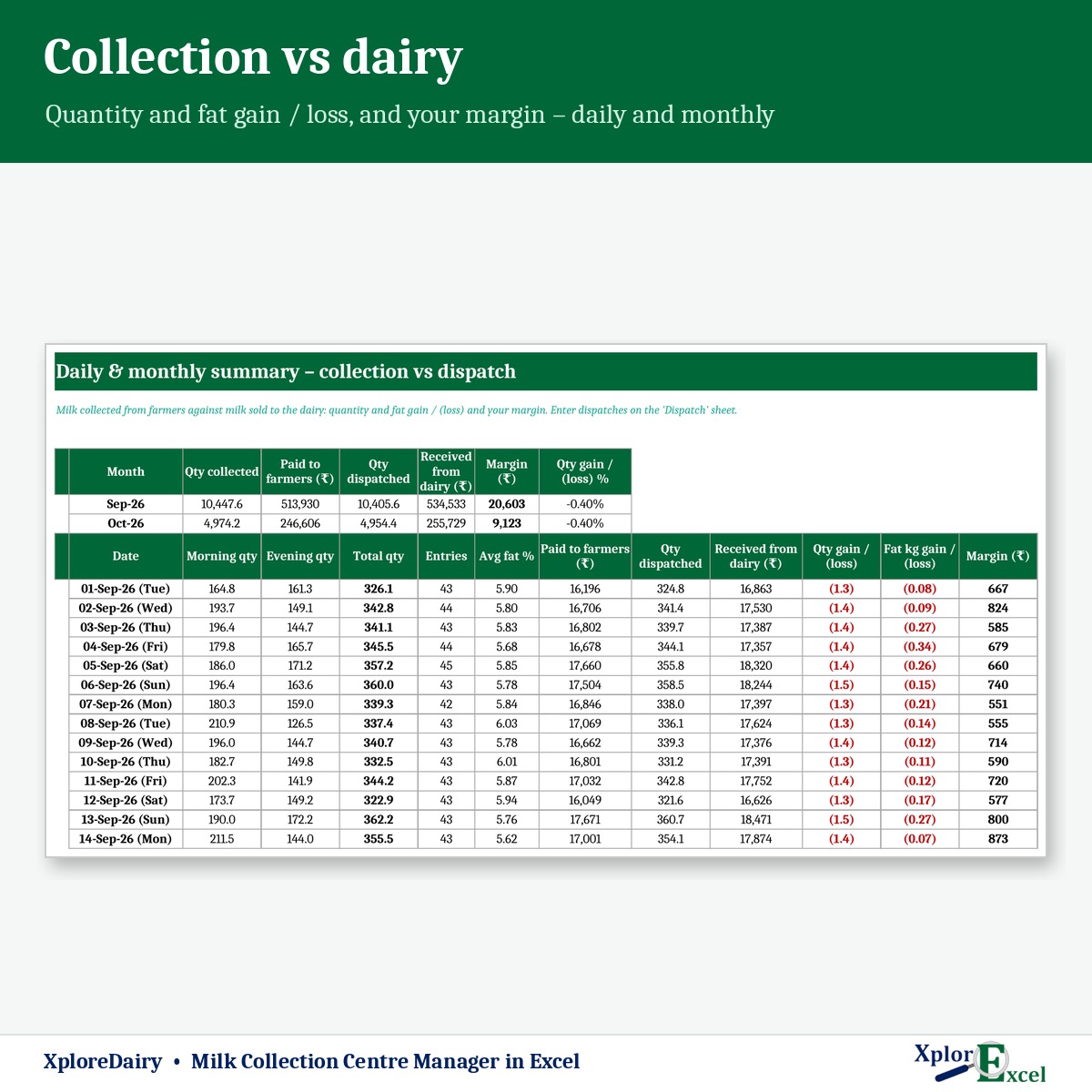
Dispatch & margin
Milk sold to Verka, Amul or any plant — quantity and fat-kg gain or loss, and your margin.
08
Dashboard
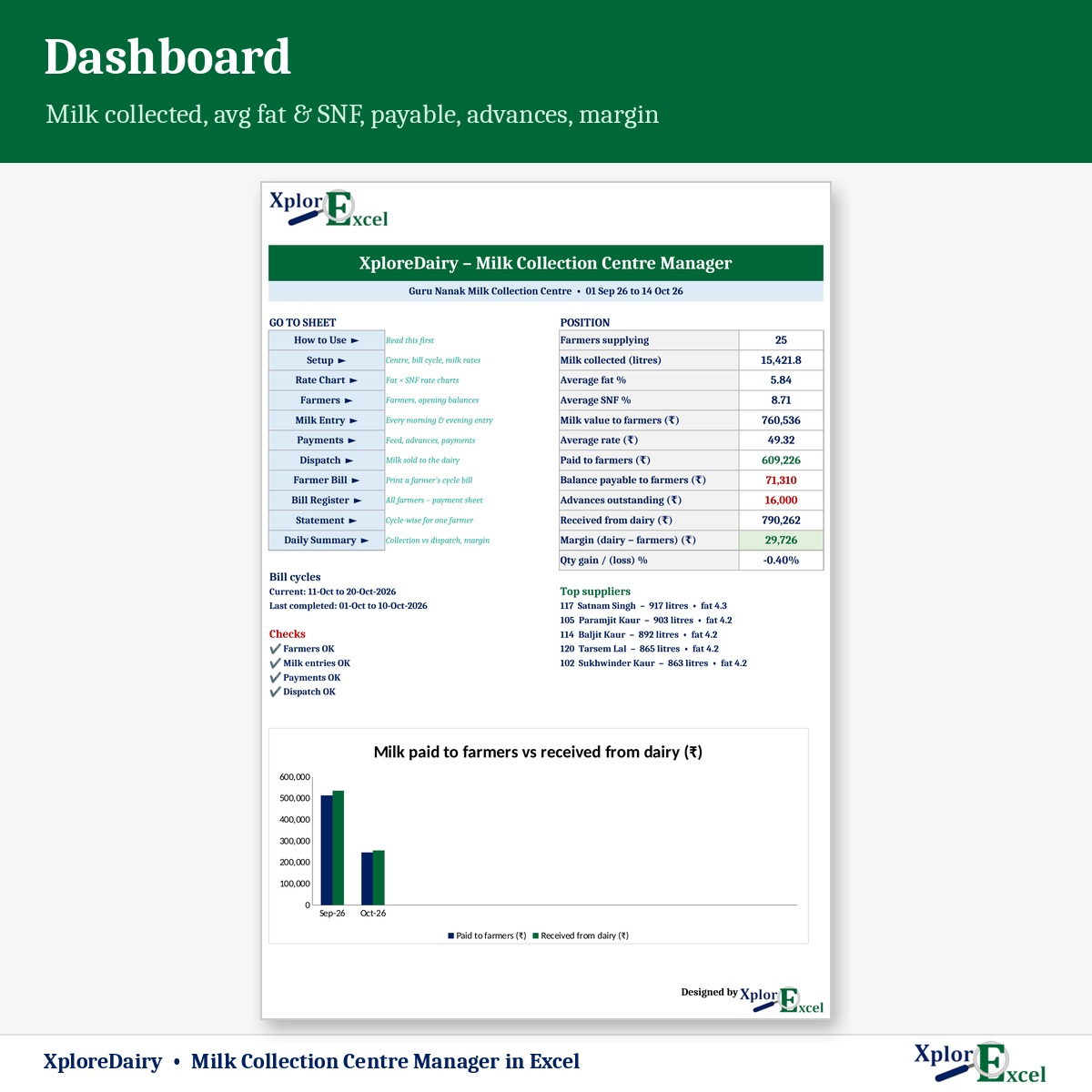
Milk collected, average fat and SNF, balance payable, advances and top suppliers.
09Macro edition
Every farmer’s bill as PDF, in one click
Pick the cycle and press “PDF for all” — a separate milk bill for every farmer.
See the real sheets
These are pages from the sample file in your download: 25 farmers and about 1,900 entries.
Macro edition: fill-in forms on your PC
Click a button, fill a short form, press Save. These are real screens from the macro edition.


Made for
- Village milk collection centres
- Dodhis buying from farmers
- Small dairies and milk co-operatives
- Centres supplying Verka, Amul or a private plant
Not the right fit if
- You have more than 200 farmers in one file
- You need the milk analyser to send readings straight into the file
- You need a counter screen for farmers at the centre
Pick your plan
Same rates, bills and reports in both. Choose how you want to enter data.
Formula edition
₹599
- Works on phone and PC
- Type straight into the yellow boxes
- All bills, payments and reports
Best for the centre
Macro edition
₹899
- Everything in the formula edition
- Easy fill-in forms for milk, payments, dispatch and farmers on a Windows computer
- “PDF for all”: every farmer’s milk bill as a separate PDF, in one click
- Bill register and statements — print or PDF in one click
- Includes a phone copy for the Excel mobile app
Pay with UPI, cards or net banking. Digital file, so no refunds — but if the file doesn’t work for you, we’ll fix it.
Not sure yet? Try a free template first
Same builder, same yellow-box style. If our free templates work for you, XploreDairy will too.
Hi, I’m Amanpreet
I run XplorExcel from Punjab. I build these files for the way Indian dairies and small businesses actually work. If something in the file doesn’t make sense, message me.
Questions
Can I use my dairy’s rate chart?
Yes. Paste the chart into the Rate Chart sheet — cow fat 2.5–7.0 and buffalo fat 4.0–10.0 against SNF 7.0–9.5. Or pay by fat & SNF per kg, fat only, or a fixed rate.
We don’t test SNF, only CLR. Will it work?
Yes. Enter the CLR (lactometer reading) and SNF is worked out from fat and CLR. The constants can be changed to match your dairy’s formula.
Can bills be 10-day, 15-day or monthly?
Yes. Bills can be made for 10-day, 15-day, weekly or monthly cycles.
How are cattle feed and advances recovered?
Record feed sold and advances given in Payments. Recoveries come off the farmer’s bill and the advance outstanding is tracked for each farmer.
Will it work on my phone?
Yes. The formula edition opens in the Excel app on Android and iPhone, and the macro edition includes a phone copy too. The fill-in forms and one-click PDFs work on a Windows computer.
Which Excel do I need?
Excel 2016 or later on Windows or Mac for the formula edition. The macro edition’s forms need Excel on Windows.
Are the sample rates Verka’s or Amul’s?
No. The sample rates are examples only. Enter the rates you actually pay.
How do I get the file?
The download link appears as soon as payment goes through and is also sent to your email. You can download it again anytime — there is no expiry.
Make this cycle’s milk bills in minutes.
Pay once · Instant Download · Lifetime Access