
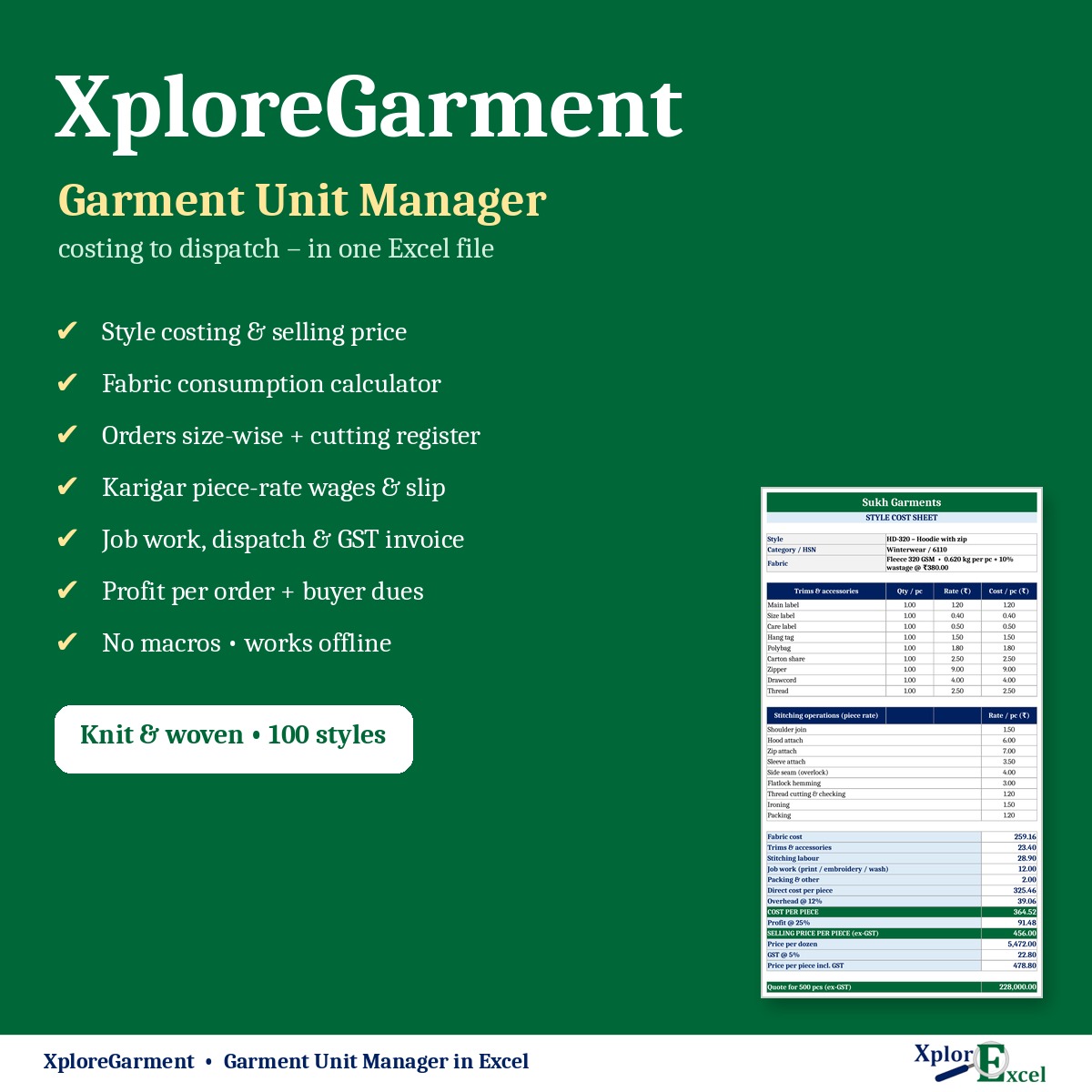
XploreGarment runs a small garment unit in one Excel file, from costing to dispatch. It is for stitching units, hosiery and knitwear makers, kurti and ladies’ wear units, shirt and uniform makers and fabricators. Cost a style once and get its selling price, then book the buyer’s order size-wise. After that, record cutting, karigar piece-rate work, job work and dispatch. The GST invoice, karigar wages, buyer dues and profit on every order are worked out for you. There’s no subscription, and it works offline.
Why one connected file?
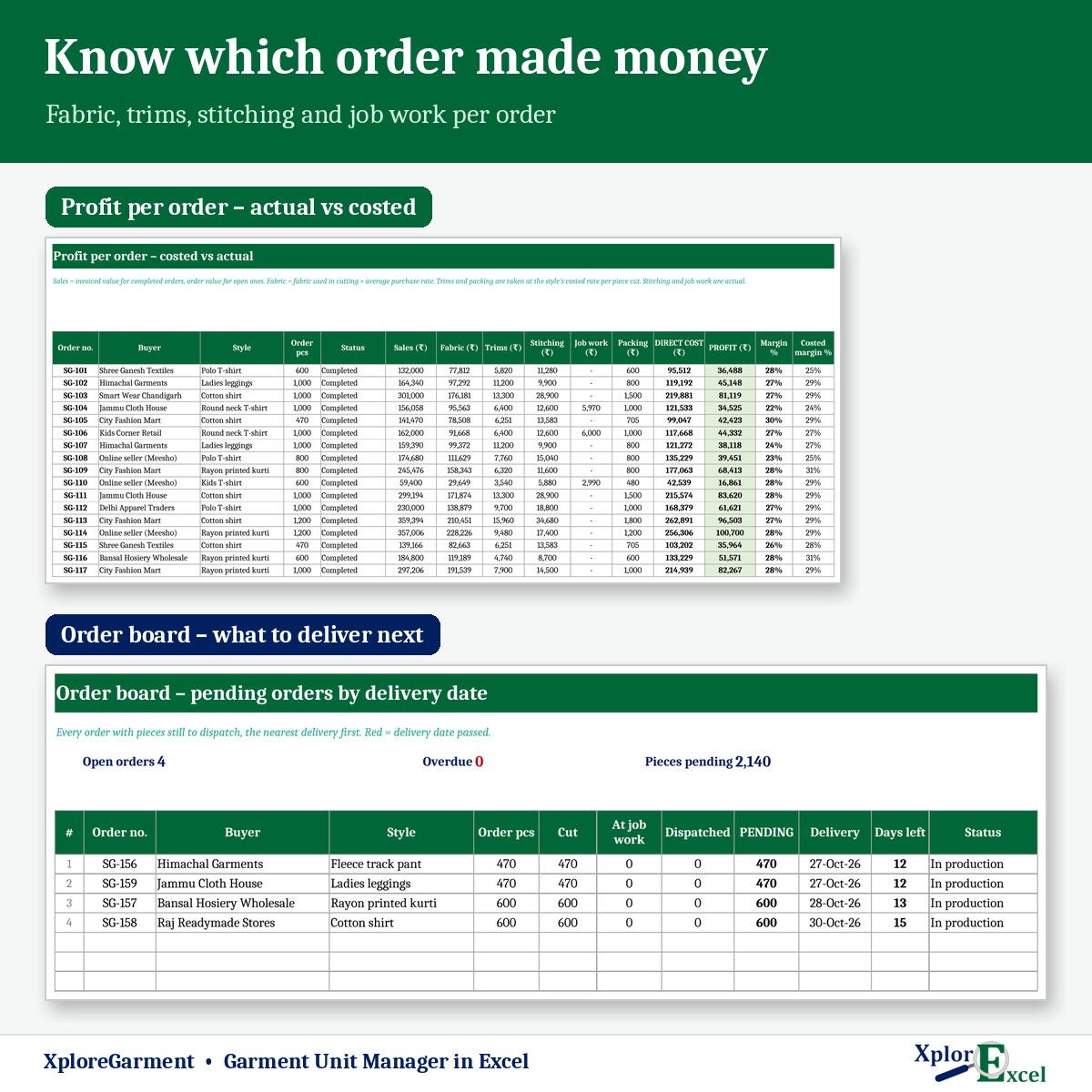
Separate calculators give you a cost per piece and stop there. In XploreGarment the style cost feeds the order, the order feeds cutting, wages, job work and the invoice, and all of it comes back as actual profit per order, set against what you costed.
What you can do with it
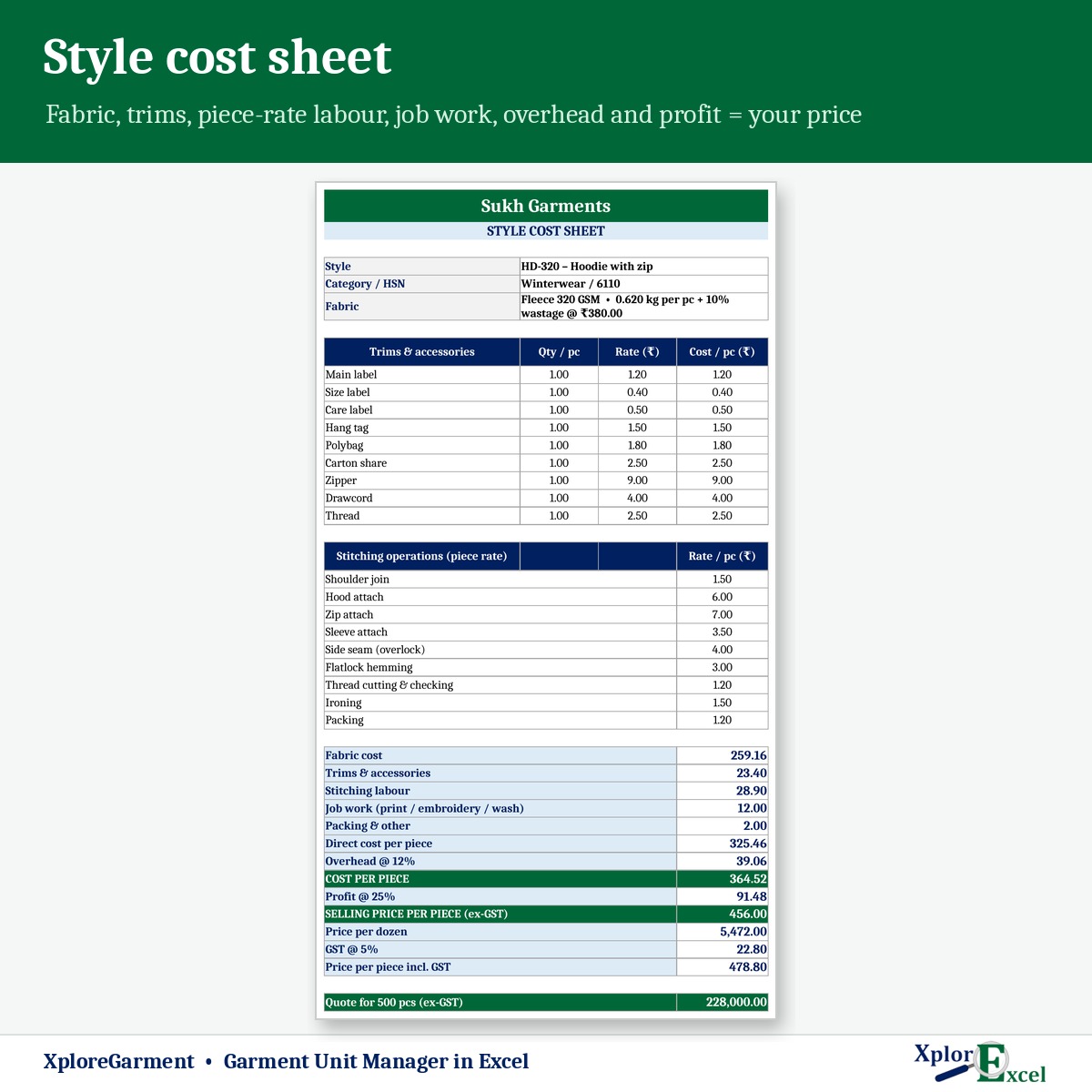
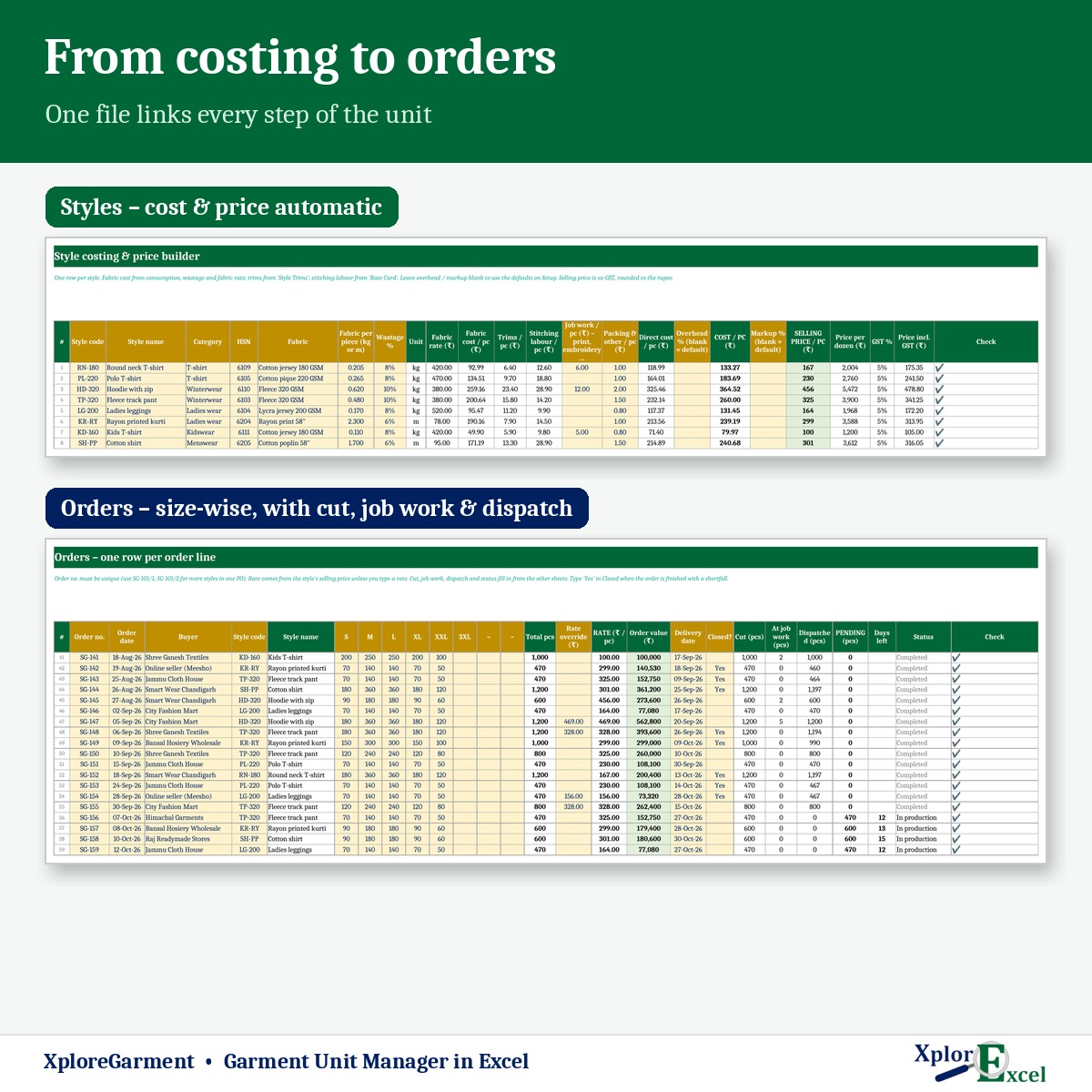
- Style costing and price builder: fabric (consumption × wastage × rate), trims from a per-style list, stitching labour from the piece-rate card, job work, packing, overhead % and markup %. You get the cost per piece, the selling price, the price per dozen and the GST %.
- Printable cost sheet for any style, with a quote for the quantity you type.
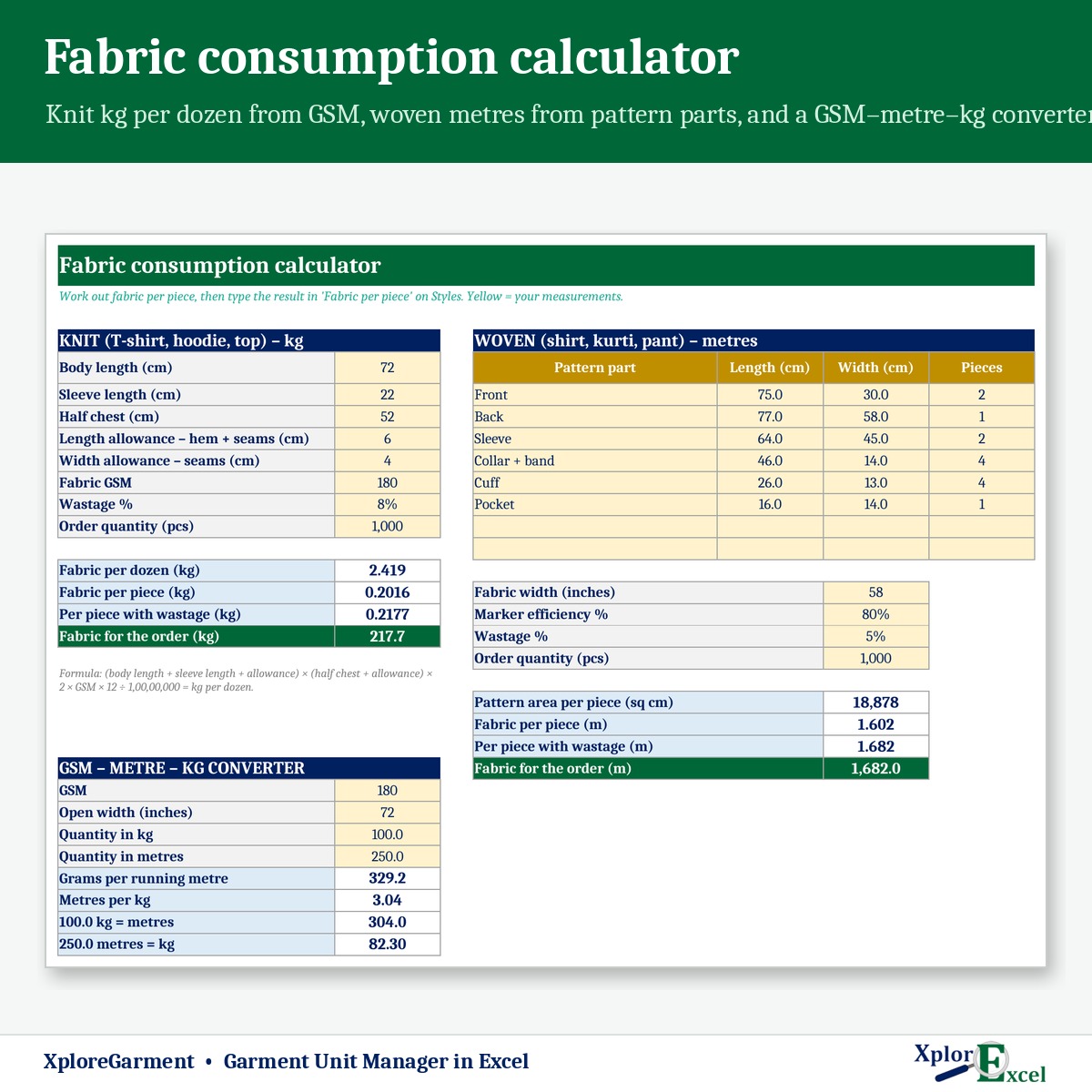
- Fabric consumption calculator: knit in kg per dozen from body measurements and GSM, woven in metres from pattern parts, fabric width and marker efficiency, plus a GSM–metre–kg converter.
- Orders with up to 8 sizes. Cut, at job work, dispatched, pending, days to delivery and status fill in automatically. The order board shows what to deliver next.
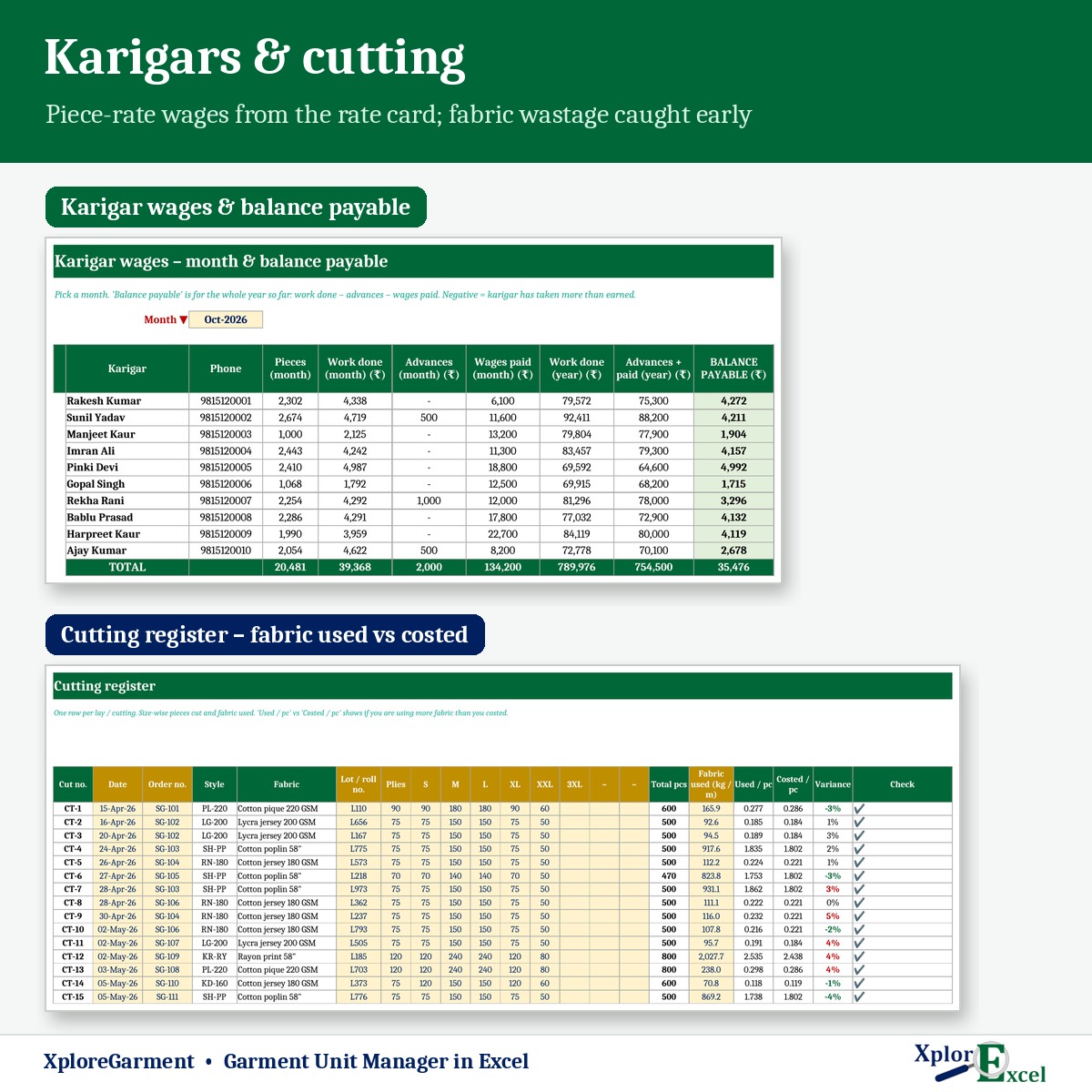
- Cutting register: size-wise pieces and fabric used. Used per piece is compared with costed per piece, so wastage shows up early.
- Fabric purchase and stock: average rate, fabric in hand and stock value, with reorder alerts.
- Karigar piece-rate work log: the rate comes from the rate card for that style and operation. Advances and wages paid are recorded too, and you get the balance payable and a printable wage slip.
- Job work for printing, embroidery, washing or a fabricator: pieces sent and received, a challan number, money owed to each job worker, and pieces still pending with them.
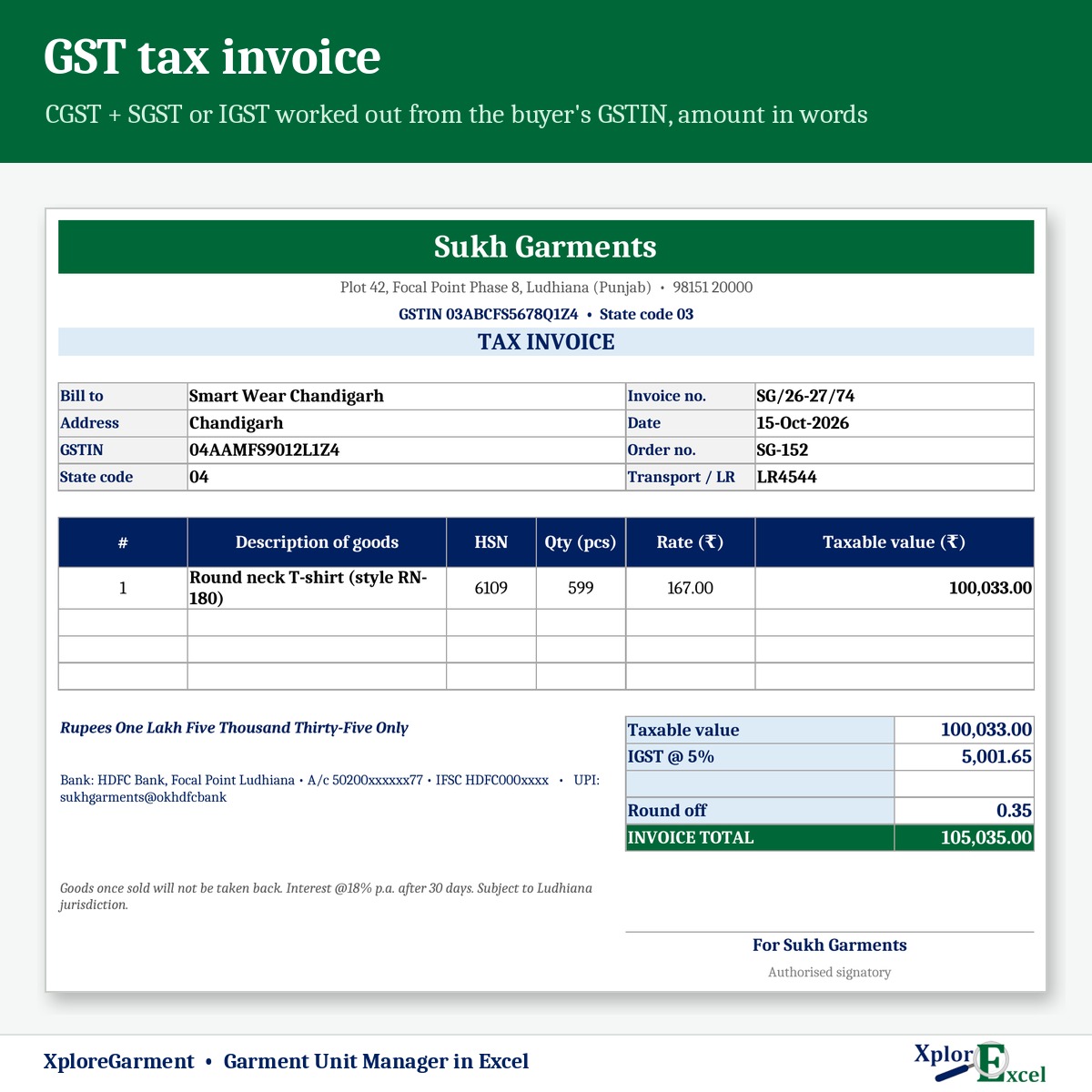
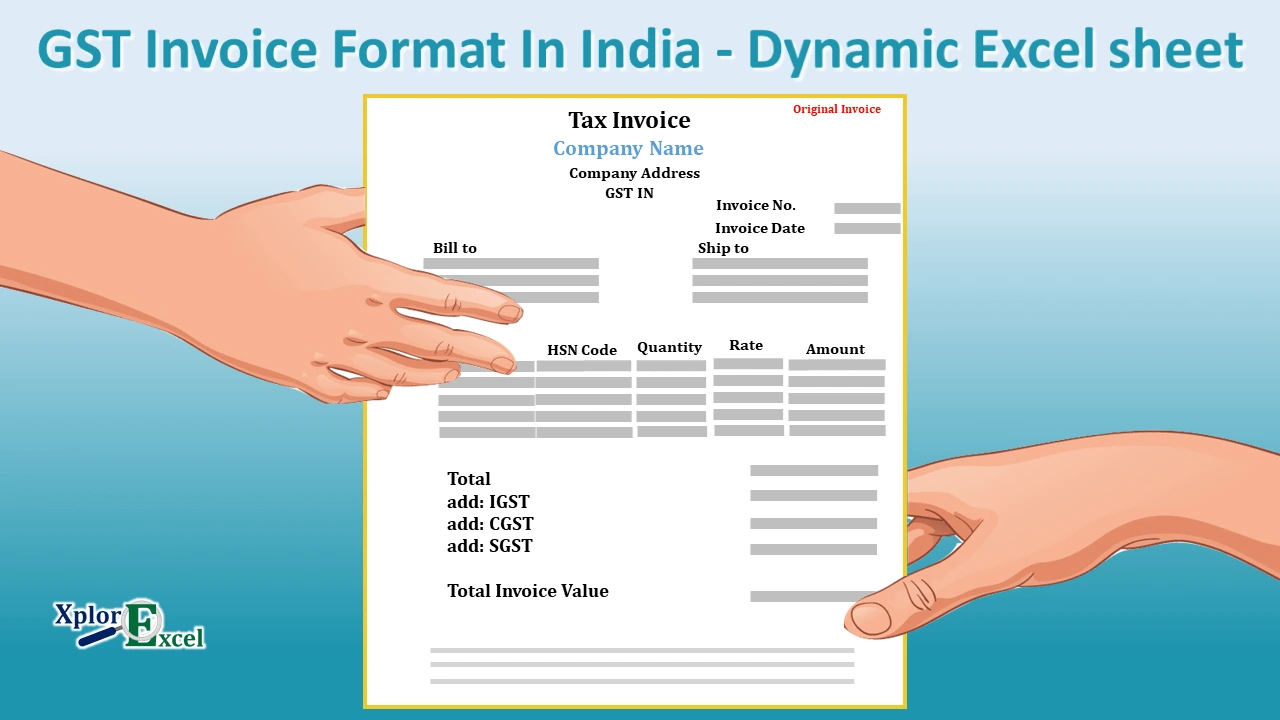
- GST tax invoice: CGST + SGST or IGST is picked automatically from the buyer’s GSTIN. The rate is set by price per piece using the limit and rates on Setup. The amount appears in words with your bank and UPI details.
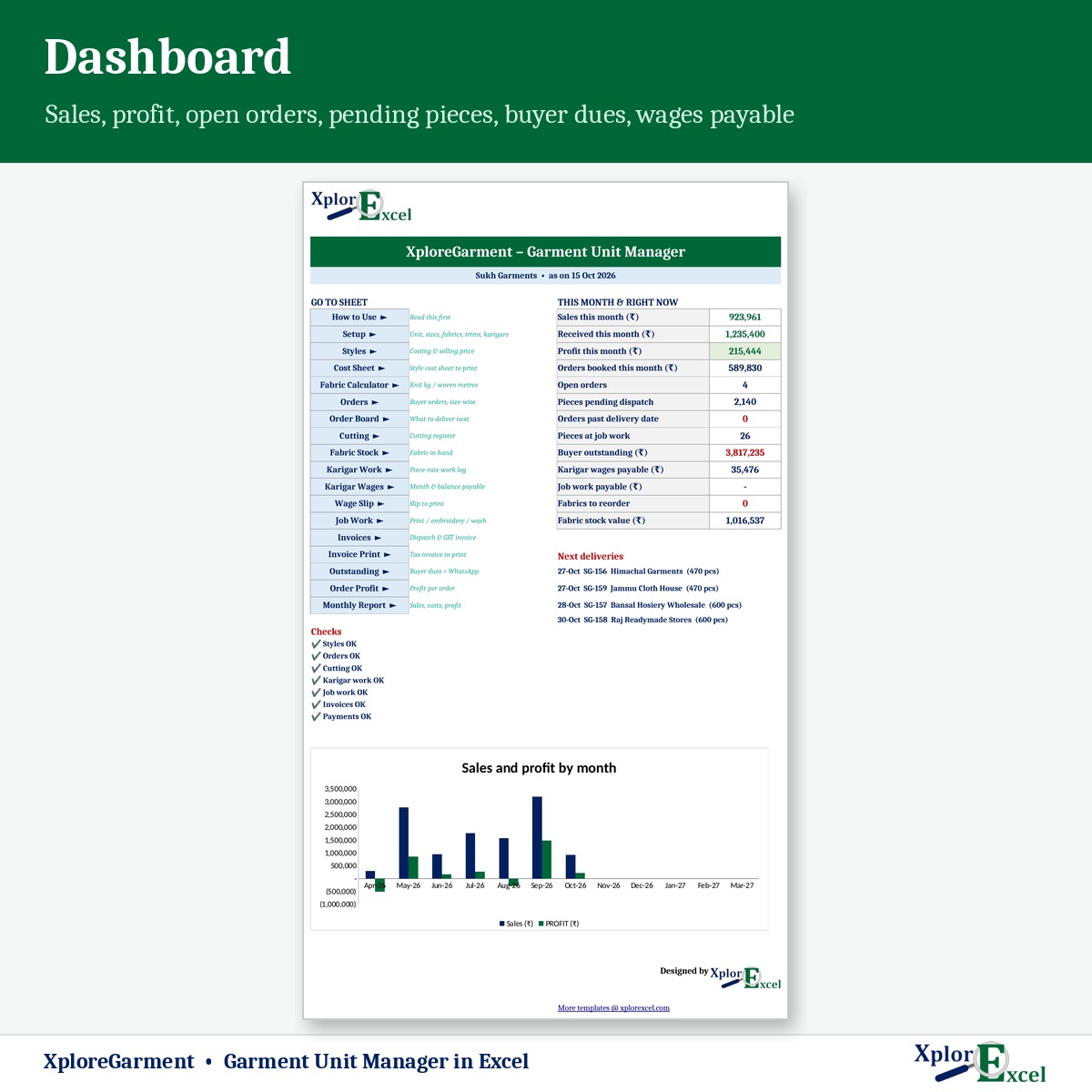
- Buyer outstanding with WhatsApp reminders, profit per order, a monthly report and a dashboard.
What you get
- XploreGarment 1.0 – Blank (Start Here).xlsx, with sizes, trims, operations and expense heads ready to edit
- XploreGarment 1.0 – Sample Data (Demo).xlsx: a Ludhiana knitwear and woven unit with 8 styles, 10 buyers and 59 orders, April to October 2026
- A built-in How to Use sheet and a README
Capacity: 100 styles, 200 buyers, 500 order lines, 1,000 cuttings, 5,000 karigar work entries and 1,000 invoices per year.
GST rates for garments depend on the sale price per piece and can change. Confirm the limit and rates on Setup with your CA.
Requirements
Microsoft Excel 2016 or later on Windows or Mac. It has no macros and works offline. Use one file per financial year.


Reviews
There are no reviews yet.