
What the macro edition adds
- Easy fill-in forms with buttons on a Windows computer
- A Data Entry page with every form one click away (Ctrl + Shift + E)
- A Find box in every form to edit old entries
- Includes the formula-only copy for the Excel app on Android and iPhone
Needs: Microsoft Excel 2019, 2021 or Microsoft 365 on Windows for the forms and buttons. The forms do not run on Mac, Excel Online or Google Sheets — use the included .xlsx copy there.
Macros blocked? 1-minute fix
Windows blocks macros in any Excel file downloaded from the internet. It is a Windows safety setting, not a fault in the file, and you fix it once per file.

- Close Excel. Right-click the downloaded .xlsm file → Properties.
- At the bottom of the General tab, tick Unblock.
- Click Apply, then OK.
- Open the file and click Enable Content on the yellow bar.
Got a ZIP file? Unblock the ZIP first (same steps), then extract it. Every file you extract will open unblocked, so you don’t have to do each one separately.
No Unblock tick box in Properties? The file is already unblocked, so just open it and click Enable Content. Still stuck? Watch the video on YouTube or message me.
Digital file, so no refunds — but if the file doesn’t work for you, we’ll fix it.
Everything in XploreMed
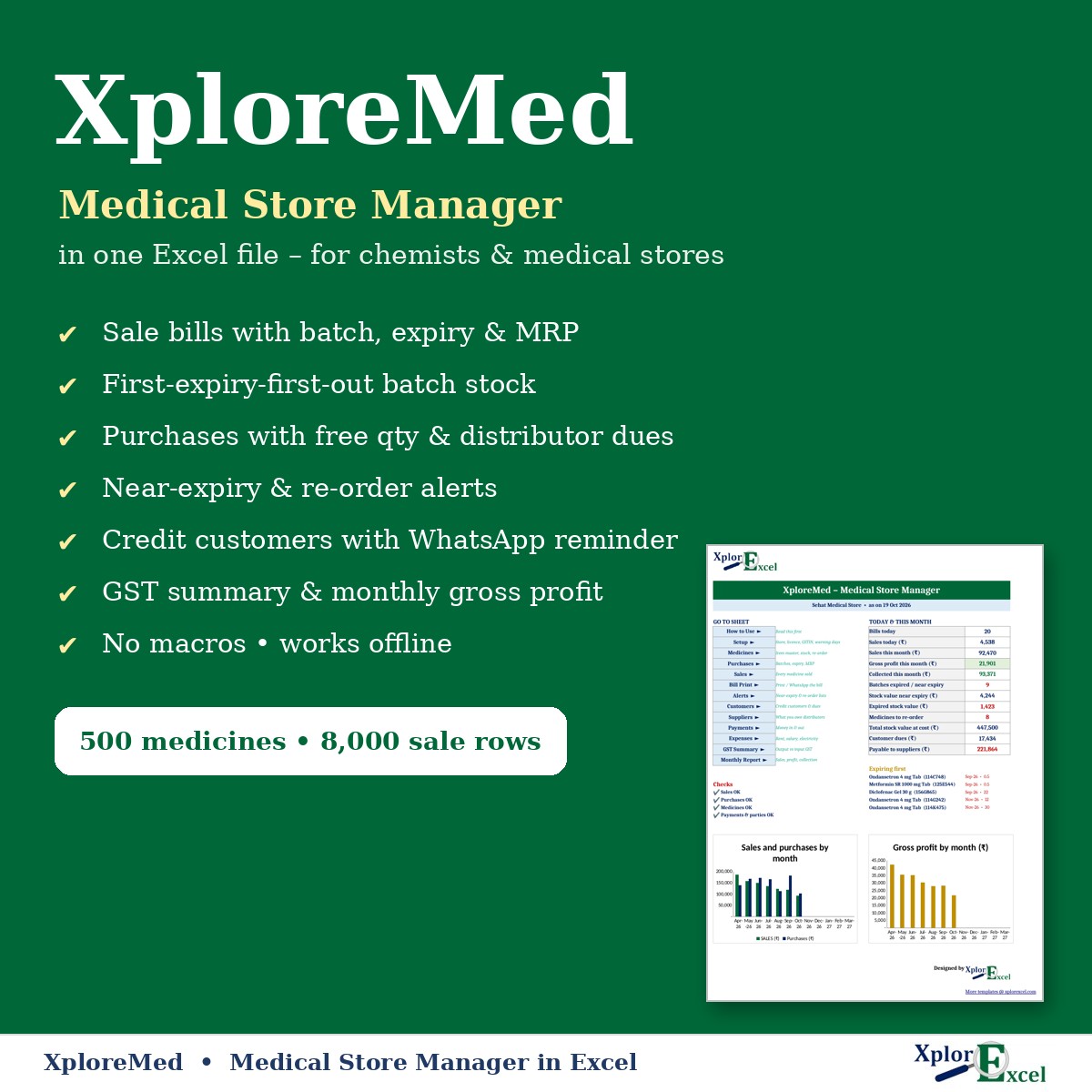
XploreMed runs a small medical store or chemist shop in one Excel file. Enter purchases batch by batch and bill each sale, and the file keeps:
- stock for every batch, used first-expiry-first-out
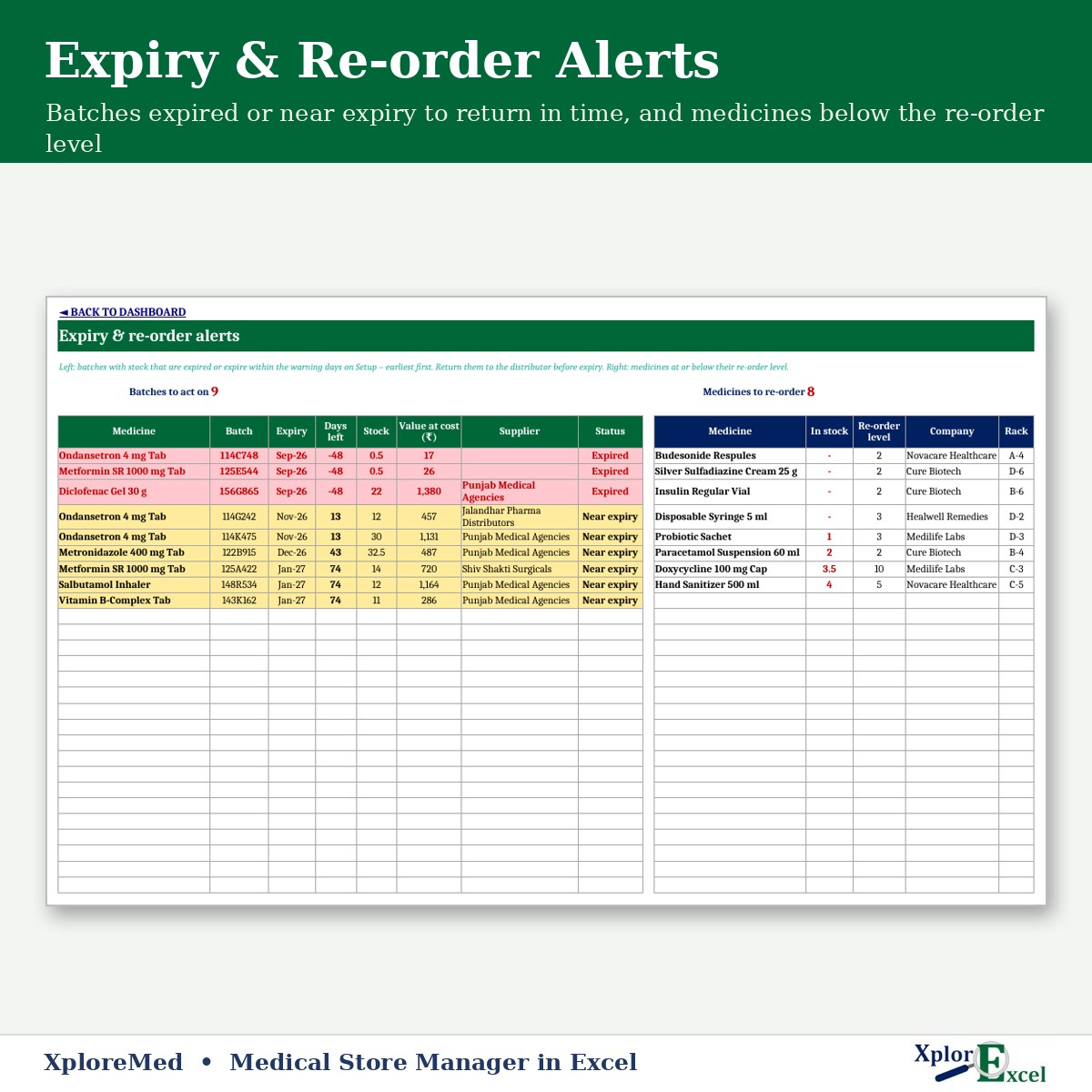
- near-expiry and expired batches, and medicines to re-order
- credit customers’ dues and what you owe each distributor
It also gives you a GST summary, gross profit from batch cost and a monthly report. There’s no software subscription, and it works offline.
What you can do with it
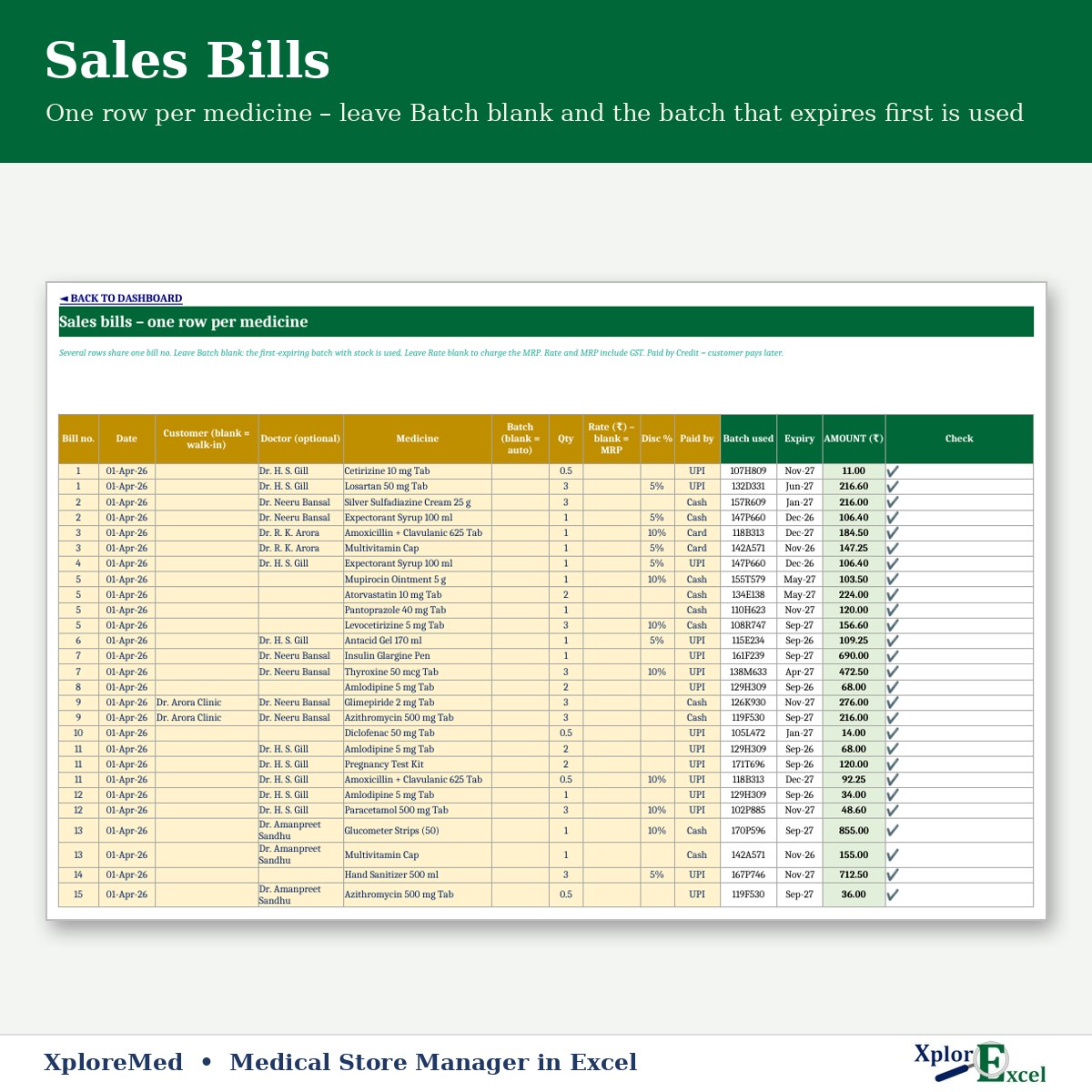
- Bill one row per medicine, same bill no. for the whole bill. Leave Batch blank and the batch that expires first is used. Leave Rate blank to charge MRP, or add a discount %.
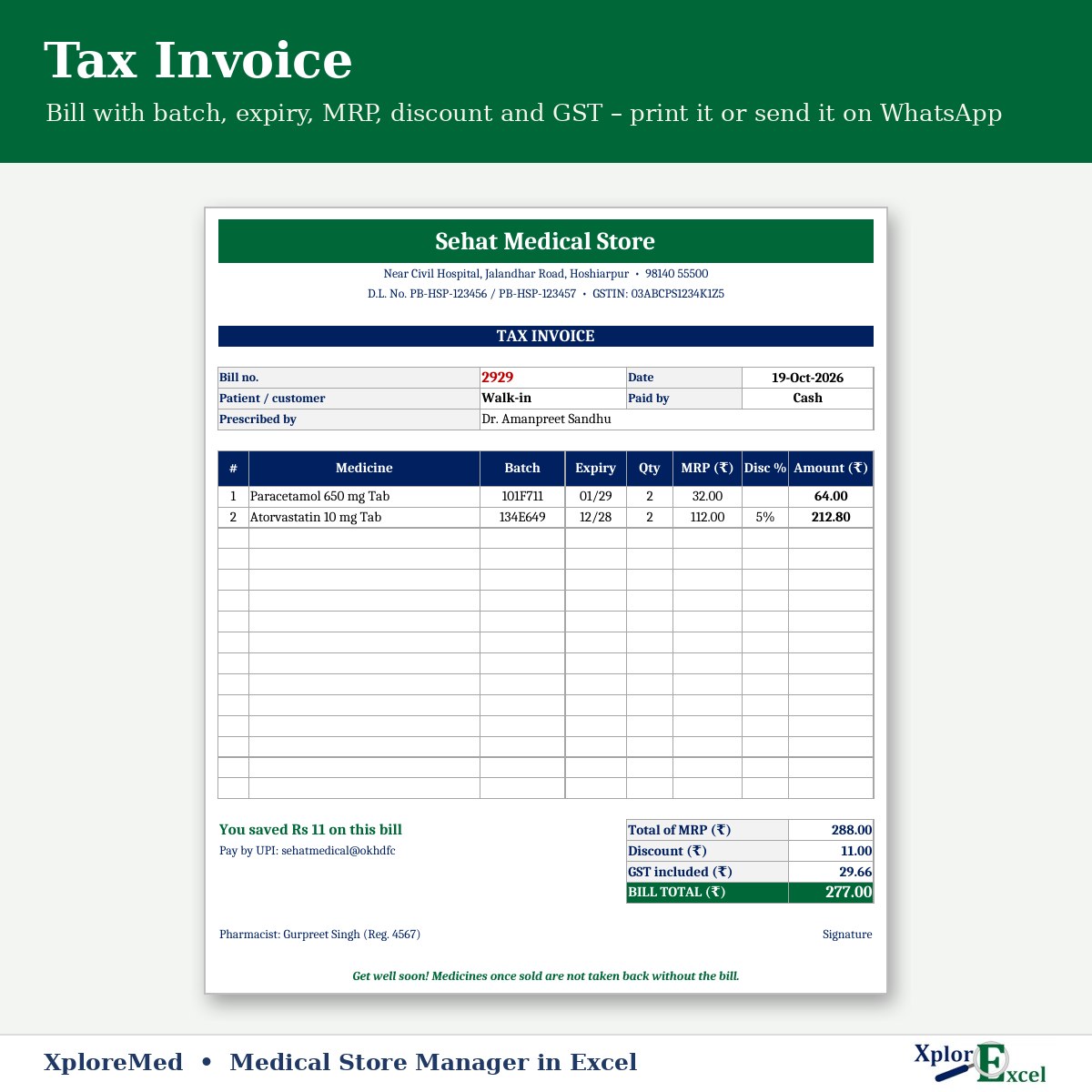
- Print a tax invoice with batch, expiry, MRP, discount, GST and the pharmacist’s name, or send it on WhatsApp.
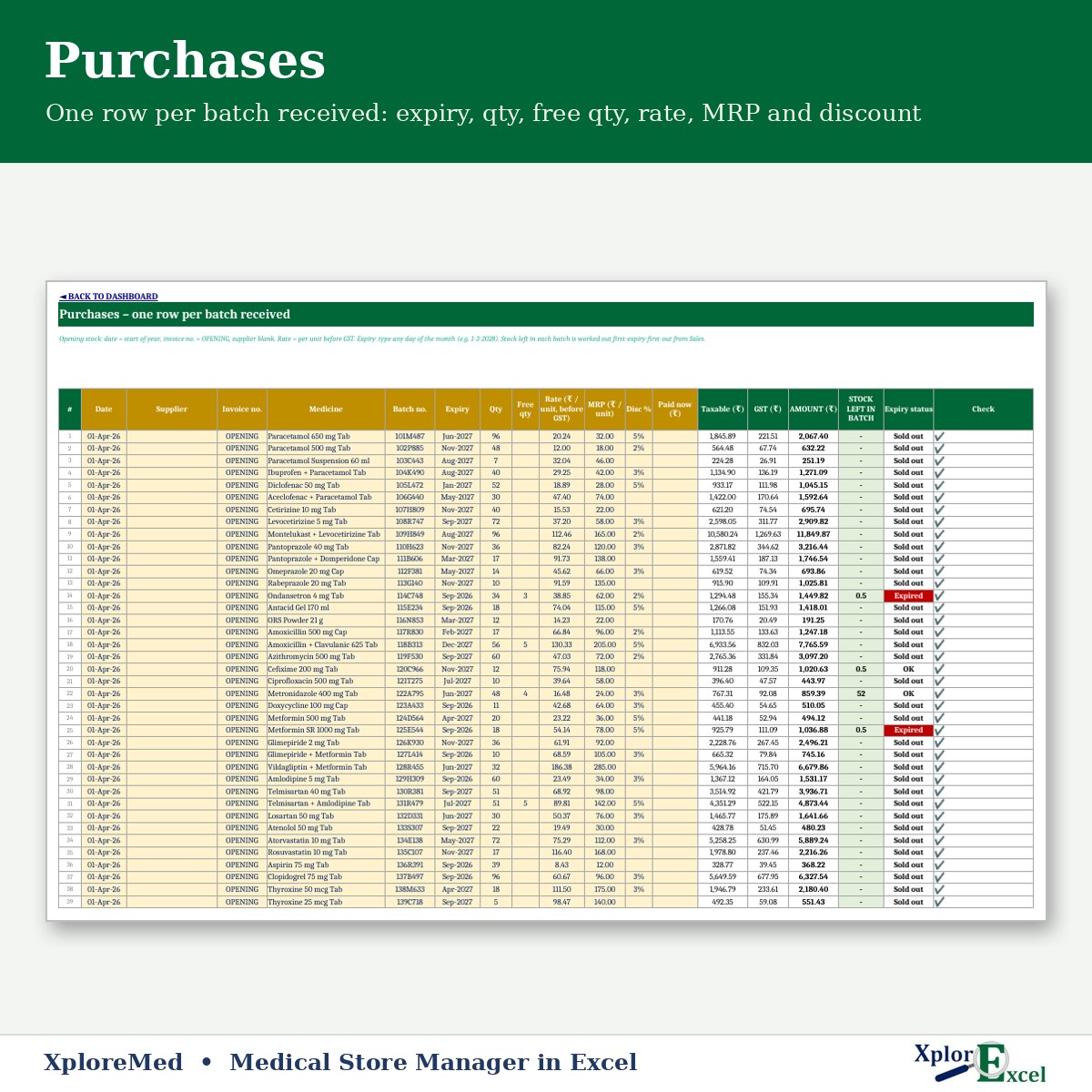
- Enter purchases one row per batch: expiry, qty, free qty, rate, MRP and discount. Record what you paid on the spot.
- Use Alerts to return near-expiry batches to the distributor in time and re-order low stock.
- Keep credit customers with a one-click WhatsApp reminder for dues, and track payments to distributors.
Features
- Medicines: up to 500, with salt, company, HSN, GST %, schedule, rack and re-order level. Stock, near-expiry, expired and stock value fill in.
- Purchases: up to 2,000 batch rows a year. Sales: up to 8,000 rows a year (about 25 bills a day).
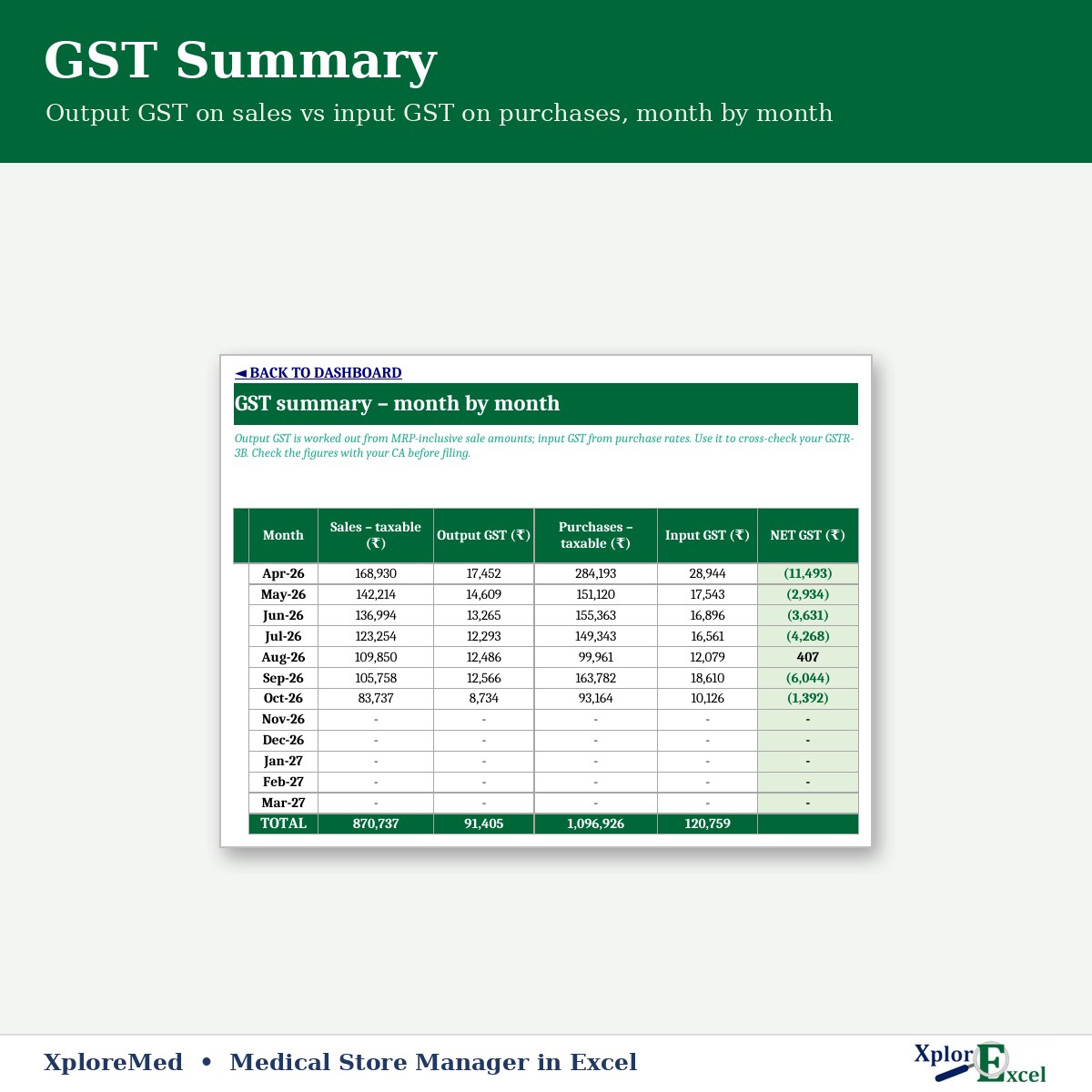
- GST summary: output GST on sales vs input GST on purchases, month by month.
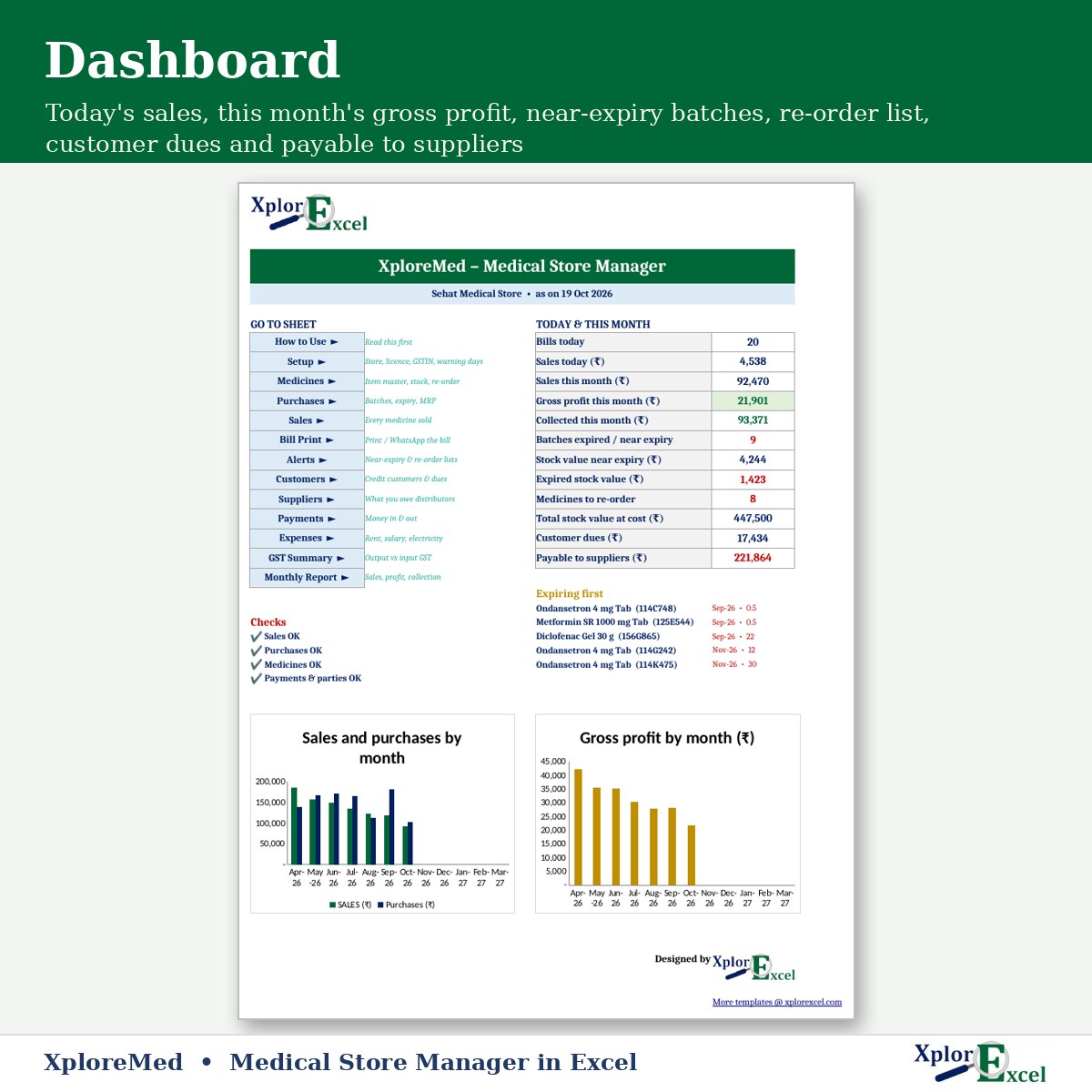
- Monthly report and dashboard: sales, gross profit, expenses, net profit, collection, customer dues and payable to suppliers.
Please note: XploreMed is a business register for billing, stock and accounts. It is not a prescription register and does not replace the Schedule H / H1 or other records your drug licence requires. Keep those as the law requires.
What you get
- XploreMed 1.0 – Blank (Start Here).xlsx
- XploreMed 1.0 – Sample Data (Demo).xlsx: a sample medical store with bills, purchases and alerts
- A built-in How to Use sheet and a README
Check GST rates and HSN codes with your CA.
Requirements
Microsoft Excel 2019 or Microsoft 365 on Windows (it uses newer Excel functions, so Excel 2016 is not enough). On a Mac, everything works except the WhatsApp buttons. It has no macros and works offline. Use one file per financial year. Made for a single counter with about 25 bills a day; a busy pharmacy with barcode billing should use dedicated pharmacy software.
Reviews
There are no reviews yet.