
For chemists & small medical stores
Bills with batch and expiry, stock, expiry alerts and dues — in one Excel file.
Enter purchases batch by batch and bill each sale. XploreMed picks the batch that expires first, keeps stock for every batch, warns you about near-expiry stock in time to return it, and tracks credit customers, distributor dues, GST and profit.
- Instant Download
- Lifetime Access
- No subscription
- Your data stays with you
Month end without the expiry surprise
Bill book & registers
- Expired strips found on the shelf too late to return
- Stock checked by looking at the rack
- Credit customers’ dues in a separate diary
- GST worked out from purchase bills at month end
- Profit guessed, not counted
With XploreMed
- Near-expiry and expired batches on one list
- Stock per batch, used first-expiry-first-out
- Customer dues with a one-click WhatsApp reminder
- Output vs input GST, month by month
- Gross profit from each batch’s cost
What you get
One Excel file for a financial year. Each page does one job and passes the numbers on by itself.
01
Medicines
Up to 500 with salt, company, HSN, GST %, schedule, rack and re-order level.
02
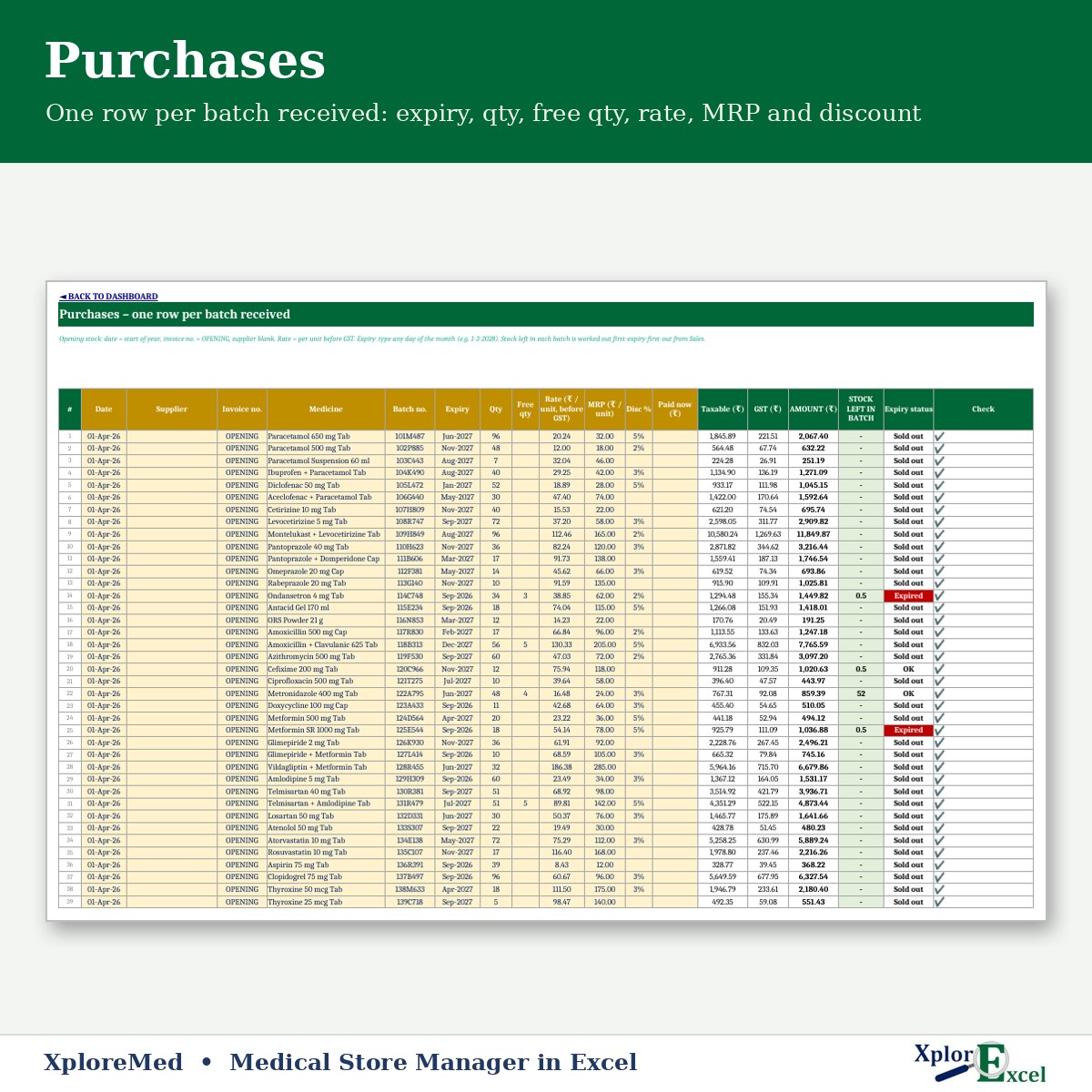
Purchases
One row per batch: expiry, qty, free qty, rate, MRP and discount.
03
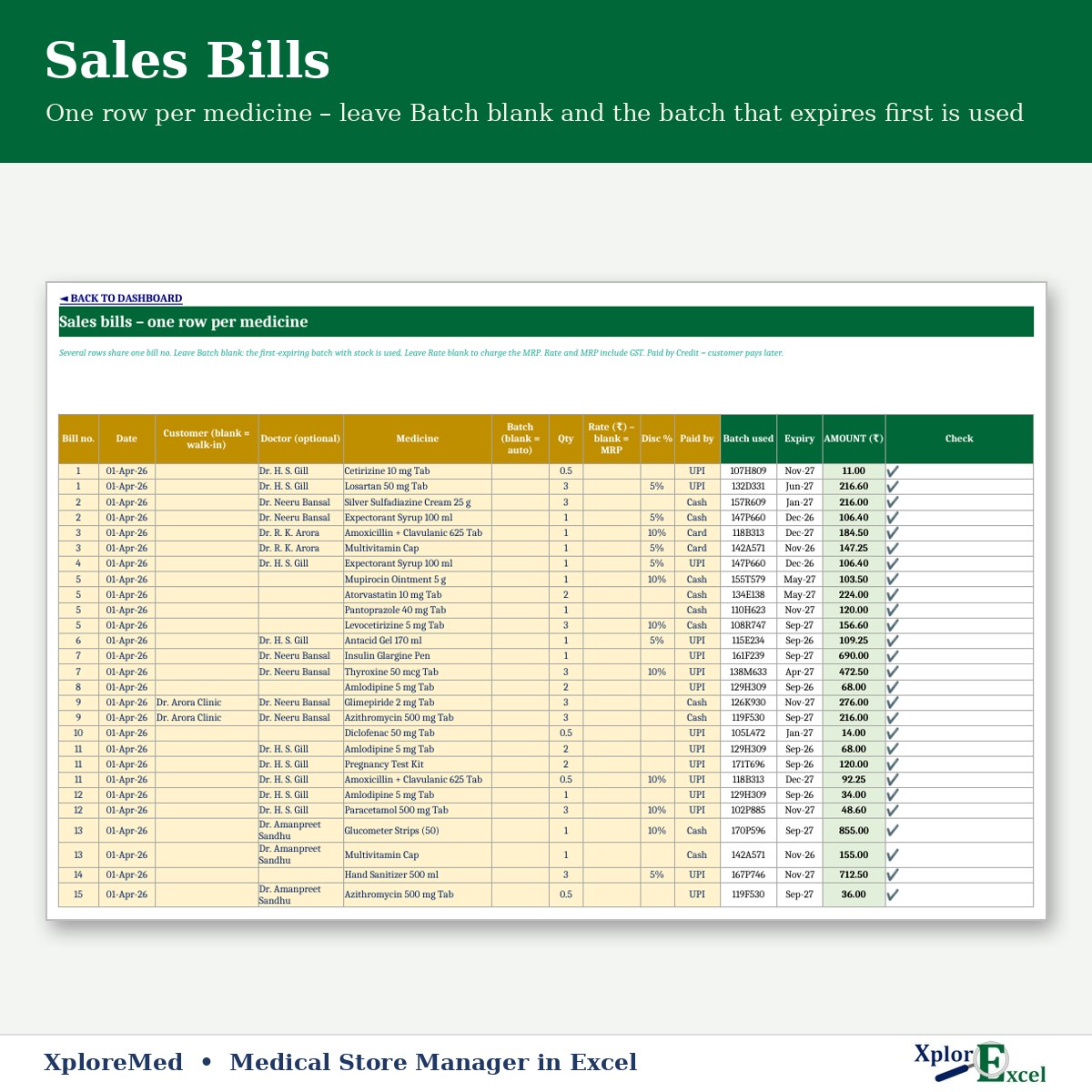
Sales
One row per medicine; batch picked first-expiry-first-out, MRP or discount.
04
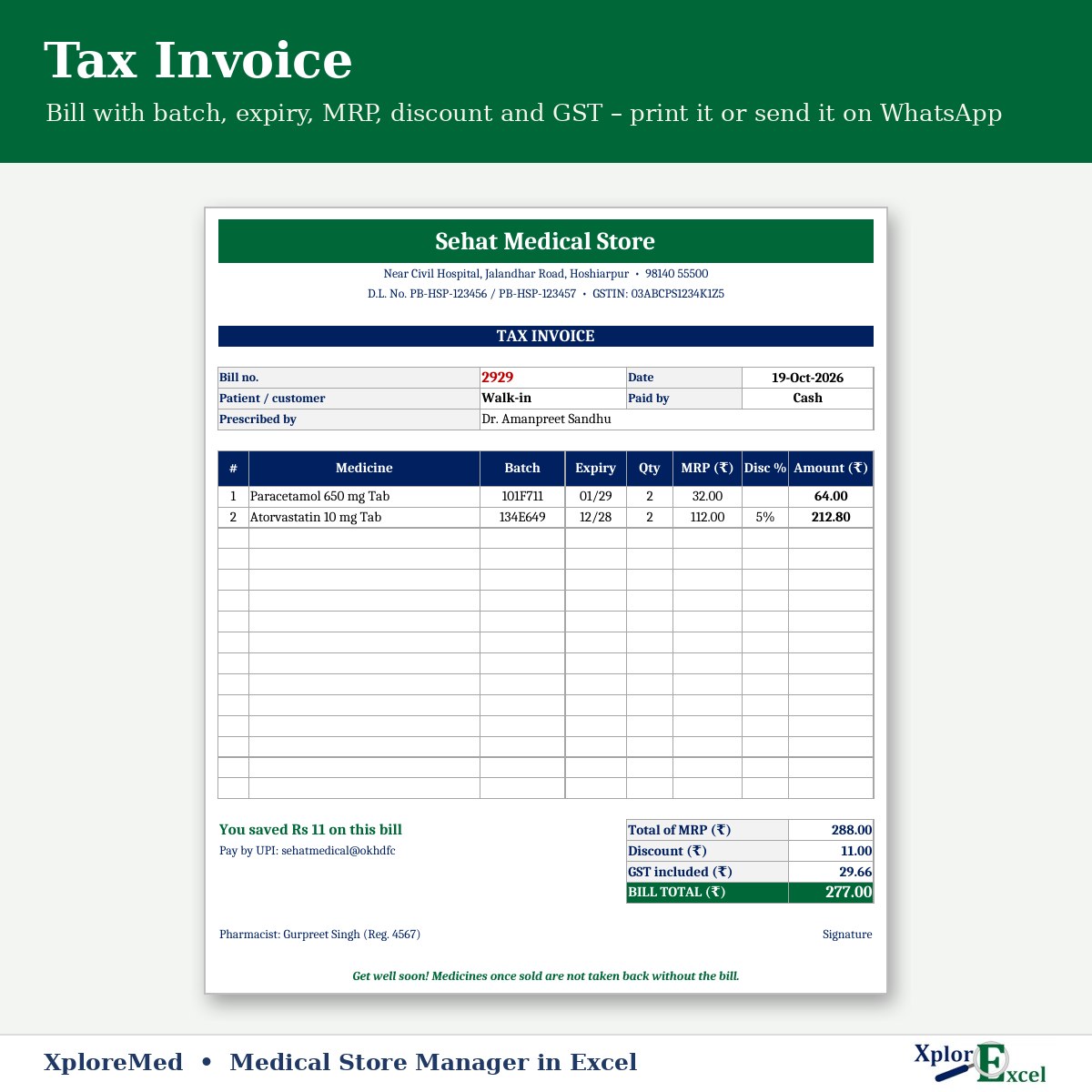
Tax invoice
Batch, expiry, MRP, discount and GST — print or send on WhatsApp.
05
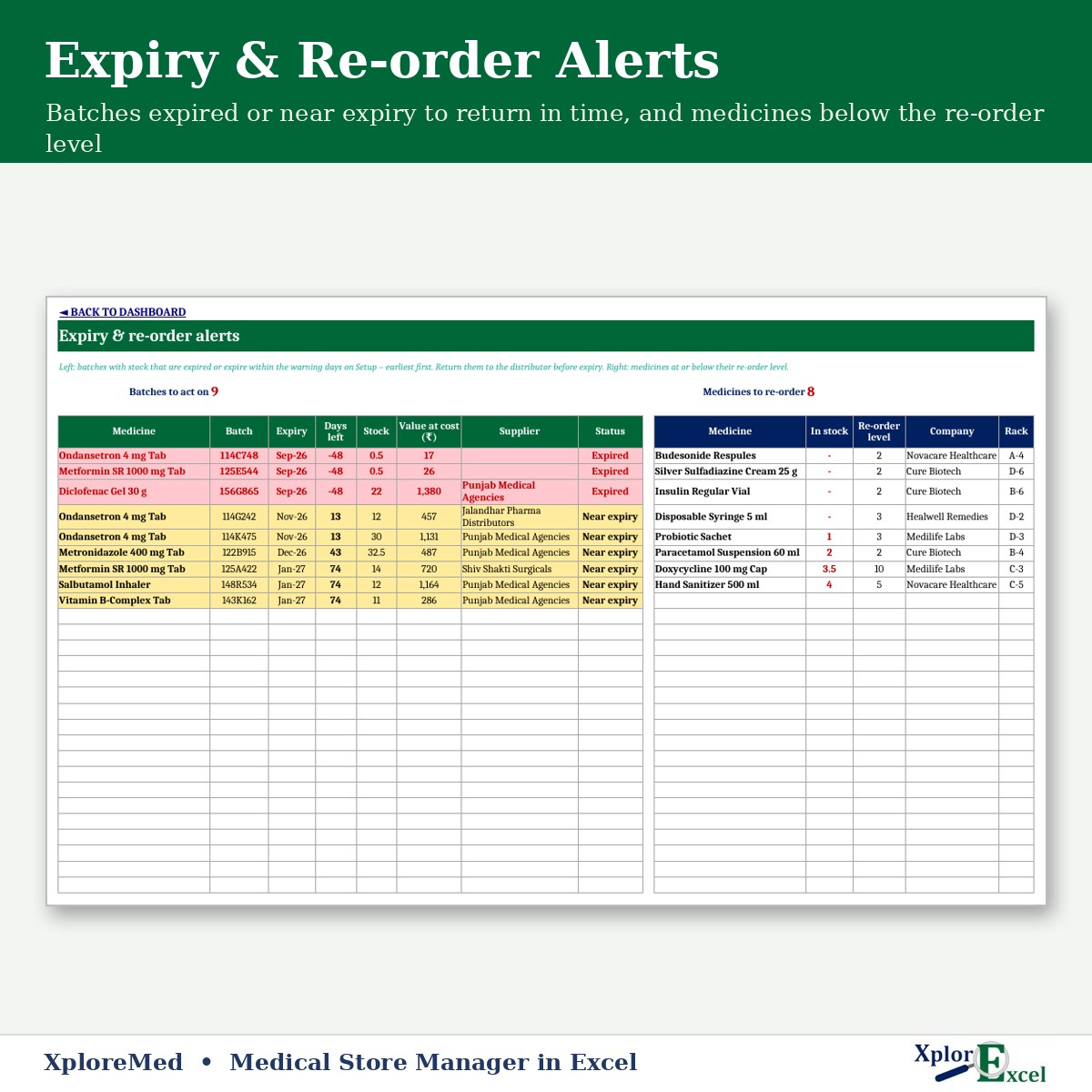
Alerts
Near-expiry and expired batches, and medicines to re-order.
06
Customers & suppliers
Credit dues and distributor payables, with payments.
07
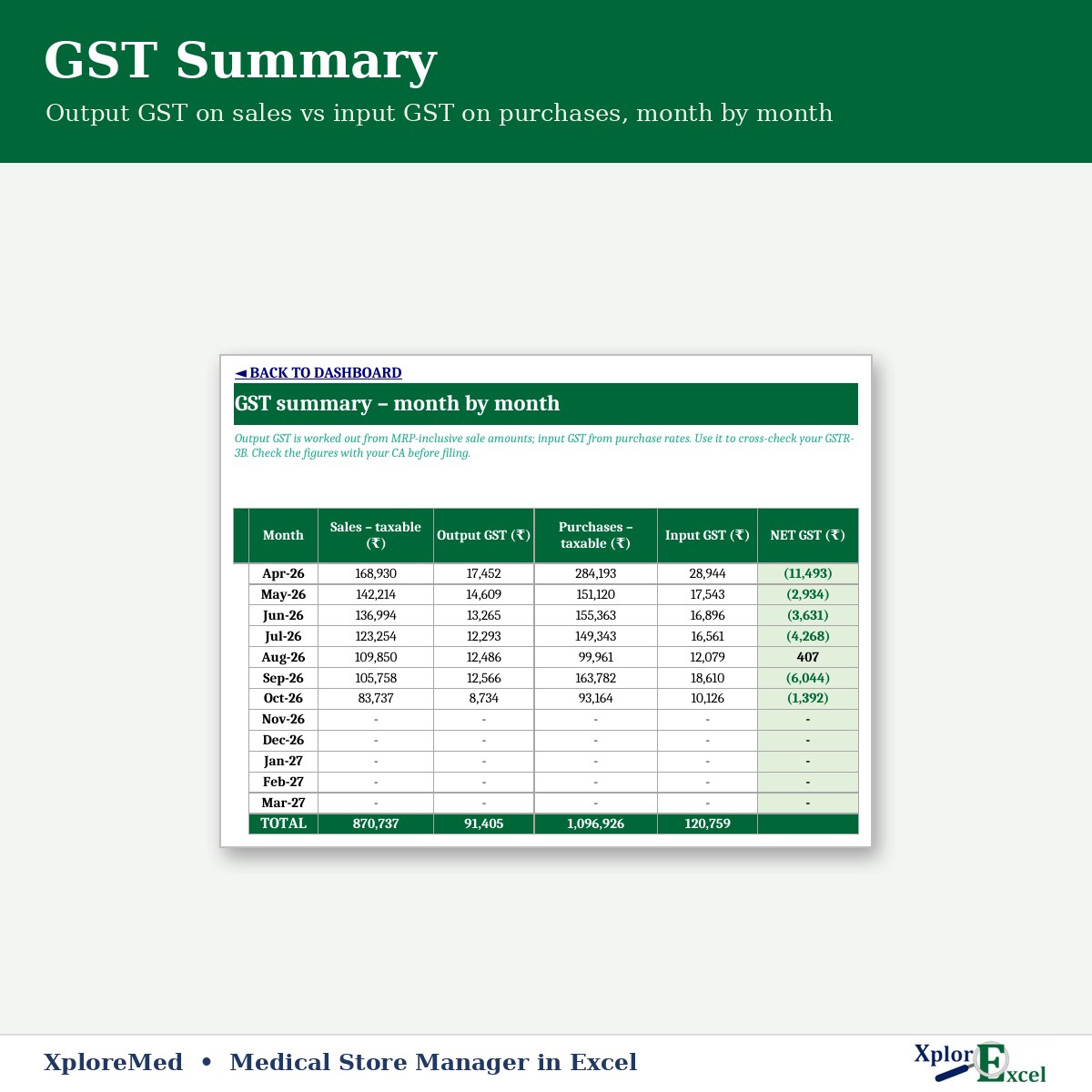
GST summary
Output GST on sales vs input GST on purchases.
08
Monthly report
Sales, gross profit, expenses, net profit and collection.
09Macro edition
Bill a customer in seconds
Pick the medicine and qty — the bill no., customer and doctor stay for the next line of the same bill.
See the real sheets
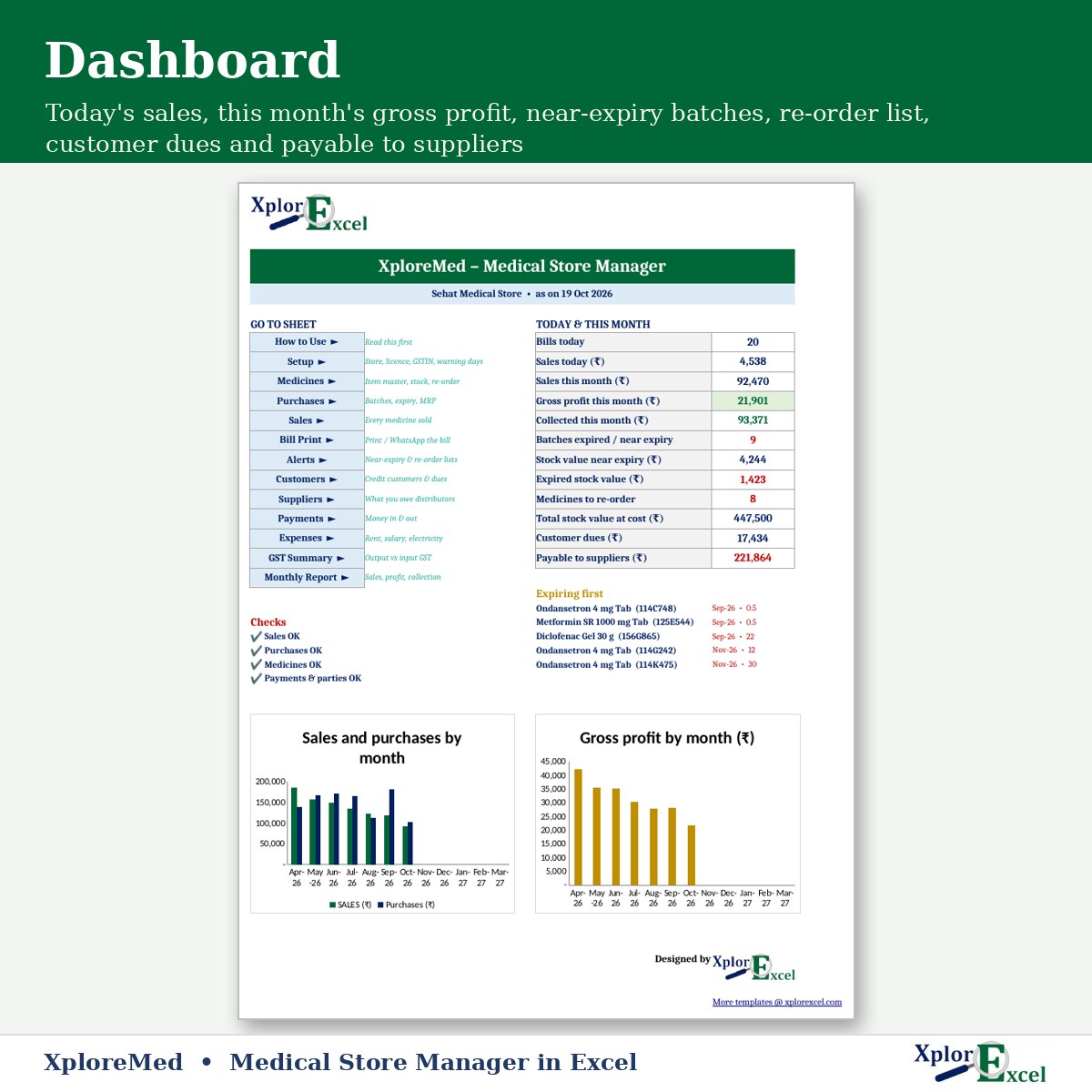
These are pages from the sample file in your download: a medical store with bills, purchases and alerts.
Made for
- Single-counter chemist shops
- Medical stores attached to a clinic
- Rural and small-town pharmacies
- About 25 bills a day
Not the right fit if
- You bill more than about 25 bills a day or use a barcode scanner
- You need a prescription (Schedule H / H1) register — keep that as the law requires
- You need several counters billing at the same time
Pick your plan
Same bills, stock, alerts and reports in both. Choose how you want to enter data.
Formula edition
₹799
- Works on phone and PC
- Type straight into the yellow boxes
- All bills, alerts and reports
Best for the counter
Macro edition
₹1,099
- Everything in the formula edition
- Easy fill-in forms for sales, purchases, medicines, customers, suppliers, payments and expenses on a Windows computer
- Sale bill: the bill no., customer and doctor stay after each Save — next line is just medicine + qty
- Tax invoice — print or PDF in one click
- Includes a phone copy for the Excel mobile app
Pay with UPI, cards or net banking. Digital file, so no refunds — but if the file doesn’t work for you, we’ll fix it.
Not sure yet? Try a free template first
Same builder, same yellow-box style. If our free templates work for you, XploreMed will too.
Hi, I’m Amanpreet
I run XplorExcel from Hoshiarpur, Punjab. I build these files for the way Indian chemists and small businesses actually work. If something in the file doesn’t make sense, message me.
Macro edition · Windows
Excel says “Microsoft has blocked macros”?
Windows blocks macros in every file downloaded from the internet. It takes one minute to fix:
- Close Excel. Right-click the file → Properties
- Tick Unblock → Apply → OK
- Open the file again → click Enable Content
Downloaded a ZIP? Unblock the ZIP before you extract it.
Questions
How does first-expiry-first-out work?
Leave Batch blank on a sale row and the batch that expires first is used. If you hand over a different batch, type its batch no. on that row.
Is this a Schedule H / H1 register?
No. XploreMed is a business register for billing, stock and accounts. Keep the Schedule H / H1 and other records your drug licence requires as the law requires.
How many bills can it handle?
Up to 8,000 sale rows and 2,000 purchase rows a year — about 25 bills a day — and 500 medicines. Use one file per financial year.
Will it work on my phone or Mac?
The formula edition opens in the Excel app on Android and iPhone, and on a Mac everything works except the WhatsApp buttons. The macro edition’s forms need Excel on Windows, and it includes a phone copy too.
Which Excel do I need?
Excel 2019, 2021 or Microsoft 365. It uses newer Excel functions, so Excel 2016 is not enough. The WhatsApp buttons and the macro edition’s forms need Excel on Windows.
Macros are blocked / the buttons don’t work — what do I do?
Windows blocks macros in any Excel file downloaded from the internet. Right-click the .xlsm file → Properties → tick “Unblock” → Apply → OK, then open it and click “Enable Content” on the yellow bar. If you got a ZIP, unblock the ZIP before you extract it. Watch the 1-minute fix ↑
How do I get the file?
The download link appears as soon as payment goes through and is also sent to your email. You can download it again anytime — there is no expiry.
Return expiring stock before it’s too late.
Pay once · Instant Download · Lifetime Access