
Quick answer: A prescription pad usually has:
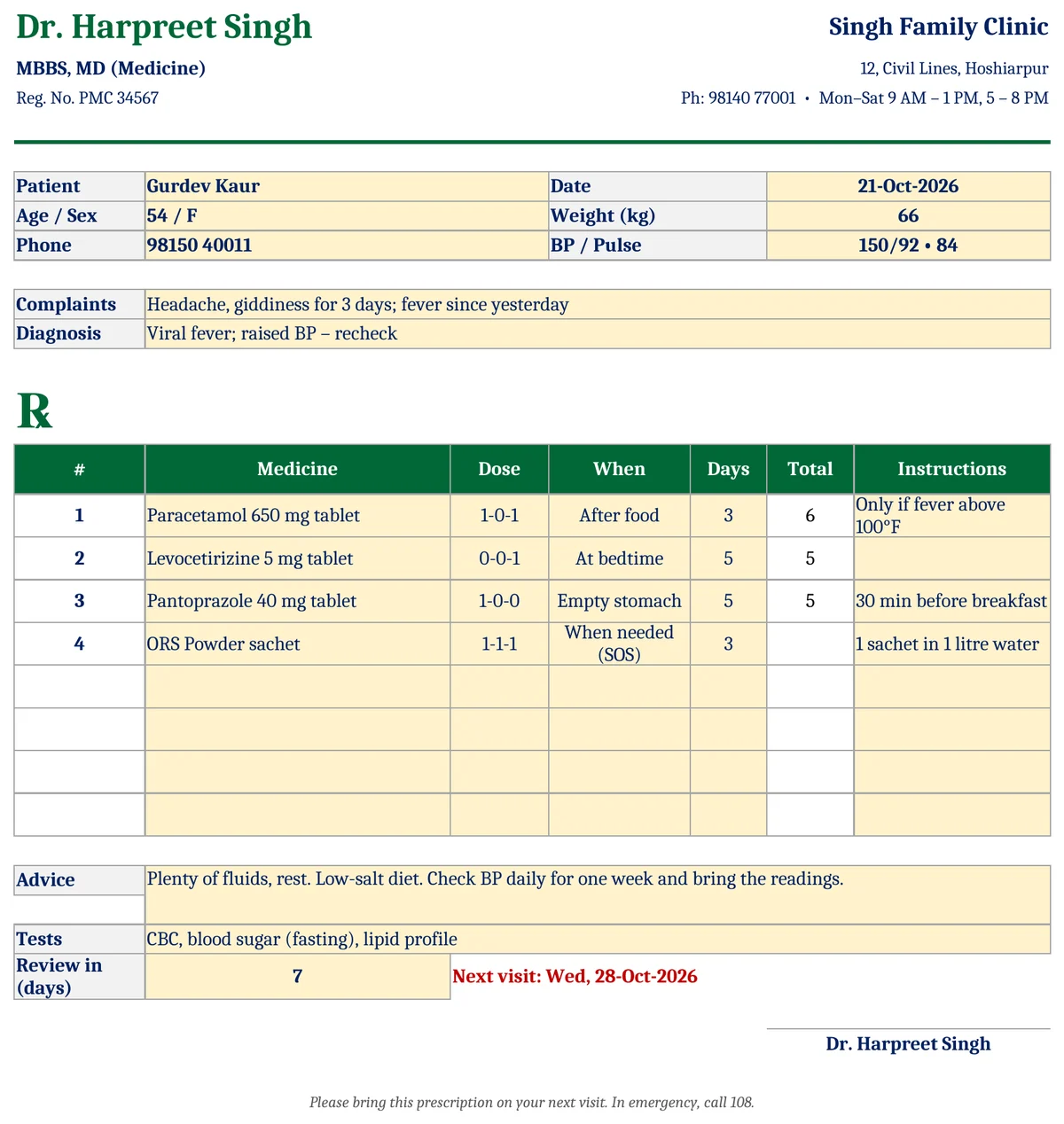
- the doctor’s name, qualification, registration number, clinic address, phone and timings at the top
- the patient’s name, age and sex, date, weight and vitals
- complaints and diagnosis
- the ℞ section: each medicine with strength, dose (1-0-1), when to take it and for how many days
- advice, tests, the next visit date and the doctor’s signature
Download a free prescription pad format in Excel below. Type your details once; pick medicines from your own list for each patient.
Key takeaways
- Letterhead filled from the Doctor Details sheet.
- Patient block with weight, BP and pulse.
- Up to 8 medicines picked from your own medicine list.
- Tablet / capsule total worked out from dose × days.
- Review in X days gives the next visit date.
- Prints on one A4 page, or save it as PDF.
Your medicine list
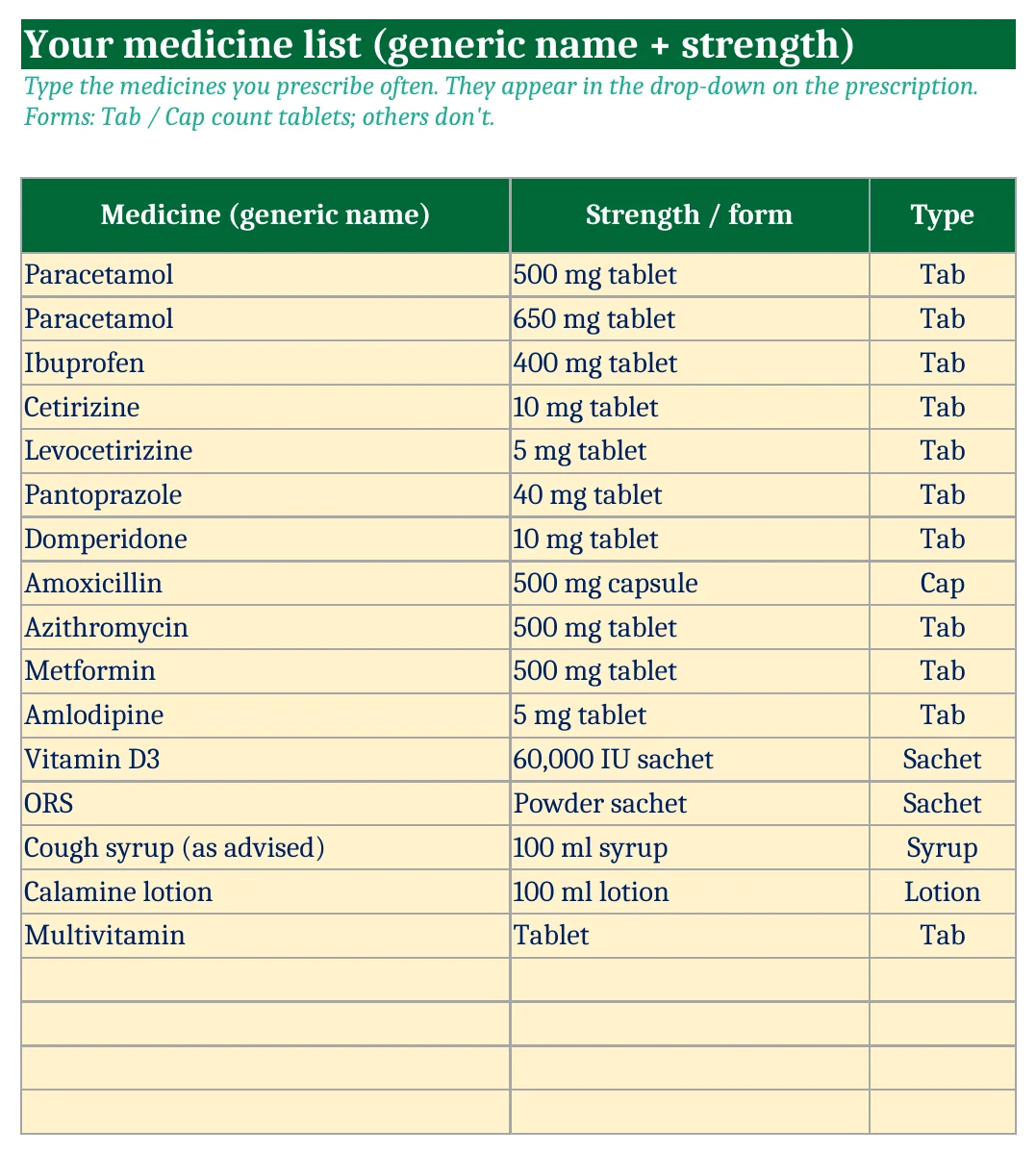
The names in the sample are common examples to show the layout. They are not advice for any patient. Type the medicines and strengths you actually prescribe.
How to use the template
- Doctor Details: type your name, qualification, registration number, clinic, address, phone, timings and footer note.
- Medicine List: type your common medicines by generic name and strength, and set the type (Tab, Cap, Syrup …).
- Prescription: fill in the patient and the visit, pick medicines, type dose, when and days, then print.
Tips
- Write in capitals or print it. A clear prescription prevents dispensing mistakes.
- Prescribe by generic name where you can. Medical guidelines in India encourage it, and your list makes it quick.
- Save a PDF of each prescription in a folder by date, so you have a record of every visit.
Download the free Prescription Pad Format
There are three sheets: Prescription, Medicine List and Doctor Details. Fill in the yellow cells; everything else is worked out.
Get updates and new free templates
Your download below doesn’t need this. Leave your WhatsApp number or email and I’ll send you fixes for this file and new free templates. No spam, unsubscribe anytime.

Was this template useful?
Related free templates Free Excel files people download with this one
FAQs
Can I print it on my existing letterhead?
Yes. Hide the top rows and print the rest on your pre-printed paper.
Can a dentist or physiotherapist use it?
Yes. Change the medicine list to your own treatments or exercises.
Is my patient data stored anywhere online?
No. It stays in the Excel file on your computer.
