
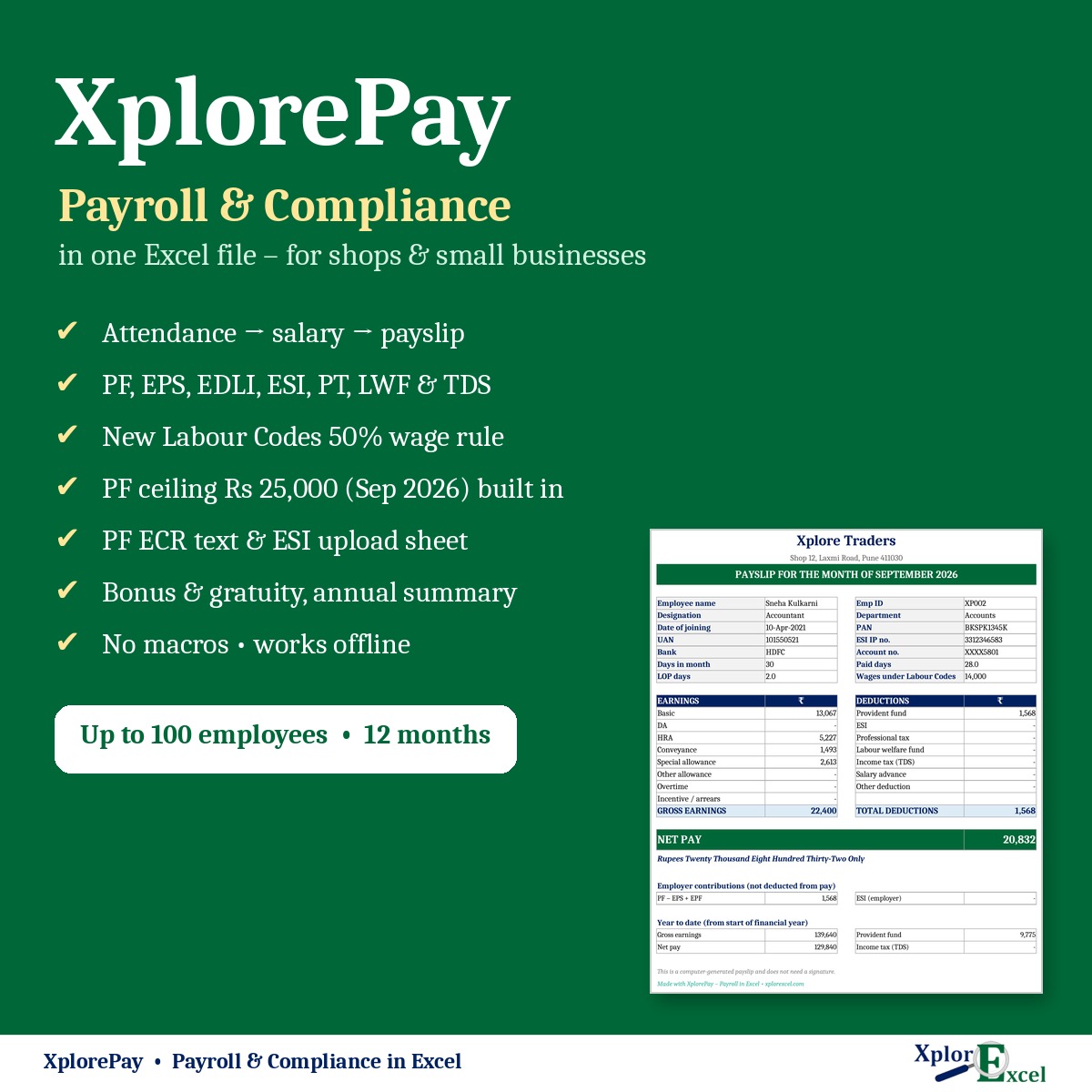
XplorePay is a complete payroll and statutory compliance system in one Excel file, made for shops, offices, clinics, workshops and small businesses in India with 2 to 100 employees. Mark attendance, and salaries, PF, ESI, professional tax, payslips, the bank transfer list and your PF and ESI returns are worked out for you. There’s no software to install, no subscription and no per-employee fee.
What you can do with it
- Turn monthly attendance into salary: paid days, LOP, overtime, incentives and advances.
- Work out PF (EPF, EPS, EDLI, admin), ESI, professional tax, LWF and TDS correctly for every employee.
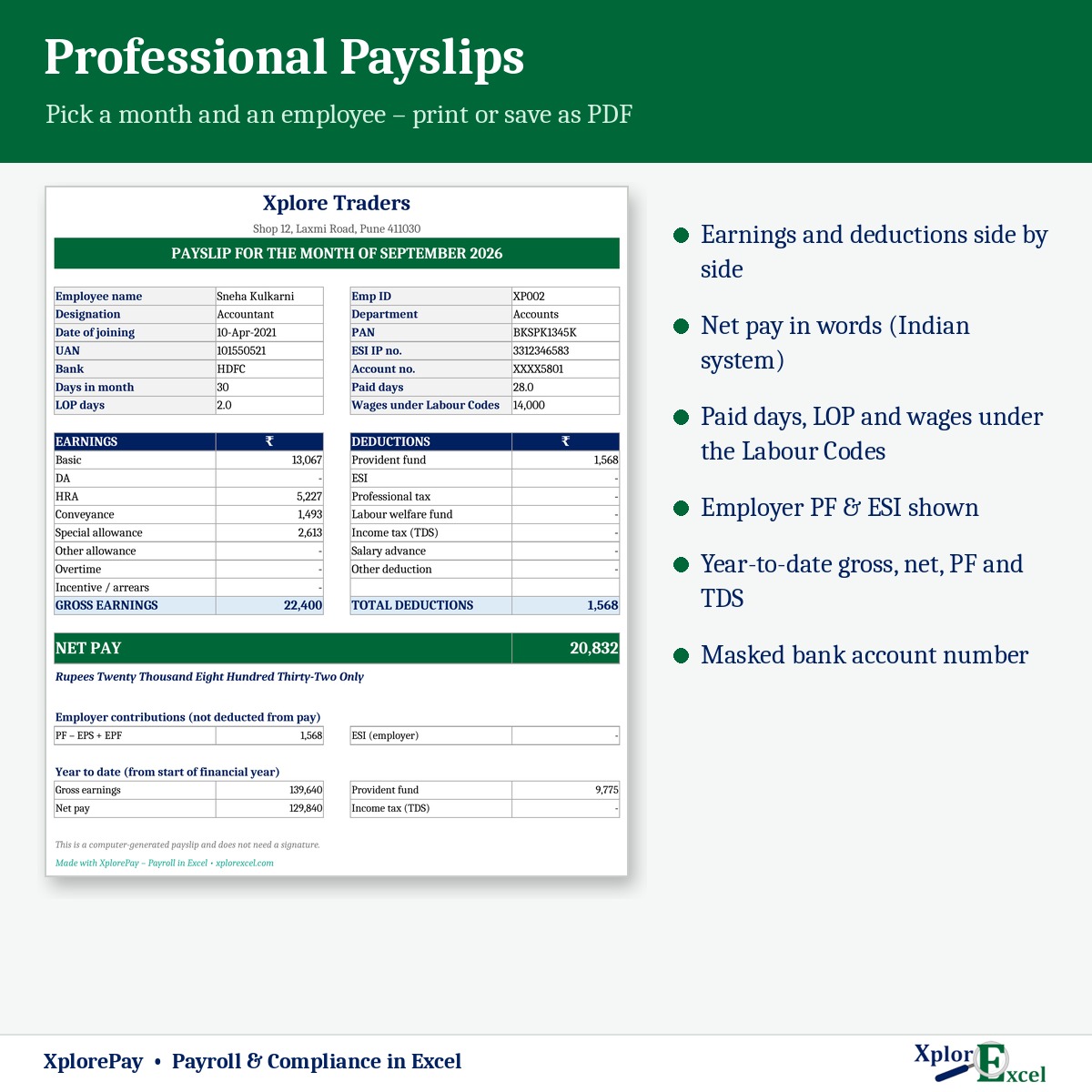
- Print payslips with net pay in words, a signed salary register and a bank transfer sheet for NEFT.
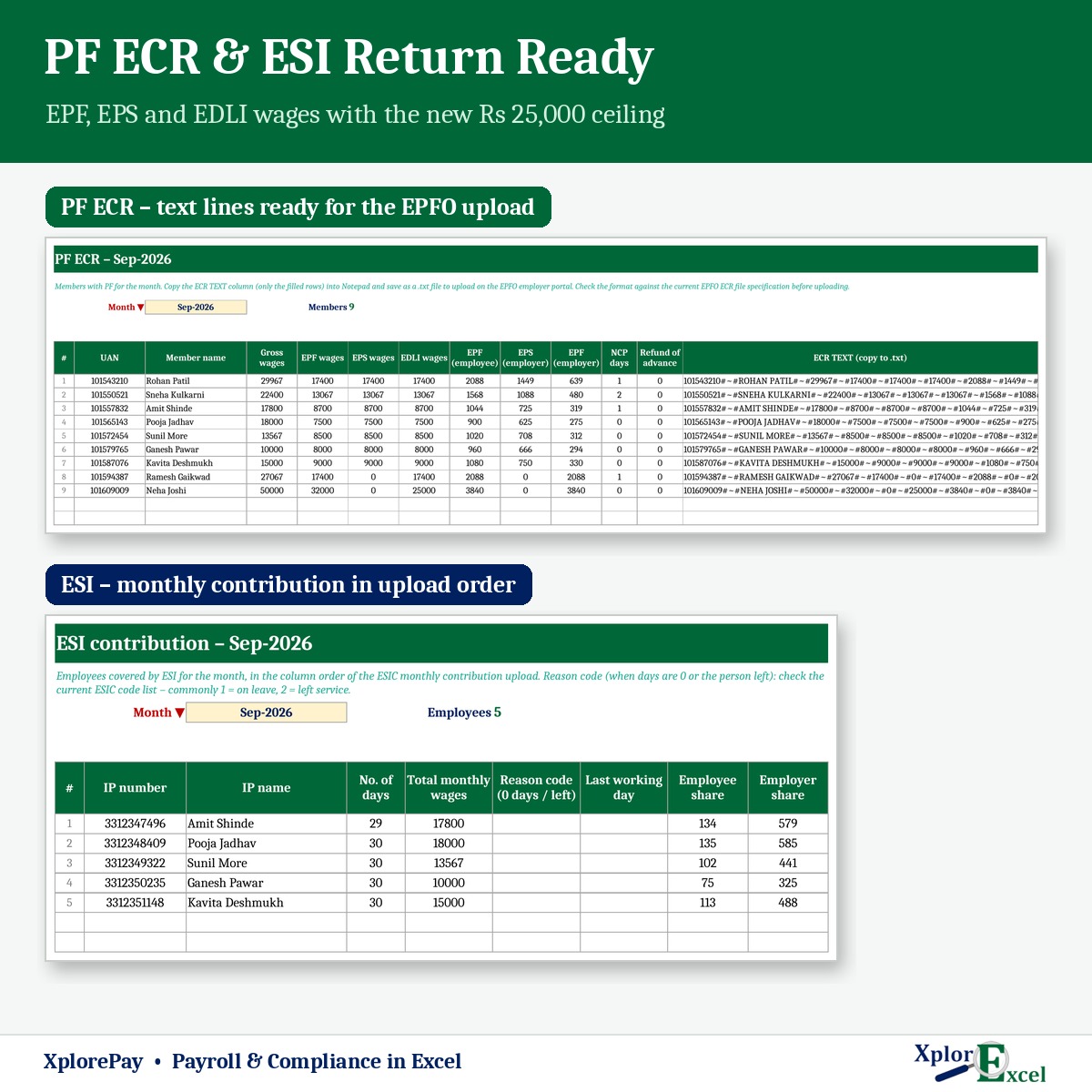
- Get the PF ECR text for the EPFO portal and the ESI contribution sheet for ESIC every month.
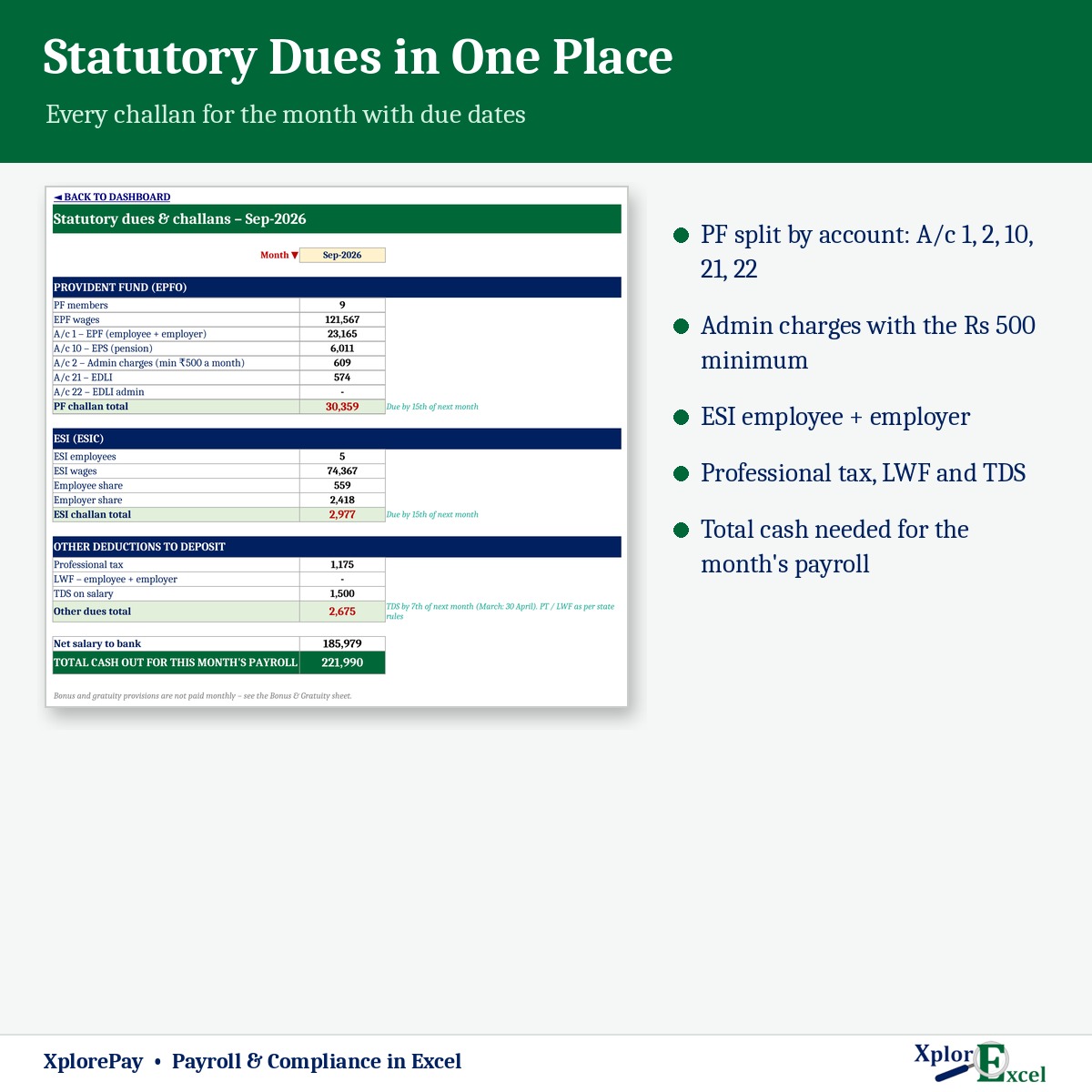
- See every challan and due date on one page, plus bonus, gratuity and an annual summary for Form 16.
Updated for the 2025–26 rule changes
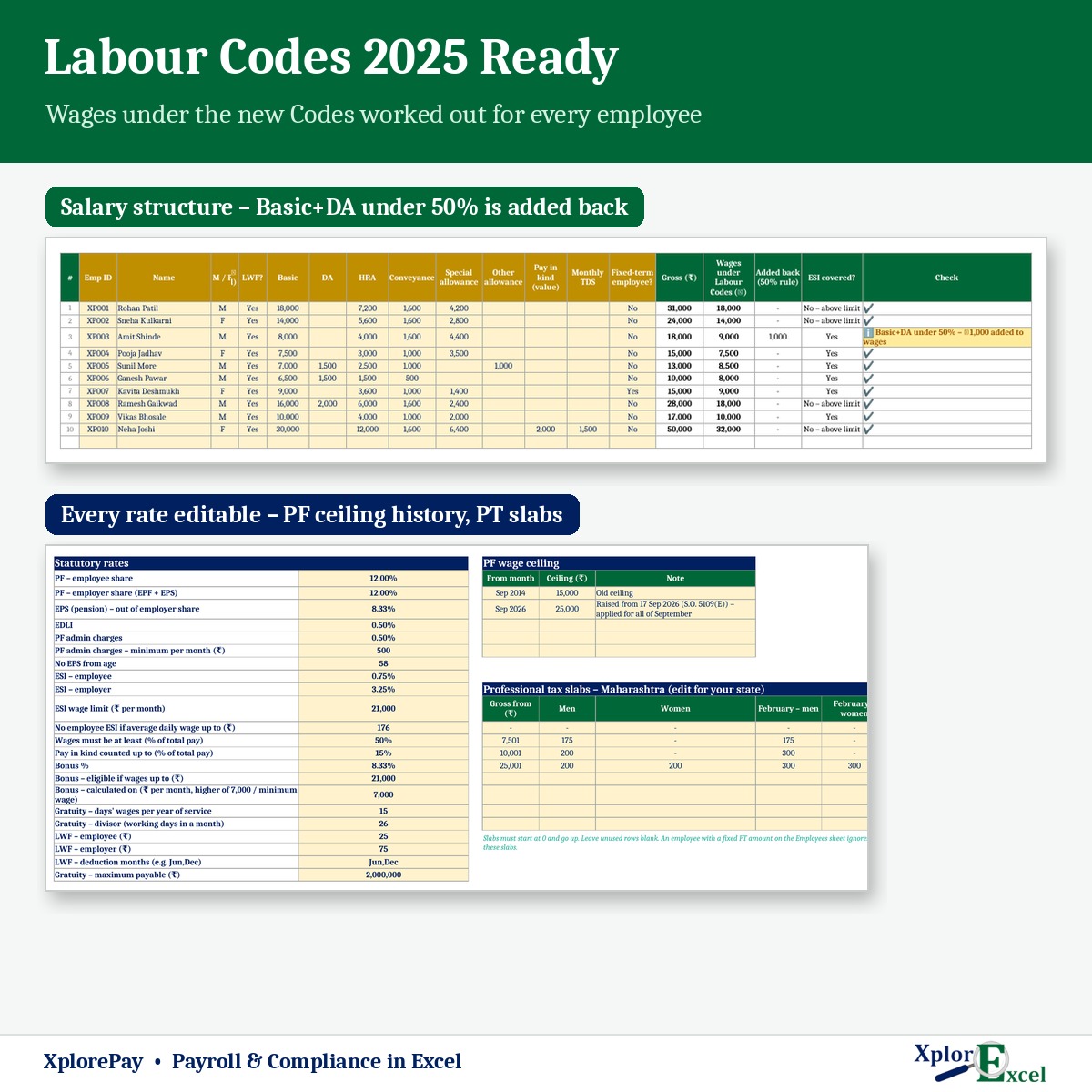
- New Labour Codes (in force from 21 November 2025): Basic + DA must be at least 50% of total pay. If it is less, XplorePay adds the shortfall back to the employee’s wages for PF and gratuity, and shows you how much was added.
- PF wage ceiling raised to ₹25,000 (September 2026): EPS and EDLI are worked out on the new ceiling from September and on ₹15,000 for earlier months, automatically.
- Bonus ceilings as notified under the Code on Wages, the ESI limit of ₹21,000, the ESI exemption for low daily wages, and no EPS from age 58.
- Every rate sits in one Setup sheet, so you can update it yourself when the government changes a rule.
Features
Employees & attendance
- Up to 100 employees: UAN, ESI IP no., PAN, bank details, and the full-month salary structure (Basic, DA, HRA, conveyance, special and other allowances, pay in kind).
- Choose PF, EPS, ESI, PT and LWF for each employee, with an option for PF on full wages above the ceiling.
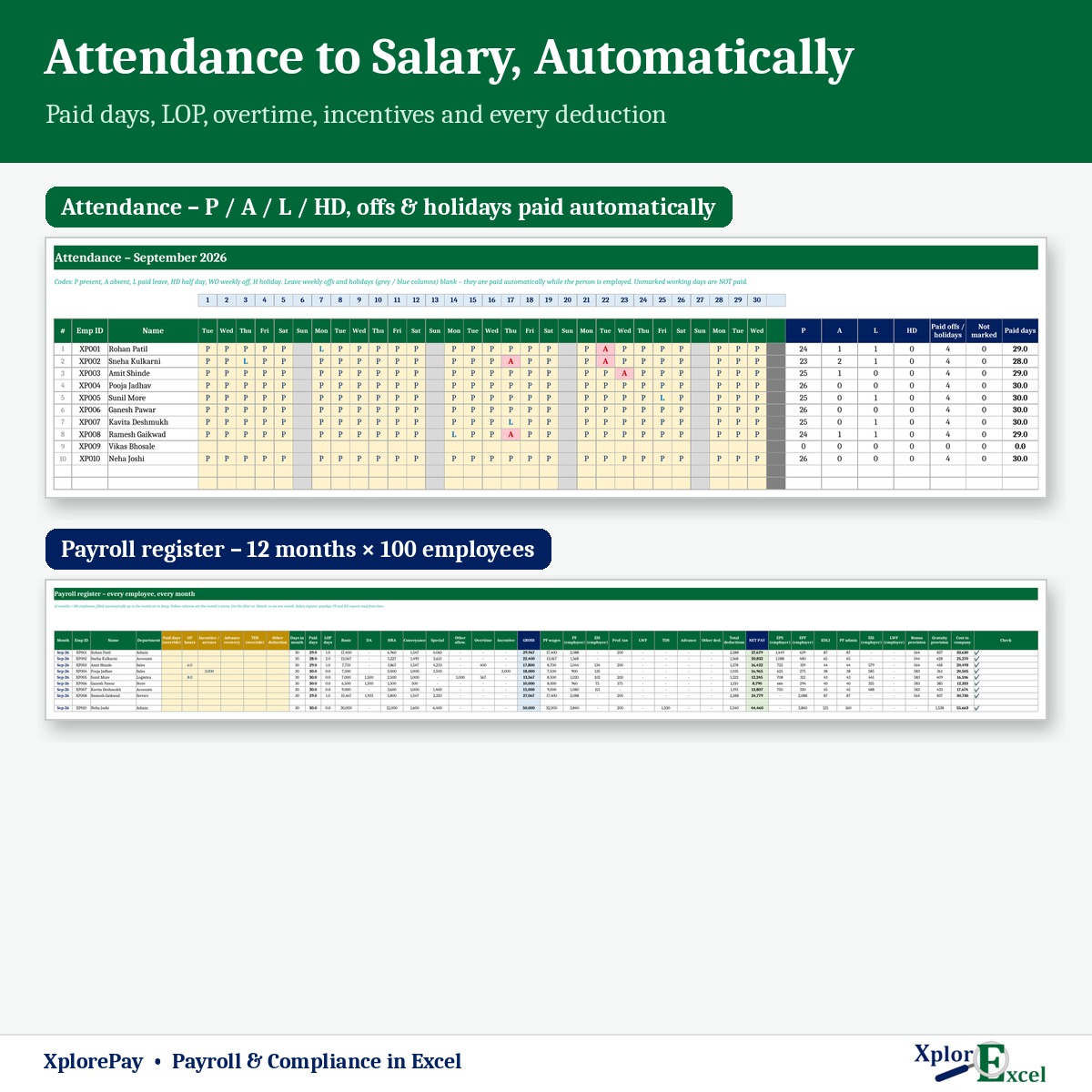
- 12 monthly attendance sheets (P / A / L / HD). Weekly offs and holidays are paid automatically, and joining and leaving dates are respected. Prefer not to mark attendance? Just enter paid days.
Salary & payslips
- Payroll register for 12 months × 100 employees, with a filter for any month.
- Overtime at 2× the ordinary wage rate (editable), incentives and arrears, advance recovery and TDS.
- Payslip for any employee and month, with net pay in words, employer contributions and year-to-date figures.
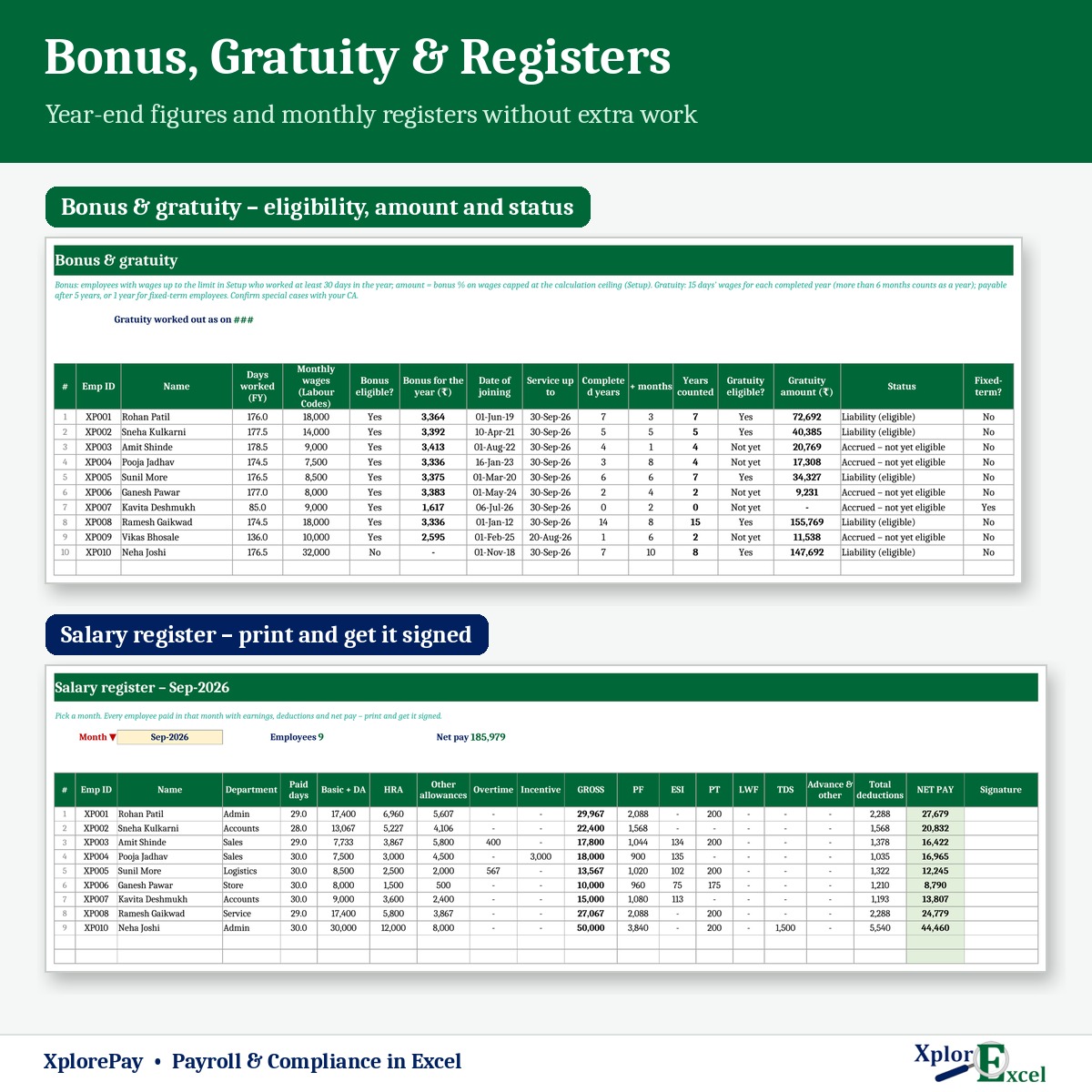
- Salary register to print and sign, and a bank transfer sheet with account number and IFSC.
PF, ESI & other dues
- PF ECR with gross, EPF, EPS and EDLI wages, contributions and NCP days, plus a ready text line for each member.
- ESI return in the ESIC upload column order. The reason code and last working day fill in for leavers.
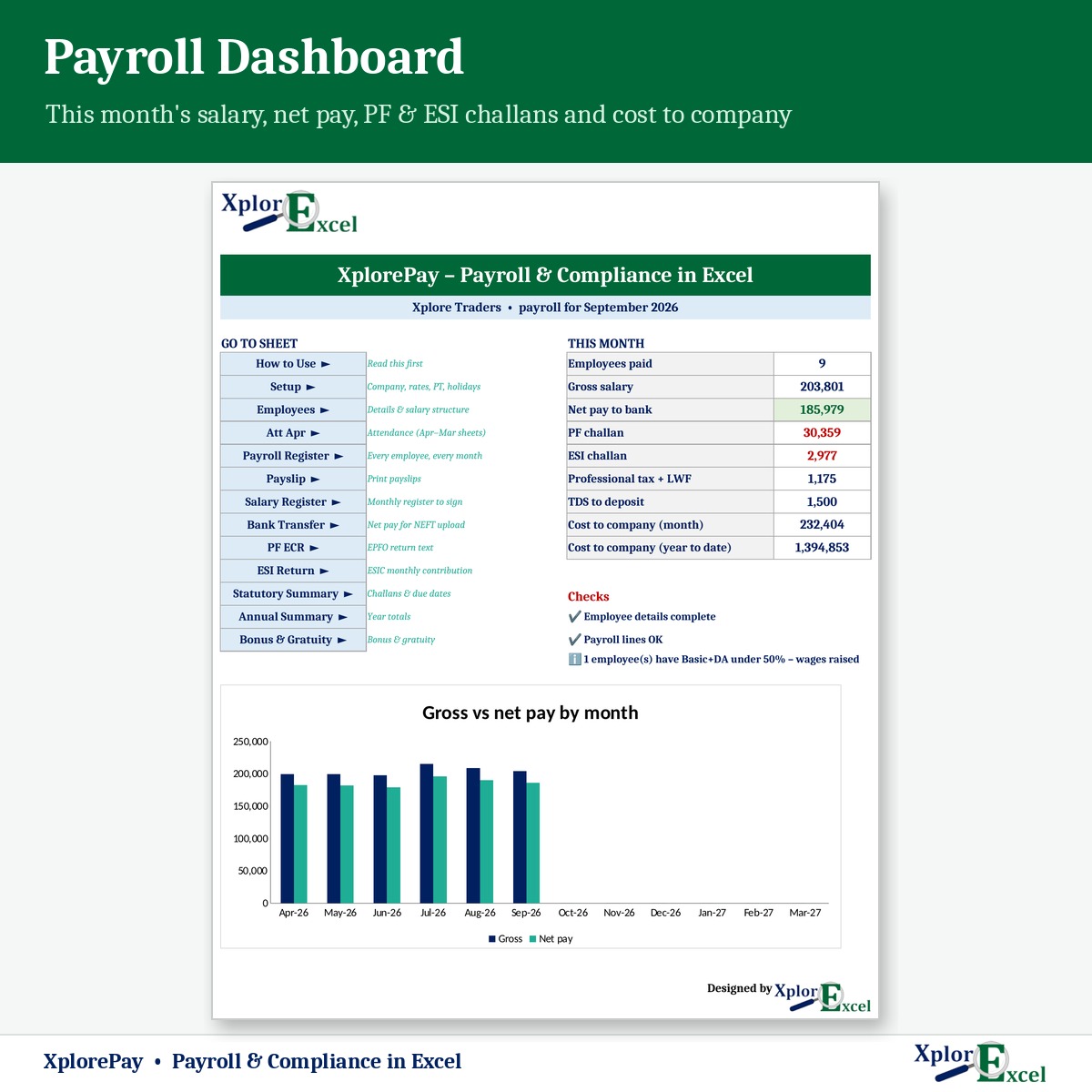
- Statutory summary: PF A/c 1, 2 (with the ₹500 minimum), 10, 21 and 22, ESI, PT, LWF and TDS, with due dates and the total cash you need.
- Professional tax slabs for your state, including different slabs for women and February where applicable (Maharashtra is filled in as an example).
Year end
- Bonus eligibility and amount at your chosen bonus %.
- Gratuity: years of service with 6-month rounding, eligibility (5 years, or 1 year for fixed-term staff) and the amount payable, up to ₹20 lakh.
- Annual summary per employee (for Form 16) and month-wise company totals, plus a dashboard with checks and a chart.
What you get
- XplorePay 1.0 – Blank (Start Here).xlsx for your business
- XplorePay 1.0 – Sample Data (Demo).xlsx: a shop with 10 employees, April to September 2026
- A built-in How to Use sheet and a README
Requirements
Microsoft Excel 2016 or later on Windows or Mac. No macros, works offline. One file per financial year.
XplorePay is a calculation tool, not legal advice. Labour-law rules are still being notified by some states, so check your settings with your CA or payroll consultant, and check the ECR file against the current EPFO format before you upload it.

Reviews
There are no reviews yet.