
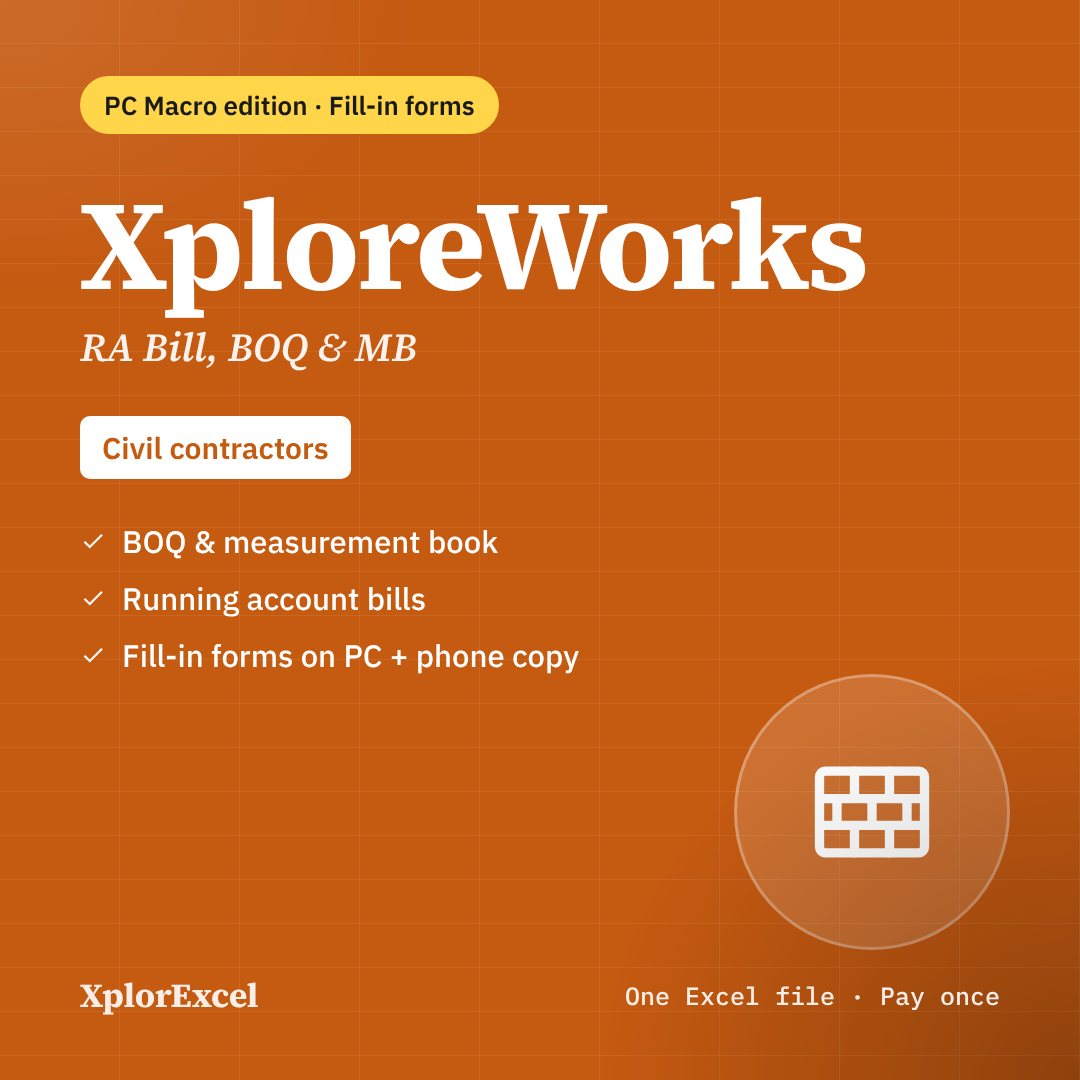
What the macro edition adds
- Easy fill-in forms with buttons on a Windows computer
- A Data Entry page with every form one click away (Ctrl + Shift + E)
- A Find box in every form to edit old entries
- Includes the formula-only copy for the Excel app on Android and iPhone
Needs: Microsoft Excel on Windows (2016, 2019, 2021 or Microsoft 365) for the forms and buttons. The forms do not run on Mac, Excel Online or Google Sheets — use the included .xlsx copy there.
Macros blocked? 1-minute fix
Windows blocks macros in any Excel file downloaded from the internet. It is a Windows safety setting, not a fault in the file, and you fix it once per file.

- Close Excel. Right-click the downloaded .xlsm file → Properties.
- At the bottom of the General tab, tick Unblock.
- Click Apply, then OK.
- Open the file and click Enable Content on the yellow bar.
Got a ZIP file? Unblock the ZIP first (same steps), then extract it. Every file you extract will open unblocked, so you don’t have to do each one separately.
No Unblock tick box in Properties? The file is already unblocked, so just open it and click Enable Content. Still stuck? Watch the video on YouTube or message me.
Digital file, so no refunds — but if the file doesn’t work for you, we’ll fix it.
Everything in XploreTent
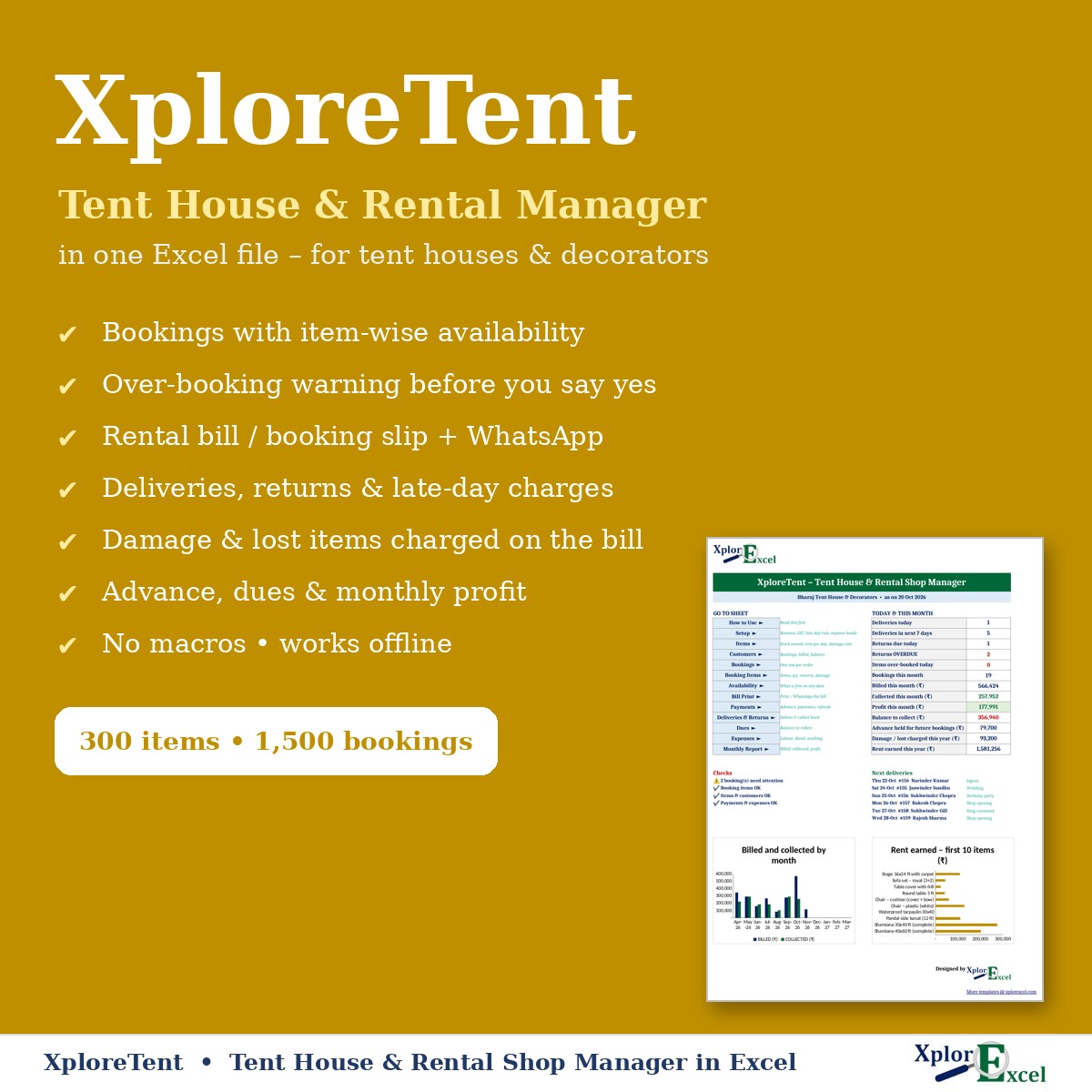
XploreTent runs a tent house, decorator or rental shop in one Excel file. Enter a booking and its items, and the file works out:
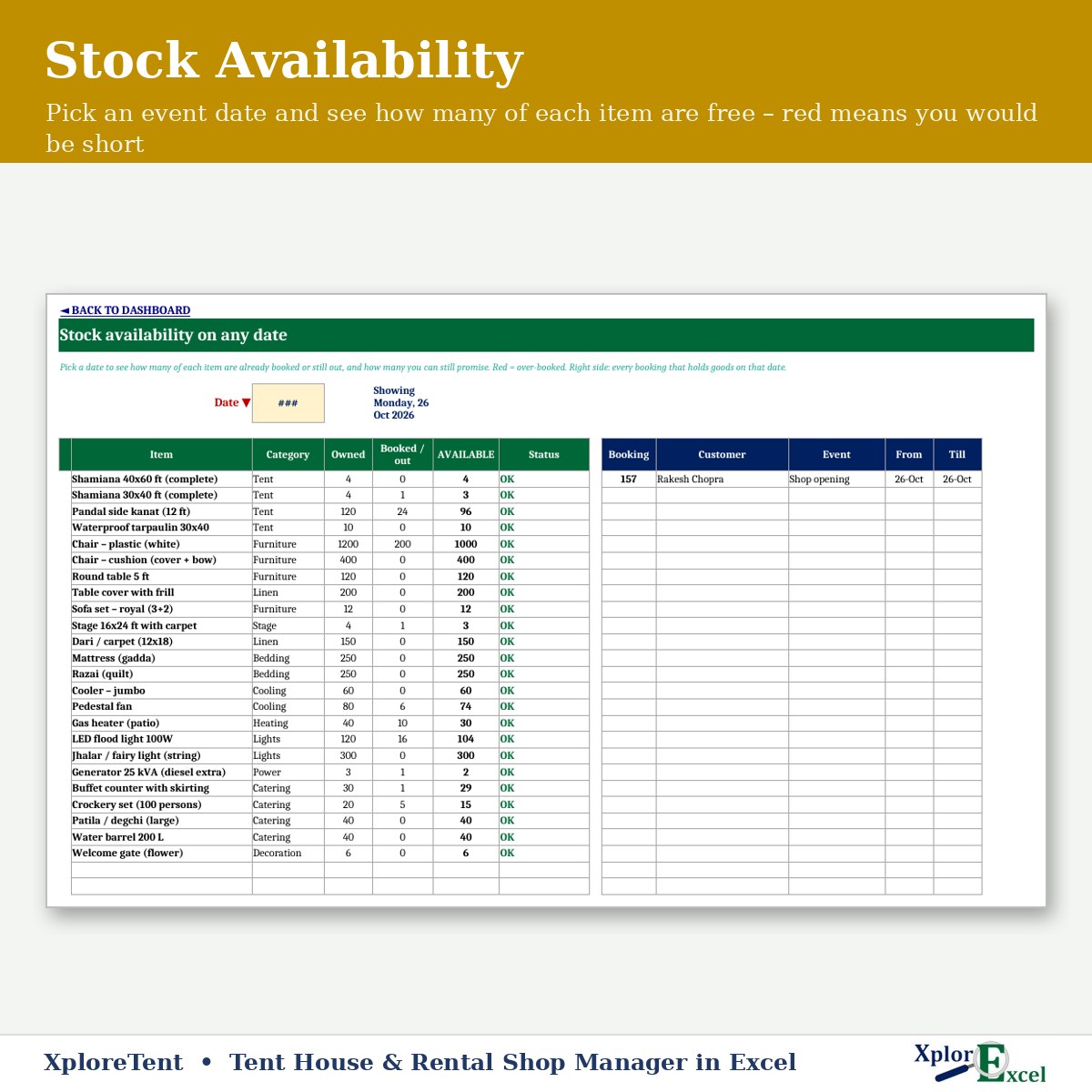
- how many of each item are free on the event date, and warns you before you over-book
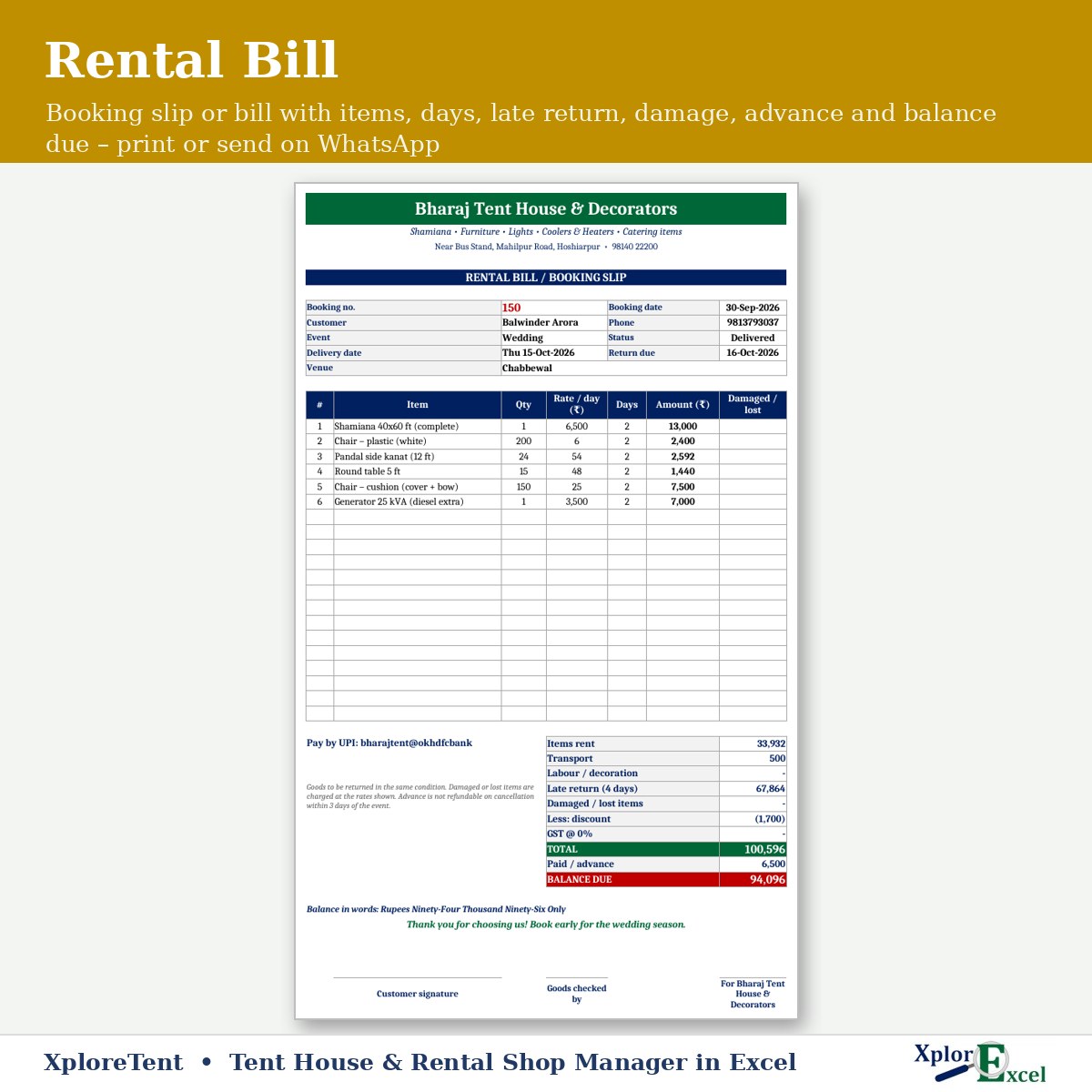
- the bill with transport, labour, late days and damage
- the customer’s advance, balance and dues
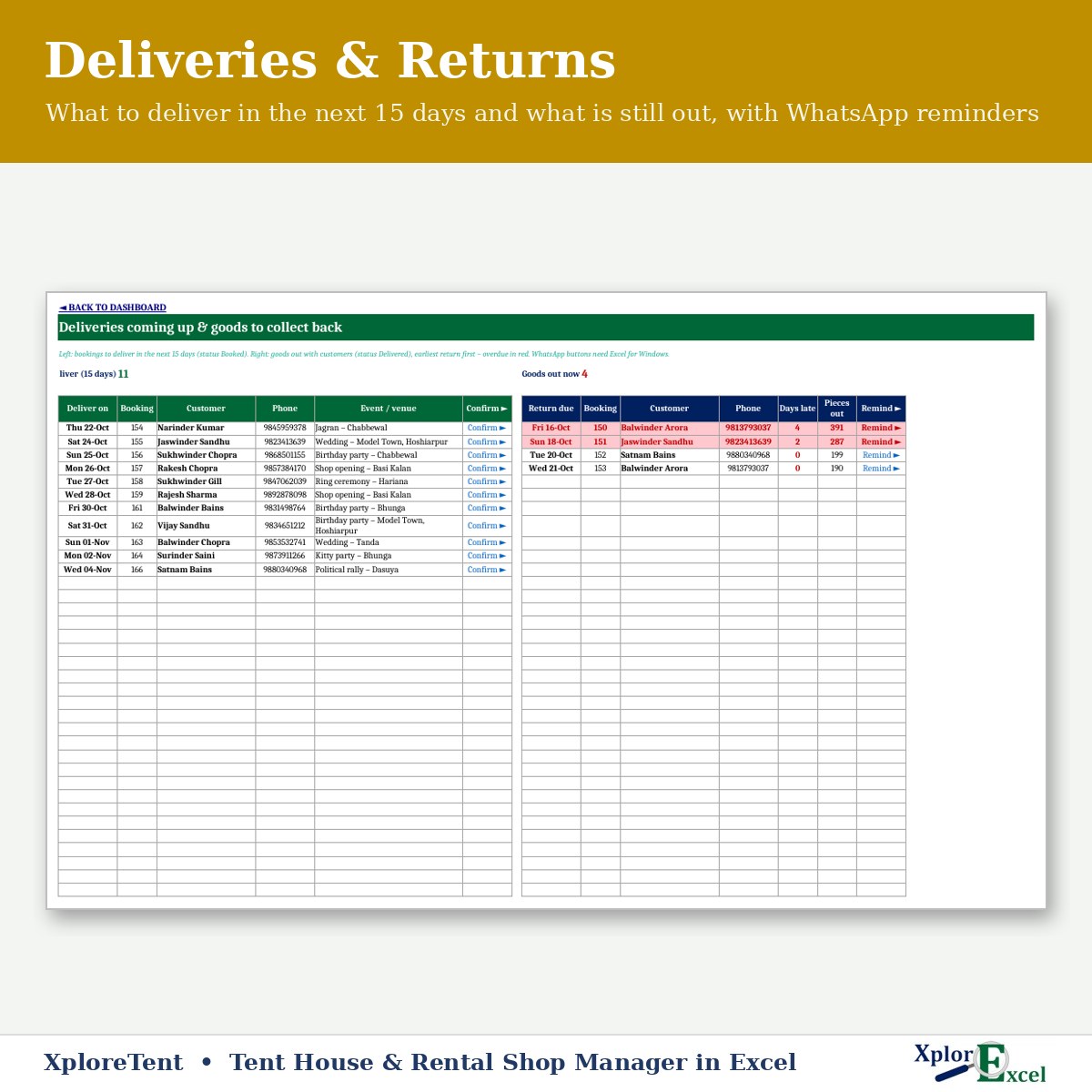
It lists what to deliver in the next 15 days and what is still out, with WhatsApp reminders for goods to collect back. There’s no software subscription, and it works offline.
What you can do with it
- Check availability for any date before you say yes: shamiana, chairs, sofas, coolers, heaters, lights, crockery… Red means you would be short.
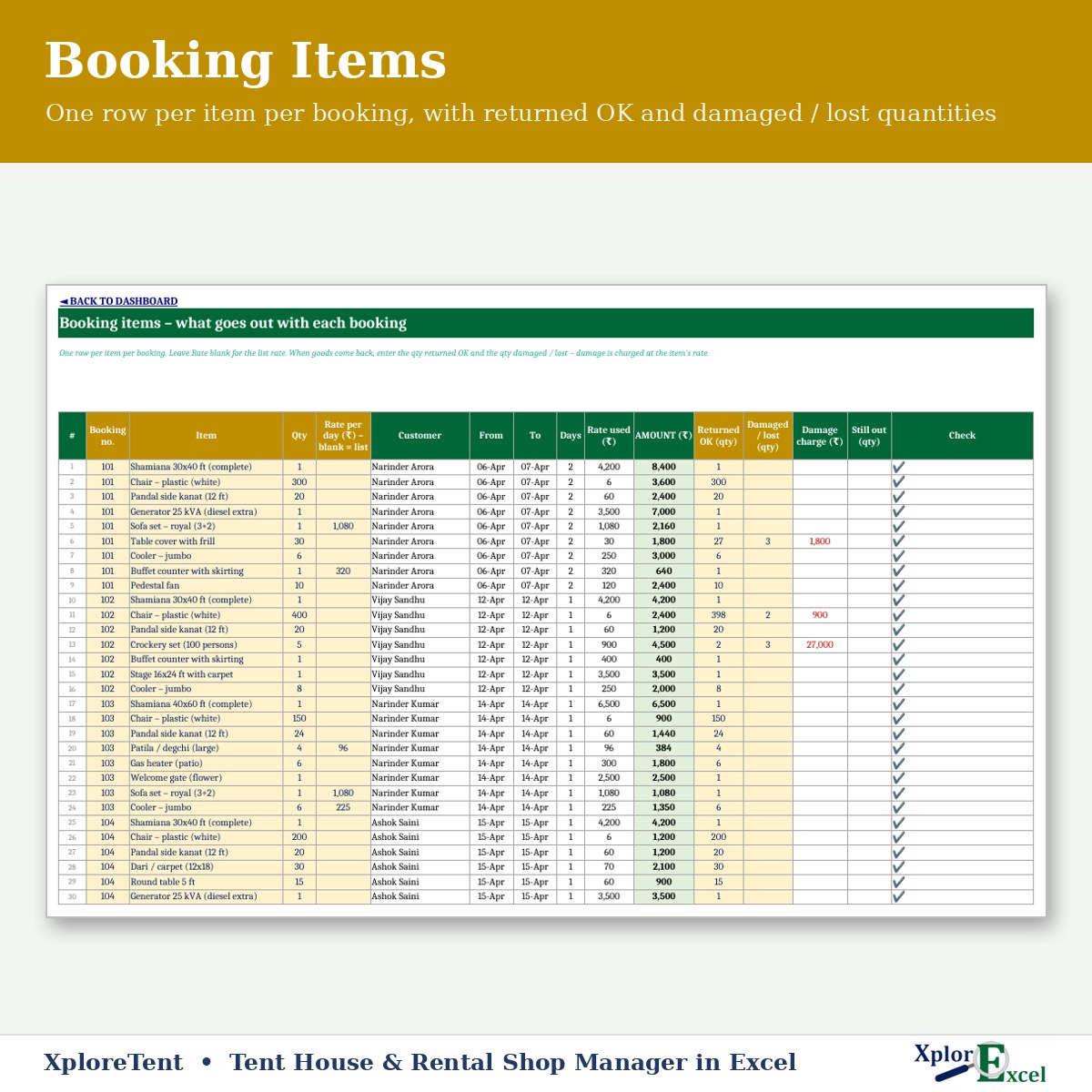
- Enter bookings with event, venue, delivery and return dates, transport, labour and discount, and the items going out with each one. A line turns red if that item is over-booked on those dates.
- Print a rental bill / booking slip or send it on WhatsApp, with advance, balance and amount in words.
- On return, enter returned OK and damaged / lost qty. Late days and damage charges are added to the bill.
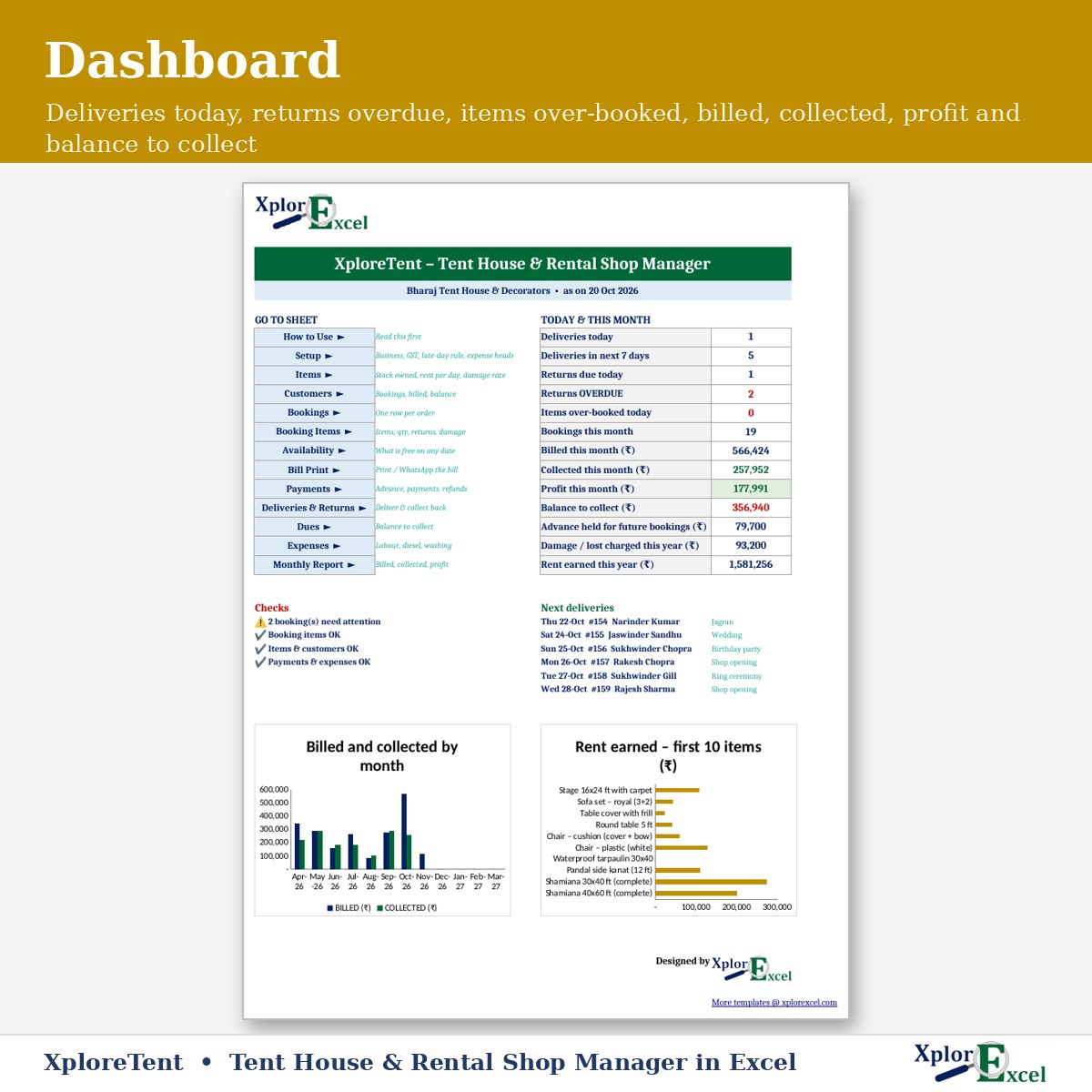
- See deliveries coming up, goods still out (overdue in red) and balances to collect.
Features
- Items: up to 300, with qty owned, rent per day and damage / lost charge. Rent earned and damage per item fill in.
- Customers: up to 1,500, including gurdwara / mandir committees and caterers, with bookings, billed, paid and balance.
- Bookings: up to 1,500 a year and 6,000 item lines.
- Payments: advances, payments and refunds.
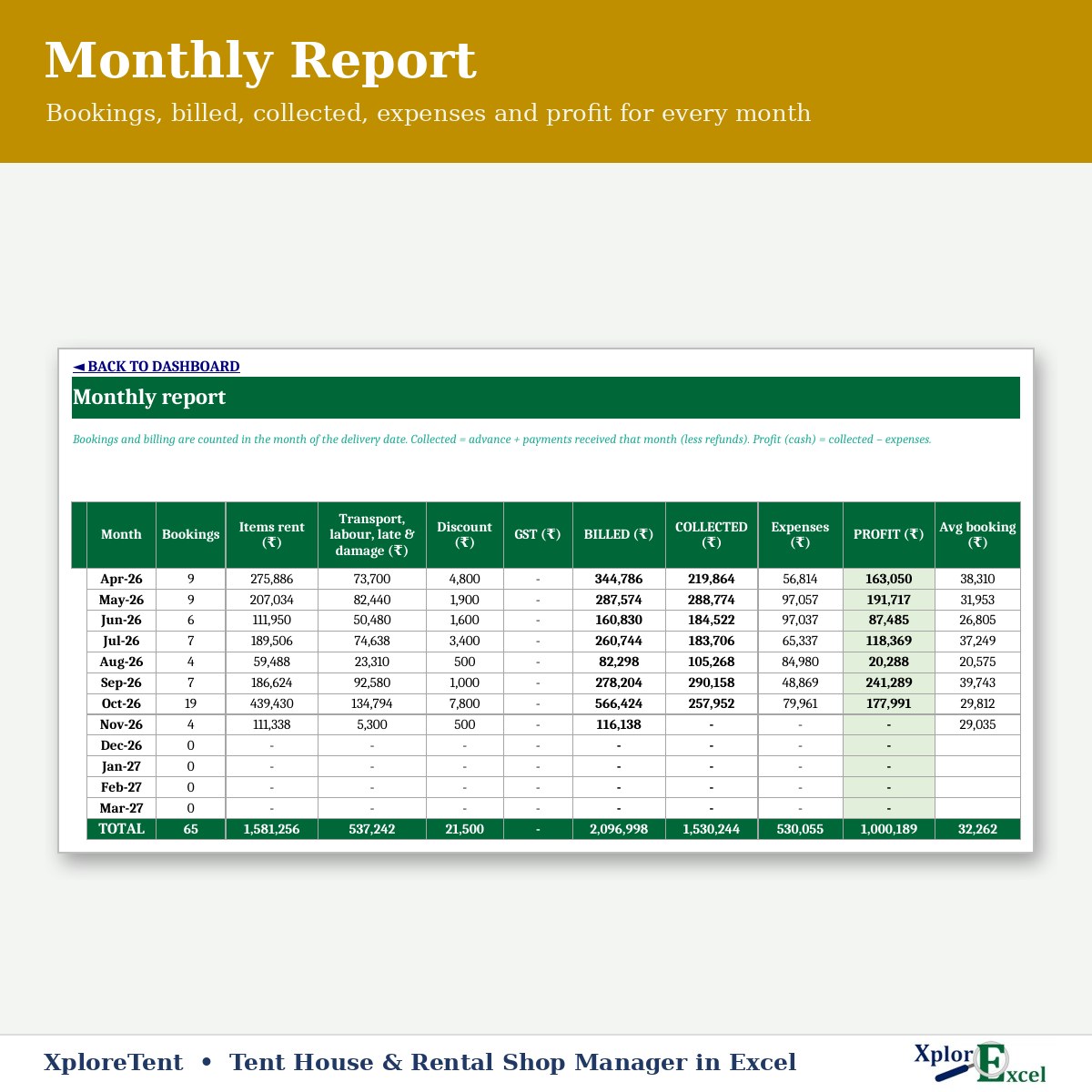
- Expenses, monthly report and dashboard: bookings, billed, collected, expenses and profit.
- Optional GST % and optional late-return charges.
What you get
- XploreTent 1.0 – Blank (Start Here).xlsx
- XploreTent 1.0 – Sample Data (Demo).xlsx: a sample tent house with bookings, returns and payments
- A built-in How to Use sheet and a README
Renting out tents and goods is taxable under GST (usually 18%) once you cross the registration limit. Confirm the GST % with your CA.
Requirements
Microsoft Excel 2016 or later on Windows. On a Mac, everything works except the WhatsApp buttons. It has no macros and works offline. Use one file per financial year. Single-user file: if several people must enter bookings at the same time, a cloud app will suit you better.
Reviews
There are no reviews yet.