



What the macro edition adds
- Easy fill-in forms with buttons on a Windows computer
- A Data Entry page with every form one click away (Ctrl + Shift + E)
- A Find box in every form to edit old entries
- Includes the formula-only copy for the Excel app on Android and iPhone
Needs: Microsoft Excel on Windows (2016, 2019, 2021 or Microsoft 365) for the forms and buttons. The forms do not run on Mac, Excel Online or Google Sheets — use the included .xlsx copy there.
First time: right-click the .xlsm file → Properties → tick “Unblock” → OK, then click “Enable Content” when it opens.
Digital file, so no refunds — but if the file doesn’t work for you, we’ll fix it.
Everything in XploreSalon
XploreSalon runs a beauty parlour or salon in one Excel file. Bill each client and the file updates:
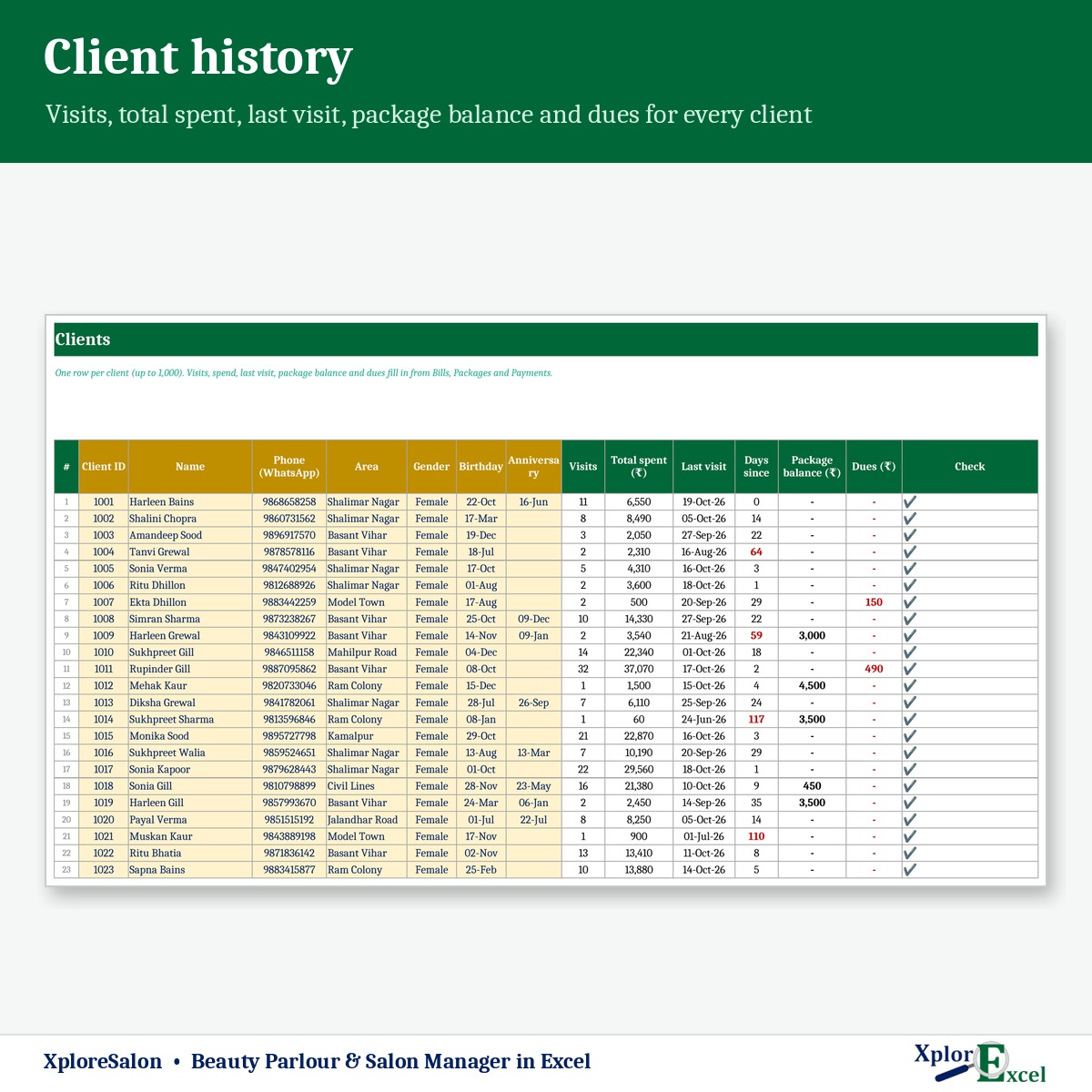
- her visit history, total spend, prepaid balance and dues
- each staff member’s commission
- your retail product stock
It also remembers birthdays and anniversaries, lists clients you haven’t seen for a while, and sends WhatsApp reminders, wishes and invites in one click. There’s no software subscription, and it works offline.
What you can do with it
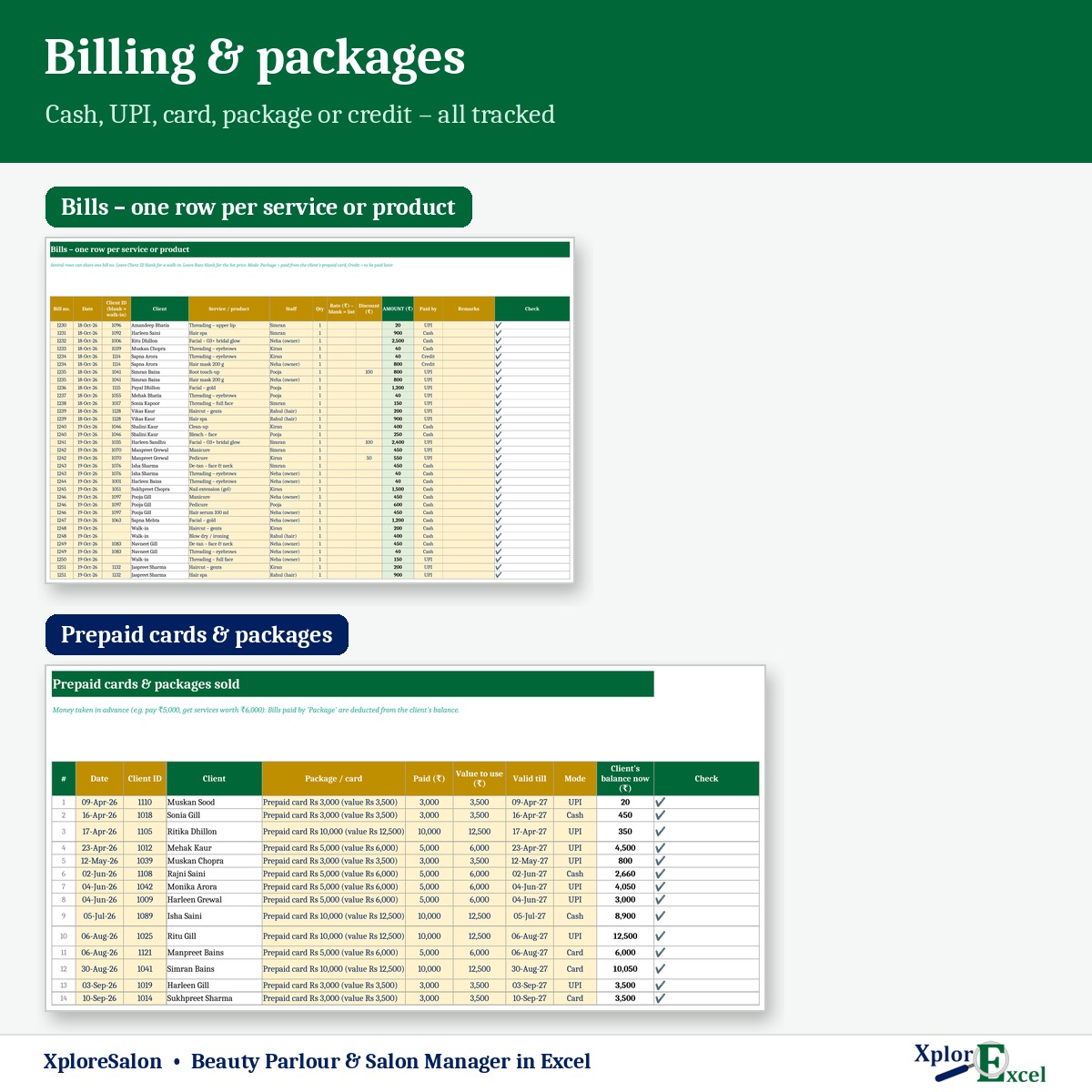
- Bill services and products, one row per item. Rates come from your rate list, with a special rate or discount when you want. Clients pay by cash, UPI, card, prepaid card or credit.
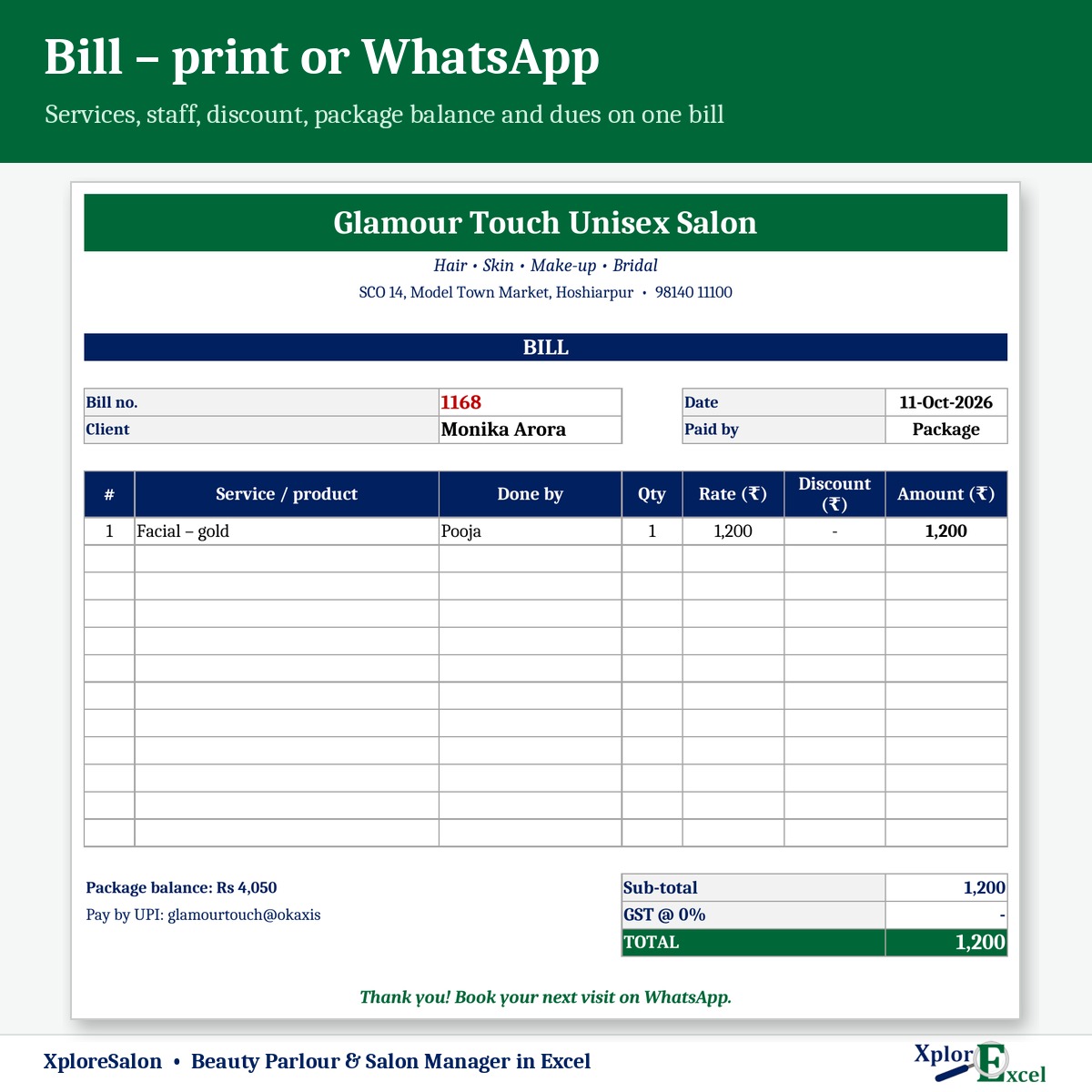
- Print a bill or send it on WhatsApp, showing the client’s package balance and any dues.
- Sell prepaid cards / packages (for example, pay ₹5,000 and get ₹6,000 of services). Each bill paid by package is deducted from her balance.
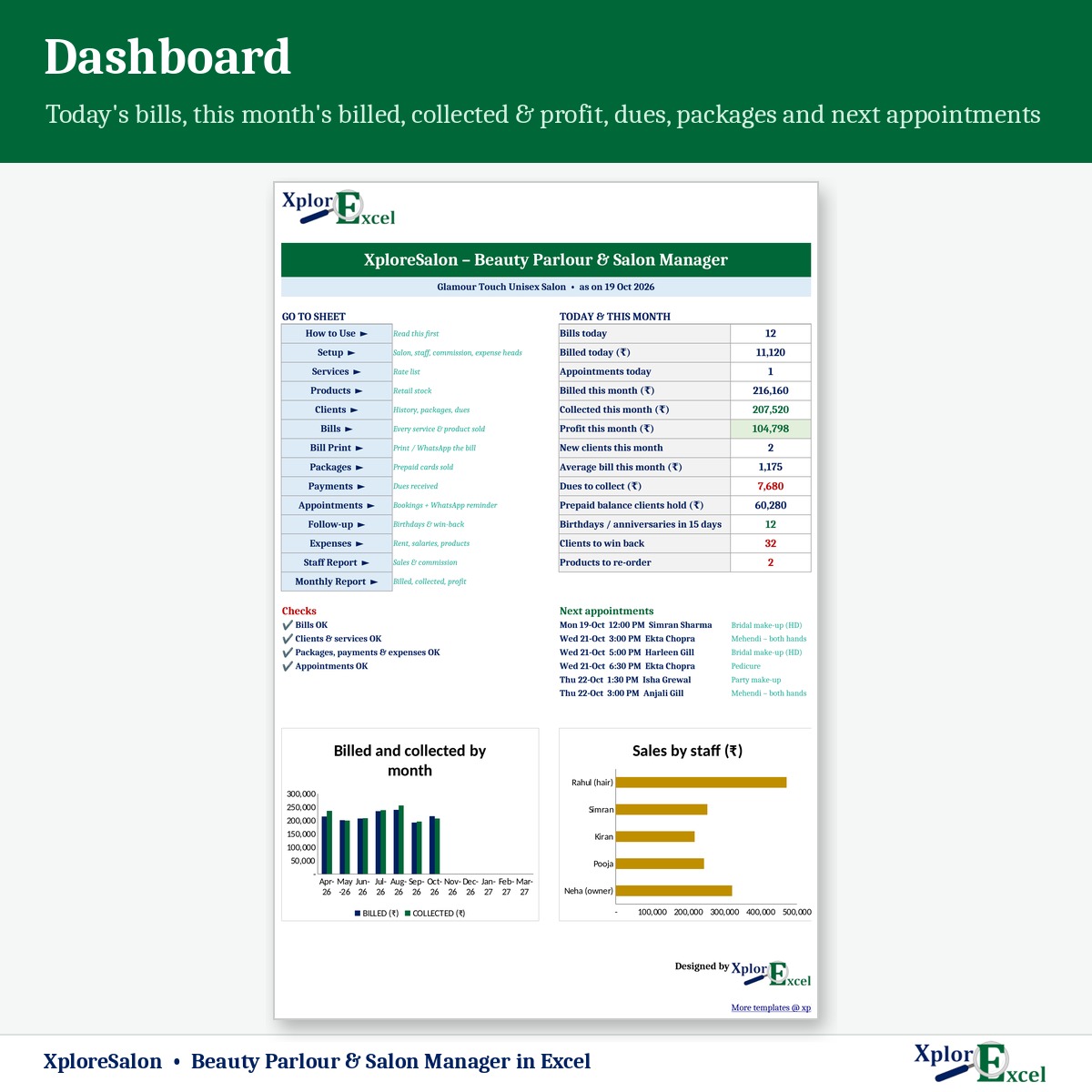
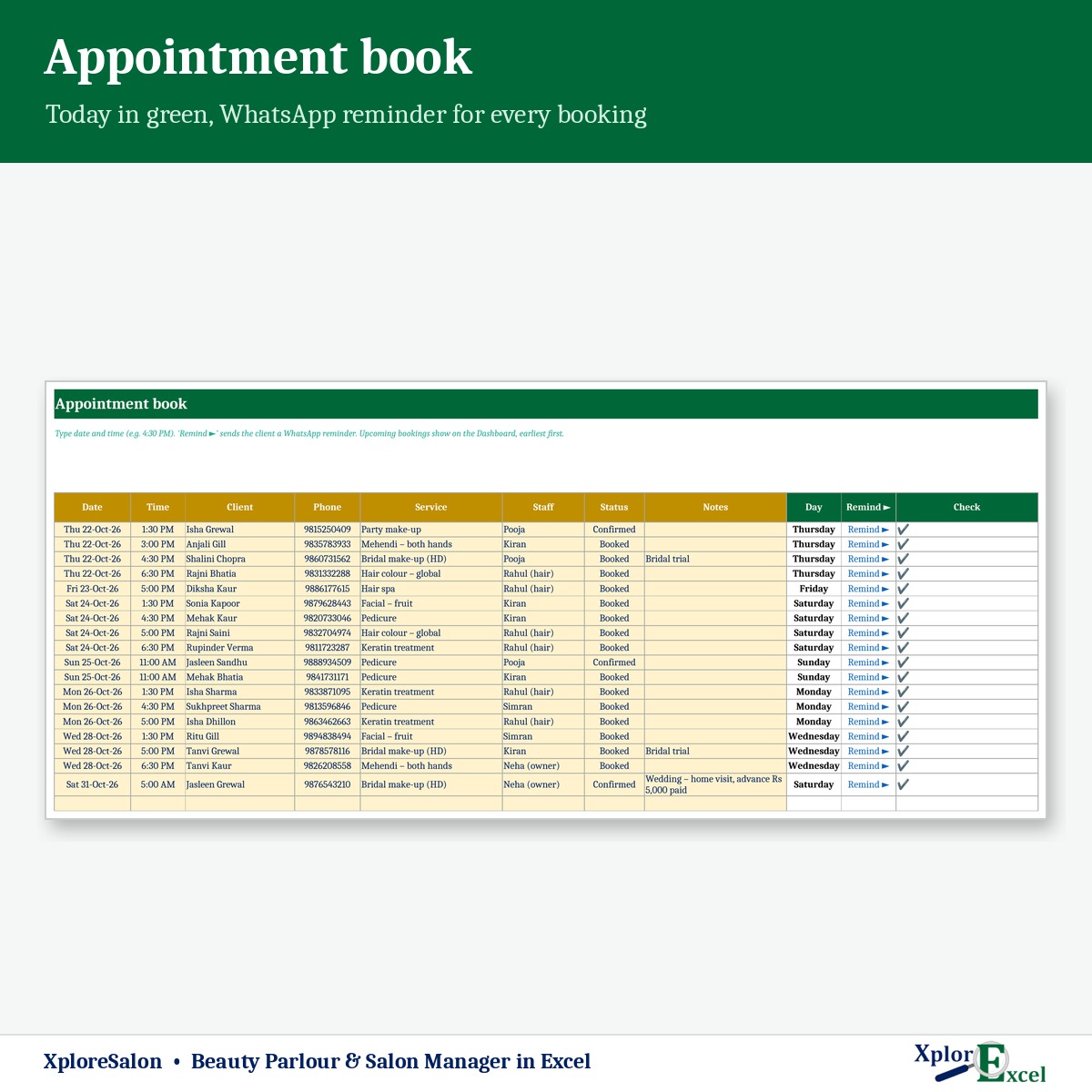
- Keep an appointment book with one-click WhatsApp reminders. Upcoming bookings show on the dashboard.
- Use Follow-up: birthdays and anniversaries in the next 15 days with a wish and your offer, and a win-back list of clients not seen for 45 days (you can change this), biggest spenders first.
Features
- Clients: up to 1,000, with birthday, anniversary and notes (skin type, allergies, preferred staff). Visits, total spent, last visit, package balance and dues fill in.
- Services: up to 100, with category, price and time. You can set a commission % on any service, such as bridal make-up.
- Staff report: services done, service and product sales, and commission for the year or any month.
- Retail products: stock received, sold, in hand, stock value and re-order alerts.
- Monthly report and dashboard: bills, new clients, average bill, billed vs collected, prepaid cards sold, expenses, commission and profit.
- Optional GST %. Up to 15 staff and 6,000 bill lines a year.
What you get
- XploreSalon 1.0 – Blank (Start Here).xlsx, with the rate list ready to edit
- XploreSalon 1.0 – Sample Data (Demo).xlsx: a unisex salon with 5 staff, 140 clients and 1,251 bills, April to October 2026
- A built-in How to Use sheet and a README
Salon services are taxable under GST once you cross the registration limit. Confirm the GST % with your CA.
Requirements
Microsoft Excel 2016 or later on Windows. On a Mac, everything works except the WhatsApp buttons. It has no macros and works offline. Use one file per financial year.

Reviews
There are no reviews yet.