
Quick answer: A school fee receipt is proof that a parent has paid fees. It should show:
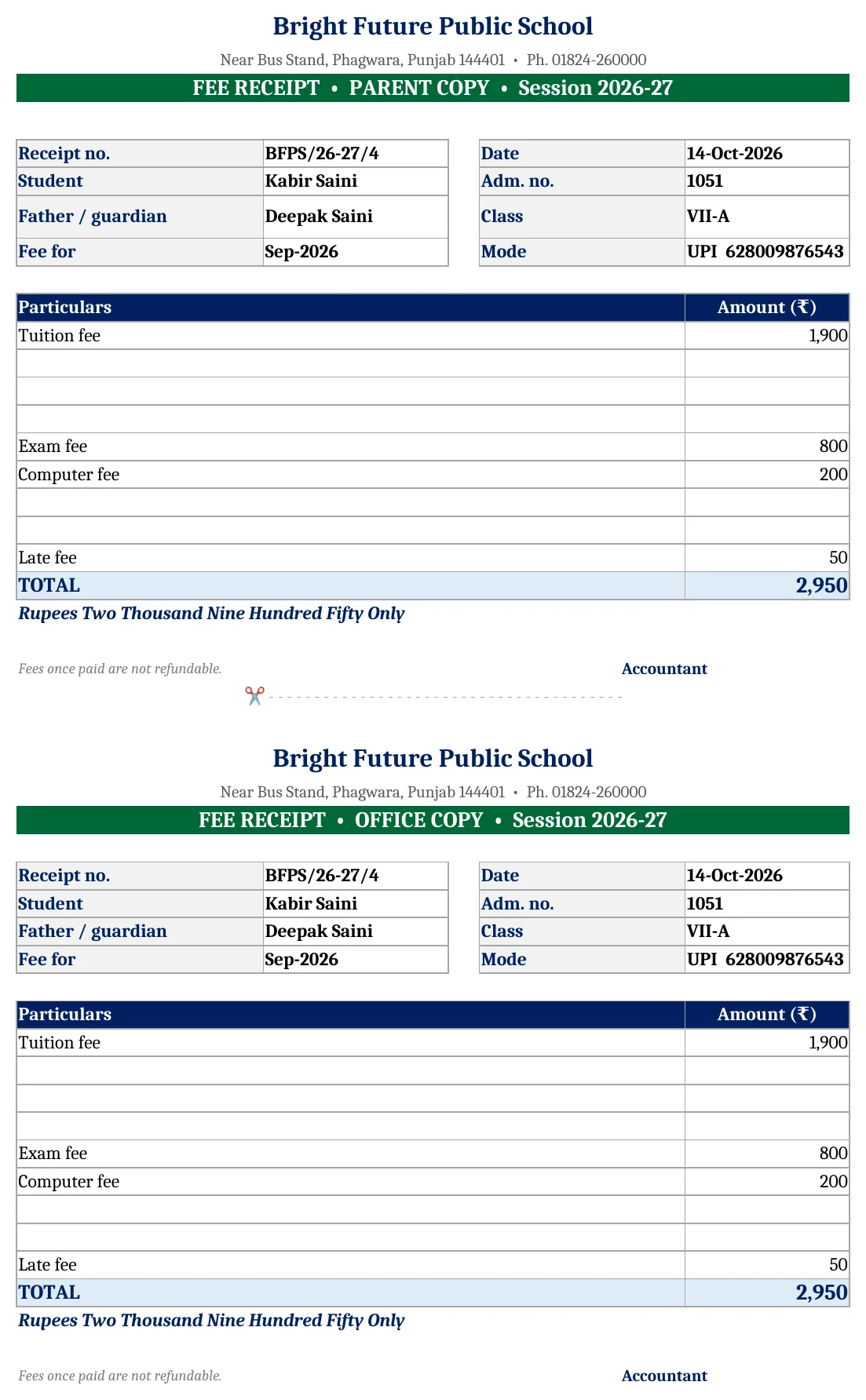
- the school’s name and address, a receipt number and the date
- the student’s name, admission number, class and father’s name
- the period the fees are for
- each fee head (tuition, transport, exam…) and any late fee
- the total in figures and words, and the payment mode
The free Excel template below keeps a receipt register and prints any receipt in a parent copy + office copy format with automatic receipt numbers.
Key takeaways
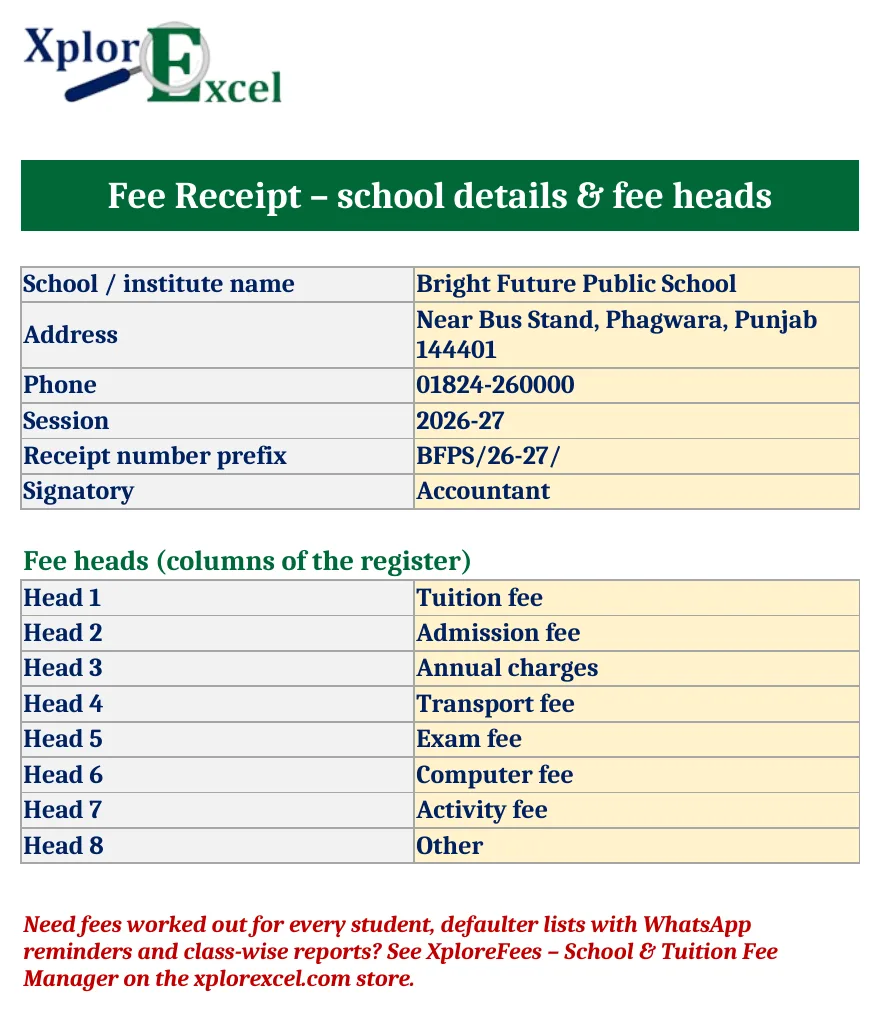
- Name your own 8 fee heads: tuition, admission, annual charges, transport, exam, computer, activity, other.
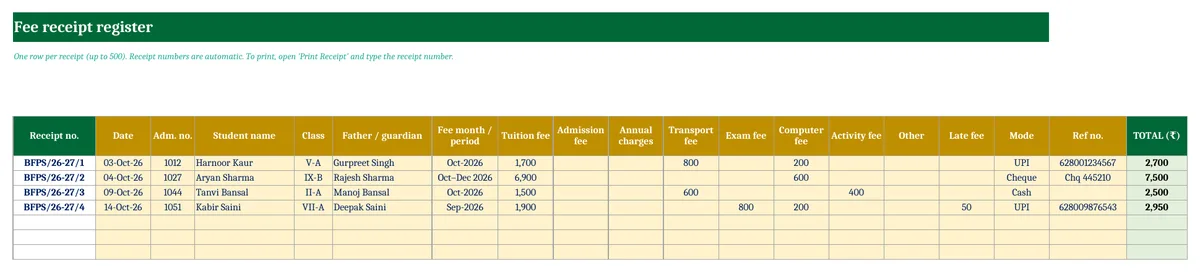
- Keep a receipt register of up to 500 receipts with automatic receipt numbers.
- Print any receipt: parent copy and office copy on one A4 page, amount in words, only the heads actually paid.
- Free, with no macros. It works in Excel, Excel for Mac and Google Sheets.
What a fee receipt should include
| Part | Why it matters |
|---|---|
| School name, address, phone, session | Identifies who received the money |
| Receipt number (serial) and date | Every receipt can be traced and none can be missed or duplicated |
| Student name, admission number, class, father’s name | Matches the payment to the right student |
| Period (for example Oct-2026 or Oct–Dec 2026) | Shows which months are paid, so there are no disputes later |
| Fee heads and late fee | Parents can see exactly what they paid for |
| Total in figures and words, mode and reference | Proof of payment; the UPI or cheque number helps reconcile with the bank |
| Signature of the accountant or authorised person | Makes the receipt valid |
How to use the template
- Setup: enter the school name, address, phone, session and receipt prefix (for example BFPS/26-27/), and rename the 8 fee heads.
- Receipt Register: one row per payment, with date, admission number, student, class, father, period, the amount under each head, late fee and mode. The receipt number and total fill in automatically.
- Print Receipt: type the receipt number (the latest one shows by default) and print, or save as PDF to send on WhatsApp.
Is GST charged on school fees?
Fees charged by schools for education up to higher secondary (Class 12) are generally exempt from GST. Coaching centres and private tuition classes are usually not covered by this exemption, so a GST-registered coaching institute has to charge GST on its fees. Confirm your own case with a CA.
Download the free School Fee Receipt Format
It is free for life and has no macros. It works for schools, play schools, tuition centres, coaching institutes, music and dance academies, and hostels: just rename the fee heads.
Get updates and new free templates
Your download below doesn’t need this. Leave your WhatsApp number or email and I’ll send you fixes for this file and new free templates. No spam, unsubscribe anytime.

Was this template useful?
Related free templates Free Excel files people download with this one
FAQs
Can I change the fee heads?
Yes. Rename any of the 8 heads on the Setup sheet and the register and receipt update automatically.
How do I give one receipt for three months?
Enter the total for the three months under each head and write the period as, for example, “Oct–Dec 2026”.
Can I send the receipt on WhatsApp?
Yes. Save the Print Receipt sheet as PDF and send the PDF.
Is this a school ERP?
No. It is a simple receipt book in Excel. For automatic dues and defaulters, see XploreFees.
