
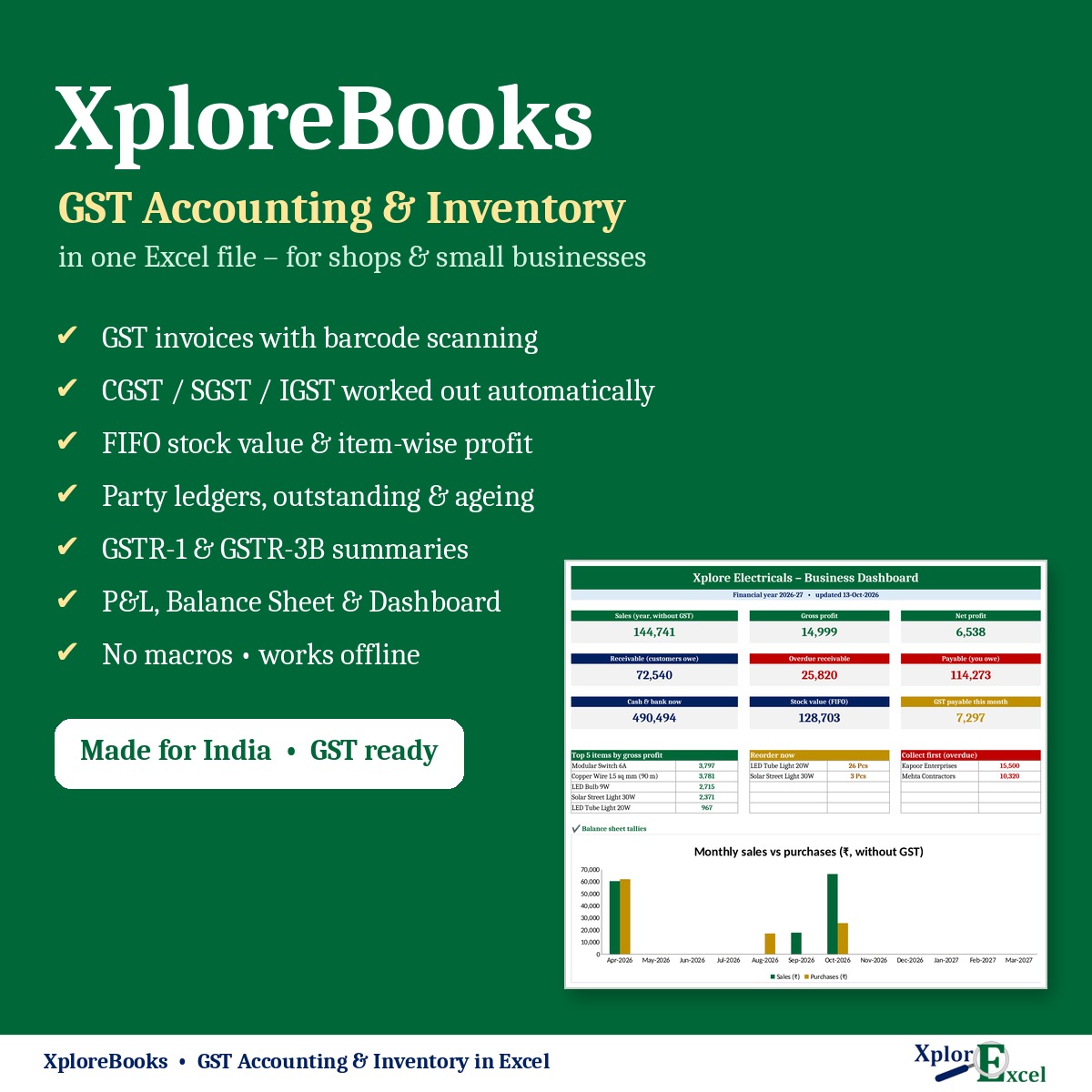
XploreBooks is a complete GST accounting and inventory system in one Excel file, made for shops, traders and small businesses in India. Scan a barcode to make a GST bill, and your stock, party balances, profit and GST returns update by themselves. No software to install, no subscription and no internet needed.
What you can do with it
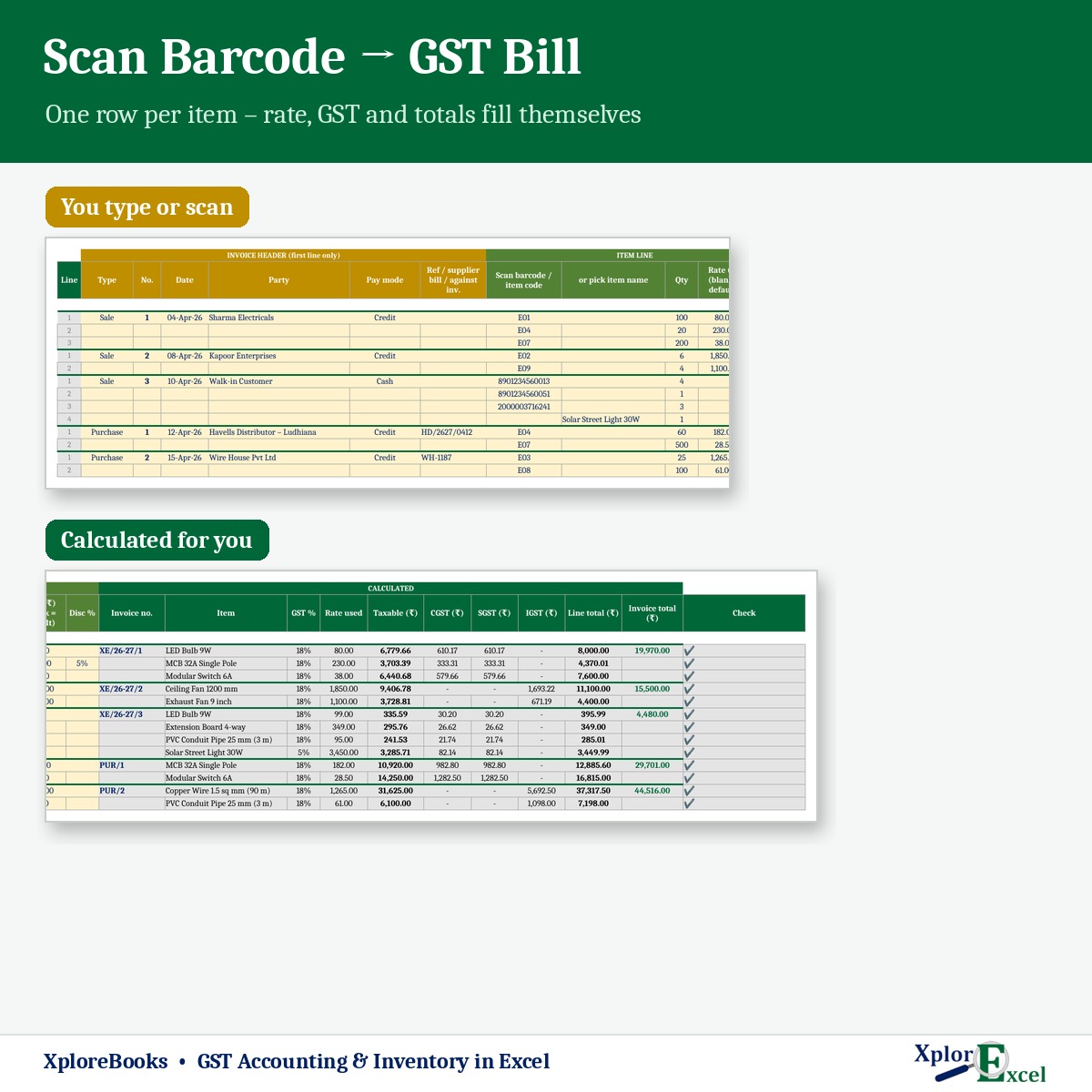
- Make GST sale and purchase bills by scanning a barcode or typing the item code. CGST + SGST or IGST is chosen automatically from the party’s state.
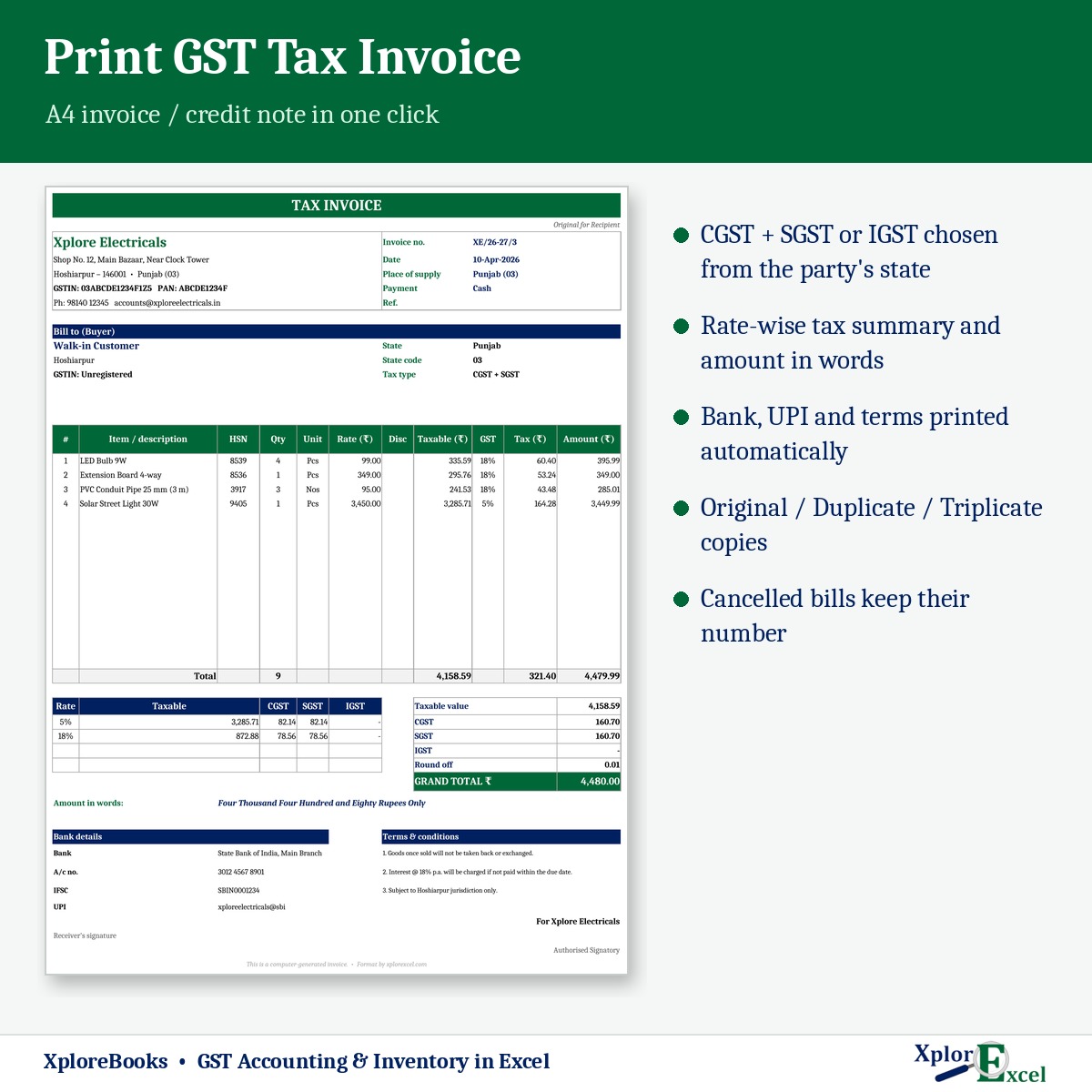
- Print a GST tax invoice on A4 with the amount in words, a rate-wise tax summary, and your bank and UPI details.
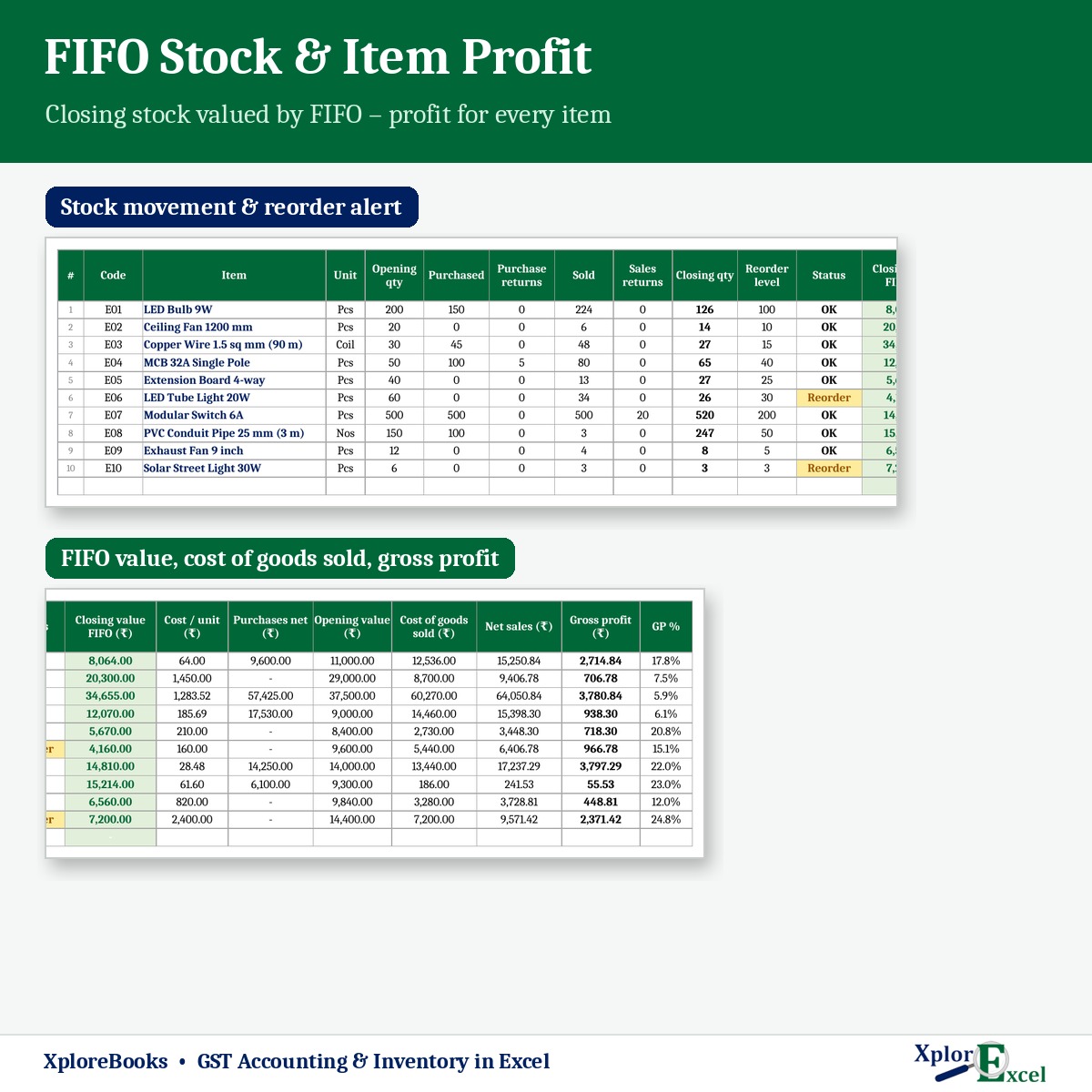
- Keep stock with FIFO valuation, get reorder alerts, and see the profit on every item.
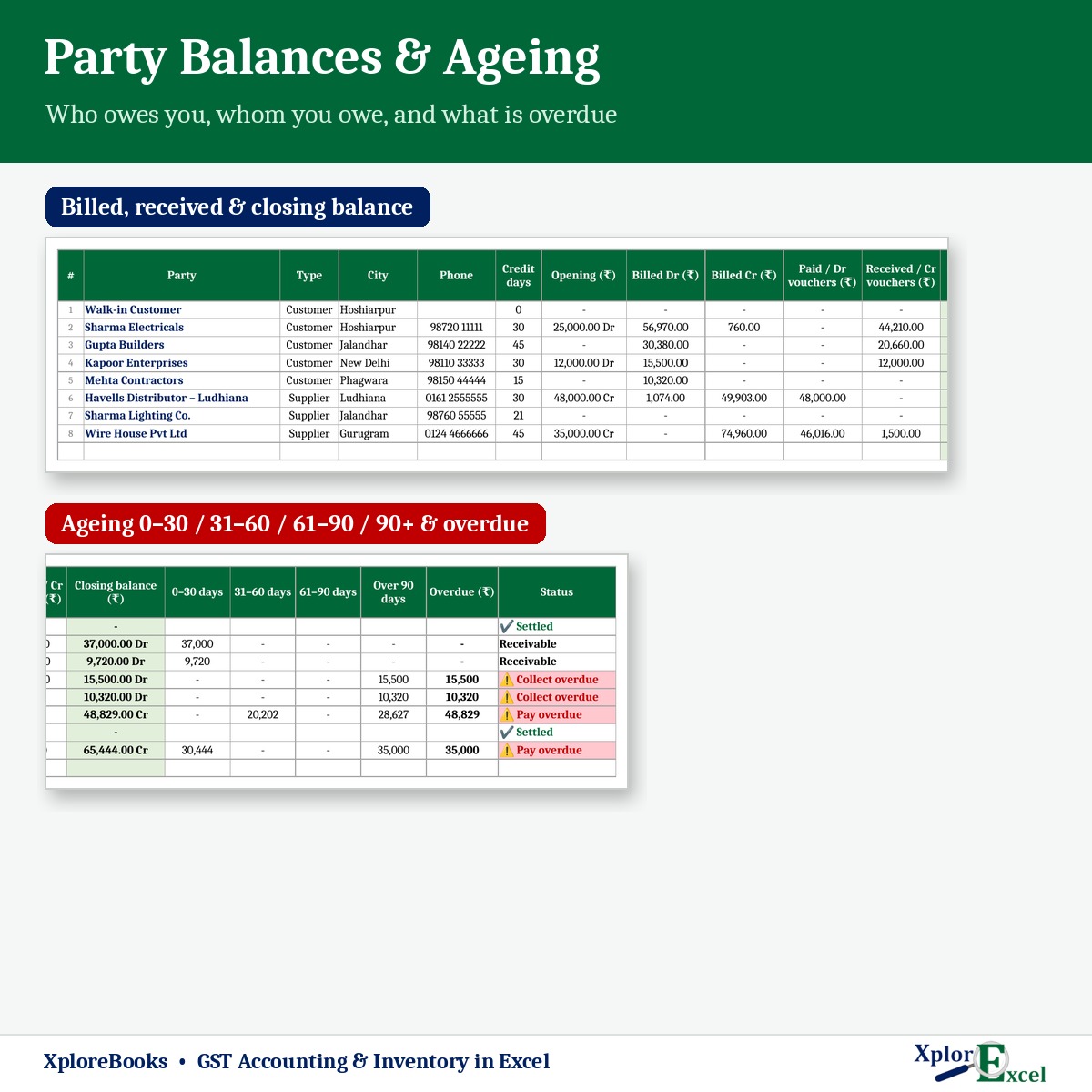
- See who owes you and whom you owe, with 0–30, 31–60, 61–90 and 90+ day ageing and the overdue amount.
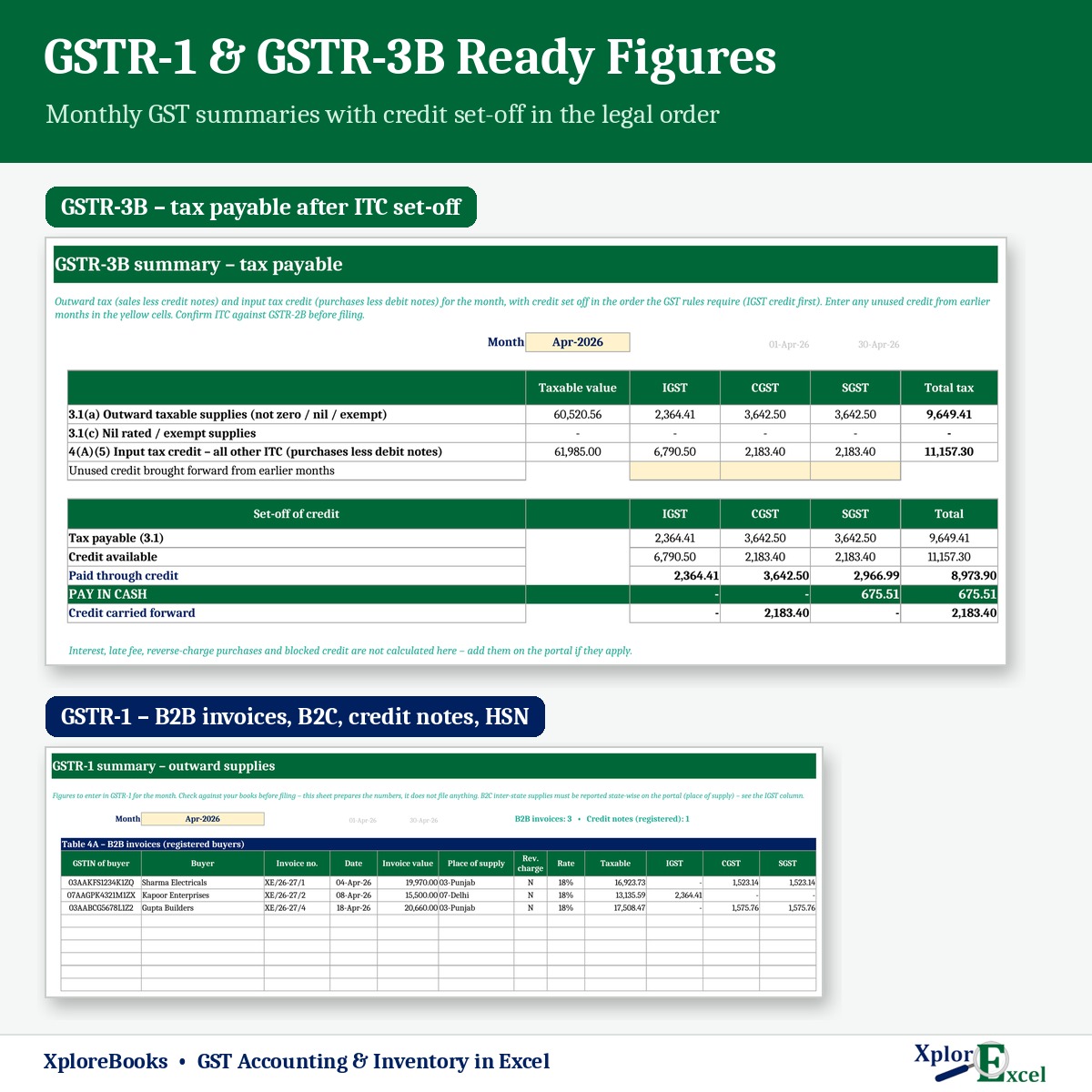
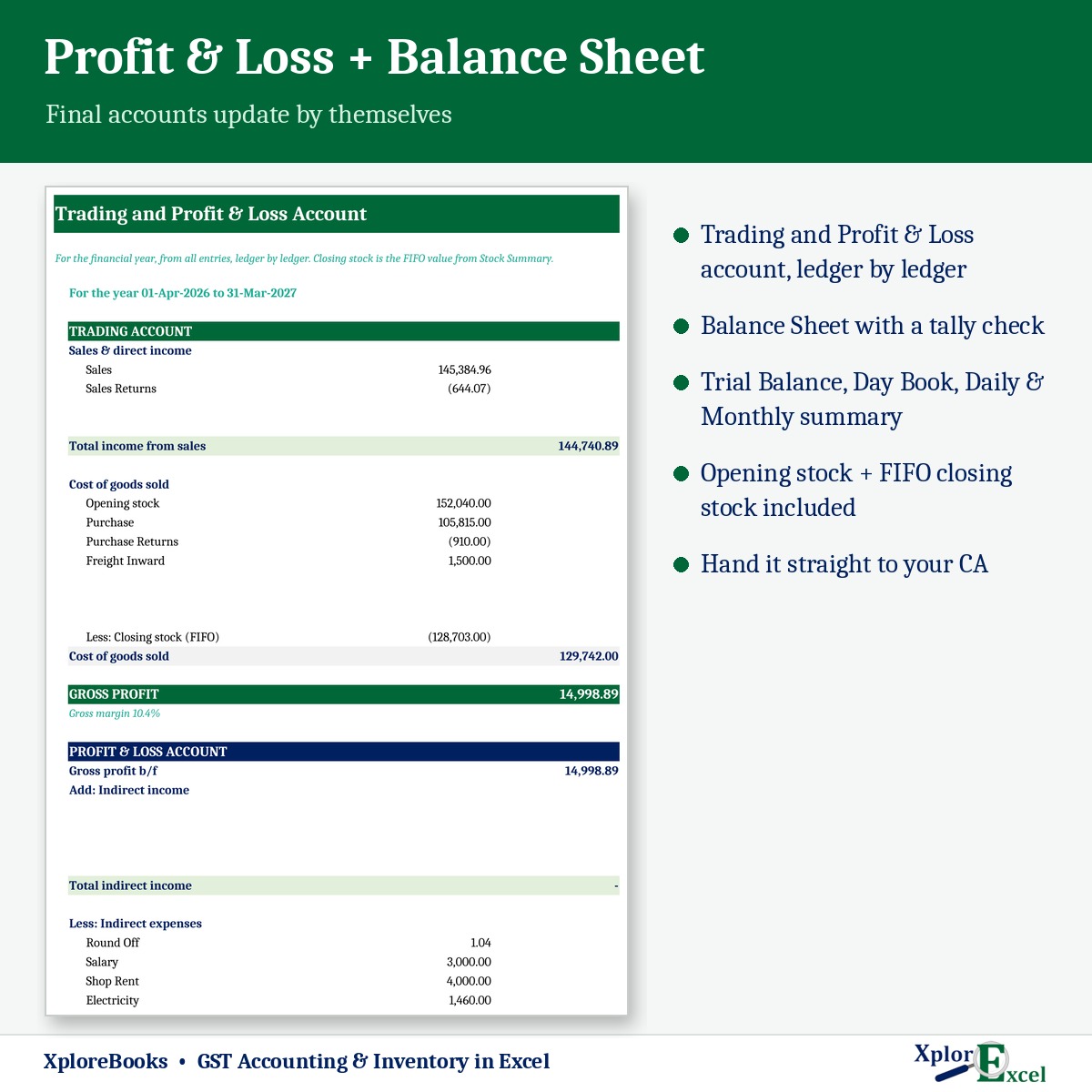
- Get GSTR-1 and GSTR-3B figures every month, plus the P&L, Balance Sheet and Dashboard.
Who it is for
Retail shops (electricals, hardware, garments, stationery, mobile accessories, kirana), traders and distributors, and small businesses that bill under GST and want proper books without buying Tally or a monthly software plan. If you can type in Excel, you can use XploreBooks. A step-by-step How to Use sheet is built in.
Features
Billing & transactions
- One register for Sale, Purchase, Credit Note (sales return) and Debit Note (purchase return), one row per item.
- Barcode scanning: scan the product’s own barcode, or let XploreBooks create one for items that have none (EAN-13). Print barcode labels on A4 sticker sheets (3 × 8).
- Automatic invoice numbers for each type, with your own prefix (for example INV/26-27/1).
- Rates come from your item list. Works with GST-inclusive (MRP) or GST-exclusive pricing, discount % per line, and automatic round-off.
- Cancel a bill without deleting it. The number is kept and the amounts become zero, as GST requires.
- Cash & Journal register for receipts, payments, contra and journal entries, with built-in checks (for example, a receipt must go into cash or bank).
Accounts & parties
- Ready chart of accounts with standard Indian groups. Add your own ledgers and groups.
- Every bill and voucher posts automatically to Sales, Purchase, Output and Input GST, party, cash and bank ledgers.
- Ledger statement of any account or party for any period, with a running Dr/Cr balance.
- Party Balances: receivable, payable, aging, overdue beyond each party’s credit days, and a collection status.
Inventory
- Item master with HSN, unit, GST rate, purchase and sale rate, opening stock and reorder level.
- Stock Summary with opening, purchased, returned, sold and closing quantity, and a negative-stock warning.
- FIFO closing stock value, cost of goods sold, and gross profit and GP % for every item.
Reports
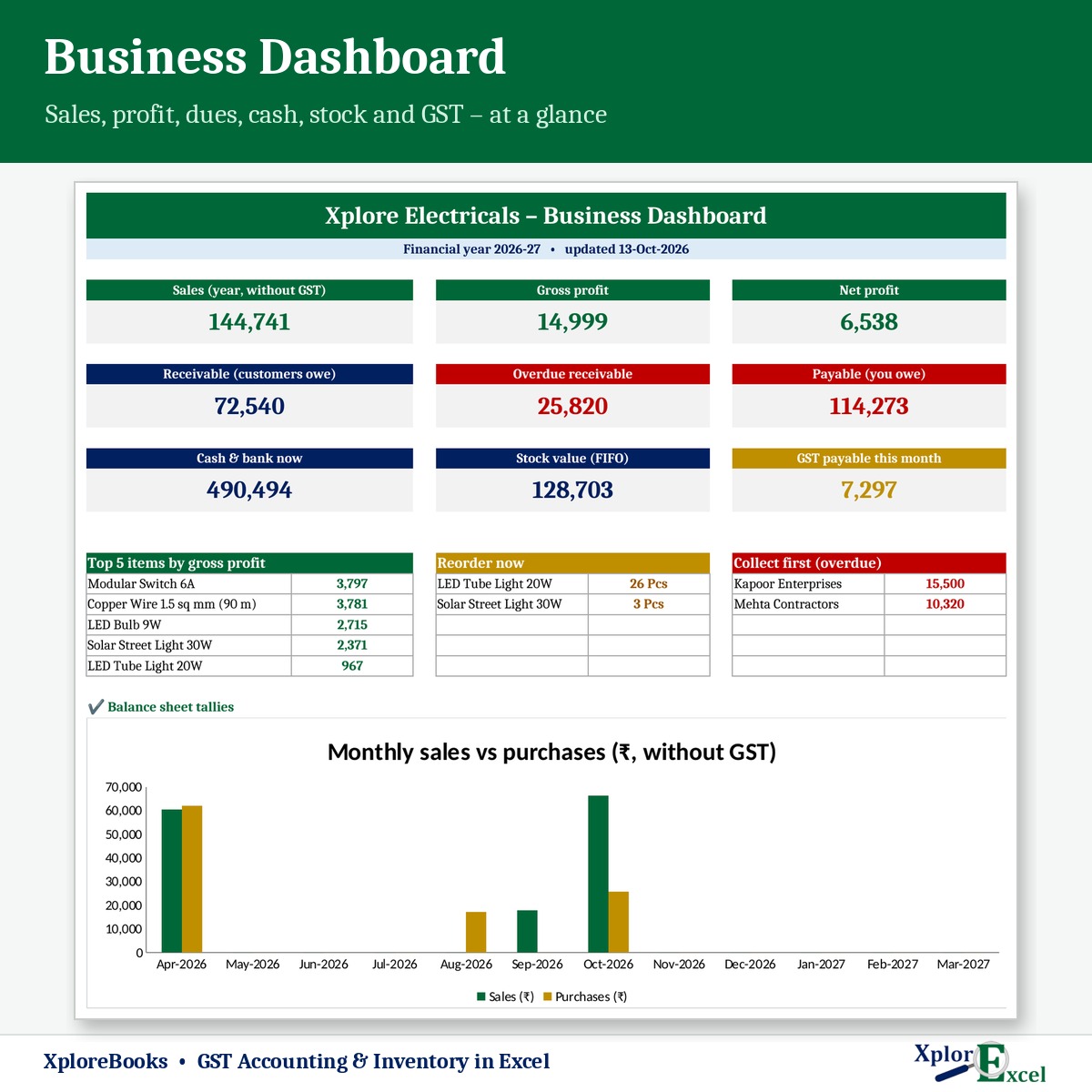
- Dashboard: sales, gross and net profit, receivable, overdue, payable, cash and bank, stock value, GST due this month, top items, a reorder list, customers to chase, and a monthly chart.
- Day Book, Daily Summary (day by day for any month) and Monthly & Yearly Summary.
- Trial Balance, Trading and Profit & Loss Account (ledger by ledger) and Balance Sheet, each with tally checks.
- GSTR-1 summary: B2B invoice list, B2C rate-wise summary, credit notes to registered buyers, HSN summary (B2B and B2C) and documents issued.
- GSTR-3B summary: outward supplies, input tax credit and set-off in the order the GST rules require (IGST credit first), with the amount to pay in cash.
Safe and easy to use
- Colour code: yellow cells are where you type and grey cells are automatic. Formulas are locked so they cannot be erased by mistake.
- Checks on every sheet flag missing or wrong entries. Home shows whether your books balance.
- No macros, so there are no security warnings and nothing runs in the background.
What’s included
- XploreBooks 1.0 – Blank (Start Here).xlsx: your working file, with the chart of accounts ready and no sample data.
- XploreBooks 1.0 – Sample Data (Demo).xlsx: a sample electrical shop with bills, payments and reports filled in, so you can see how everything works.
- A built-in How to Use guide (20 short steps) inside both files.
Requirements
- Microsoft Excel 2016, 2019, 2021 or Microsoft 365 on a Windows computer.
- Any USB barcode scanner that types like a keyboard (optional – you can type item codes instead).
- Recommended: one financial year per file, about 5,000 item lines a year. 1,000 lines are ready to use and more can be added in seconds.
Not included (please read before buying)
- It does not file returns. It prepares the GSTR-1 and GSTR-3B figures, which you or your CA enter on the GST portal. Always compare input tax credit with GSTR-2B.
- No e-invoice (IRN) or e-way bill generation, and no reverse-charge, interest or late-fee calculation.
- No bill-by-bill payment matching. Party ageing applies payments to the oldest bills first.
- Single godown. No batch, expiry or serial-number tracking.
- Not designed for Google Sheets, Excel on mobile or LibreOffice.
Frequently asked questions
Do I need Tally or any software?
No. You only need Microsoft Excel. Everything – bills, stock, ledgers, GST summaries and final accounts – works inside the one file.
Do I need a barcode scanner?
No. You can type the item code or pick the item name from a list. A scanner just makes billing faster. Any USB scanner that works like a keyboard will do.
My products have no barcode. What do I do?
Leave the barcode blank. XploreBooks creates one from your item code, and you can print the labels on A4 sticker sheets from the Barcode Print sheet.
Is it suitable for my CA?
Yes. Your CA gets the Trial Balance, P&L, Balance Sheet, ledgers, stock valuation (FIFO) and GST summaries, all from your own entries.
What happens at the end of the financial year?
Save a copy under a new name, clear the bills and vouchers, and carry the closing balances and closing stock forward as opening figures. The How to Use sheet explains each step.
Can I change the design or formulas?
Yes. The sheets are protected only to prevent accidents, and there is no password (Review ▸ Unprotect Sheet).
How do I get the file?
The download link appears as soon as your payment clears and is also sent by email. It is a one-time payment with lifetime access to this version.
XploreBooks is an Excel record-keeping tool. GST rules change from time to time – check the figures with your CA before filing returns.
Reviews
There are no reviews yet.