
For kirana, wholesale & small traders
Your shop’s GST bills, stock and party khata in one Excel file.
Make a bill once — or scan the barcode. XploreBooks adds it to the customer’s khata, updates your stock, and keeps your GST, profit and balance sheet ready for every day, month and year.
- Instant Download
- Lifetime Access
- Pay once, no monthly fee
- Only email + mobile needed

Month-end without the calculator
Bahi-khata & loose bills
- GST added up by hand, rate by rate
- Stock counted only when something runs out
- Party balances live in your memory
- Your CA asks for figures you have to rebuild
- Every new year, all balances copied again by hand
With XploreBooks
- GST totals per rate, and GSTR-1 / GSTR-3B figures, every month
- Stock updates by itself after every sale and purchase
- A khata for every customer and supplier, with overdue dues flagged
- Profit & Loss and Balance Sheet ready to hand to your CA
- Next year’s file with all opening balances in one click (macro edition)
What you get
One Excel file. Each page does one job and passes the numbers on by itself.
01
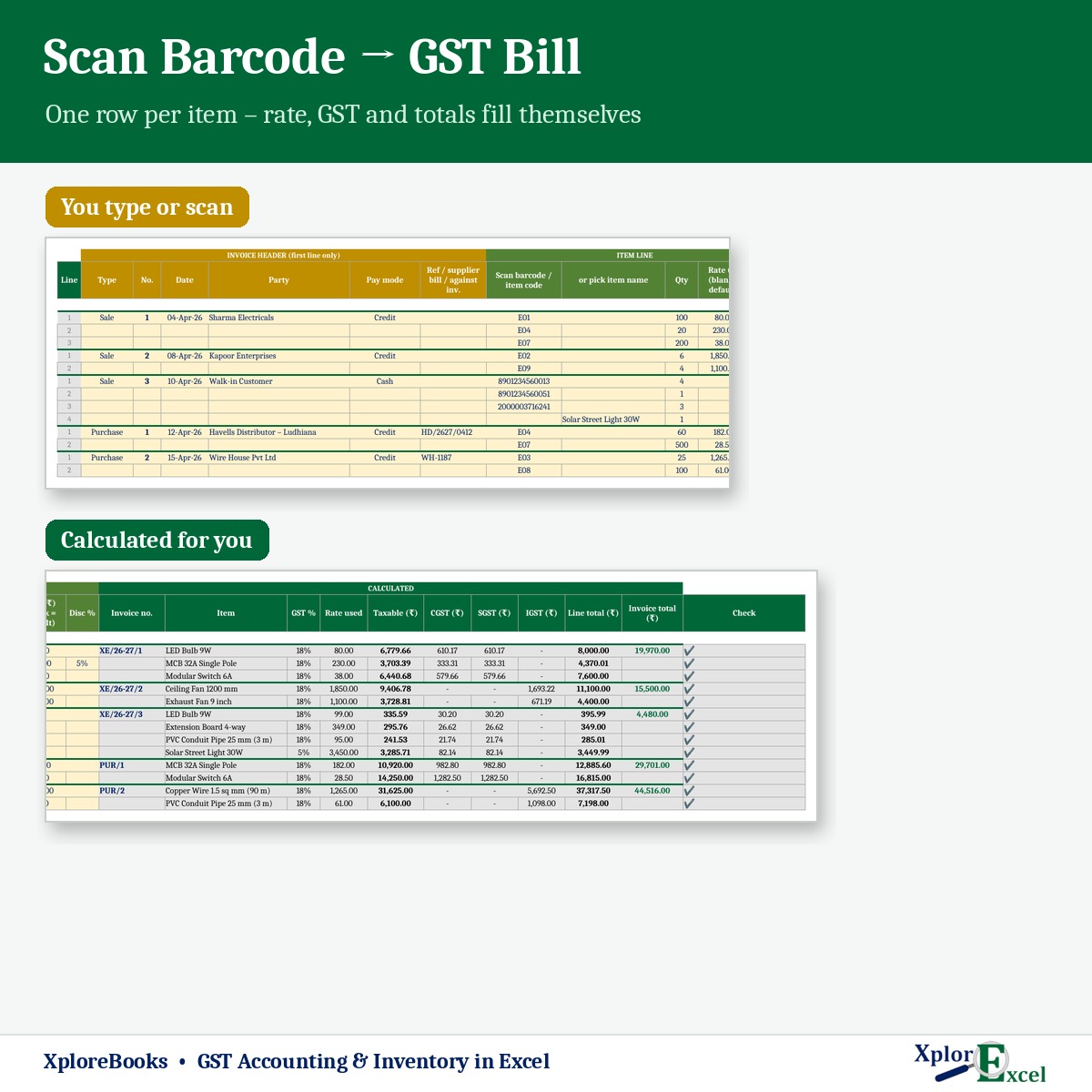
Bill with barcode scan
Scan or type the item. Rate, CGST/SGST or IGST and total fill themselves.
02
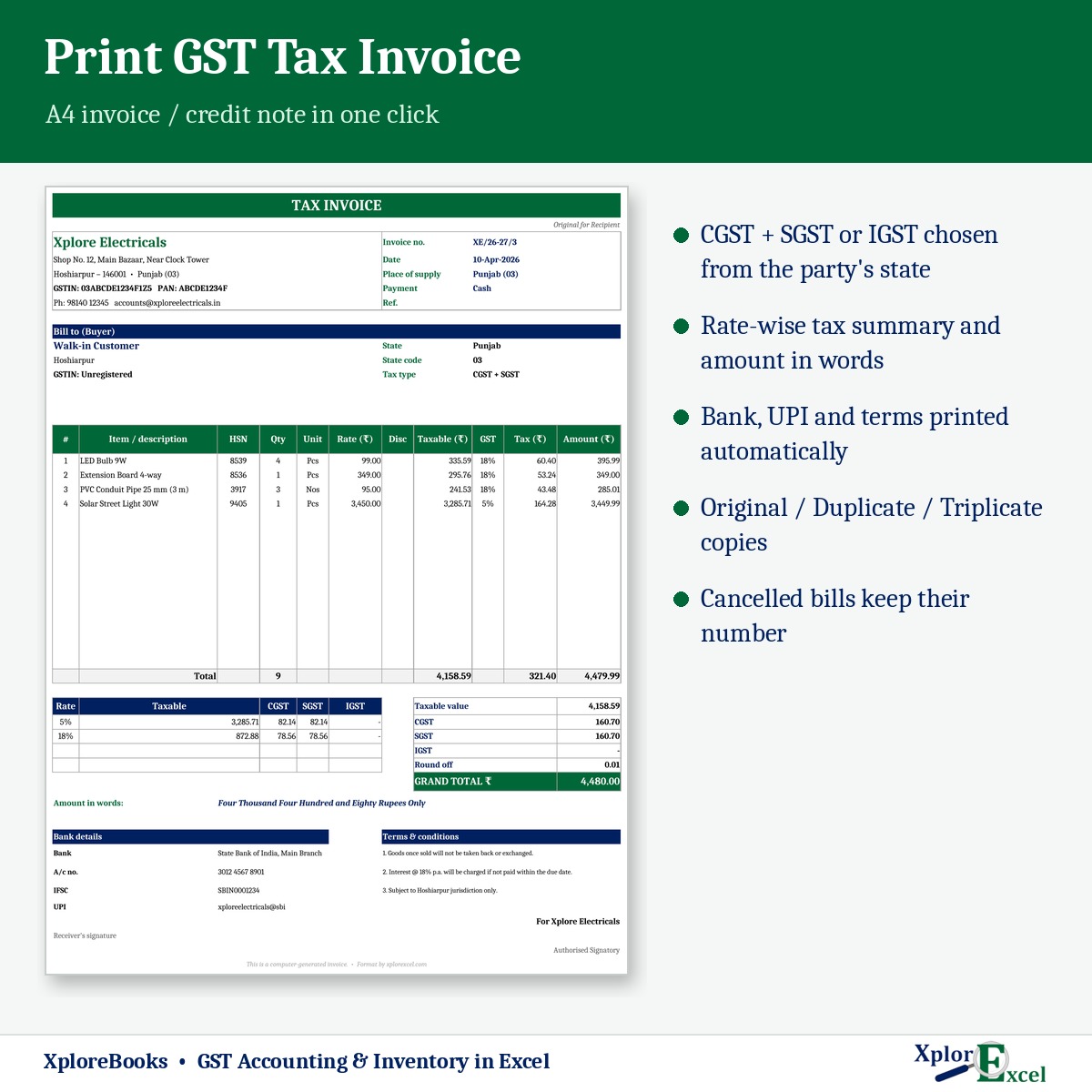
Print GST invoice
A4 tax invoice with amount in words, bank details and original/duplicate copies.
03
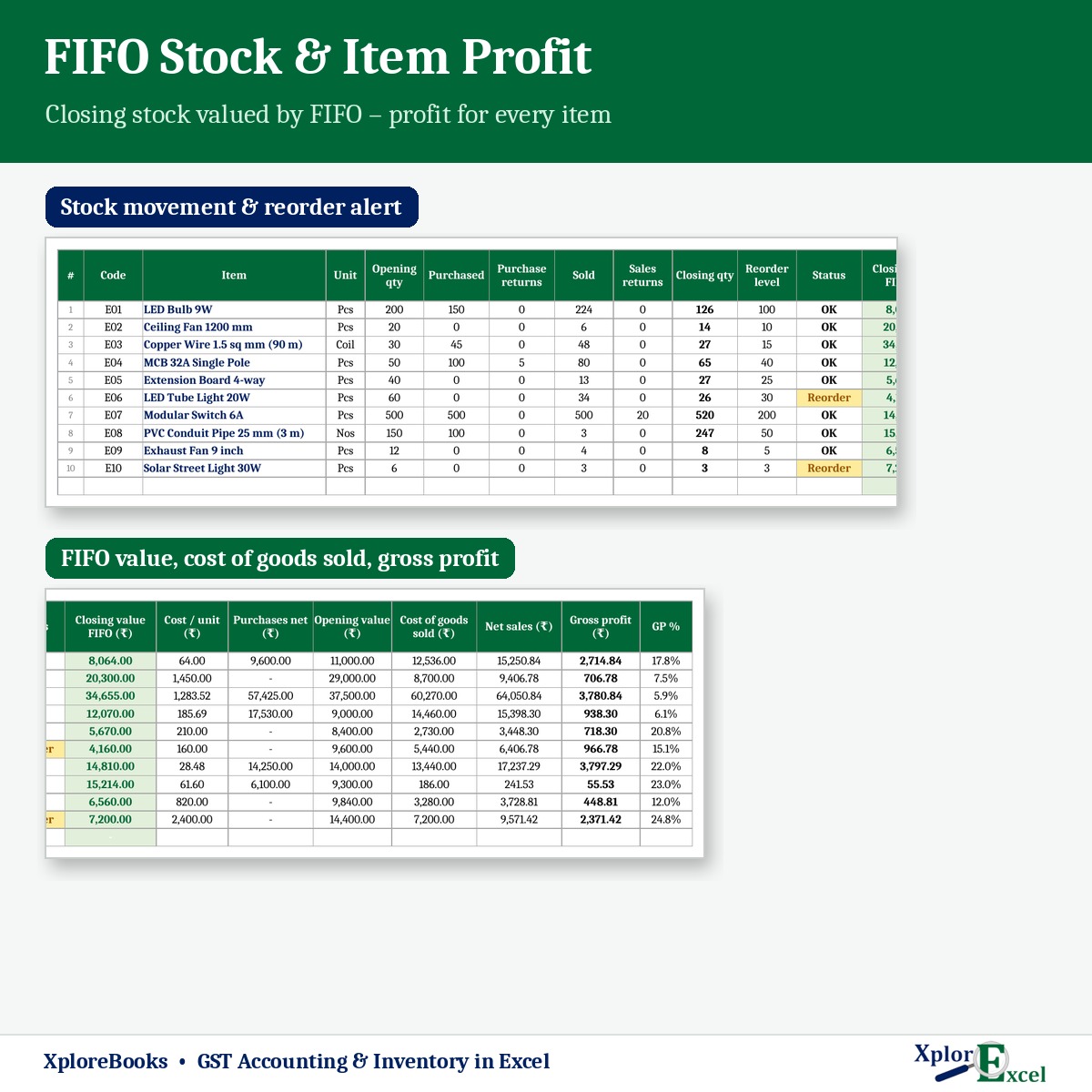
Live stock
How much of each item you have, what it’s worth, and which items need reordering.
04
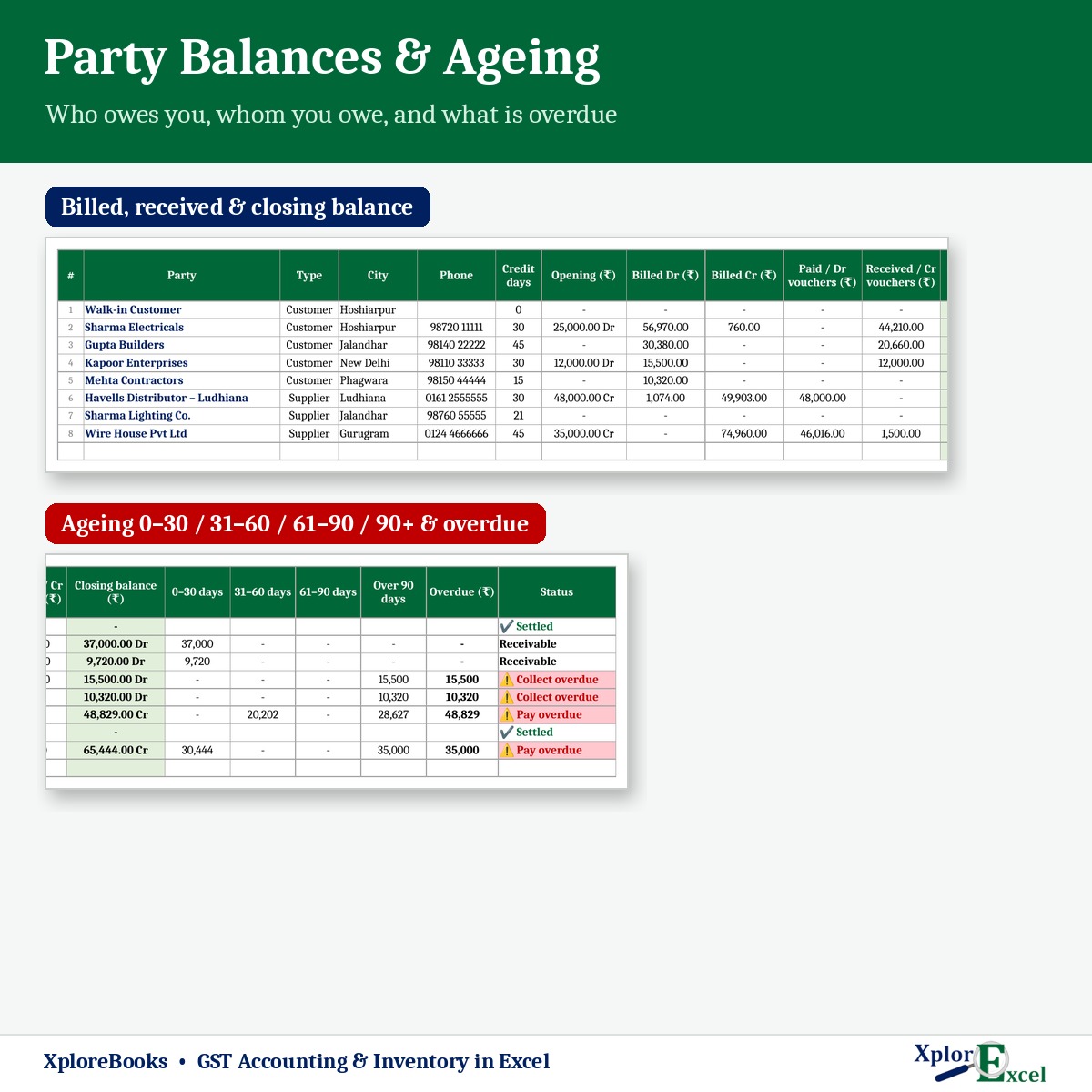
Khata for every party
Who owes you and whom you owe, with 0–30, 31–60, 61–90 and 90+ day dues.
05
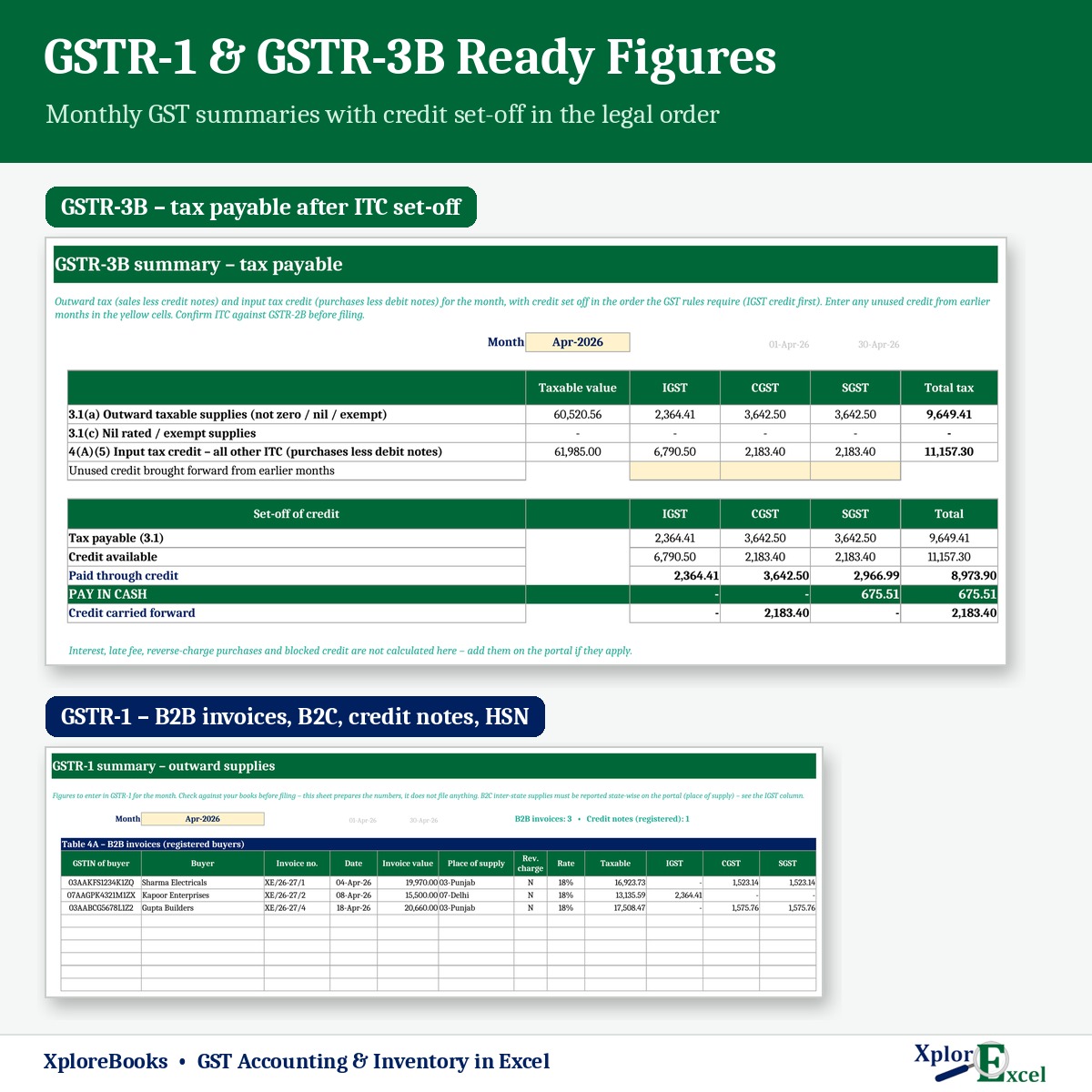
GST return figures
GSTR-1 and GSTR-3B summaries with input tax credit set-off, month by month.
06
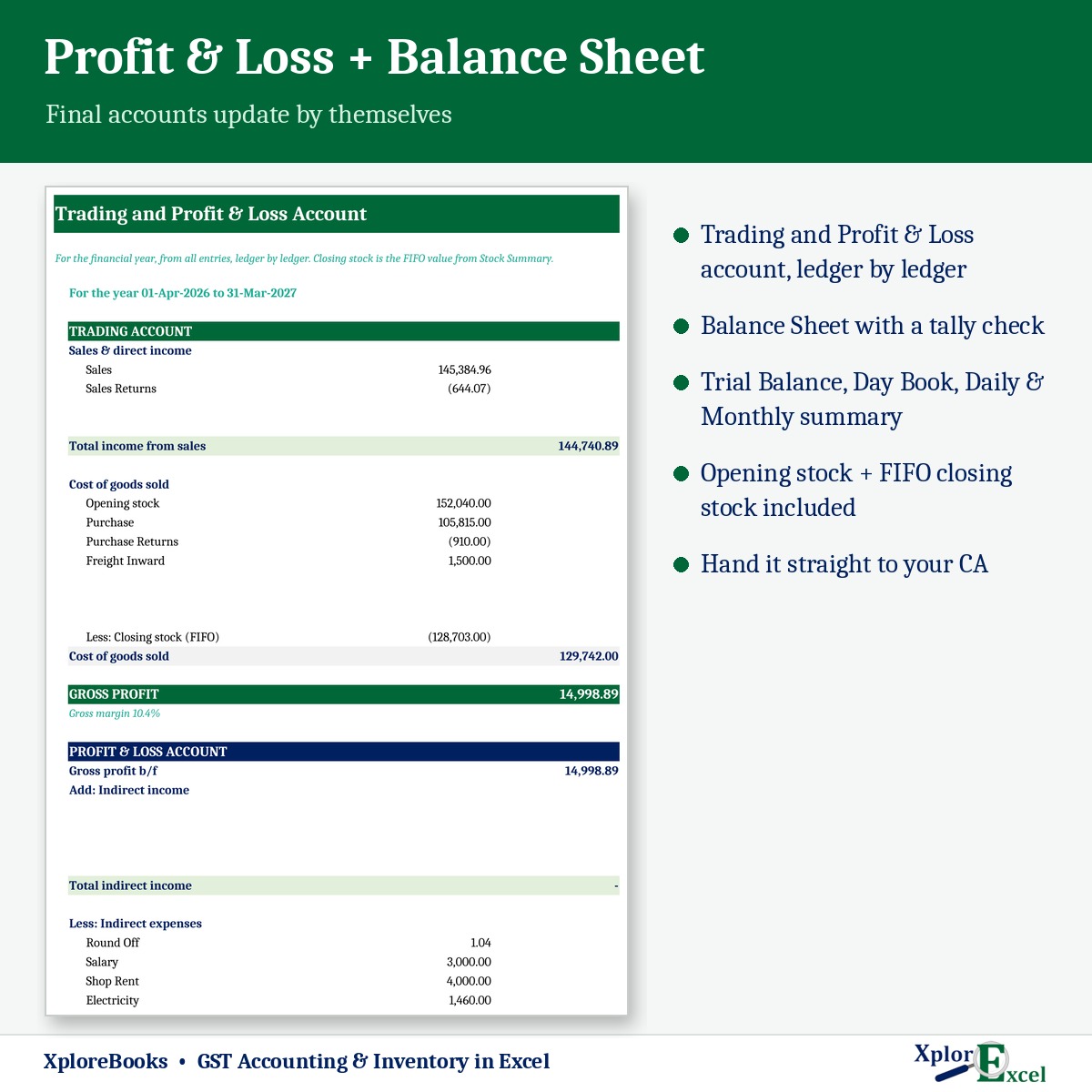
Profit & Balance Sheet
Trading, Profit & Loss and Balance Sheet update by themselves.
07
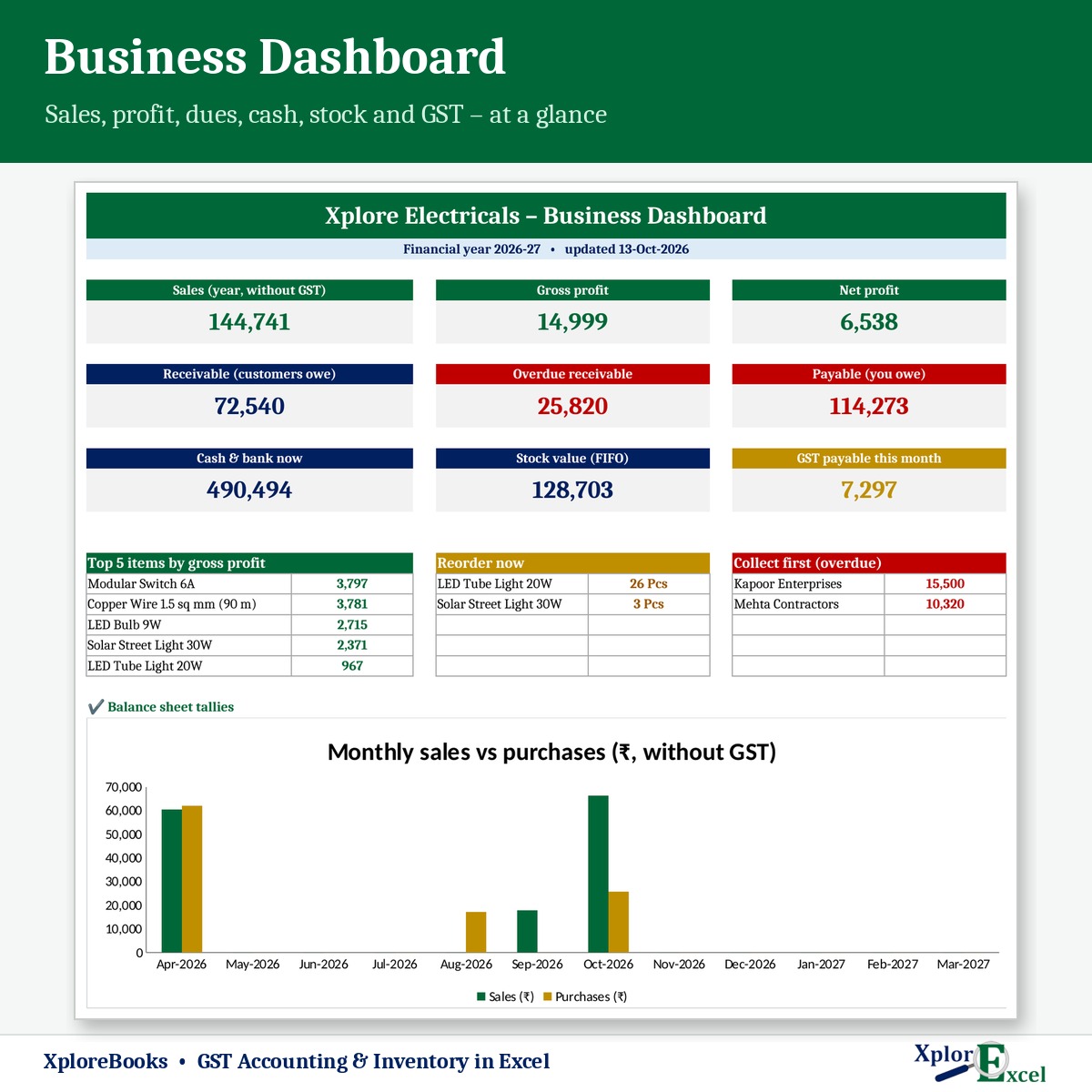
Business dashboard
Sales, profit, dues, cash, stock and GST payable on one page.
08
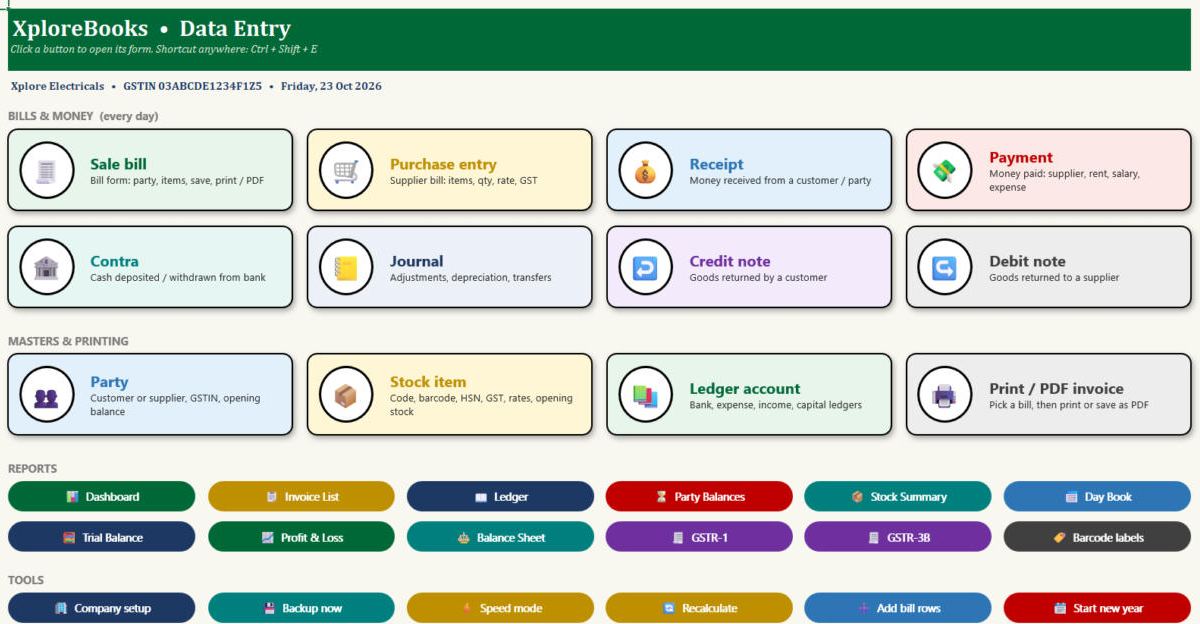
Every kind of entry
Sale, purchase, money received, money paid, returns — all in one place.
09Macro edition
New year in one click
Press one button at year end. Your old file stays safe, and next year’s file opens with party, stock, cash and bank balances already filled in.
See the real sheets
These are pages from the sample file that comes with your download.
Macro edition: fill-in forms on your PC
Click a button, fill a short form, press Save. These are real screens from the macro edition.

Made for
- Kirana and general stores
- Wholesalers and distributors
- Hardware, electrical and garment shops
- Shop owners who already use Excel a little
Not the right fit if
- Several people must enter data at the same time
- You need audited, company-grade software
- You want it to file your GST return for you — it gives the figures; filing is on the GST portal or by your CA
Pick your plan
Same accounts and reports in every plan. Choose how you want to enter data, and whether you want help getting started.
Formula edition
₹499
- Works on phone and PC
- Type straight into the yellow boxes
- Barcode billing, all reports and GST figures
Best for most shops
Macro edition
₹799
- Everything in the formula edition
- Easy fill-in forms with buttons on a Windows computer
- Print a bill or save it as PDF in one click
- New year in one click: closes the books and makes next year’s file with all opening balances
- Includes a phone copy for the Excel mobile app
Macro + Setup
₹1,499
- Everything in the macro edition
- 45-minute video call on Saturday or Sunday
- We set up your shop name, GSTIN, opening balances, parties and items with you
- Up to 3 small changes to fit your shop
- Questions answered for 30 days
Pay with UPI, cards or net banking. Setup buyers get the file instantly and can start the same day; the call is booked for the next free weekend slot. Limited slots each weekend.
Digital file, so no refunds — but if the file doesn’t work for you, we’ll fix it.
Not sure yet? Use our free templates first
Same builder, same yellow-box style. If these work for you, XploreBooks will too.
Hi, I’m Amanpreet
I run XplorExcel from Punjab. I build these files for the way small Indian businesses actually work, and I use my own templates to run my boutique, Punjabi Libas. If something in the file doesn’t make sense, message me.
Questions
Will it work on my phone?
Yes. The formula edition opens in the Excel app on Android and iPhone, and the macro edition includes a phone copy too. On the phone you type into the yellow boxes; the fill-in forms and one-click buttons work on a Windows computer.
Can I use it on my phone and PC both?
Yes. Save the file in your OneDrive and open it from either device. Work on one device at a time so you don’t end up with two different copies.
Which Excel do I need?
Excel 2016, 2019, 2021 or Microsoft 365 on Windows, or the Excel app on your phone. The forms and buttons of the macro edition need Windows; they are not made for Mac, Excel Online or Google Sheets.
The buttons don’t work — what do I do?
Windows blocks macros in downloaded files. Right-click the .xlsm file → Properties → tick “Unblock” → OK. Then open it and click “Enable Content” on the yellow bar.
Why can’t I edit some cells?
The formulas are locked so a wrong key can’t break your totals. You enter data in the yellow boxes.
Will it file my GST return?
No. It gives you GSTR-1 and GSTR-3B figures for the month. You or your CA file the return on the GST portal.
What happens at the end of the year?
In the macro edition, press “Start new year” on a Windows computer. Your old file stays as it is, and a new file opens for the next year with party balances, stock (quantity and value), cash, bank and capital carried forward. In the formula edition, you enter opening balances in the Accounts, Parties and Items pages of a fresh copy.
What counts as a “small change” in the setup plan?
For example: your shop name and logo on the bill, bank details and terms in the footer, extra account heads or item groups, or renaming a column. New reports or new formulas are not included.
How do I get the file?
The download link appears as soon as payment goes through and is also sent to your email. You can download it again anytime — there is no expiry.
Do I need internet or a login?
No. It’s a normal Excel file that stays on your device.
Start this month’s books tonight.
Pay once · Instant Download · Lifetime Access